
Have you ever wondered how to take your first step into the world of WordPress? If you’re new to WordPress, you might be curious about its famous “Hello World” post.
This simple default post holds the key to understanding the basics of WordPress and setting the stage for your website’s journey. Imagine the excitement of creating your very first post and sharing it with the world. You’ll discover what the “Hello World” post is, why it matters, and how you can use it to kickstart your WordPress adventure.
Let’s dive in and unlock the secrets of this iconic post together!
Credit: www.names.co.uk
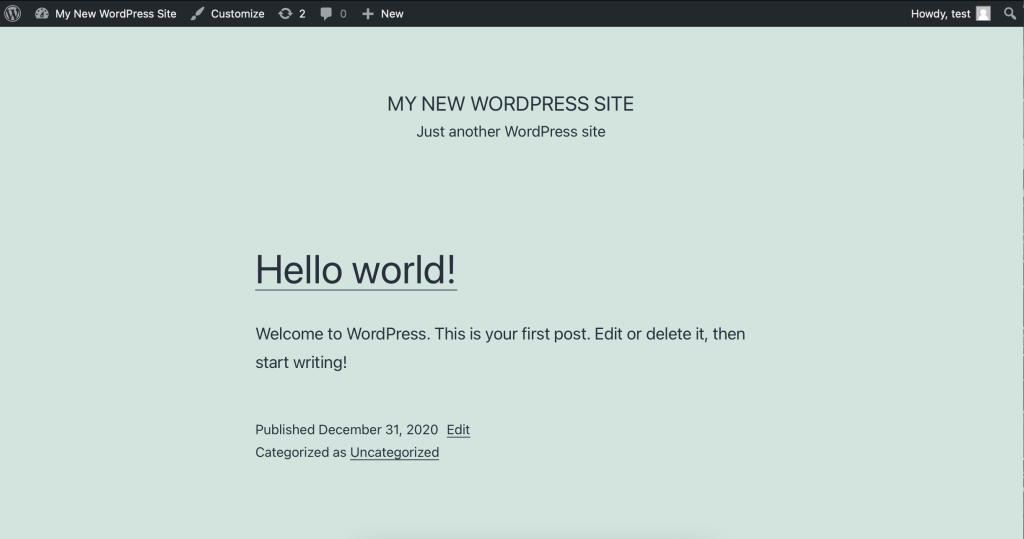
Hello World In WordPress
The phrase “Hello World” is famous for beginners. It marks the start of coding adventures. In WordPress, this phrase is a symbol. WordPress uses it in sample posts. Users see it after installation. It’s like a friendly greeting. A way to say, “Welcome to your site!”
Creating your own “Hello World” is simple. Open your WordPress dashboard. Click on “Posts” and then “Add New.” Now, type your message. Hit “Publish” to see it live. This is a great way to learn. It feels exciting to see your words online.
Origin And Purpose
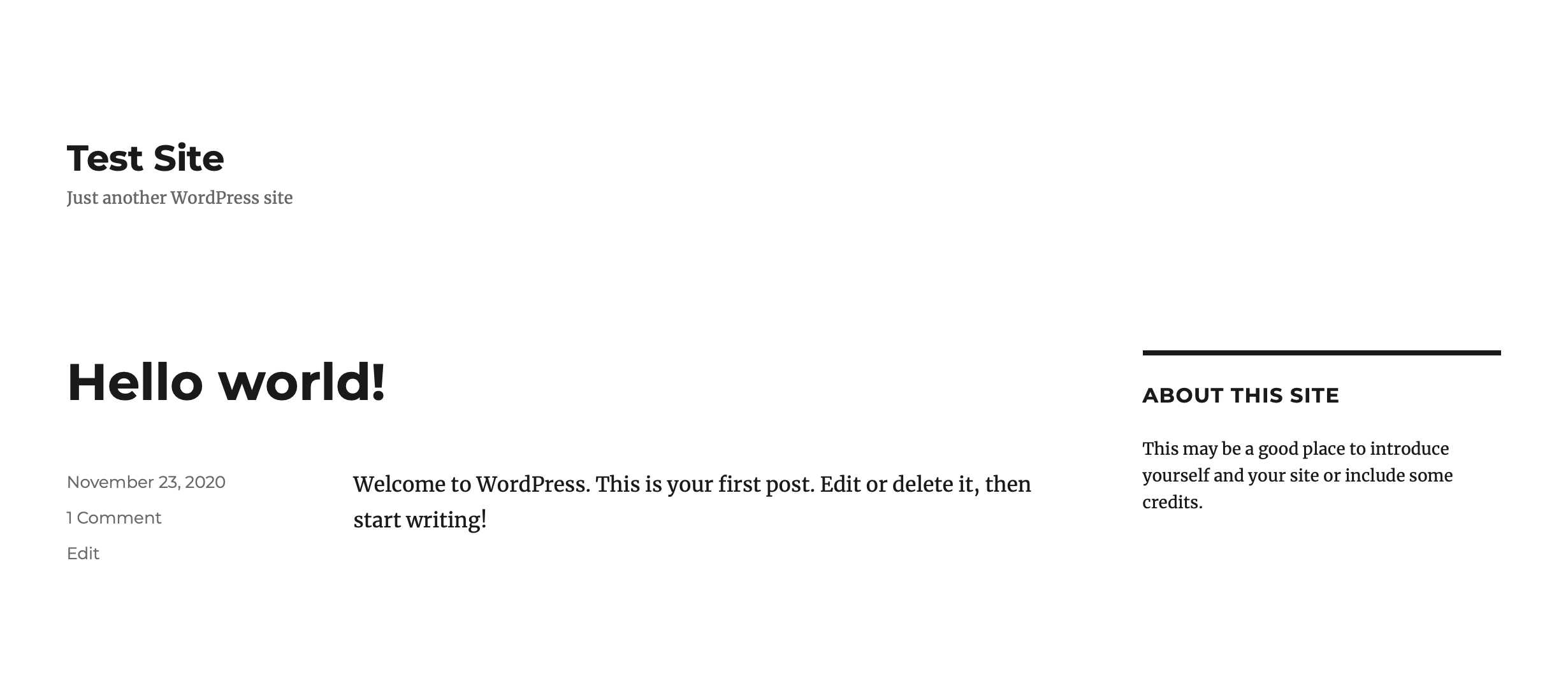
The phrase Hello World is known to many. It is often the first program written by beginners. The purpose is to introduce basic concepts. In WordPress, it is the same. A default post is titled “Hello World.” It helps users understand posting. This is the start of their blogging journey.
Beginners find it useful. They can easily edit and explore. WordPress shows how simple publishing can be. This post is a basic example. It invites users to begin their own stories. Understanding it is key to learning WordPress.
Creating A New Post
Starting a new post is simple. First, go to the WordPress dashboard. Click on “Posts” in the menu. Then click “Add New”. A blank page will open for writing. Here, type your content. You can write anything you want. After writing, look at the right side. You will see options for categories and tags. Choose the right category for your post. Tags help people find your post.
For adding images, click on the “Add Media” button. Select an image from your computer. You can also add links. Highlight text and click the “Link” button. Paste the URL there. Preview your post by clicking “Preview”. If you are happy, click “Publish”. Your post is now live for everyone to see.
Editing The Default Post
WordPress starts with a simple post. This post is called “Hello World”. It’s easy to change. First, find the post in your dashboard. Click on it. You will see an edit screen. Type your new words here. You can write anything you want. Save it after editing. Click the update button. Your changes will be live. It’s fun to make your page unique. Add pictures if you like. Use simple tools to do this. Your post will look better. Everyone can see your work. Your blog is now special. Enjoy creating!
Personalizing Content
WordPress lets you change the Hello World post. This makes it unique. Users can add their own text. They can share ideas or messages. Colors can be changed too. Fonts can be different. This makes blogs look special.
Images can be added. Videos are easy to include. Links to other sites can be shared. People can add comments. This helps with discussions. Plugins can be used. They help with extra features. Some plugins are free. Others cost money.
Widgets can be put on the side. They show useful things. Like recent posts or tags. The layout can be changed. This makes the site look nice. Settings let users choose what they want. This gives control over the blog.
Exploring Themes And Layouts
WordPress themes create the look of your website. They are like clothes for your website. Each theme has its own style and color. You can choose how you want your website to appear. Some themes are colorful, some are simple. Layouts decide where your website’s parts go. You might have a menu on top or on the side. You can change layouts to fit your needs. The right layout helps visitors find things easily. Some themes are free, others cost money. Free themes are good for starting. Paid themes give more options and designs. Always check if a theme works well on phones. Many people browse on their phones. A good theme makes your site look nice everywhere. Experiment with themes and layouts to find your perfect match.
Plugins For Beginners
WordPress plugins make websites more fun. They add many new features. Many are free and easy to use. Yoast SEO helps with search engines. It makes your site easy to find. WooCommerce is great for online shops. Sell anything you want with it. Jetpack keeps your site safe. It also helps make it faster. Elementor lets you build pages. Drag and drop to create anything.
Beginners should try these plugins. They are simple and helpful. Start with a few, then add more as needed. Be sure to update them often. This keeps everything working well.
Credit: learn.wordpress.org
Seo Basics For Posts
SEO helps people find your posts online. Use the right keywords to attract readers. Good keywords match what people search. Place them in titles and paragraphs.
Titles should be clear and simple. Include your main keyword. This helps search engines know your topic. A good title invites readers to click and read more.
Links help connect your posts. Internal links point to other pages on your site. External links lead to other websites. Both types improve your SEO. Readers can explore more information through links.
Images should have alt text. This describes the image for search engines. Use keywords in alt text. Images make posts more interesting. They help explain your text better.
Common Errors And Fixes
Sometimes, a blank page appears in WordPress. This happens due to a PHP error. Check your plugins and themes. Disable them one by one. This helps find the problem. Always check the error log. It shows the exact issue. Fix the code or update the plugin.
Database connection error is common. First, check your wp-config.php file. Ensure the database name, username, and password are correct. If they are correct, contact your hosting provider. They can help fix database issues.
File permission issues prevent WordPress from working properly. Change file permissions using FTP. The correct permission for files is 644. For folders, it’s 755. This allows WordPress to access files and folders.
Resources For Learning More
WordPress has many guides online. Start with the official WordPress Codex. It’s very helpful. Many tutorials are free. Websites like WPBeginner offer simple guides. They are easy to follow. YouTube is another great option. Watch step-by-step videos there. Join WordPress forums too. Talk to other learners.
Books can also help. Look for beginner-friendly books. They explain topics well. Libraries may have these books. Or buy them online. Remember, practice is key. Try building a small site. Use what you learn. Keep practicing each day. Learning WordPress takes time. But you will get better with practice.

Credit: www.youtube.com
Frequently Asked Questions
How Do I Start With Hello World In WordPress?
To start, you need to install WordPress on your hosting. Then, create a new post or page. Use the WordPress editor to write “Hello World” and publish it. It’s a simple introduction to using WordPress and understanding its basic functionalities.
What Is The Purpose Of Hello World In WordPress?
The purpose is to introduce new users to WordPress. It helps them understand basic operations like creating and publishing content. It’s a beginner’s guide to familiarize users with the WordPress interface and editing options.
Can I Customize Hello World In WordPress?
Yes, customization is possible. You can change text, fonts, and styles using the WordPress editor. Additionally, themes and plugins can be used to enhance appearance. Customization allows you to experiment and learn more about WordPress capabilities.
Is Hello World Important For WordPress Beginners?
Yes, it’s crucial for beginners. It provides a simple starting point to explore WordPress. By creating a “Hello World” post, newbies get hands-on experience with WordPress features and functionalities. It’s a foundational step in learning WordPress.
Conclusion
Exploring “Hello World” in WordPress demystifies the beginning steps. It’s a simple introduction to WordPress development. This basic concept helps you understand the platform better. Starting small builds confidence and skills over time. With practice, you can create more complex projects.
WordPress provides endless possibilities for creativity. Remember, every expert was once a beginner too. So, start your journey with enthusiasm and patience. Your path to mastering WordPress starts here. Embrace the learning process and enjoy creating something new. Happy blogging and developing with WordPress!


