
Imagine you’re building a website with WordPress and want to add a specific feature or improve functionality without diving into complex coding. That’s where plugins come into play.
If you’ve ever wondered what plugins in WordPress are and how they can transform your website, you’re in the right place. Plugins are like magic tools that can enhance your site, allowing you to add anything from contact forms to advanced SEO capabilities.
But what exactly do they mean for you and your WordPress experience? By the end of this article, you’ll not only understand the meaning of plugins in WordPress but also how they can empower your website, making it more dynamic and tailored to your needs. Let’s unlock the potential of your WordPress site together!
Plugins In WordPress
A plugin is like an app for your website. It adds new features or tools. Think of it as a helpful friend. WordPress is popular because of plugins. They make your site better and easier to use.
Plugins save time. No need for coding skills. They help with SEO, security, and design. You can improve your website with just a few clicks. Many plugins are free, while some are paid.
Installing is easy. Go to your WordPress dashboard. Click on Plugins. Then, click Add New. Search for a plugin you need. Click Install Now. After that, click Activate to start using it.
Role Of Plugins
Plugins add special features to your WordPress site. They make your site better. You can add a contact form. Or make your site faster. Plugins help you do this.
Some plugins improve security. Others help with design. There are plugins for many tasks. Each plugin has its own job. You choose which ones to use.
Installing plugins is easy. You can find them in the plugin store. Just click to install. Then activate. Your site now has new features.
Always update your plugins. This keeps your site safe. And running smoothly. Plugins are a big part of WordPress. They are like little helpers for your site.
Types Of Plugins
WordPress offers many free plugins. These plugins add features without cost. Users can find them in the WordPress plugin directory. Free plugins are easy to install. They are popular among beginners. Many developers create them. They help users start their websites quickly. Free plugins often have a simple interface.
Premium plugins cost money. They offer advanced features. Users pay for them to get extra support. Premium plugins usually have better designs. They are perfect for professional websites. Many businesses use them. They provide detailed documentation. Premium plugins can improve site performance.
Freemium plugins are a mix. They start free but offer paid upgrades. Users try basic features first. Then they decide to pay for more. Freemium plugins are flexible. They attract many users. The free version helps beginners. Paid features suit experts. Freemium plugins grow with the user’s needs.
How Plugins Work
Plugins are like small apps for your WordPress site. They add extra features. Some plugins help with contact forms. Others help with SEO. You can find plugins in the WordPress store. Many are free. Some cost money.
Once installed, plugins work inside WordPress. They do not need extra tools. This makes them easy to use. Activate a plugin with one click. Deactivate if you no longer need it. Keep plugins updated. Updates fix bugs. They also add new features.
Too many plugins can slow your site. Choose wisely. Only use what you need. Test plugins before using them. This keeps your site safe.
Choosing The Right Plugins
Plugins need to work well with your site. Check their compatibility with your WordPress version. Some plugins might not fit well with certain themes. Always read the plugin details before installing. This helps avoid problems later. Keeping your site safe is important too.
Plugins can affect site speed. Too many plugins slow down your site. Choose plugins that are lightweight. Faster sites keep visitors happy. Regularly update plugins for better performance. A slow site can lose visitors. Speed matters.
Check what others say. User reviews are helpful. High ratings mean good plugins. Read comments for more insights. Look for plugins with many downloads. More users often mean better reliability. Trusted plugins make your site better.
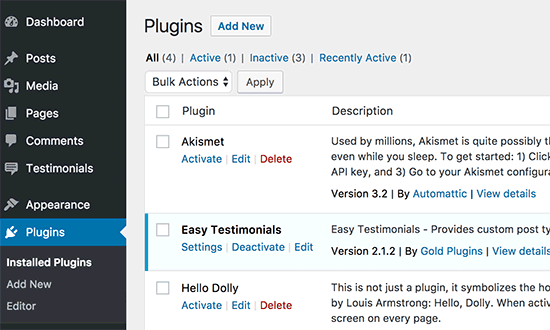
Credit: www.wpbeginner.com
Installing And Activating Plugins
Plugins add extra features to your WordPress site. First, go to the dashboard. Click on “Plugins” then “Add New”. Search for a plugin you want. You can use the search bar. Make sure the plugin has good reviews. Click “Install Now” once you find a good one. Wait for the installation to finish. Then, click “Activate”. Your plugin is now ready to use.
Some plugins need settings changes after activation. Always check the plugin settings. This ensures it works as expected. Plugins can help enhance your site. But be careful with too many plugins. They might slow down your site. Choose plugins wisely.
Common Uses Of Plugins
WordPress plugins help in making websites more visible. They improve search engine rankings. This helps more people find your site. Plugins like Yoast make SEO tasks easy. They guide you on how to use keywords. They also help with meta descriptions. This makes your site more attractive to search engines.
Websites need to be safe from bad people. Plugins can make them safer. They block hackers and keep your data safe. Some plugins check for malware. They remove it if found. Others keep your site from being attacked. This makes your website a safer place.
Plugins can turn your site into a store. They help sell things online. WooCommerce is a popular choice. It helps manage products and payments. You can also track orders easily. Plugins make selling online simple and efficient.
Managing Plugins
Keeping plugins up to date is very important. Developers often release updates. These updates fix bugs and improve security. An updated plugin works better. It is safer too. Check for updates regularly. WordPress makes this easy. You can update plugins in your dashboard. Click on ‘Plugins’. Look for ‘Update Available’. Click ‘Update Now’. Wait for the process to finish.
Sometimes plugins cause trouble. They may slow down your site. They can also conflict with other plugins. Deactivate them to solve issues. Go to the ‘Plugins’ page. Find the plugin you want. Click ‘Deactivate’. The plugin stops working but stays installed. Reactivate anytime if needed. This helps in troubleshooting.
Unused plugins take up space. They can be a security risk. Delete them if not needed. Go to the ‘Plugins’ page. Find the plugin you want to remove. Click ‘Delete’. This removes it completely. Make sure you really don’t need it. It’s good to keep your site clean. This helps in keeping your site fast.
Security Implications
Plugins can affect your website’s security. Some plugins may have vulnerabilities. Hackers can use these to access your site. Always choose plugins from trusted sources. Check reviews and ratings. Keep plugins updated regularly. Updates fix security issues.
Too many plugins can slow your site. This can lead to security risks. A slow site is easier to attack. Use only the plugins you need. Delete unused plugins. This will keep your site safe. Remember to backup your site often. Backups protect your data if something goes wrong.
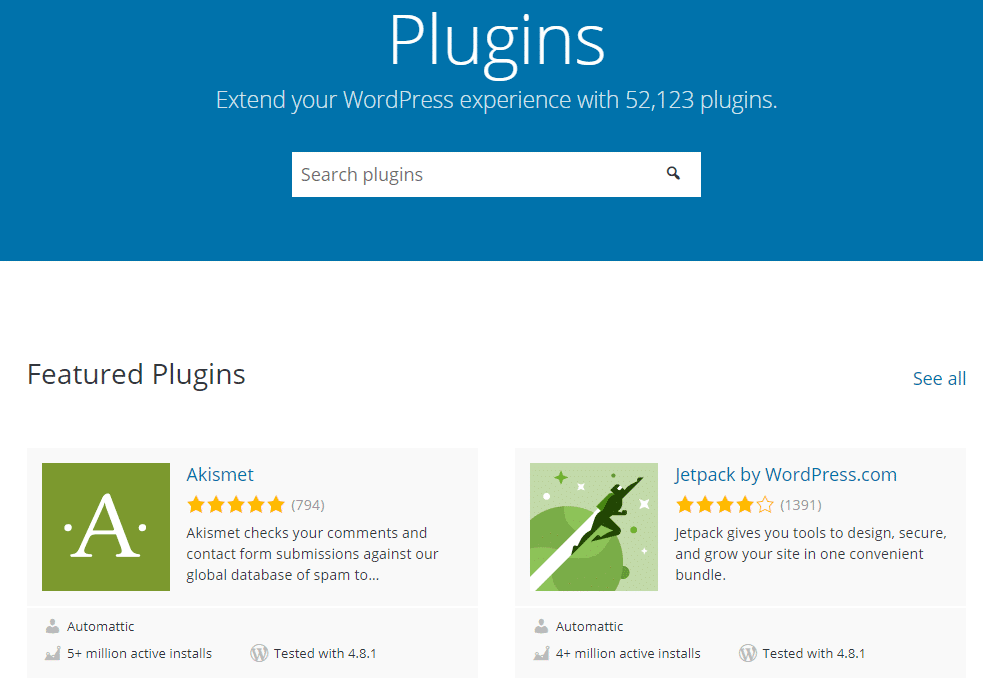
Credit: kinsta.com
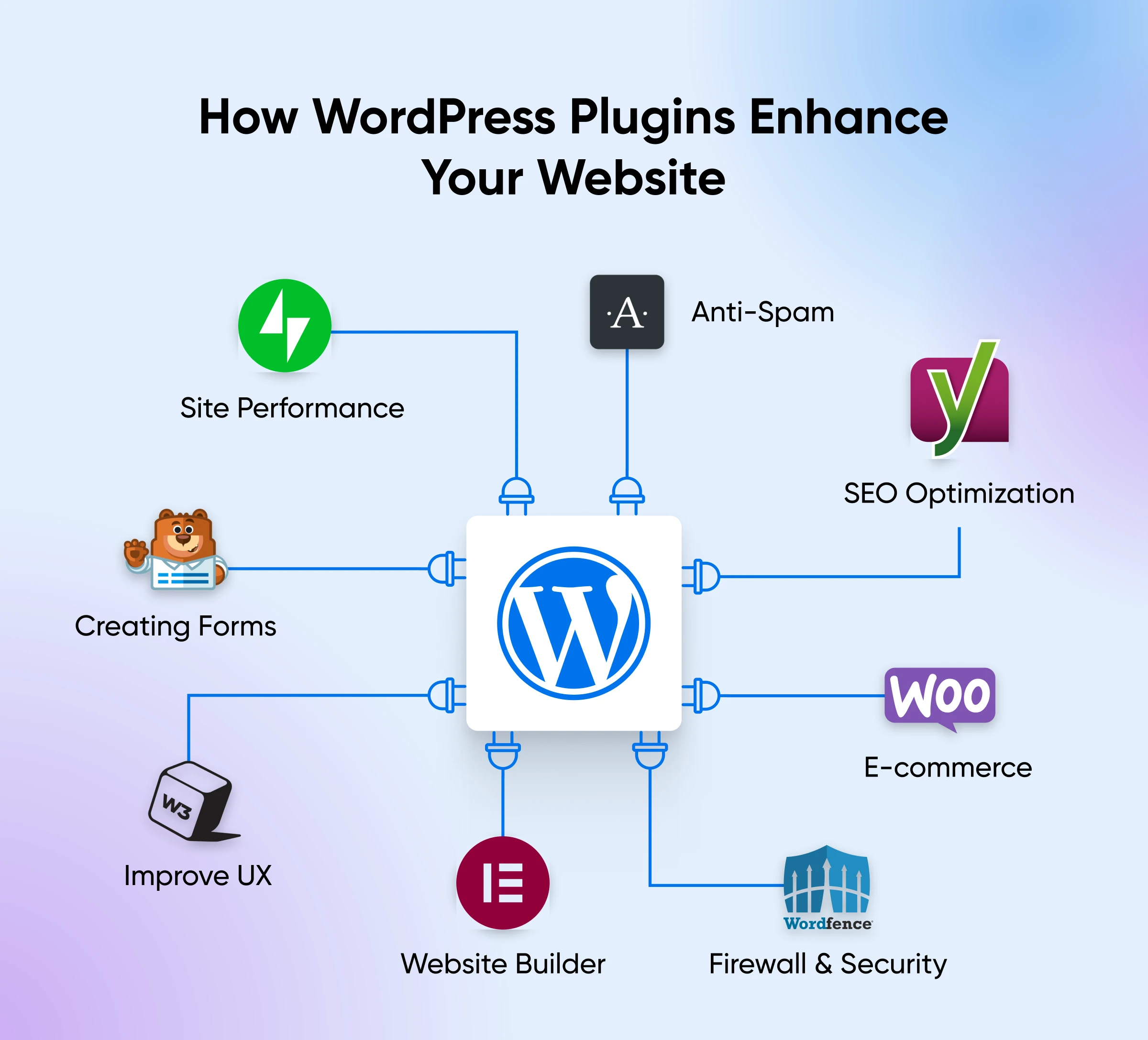
Credit: www.dreamhost.com
Frequently Asked Questions
What Are Plugins In WordPress?
Plugins are software add-ons that enhance WordPress functionality. They allow users to customize features without coding. With thousands available, plugins can add diverse functionalities like SEO tools, security measures, and design elements, making WordPress more versatile and user-friendly.
How Do WordPress Plugins Work?
WordPress plugins integrate seamlessly with the platform. They modify or add new features to your site. When installed, they interact with WordPress core files. This enhances website capabilities without altering the main source code, ensuring updates and compatibility.
Why Are Plugins Important For WordPress?
Plugins are crucial for extending WordPress capabilities. They offer users the flexibility to add specific features easily. From SEO optimization to social media sharing, plugins customize websites to meet unique needs, improving user experience and functionality.
How To Choose The Right Plugin For WordPress?
Choosing the right plugin involves checking user reviews, ratings, and compatibility. Ensure the plugin is regularly updated and supported. Consider functionality, ease of use, and impact on site speed. Always back up your site before installation to prevent potential issues.
Conclusion
Plugins in WordPress are essential tools. They add features to your site. Easy to install and use. You can customize your site with plugins. No coding skills needed. Pick plugins that suit your needs. They enhance functionality and boost performance.
Always update plugins for best results. Keep your site secure and efficient. Explore different plugins to improve your site. Start using plugins today for a better WordPress experience. They make managing your site simple and effective. Enjoy a more dynamic and interactive website with the right plugins.
Make your WordPress journey smooth and enjoyable.


