
Ever stumbled upon a website and wondered where it’s hosted? You’re not alone.
Knowing the hosting location of a web page can be crucial for various reasons, whether you’re optimizing your own site or satisfying your curiosity about others. This knowledge can empower you to make informed decisions about web performance, security, and accessibility.
Imagine having the ability to understand the backbone of any website you visit. You’re about to discover simple methods to pinpoint exactly where a web page is hosted, giving you an edge in the digital landscape. Ready to unlock the secrets of the web hosting world? Let’s dive in and explore the tools and techniques that will make you a web hosting detective.

Credit: pages.github.com
Domain Lookup Tools
WHOIS services help find where a website is hosted. Just enter the domain name. You will see important details. These details include the registrar, server location, and contact information. Such tools offer quick insights. They are easy to use for everyone.
Many websites offer lookup tools. Type the domain in the search box. Click the search button. Information about the web host appears. These platforms are user-friendly. They provide fast results. They save time and effort. Free options are available too.
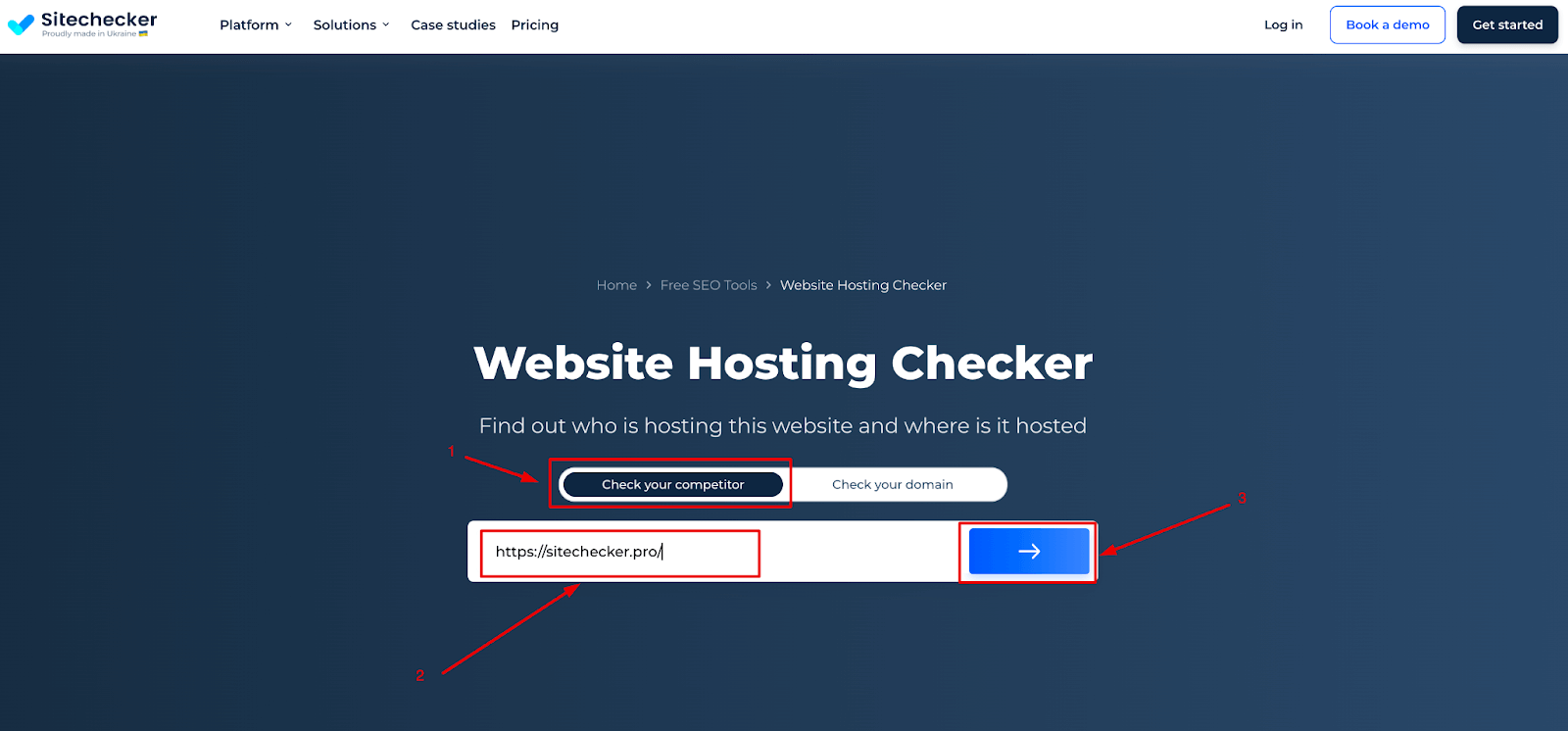
Credit: sitechecker.pro
Ip Address Identification
An IP address is a unique number for each device on the internet. It helps to find where a web page is hosted. IP addresses can be either IPv4 or IPv6. IPv4 uses numbers like 192.168.1.1. IPv6 uses longer addresses with letters and numbers. IP addresses are like phone numbers for computers. They show the location of a server. Knowing an IP address helps understand server location.
Command line tools can find where a web page is hosted. One common tool is “ping.” It sends small packets to a server. This shows the server’s IP address. Another tool is “tracert” or “traceroute.” It shows the path data takes to reach the server. These tools are simple to use. They are available on most computers. They help discover server details quickly.
Web Hosting Services
Many people use popular hosting providers to store their web pages. These companies offer space on their servers. This helps keep websites online. Some well-known names are Bluehost, HostGator, and SiteGround. They have different packages for people to choose from. Each package has its own benefits. Some are better for small sites. Others can handle large websites.
Hosting plans come in many sizes. Small plans are good for simple websites. Larger plans can support busy sites with lots of visitors. Plans often include storage space and a certain amount of data transfer. Some plans offer extra features like email accounts. It’s important to pick the right plan. Choose a plan that meets your site’s needs. This way, your website will run smoothly.
Reverse Ip Lookup
Online tools help find a web page’s host. These tools are easy to use. Enter the website’s URL. They show the server’s IP address. This helps find other sites on the same server. Useful for checking shared hosting. Some tools are free to use. Others might need a subscription. Always check for the most reliable tools. They provide accurate results. Be sure to use trusted sites.
Reverse IP search offers many benefits. It helps identify server neighbors. This means finding other sites on the same server. Useful for security checks. It helps avoid bad neighbors. Bad neighbors might harm your site’s reputation. Knowing server details is vital. It aids in website management. Businesses use this for competitive analysis. They learn about competitors’ hosting. It also helps in troubleshooting issues. Easy and helpful for web admins.
Dns Records Analysis
DNS records store information about a website. A records show the IP address. MX records tell about mail servers. NS records list the name servers. CNAME records provide alias names. TXT records hold text notes. Each record helps understand the website.
Many tools help check DNS records. Some popular ones are Whois, MXToolbox, and NSLookup. Whois shows ownership details. MXToolbox checks mail server setup. NSLookup finds server IP addresses. These tools help understand where a site is hosted.
Tracing Route Techniques
Traceroute is a tool that shows the path data takes through the internet. It helps find out where a web page is hosted. Traceroute uses a series of tests to track the path. Each test shows a part of the journey. This journey is called a “hop.” Every hop shows a different computer or network on the way. The results show the IP addresses of each hop. These addresses help find the host of the web page.
Look at the traceroute results to see the path. Identify any patterns or issues. Some hops might take longer. This is called latency. High latency means a slow connection. Look for any timeouts. They show where the path stops. Use this information to find the host. It helps understand the web page’s location.
Consulting Hosting Experts
Hiring experts is a good choice. They know a lot about hosting. Professionals can find where your web page is hosted. They use special tools and methods. This can save you a lot of time and effort. Experts offer valuable insights. They help in understanding complex details.
Most professionals offer technical support. This is useful if you have problems. Support teams solve issues quickly. They are trained to help with hosting matters. You can contact them anytime. This can give you peace of mind. Always look for good support services. It is important for smooth operations.

Credit: www.webhostinghub.com
Frequently Asked Questions
How To Find Where A Website Is Hosted?
Use a tool like “Whois Lookup” to find website hosting details. Enter the website URL, and it shows the host. Check the “Name Server” section for more specific hosting information. Another option is to use online services like “Hosting Checker” for detailed hosting data.
How To Find Out What Platform A Website Is Hosted On?
Use online tools like BuiltWith or Netcraft to identify a website’s hosting platform. Inspect page source code for clues. Check WHOIS data for hosting information. Use command line tools like nslookup or dig for DNS details.
How To Find Where A Website Server Is Located?
Use online tools like Whois, DNS Checker, or IP Location Finder to identify server location. Enter the website’s domain name, and these tools provide server details, including country and city. This helps determine where the website server is physically situated.
How To Find Out What Server A Website Is On?
Use online tools like Whois or DNS Checker to identify the server hosting a website. Enter the domain name and check for the server’s IP address or hosting provider information. This reveals the server details quickly and efficiently.
Conclusion
Finding where a web page is hosted can be simple. Use online tools to trace hosting details. Understanding hosting gives you control. It helps in troubleshooting and planning. You can compare different hosts for better performance. Knowing the host can enhance your website management.
Be mindful of privacy and security concerns. Always check for reputable tools and sources. Armed with this knowledge, you make informed decisions. Your website’s success relies on smart choices. Keep exploring and learning for optimal results. Happy hosting discovery!


