
Imagine having the power to host your own private text chat online. The privacy, control, and customization are all in your hands.
Whether you’re looking to connect with friends, collaborate with colleagues, or manage sensitive conversations, knowing how to set up a secure and personalized chat room is invaluable. You don’t need to be a tech wizard to make this happen. With a few straightforward steps, you can create a space tailored to your needs, ensuring your conversations remain confidential and engaging.
So, are you ready to dive into the world of private text chats and discover how you can host one seamlessly? Let’s get started!
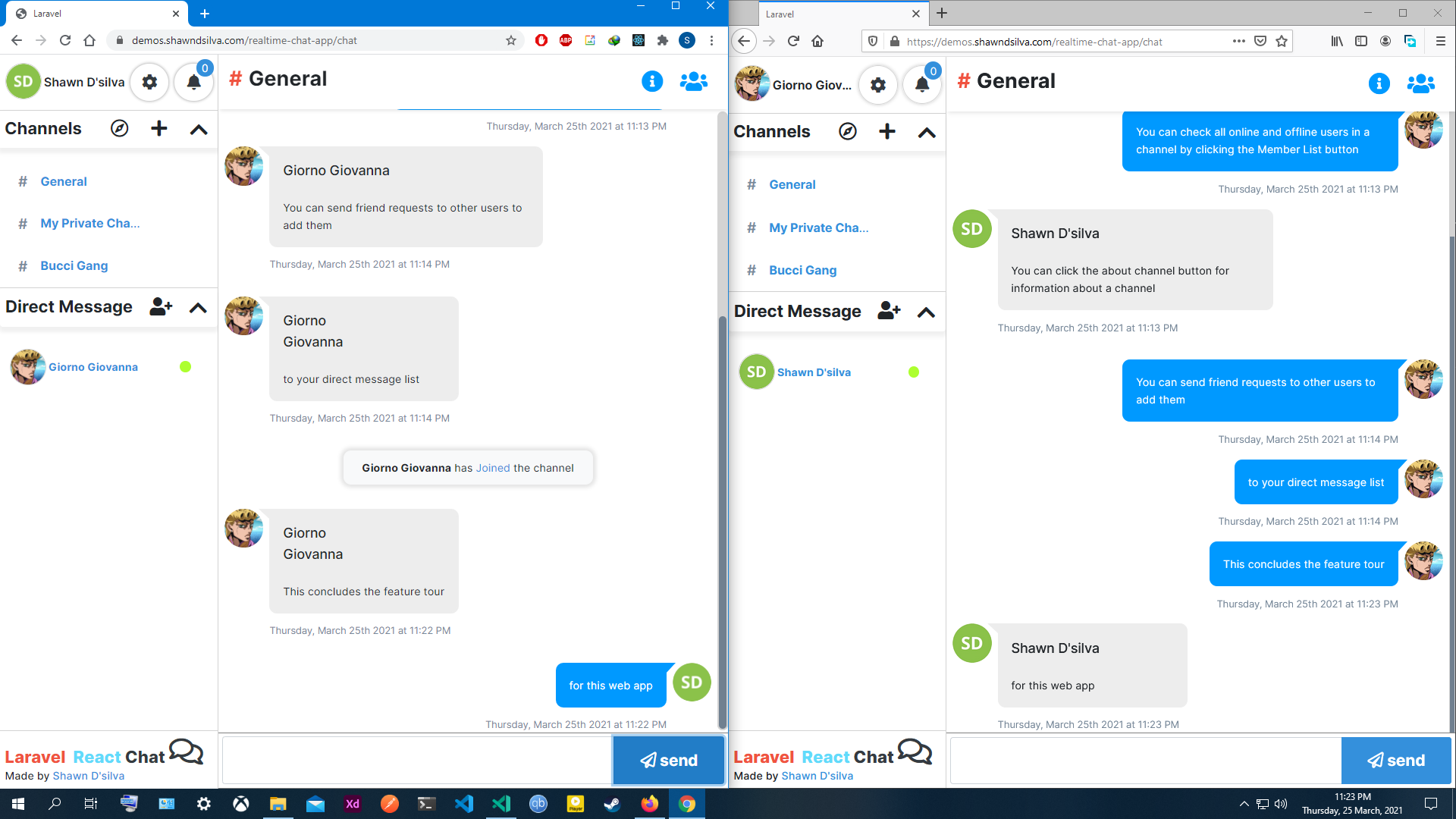
Credit: www.shawndsilva.com
Choosing The Right Platform
Selecting the best platform is crucial for hosting a secure, web-based private text chat. Focus on platforms offering strong security features and ease of use. Consider scalability to accommodate growing user numbers.
Self-hosted Vs Third-party
Self-hosted platforms give control. You manage everything. Security is in your hands. You need technical skills. Third-party platforms are easier. They handle security. They offer support. Cost matters too. Self-hosting can be expensive. Third-party can be cheaper. Decide based on needs.
Open Source Options
Open source platforms are free. Customization is possible. You can change code. Popular choices are Matrix and Rocket.Chat. They have active communities. Help is available. Open source needs skill. You must maintain it. Security updates are needed. Choose wisely.

Credit: www.linkedin.com
Setting Up A Server
A good server needs strong parts. A fast CPU helps handle many users. Enough RAM makes the chat smooth. A solid-state drive (SSD) stores data quickly. These parts are key for fast chats. Make sure the server can grow with more users. This way, the chat won’t slow down.
Choose a provider with good support. They should offer scalable plans. This allows for growth. Look for providers with a strong network. This ensures fast chats. Security features are also important. They keep chats private. Cost matters too. Find a balance between price and service.
First, install necessary software. This includes a web server and chat software. Set up firewalls to protect data. Ensure updates are automatic. This keeps the system secure. Backup data regularly. This helps if problems occur. Test the setup. Make sure everything works well.
Installing Chat Software
There are many chat solutions available. Some popular ones are Slack, Discord, and Microsoft Teams. Each has unique features. Slack is great for teamwork. Discord is perfect for gamers. Microsoft Teams is used in offices. Choose the one that suits your needs.
First, visit the software’s website. Look for the download button. Click on it. Follow the instructions on the screen. Make sure your computer meets the requirements. Install the software by following the steps. After installation, open the software. Create an account if needed. Log in and start chatting with your friends.
Customizing User Interface
Different themes make chats more fun. You can pick light or dark modes. Colors and fonts change the look. This makes chatting exciting.
Styles can be modern or classic. They change how buttons and boxes look. This helps users feel comfortable. Choose styles that match your brand.
Emojis and stickers make chatting lively. Users love adding fun images. This improves chat experience.
Notifications help users keep up. They alert users of new messages. This keeps the chat active and engaging.
Ensuring Data Security
To keep chats safe, use strong encryption methods. Encryption changes messages into a secret code. Only the right key can read it. This keeps messages private. No one else can see them. Use SSL/TLS for data in transit. It protects messages while they travel. For stored data, use AES encryption. It is very secure and trusted. Always choose up-to-date algorithms for encryption.
Ensure users are who they say they are. Use user authentication methods. Passwords are common but not always safe. Add two-factor authentication for extra security. It needs a second step, like a code sent to a phone. This makes it harder for strangers to get in. Always ask users to choose strong passwords. Encourage them to change passwords often.
Managing User Access
Ensuring secure user access is crucial for hosting a private web-based text chat. Set up authentication processes to control who can join. Regularly update permissions to maintain privacy and protect sensitive information.
Creating User Roles
User roles help control what users can do. Admins can change settings and manage users. Moderators can help keep chat safe. Users can chat and send messages. Setting up roles is easy. Assign roles when creating accounts. This gives everyone the right access. Security is improved with roles. It prevents unauthorized access.
Moderation Tools
Moderation tools keep chats clean and safe. Filters can block bad words. Kick and ban tools remove troublemakers. Mute options silence noisy users. Report features let users alert problems. These tools help keep the chat friendly. They make sure everyone follows rules. Moderators use these tools to manage chat. They ensure a positive environment.
Testing And Troubleshooting
Setting up a web-based private text chat requires testing and troubleshooting to ensure smooth operation. Identify and fix issues like connectivity problems and security vulnerabilities. Regular testing helps maintain a reliable and secure chat environment for users.
Common Issues
Connection problems are quite common. Check your internet first. Make sure your chat server is running. Firewall settings can block connections. Review them carefully. Another issue is message delays. They happen due to network congestion. Try restarting your router.
Performance Optimization
Keeping your chat fast is key. Use a lightweight framework. This reduces load times. Compress data before sending it. This saves bandwidth. Regularly update your software. Updates fix bugs and improve speed. Monitor your server performance. Identify and fix slow points quickly.
Maintaining The Chat System
Regular updates keep the chat system secure. New features improve user experience. Bugs can cause problems if not fixed quickly. Developers should monitor for any issues. Users expect smooth and fast chats. Updating can prevent unwanted errors. Security patches are very important. A chat system should be reliable and safe. Regular updates ensure performance stays high. Feedback helps improve the chat system. Always listen to user needs. Users like new and helpful features.
Data is important in any chat system. Chats contain private information. Backups protect against data loss. Use cloud storage for easy access. Daily backups are a good practice. Restoring data should be simple and quick. Security is crucial when storing data. Encrypt data for extra protection. A backup plan is essential for all systems. Regular checks ensure backups work properly. Always store backups safely.

Credit: www.wpafb.af.mil
Frequently Asked Questions
How To Make A Private Chat Website?
To create a private chat website, choose a web hosting service and register a domain. Use programming languages like JavaScript and PHP. Implement secure messaging protocols and user authentication. Employ SSL certificates for encryption. Test thoroughly before launching to ensure privacy and functionality.
What Is The Best Site To Chat Privately?
Signal is a top choice for private chatting. It offers end-to-end encryption and prioritizes user privacy. The app is user-friendly and free. Signal doesn’t store user data, ensuring secure communication. It’s available on multiple platforms, making it accessible to everyone.
How To Build A Web-based Chat Application?
Build a web-based chat app by choosing a tech stack like Node. js, Express, and Socket. io. Design the user interface with HTML and CSS. Implement real-time communication using WebSockets. Set up a server to manage connections and messages. Test thoroughly for smooth functionality and security.
How To Make A Website Live Chat?
Add live chat by integrating a chat tool like Tawk. to or LiveChat. Sign up, customize the chat widget, and embed the code on your website. Ensure it’s responsive and supports mobile devices for better user engagement.
Conclusion
Creating a web-based private chat is easier than it seems. Choose a platform that fits your needs. Set up security measures to protect user privacy. Test the chat to ensure smooth operation. Make sure it’s user-friendly. Keep it simple for easy navigation.
Regularly update for safety and functionality. Communicate openly with users for feedback. Address their concerns promptly. Build trust through transparency and reliability. A well-managed chat platform enhances user experience. It keeps them engaged and satisfied. Start your web-based chat with confidence.
Enjoy the benefits of seamless communication.


