
Are you ready to take your Moodle experience to the next level? Hosting Moodle on the web can transform your online learning environment, making it accessible to students and educators around the globe.
Imagine the possibilities: a seamless, interactive platform that’s always available, tailored to your needs, and adaptable to any device. But how do you get there? How do you turn your Moodle site into a powerful, web-hosted resource? We’ll guide you through the steps and decisions necessary to make this a reality.
Whether you’re a seasoned tech enthusiast or a curious beginner, you’ll find the information you need to successfully host Moodle online. Get ready to unlock the potential of your educational community and make learning an engaging, dynamic experience for everyone involved. Let’s dive in and discover how you can host Moodle on the web efficiently and effectively!
Choosing A Hosting Provider
Moodle is a platform for online learning. It needs a good hosting plan. First, check your site’s storage needs. How many students will use it? Next, look at the server’s speed. A fast server is important. You also need to think about backups. Does the host give you easy backup options? Finally, check the cost. Is it in your budget?
There are many hosts for Moodle. Bluehost is popular for beginners. It has easy setup and good support. SiteGround is another choice. It offers good speed and security. A2 Hosting is known for fast servers. It also has a money-back guarantee. HostGator offers affordable plans. It is a good option for small sites.
Setting Up A Domain
Choose a unique name for your website. Make it easy to spell. Visit a domain registrar website. Examples are GoDaddy or Namecheap. Search for your chosen name. Check if it’s available. If it is, proceed to register it. You might need to create an account. Follow the steps on the site. Pay for your domain name. You own it now.
Log into your domain registrar account. Go to the DNS settings section. You need to add records. These records point your domain to your web host. Use the information given by your host. Add an A record for your main domain. This points to your web server’s IP address. Save your changes. DNS changes may take time. Check your website after a few hours.
Installing Moodle
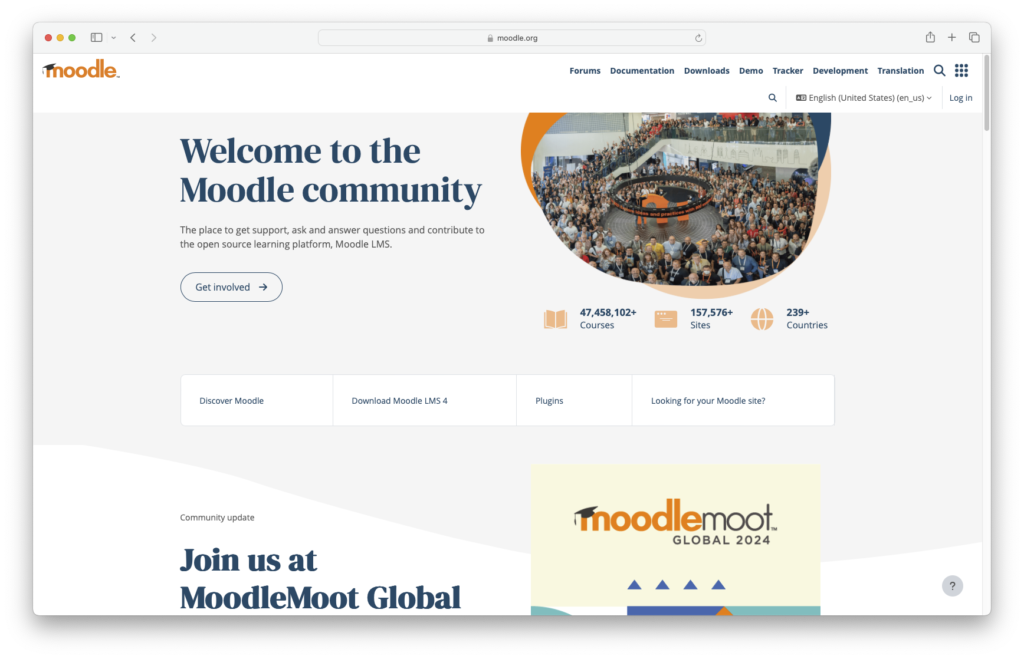
First, go to the Moodle website. Find the download page. Click on the latest version. Save the file to your computer. Make sure you have enough space on your device. A fast internet connection helps. You can now move to the next step.
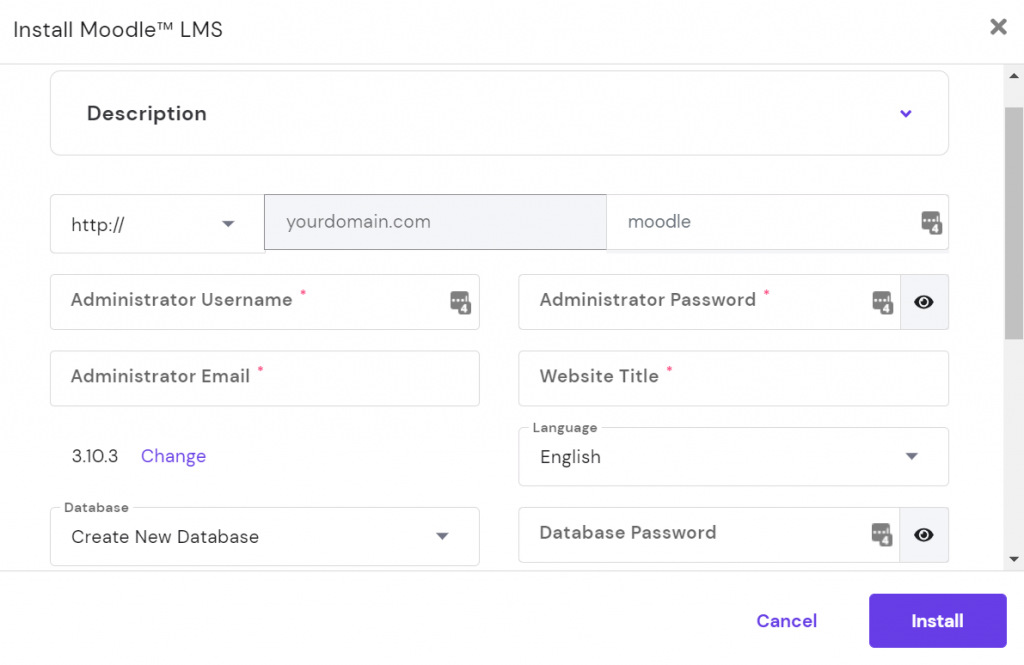
Open your hosting control panel. Look for the database section. Click to create a new database. Name your database “MoodleDB”. Write down the username and password. You will need them soon. Keep this information safe. It’s very important.
Upload Moodle files to your server. Use FTP for this step. Once uploaded, find the install script. Open your browser. Type your domain name. Add “/install.php” at the end. Follow the on-screen instructions. Enter your database details. Wait for the installation to complete.
Configuring Moodle
Courses make learning fun. Teachers can add new subjects easily. Use simple steps to create courses. Each course needs a name and description. Add learning goals. Keep content organized. Materials like videos and texts can be included. Make sure students have access. Set clear deadlines for assignments.
User management is crucial. Teachers and students need accounts. Admins can create these accounts. Assign roles for teachers and students. Teachers manage their courses. Students join courses. Everyone uses a username and password. Secure passwords keep accounts safe. Monitor user activity for better management.
Themes make Moodle look nice. Choose a theme that fits your style. Colors and fonts can be changed. Make your Moodle site unique. Themes help with navigation. Users find courses easily. Some themes are free. Others need a fee. Pick one that meets your needs.
Ensuring Security
Secure your Moodle site with SSL certificates. These certificates protect data between your site and users. They stop hackers from stealing information. It’s a must for any web platform. Users will trust your site more with SSL.
Always create regular backups of your Moodle data. Backups save your data if something goes wrong. They help restore lost information quickly. Use tools to automate backups. This saves time and effort.
Keep your Moodle software up-to-date. Updates fix bugs and improve security. New updates often have better features. Check for updates regularly. Update plugins too for best performance.
Credit: www.inmotionhosting.com
Optimizing Performance
Caching makes Moodle run faster. It saves data for quick access. Memory caching is a great way to speed up. It stores data in RAM. Disk caching helps too. It keeps data on the hard drive. Both caching types improve loading times. This is important for a smooth experience.
More CPU power helps Moodle run better. It processes tasks faster. RAM is also vital. It allows Moodle to handle many users. More RAM means less lag. This ensures that users have a seamless experience. Disk space is needed to store content. Ensure you have enough space.
Keep an eye on server performance. Use tools to check CPU and RAM usage. Look for any slowdowns. Adjust settings to improve speed. Fine-tuning helps Moodle work efficiently. Regular checks are important. They help find issues early. Fix issues to keep the site fast.
Troubleshooting Common Issues
Error logs are essential for spotting mistakes. They show what went wrong. Check them often. Look for repeated issues. Pay attention to error codes. They give clues. Use them to fix problems.
Use debugging tools to find issues fast. They help you see what’s happening. Many tools are available. Choose one that suits your needs. They show errors in detail. This makes fixing them easier.
The community support is very helpful. Many users share tips. Ask questions in forums. Get advice from experienced users. They often have solutions. Learn from others’ mistakes. This saves time and effort.
Credit: www.hostinger.com

Credit: www.scalahosting.com
Frequently Asked Questions
How Do You Put Moodle On Your Website?
Download Moodle from its official website. Upload it to your web server using FTP. Create a database and configure Moodle’s config. php. Complete the installation by accessing your site through a browser and following the setup instructions.
Can I Host Moodle Myself?
Yes, you can host Moodle yourself. Ensure you meet the technical requirements like PHP, MySQL, and a web server. Download Moodle from its official site, and follow the installation guide. Hosting it yourself gives full control over customization and data security.
How To Create A Moodle Website?
Start by choosing a hosting provider and domain name. Install Moodle using your server’s control panel. Configure settings like user roles and courses. Customize the design through themes and plugins. Ensure security features are enabled. Regularly update Moodle for optimal performance and security.
What Is The Difference Between Moodle And Moodlecloud?
Moodle is an open-source learning platform for self-hosted use. MoodleCloud is a cloud-based version, offering hosting and maintenance services.
Conclusion
Hosting Moodle on the web is easier than it seems. Start with a reliable server. Install Moodle following the steps provided. Configure settings to suit your needs. Remember to secure your site. Regular updates keep your system safe and efficient.
Monitor user feedback to improve functionality. Troubleshoot issues quickly to maintain a smooth experience. Hosting Moodle empowers learning communities online. It opens doors to knowledge and collaboration. Dive into the world of online education with confidence. Your Moodle journey begins now.


