
Are you ready to take your gaming experience to the next level by hosting your own games on the web? Imagine having the power to invite players from around the globe to enjoy your creations, all while leveraging the robust capabilities of Microsoft Azure.
Hosting games on the web using Azure isn’t just for tech wizards; it’s an exciting opportunity that you, too, can harness with ease. Picture a seamless process where your games are accessible, scalable, and secure, all without the headache of complex setups or overwhelming jargon.
You might be wondering how Azure can transform your gaming world into a thriving online community. The answer lies in its cutting-edge infrastructure, which offers unparalleled flexibility and reliability. No more worrying about server crashes or lagging gameplay; Azure ensures your games run smoothly, keeping players engaged and coming back for more. We’re going to guide you through the essential steps to host your games on the web using Azure. Get ready to unlock a treasure trove of gaming potential, where your creativity meets technology in the most exhilarating way. Are you curious about how simple it can be? Let’s dive in and discover the secrets to making your gaming dreams a reality!
Azure For Game Hosting
Azure offers many benefits for game hosting. First, it provides reliable servers. This means games run smoothly. Second, it has global reach. Players from all over can connect easily. Third, Azure ensures data security. This keeps player information safe. Lastly, Azure supports scalability. Games can grow with more players.
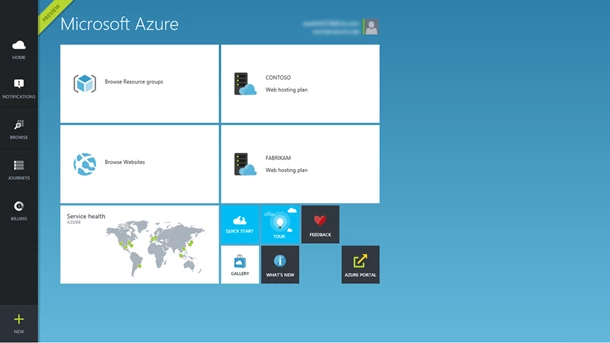
Azure offers various services for game development. Azure PlayFab helps manage game data. Azure Virtual Machines host game servers. Azure Blob Storage stores game files. Azure Functions manage game logic. These services help make game hosting easy and efficient.
Credit: azure.microsoft.com
Setting Up Azure Account
Begin by visiting the Azure website. Locate the “Sign Up” button. Click on it. Enter your email and create a password. Fill in your personal details. Provide a phone number for verification. Choose your country and other information. Complete the form. Submit and verify your account. You now have an Azure account.
Azure offers different pricing plans. Some plans are pay-as-you-go. Others are subscription-based. Select a plan that suits your needs. Check the free tier options. It may have what you need. Always read the details of each plan. Understand the costs involved.
Preparing The Game Environment
Begin by understanding your game’s needs. List all resources your game will use. This includes storage, memory, and processing power. Check the graphics requirements too. A game with high graphics needs more power. Make sure to plan for network speed. Slow networks may cause game lags. Note every detail. Every requirement matters for smooth gaming.
Azure offers many types of virtual machines (VMs). Choose the best one for your game. Consider the size of the VM first. Small VMs are good for simple games. Bigger games need larger VMs. Check the cost of each VM. Some may fit your budget better. You can also look at VM features. High-end VMs offer more power and speed. Pick the VM that fits your needs best.
Deploying Games On Azure
Azure App Service helps host games online. It is a cloud platform. You can upload game files easily. It supports many languages and frameworks. This makes game development smoother. The service also offers built-in security. This keeps your game safe from threats. Autoscale options handle player traffic. This ensures smooth gameplay always. Cost management tools help control expenses. You can monitor usage and make adjustments.
Setting up game servers is crucial. Azure offers Virtual Machines for this. Choose the right size for your needs. Install necessary software on the server. Configure network settings for best performance. Use Azure’s scaling options for peak times. This improves player experience. Regularly update your game servers. This keeps them secure and efficient. Monitoring tools help track server health. Make necessary changes when needed.
Ensuring Game Performance
Azure makes hosting games online seamless. It offers robust servers ensuring smooth gameplay and quick load times. With scalable resources, Azure handles spikes in player activity efficiently.
Scaling Resources
Azure helps games run well. Resources need to be adjusted. More players need more power. Azure scales up automatically. This means more servers when needed. Cloud helps games stay fast. No one likes slow games. Players enjoy quick actions. Azure makes sure games stay fun. Good scaling means happy players.
Monitoring And Optimization
Monitoring keeps games smooth. Azure checks performance all the time. Reports show how the game runs. Issues are fixed quickly. Optimization makes games better. Azure finds slow parts. Fixing them makes games faster. Players notice better speed. Happy players come back to play more. Azure helps games stay at their best.
Security And Compliance
Azure offers secure and compliant solutions for hosting web games. Protect sensitive data while meeting regulatory standards. Azure’s robust infrastructure ensures a seamless gaming experience.
Implementing Security Measures
Protecting games online is very important. Azure offers strong security tools. These tools help keep your game safe. Use firewalls to block bad traffic. Firewalls act like a wall around your game. Encrypt data to keep it secret. Encryption changes data into a secret code. Check for software updates often. Updates fix bugs and improve security. Always have a backup plan. Backups save your data if something goes wrong. Using these tools helps keep your game safe and secure.
Meeting Compliance Standards
Following rules is important for hosting games. Azure helps meet these rules. Learn about the rules for your game. Rules differ by country. Make sure your game follows these rules. Azure has tools to check compliance. Use these tools to ensure your game is okay. Keep records of your compliance checks. Records help show you are following the rules. Always stay informed about new rules. New rules can affect your game hosting. Keeping up with rules keeps your game in good standing.
Maintenance And Updates
Azure makes it easy to host games online. Regular maintenance ensures smooth gameplay and fast loading times. Frequent updates enhance security and improve player experience.
Routine Maintenance Tasks
Keeping your game server healthy is vital. Regular checks help. Ensure server software is up-to-date. Security patches are crucial. They protect your game from threats. Monitor server performance weekly. Check for slowdowns. Look at server logs. Find errors and fix them quickly. Keep backups of data. This prevents data loss. Clean up unused files monthly. Free up space and improve performance.
Managing Game Updates
Game updates keep players happy. Plan updates carefully. Test them before release. Avoid bugs and glitches. Communicate changes to players. Let them know what’s new. Use simple language. Keep updates small and frequent. Monitor player feedback. Listen to their concerns. Adjust updates based on feedback. This keeps players engaged.

Credit: aws.amazon.com

Credit: www.youtube.com
Frequently Asked Questions
Can You Host Games On Azure?
Yes, you can host games on Azure. Azure provides scalable infrastructure for game development, deployment, and management. Utilize Azure’s cloud services to enhance multiplayer experiences, analytics, and game performance. Benefit from global reach and security features to optimize gameplay and user engagement.
Azure supports various game engines and development tools.
Can I Use Microsoft Azure To Host A Website?
Yes, Microsoft Azure offers services for hosting websites. You can use Azure App Service to deploy, manage, and scale web applications efficiently. Azure provides reliable infrastructure, security features, and global reach, making it a suitable choice for hosting various types of websites.
Can I Host A Dynamic Website On Azure?
Yes, you can host a dynamic website on Azure. Azure provides scalable services like App Service and Virtual Machines. These services support various programming languages, enabling dynamic content management. Azure also offers features for security, performance, and integration, ensuring a robust environment for hosting dynamic websites.
How Do I Deploy My Web App In Azure?
Deploy your web app in Azure by creating a Resource Group. Use the Azure Portal to set up an App Service. Upload your app files via FTP or Git. Configure app settings, then test and monitor performance using Azure’s tools.
Conclusion
Hosting games on Azure simplifies your online gaming experience. The platform offers reliable performance and scalability. It’s user-friendly, even for beginners. Azure’s tools make deployment straightforward. Security features keep your data safe. With cloud-based hosting, flexibility becomes a key advantage.
You can adapt quickly to changing needs. Azure supports various game types, from simple to complex. Dive into the world of cloud hosting confidently. Azure’s extensive resources guide you every step. Start your gaming journey with Azure today. Enjoy seamless and efficient game hosting.
Your players will appreciate the smooth gameplay.


