
Imagine launching your website with anticipation, only to find it crawling along like a tortoise. You know the frustration of a slow-loading page.
That’s why understanding how to test web hosting performance is crucial for your online success. Whether you’re running a personal blog or an e-commerce site, your web hosting affects everything from user experience to SEO rankings. But how do you measure its efficiency?
And how can you ensure your visitors enjoy a seamless experience every time they click? By the end of this article, you’ll have a clear, actionable plan for testing and optimizing your web hosting performance, ensuring your site runs as smoothly as possible. Dive in to unlock the secrets of swift and reliable hosting that keeps your audience engaged and satisfied. Your website’s future depends on it!

Credit: cyberpanel.net
Key Metrics For Web Hosting
Uptime shows how long a server stays online. High uptime means better reliability. Most hosts promise 99.9% uptime. Lower uptime can cause problems. Users might leave if the site is down. Check uptime regularly for best results.
Load time measures how fast a site opens. Fast load time makes users happy. Slow load time can hurt user experience. It might also affect rankings. Test load time using tools like GTmetrix. Aim for under 2 seconds for best performance.
Server response time is how quickly a server replies. Faster response time means quicker page loads. It helps improve user satisfaction. Use tools like Pingdom to test it. Keep response time under 200 milliseconds. Check regularly to ensure optimal speed.
Tools For Performance Testing
Load testing tools help check how websites handle traffic. They simulate many users visiting at once. Popular tools include Apache JMeter and LoadRunner. These tools show how websites perform under stress. They help find weak spots. Fixing these spots makes websites better. Fast websites keep visitors happy.
Monitoring tools keep an eye on websites. They check if sites are running smoothly. New Relic and Pingdom are popular choices. These tools send alerts if something goes wrong. They help fix problems quickly. Monitoring keeps websites fast and reliable.
Benchmarking tools measure website speed. They compare sites to others. Tools like GTmetrix and WebPageTest are helpful. They show load times and suggest improvements. Benchmarking helps make websites faster. Fast loading sites make users happy.
Conducting Load Tests
Evaluating web hosting performance involves load tests to measure server response under stress. Simulating user traffic identifies bottlenecks and ensures reliability. Regular testing helps optimize resources for peak efficiency.
Simulating Traffic
Simulating traffic helps check how a website handles many users. Use tools to create virtual visitors. They act like real users. Start with a small number of visitors. Gradually, increase the number. This process shows how well the site handles heavy loads. Watch how quickly pages load. Check for any errors during this test. It’s essential for knowing if the site can handle real-world situations.
Analyzing Results
After tests, look at the data carefully. Check the time each page takes to load. Notice any slowdowns or failures. Compare results with your goals. Did the site stay fast with many users? Look for patterns in the data. Spot areas needing improvement. This analysis helps make the site better. Fix problems before they affect real users.
Monitoring Server Health
Servers need resources like CPU and memory. Check these resource usage metrics often. High usage can slow down your website. Too much usage might mean more resources are needed. Keep an eye on disk space too. Full disks can cause issues. Monitoring tools can help you see these numbers.
Errors can happen on websites. Error logs show what went wrong. Look at error logs to find problems. Fixing errors helps keep your site running smooth. Check logs regularly. This practice helps spot issues early. Use tools to alert you of new errors.
Websites get visitors every day. Traffic analysis tells who visits your site. This data shows where visitors come from. It also shows how they use the site. High traffic can slow down your server. Use tools to manage and understand your traffic. This helps in planning for better performance.
Evaluating Scalability
Web hosts must handle traffic spikes well. During busy times, like sales or events, the site must stay fast. If a host can manage large traffic, it is good. Hosts should have plans for extra servers. Load balancing can help. It spreads traffic across many servers. This avoids overload. Check if your host uses CDN. CDNs can speed up site loading. They store site data in many places. This helps when many people visit at once.
Hosts give resources like RAM and CPU. More resources help when traffic is high. Too little can slow down the site. Check your host’s plans. Some offer extra resources quickly. This helps during peak times. Cloud hosting is good for this. It adds resources as needed. Choose hosts with flexible plans. They should upgrade or downgrade resources fast.
Assessing Security Measures
Testing web hosting performance involves assessing security measures. Check for SSL certificates to ensure data protection. Analyze firewall settings and updates for safeguarding against threats.
Ssl Certification
SSL Certification is like a safety shield for websites. It keeps data safe from bad guys. When a site has SSL, you see a padlock in the address bar. This means your information is safe. Without SSL, data can be stolen. Always check for SSL on any website you visit.
Firewall Protection
Firewalls act like guards for your website. They block harmful traffic and keep your site safe. Firewalls watch who tries to enter and stop the bad ones. They help in protecting your data from hackers. Every website should have a strong firewall.
Data Backup
Data backup is like making a copy of your work. If something goes wrong, you won’t lose your data. Regular backups ensure you can recover lost information. Websites should back up data often. This keeps important information safe and secure.
Comparing Hosting Providers
Performance benchmarks help to measure how fast a hosting provider is. Important metrics include server response time and uptime. A good server response time is less than 200 milliseconds. Uptime should be at least 99.9%. Speed tests show how quick a site loads. Tools like GTmetrix can help check speed. LoadImpact tests how a site handles many users at once. Check these benchmarks to find the best host.
It’s crucial to compare cost and performance. Some hosts are cheap but slow. Others might be pricey but very fast. Balance between cost and performance is key. Look for discounts or special offers. Sometimes, a little extra cost can mean a lot better performance. Make sure to read customer reviews. They can tell you about real experiences. This helps in making a wise choice.

Credit: templatic.com
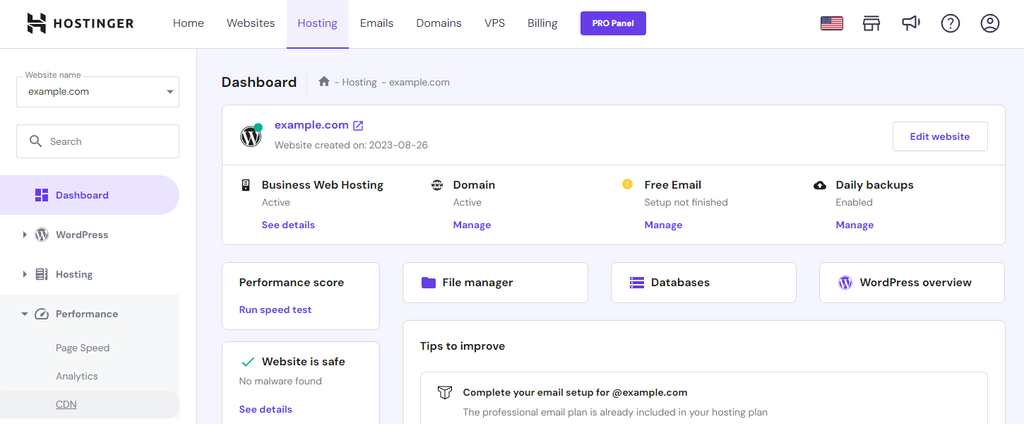
Credit: www.hostinger.com
Frequently Asked Questions
How To Check Hosting Server Performance?
Use tools like GTmetrix or Pingdom to assess server speed. Monitor uptime with UptimeRobot. Check server response time using WebPageTest. Analyze load impact with LoadRunner. Regularly review these metrics for optimal performance.
How Do You Evaluate Hosting Services?
Evaluate hosting services by assessing server speed, uptime reliability, customer support, pricing, and security features. Check customer reviews and industry reputation. Compare scalability options and ease of use. Ensure the hosting service meets your specific needs and offers adequate resources for your website.
Which Technique Is Used To Test The Performance Of A Website?
Website performance is tested using techniques like load testing, stress testing, and speed testing. Tools like Google PageSpeed Insights, GTmetrix, and Pingdom are popular choices. They help identify bottlenecks, optimize speed, and improve user experience. Regular monitoring ensures consistent performance and faster load times.
How To Check How Well A Website Is Doing?
Use tools like Google Analytics to track website traffic and engagement. Check SEO performance with tools like SEMrush or Ahrefs. Monitor page load speed using Google PageSpeed Insights. Evaluate user feedback and conversion rates to assess overall performance. Regularly review and adjust strategies for improvement.
Conclusion
Testing web hosting performance is essential. It ensures your site runs smoothly. Fast load times improve user experience. Happy visitors stay longer. Reliability builds trust and credibility. Use tools to check speed and uptime. Analyze server response times. Regular testing can prevent issues.
Keep your website efficient and secure. Prioritize performance for better results. Remember, a well-performing site attracts more visitors. It enhances your online presence. Stay proactive in maintaining performance. Your efforts will pay off. A strong hosting platform supports growth. Focus on consistent improvements.
Your website deserves the best.


