
Imagine having a tool that effortlessly boosts your website’s engagement, offering your visitors a visually appealing way to explore your content. That’s exactly what the WordPress Tag Cloud Widget does.
This nifty feature displays your site’s tags in a cloud-like formation, making it easier for your audience to find topics that pique their interest. You might be wondering, “How can this simple widget enhance my site? ” By the end of this article, you’ll discover how leveraging the WordPress Tag Cloud Widget can transform your site’s user experience and keep your visitors coming back for more.
Ready to unlock the secrets behind this powerful tool? Let’s dive in!
WordPress Tags And Their Purpose
Tags help organize content. They act like labels. Tags make finding posts easy. Readers like well-organized blogs. Tags improve user experience. They show related topics. Users click tags to explore more.
Bloggers use tags wisely. Too many tags confuse readers. Tags should be specific. Specific tags guide readers better. Tags boost SEO. Search engines see tags. They rank tagged posts higher.
Tags also connect similar posts. Related posts keep readers engaged. Engaged readers spend more time on blogs. More time means lower bounce rates. Lower bounce rates are good for SEO. Every tag counts!
Tag Cloud Widget Basics
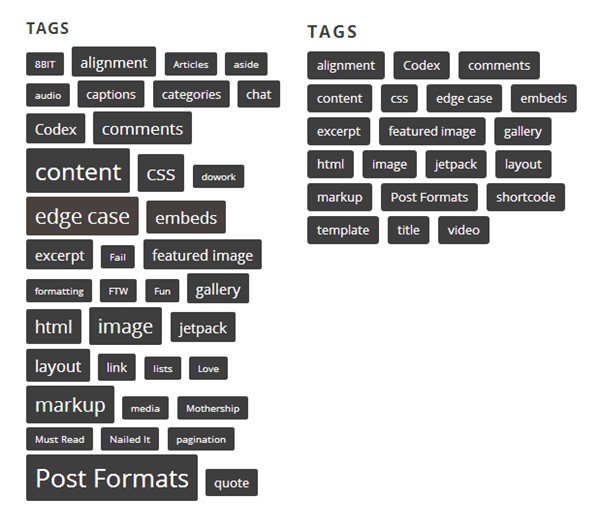
The Tag Cloud Widget shows your blog tags. It helps users find content. Tags are words linked to topics. They make searching easy. The widget displays tags in a cloud shape. Bigger words are used more often. Smaller words are used less.
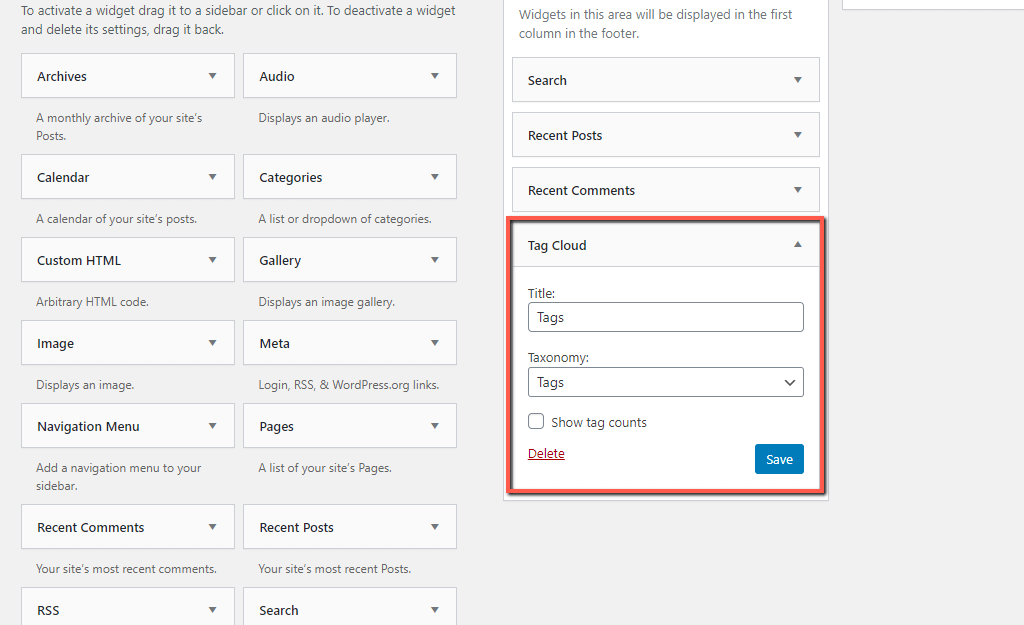
The widget is simple to use. Add it to your sidebar. Go to your dashboard. Click “Appearance.” Choose “Widgets.” Drag “Tag Cloud” to your sidebar. It updates when you add tags. This helps keep your site fresh.
Tag clouds can look different. Customize them to fit your style. Change colors or fonts. Make your site unique. Users find what they need quickly. It’s a fun way to show your content.
Benefits Of Using A Tag Cloud
Improved Navigation helps users find content quickly. Tags show related topics. This makes it easy to explore a site. Users can click on any tag. This will take them to relevant posts.
Enhanced User Engagement occurs with tag clouds. They make sites more interactive. Users spend more time on the page. They discover new content they like. This keeps them coming back.
SEO Advantages come with tag clouds. They improve site ranking. Tags help search engines find content. This brings more visitors to the site. Search engines see the site as organized.
Credit: www.byperth.com
Setting Up A Tag Cloud Widget
Start by logging into your WordPress dashboard. Find the Appearance section in the sidebar. Click on Widgets from the dropdown menu. A new page with different widget options will open.
Locate the Tag Cloud widget in the list. Drag it to your desired widget area. This area could be your sidebar or footer. Release the mouse button to place it. Now the widget is added.
Click on the Tag Cloud widget to customize. Enter a title for your widget. Decide how many tags you want to show. You can also choose the font size. Save your settings. Now, your Tag Cloud is ready for visitors.
Customization Options
Discover the WordPress Tag Cloud Widget, a tool that displays popular tags from your site in an engaging cloud format. Customize its appearance by adjusting font sizes, colors, and the number of tags, enhancing user experience and site navigation effortlessly.
Choosing Font Sizes
The font size of tags makes them stand out. Big tags show popular topics. Small tags show less popular ones. Choose sizes that fit your site. Make sure they are easy to read. This helps users find what they want.
Selecting Colors
Colors make tags look nice. Bright colors catch the eye. Soft colors feel calm. Pick colors that match your site. This keeps the design neat. Users like sites that look good. They stay longer and explore more.
Configuring Tag Limits
Limit the number of tags shown. Too many tags confuse users. Few tags make it clear. Choose a number that works well. This helps users find things fast. It also keeps the page tidy. A clean page is easy to read.
Credit: hostarmada.com
Best Practices For Tag Clouds
Selecting the right tags is crucial. Tags should represent key topics in your content. They help users find related posts. Always choose words that are simple and clear. Avoid using complex terms or phrases. This makes it easier for everyone to understand.
Keep tags consistent across your blog. This helps in organizing content better. Use the same tag for similar topics. Avoid variations in spelling or wording. This ensures users don’t get confused. Consistency makes navigation easier.
Too many tags can confuse users. A clean tag cloud is easier to read. Limit the number of tags displayed. This helps users focus on the most important topics. A cluttered tag cloud can be distracting. Keep it simple and tidy for best results.
Common Challenges And Solutions
A WordPress Tag Cloud Widget displays a visual representation of your website’s tags. Users often face challenges with cluttered displays and irrelevant tags. Solutions include customizing tag sizes and filtering options to improve clarity and relevance. This enhances user navigation and boosts site engagement.
Tag Overuse Issues
Using too many tags can confuse users. It makes the widget look cluttered. Keep tags simple and relevant. Choose tags that match your post topics. Fewer tags make it easier to find content.
Balancing Aesthetics And Functionality
Aesthetic balance is key for a good tag cloud. It should look nice and be useful. Use different font sizes to show tag importance. Color choices should match your site’s theme.
Ensuring Mobile Compatibility
Many people use phones to view websites. Your tag cloud must work on small screens. Responsive design is important. Adjust the size and layout for mobile devices.
Alternatives To Tag Clouds
Category Lists help organize your blog. They show topics on your site. Users find content easily. Each category is like a folder. It holds related posts. This makes browsing fun and simple. It also boosts your site’s navigation. Readers spend more time exploring.
Search Bars are very helpful. They let users find content fast. Just type a word or phrase. Results show up instantly. This improves user experience. Visitors get what they need quickly. It’s like a magic tool for your site. Every blog should have one.
Related Post Plugins suggest more articles. They appear at the end of posts. This keeps readers on your site longer. They discover more of your work. It’s a smart way to share content. It connects similar topics. Users appreciate this feature.
Real-life Examples Of Tag Clouds
Many websites use tag clouds to organize content. BBC uses them for news topics. This helps users find stories quickly. Flickr employs tag clouds for photos. Tags show what people like. Mashable uses them for trending topics. This makes hot content easy to find. It shows what’s popular now. Technorati uses tag clouds for blog tags. It helps users see popular blog topics.
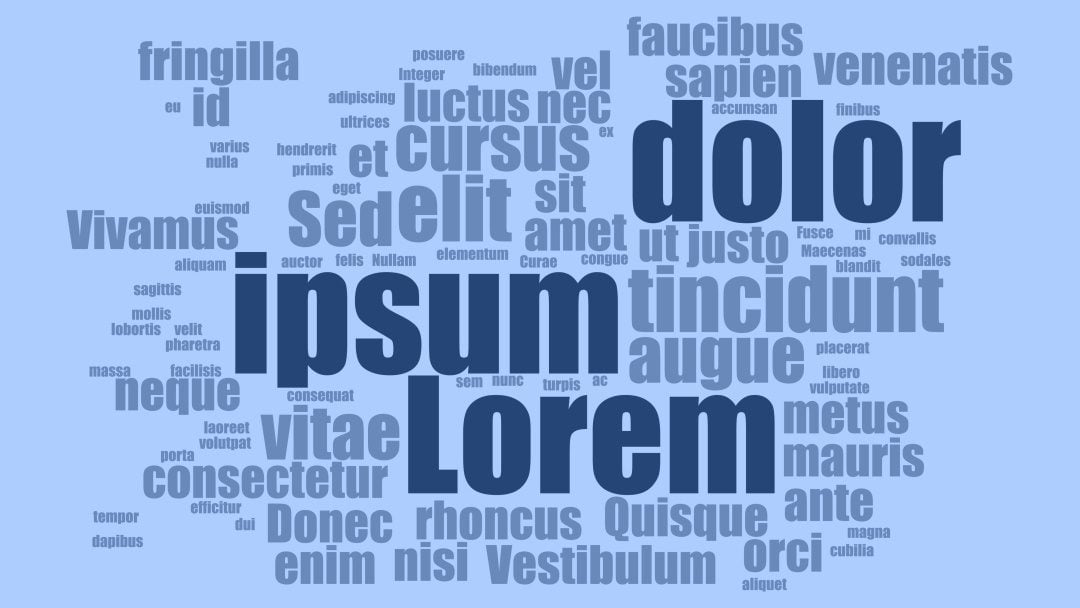
Some sites use tag clouds in creative ways. Wordle lets users create their own tag clouds. They can choose words and design. Tagxedo turns words into shapes. You can make a heart or star shape. Tagul allows you to animate your tag cloud. Words move around in fun ways. These tools help users have fun with words.
Credit: www.elegantthemes.com
Frequently Asked Questions
What Is A WordPress Tag Cloud Widget?
A WordPress tag cloud widget displays a visual representation of tags used in your blog. Tags are clickable and help users navigate related content. The size of each tag in the cloud often represents its frequency of use. It’s a useful tool for enhancing website navigation and user engagement.
How Does A Tag Cloud Widget Work?
A tag cloud widget collects and displays tags from your blog’s content. Tags are typically arranged in alphabetical order or by popularity. Larger tags indicate more frequent usage. Clicking on a tag filters content related to that tag, improving user navigation and content discovery.
Why Use A Tag Cloud Widget?
Using a tag cloud widget enhances user experience by simplifying content navigation. It visually highlights popular topics, encouraging visitors to explore more. Tag clouds also improve site organization and SEO by interlinking related content, making it easier for search engines to index your site effectively.
Can A Tag Cloud Widget Improve Seo?
Yes, a tag cloud widget can improve SEO by creating internal links between related content. These links help search engines index your site more effectively. It also encourages longer user engagement, reducing bounce rates. This combination can positively impact your website’s search engine rankings.
Conclusion
WordPress Tag Cloud Widgets simplify content navigation. They show popular tags visually. This helps readers find related topics easily. Widgets improve website organization. They enhance user experience by offering quick content access. Setting up is simple. Customization options fit your site’s design.
Tag clouds can boost engagement. Users stay longer and explore more. Better engagement means improved SEO. Widgets are a practical tool for bloggers. They aid in content discovery. Consider adding one to your site. Make your content easier to find and enjoy.


