
Imagine you’ve just finished developing your Java web application. You’ve poured your skills, creativity, and countless hours into making it perfect.
Now comes the crucial step: hosting it so the world can see your masterpiece. Hosting a Java web application might seem daunting, but with the right guidance, you can do it smoothly and efficiently. You might be wondering how to make your application accessible to everyone without technical hiccups.
The process involves choosing the right server, configuring your environment, and ensuring seamless integration. Don’t worry, though; this article is here to guide you through each step, making the process straightforward and stress-free. By the end of this guide, you’ll have the knowledge and confidence to host your Java web application like a pro, ready to impress users and stakeholders alike.
Choosing A Hosting Provider
Different hosting services suit different needs. Shared hosting is like sharing a room. It’s cheap but has less control. VPS hosting gives more control. It’s like having your own room. Dedicated hosting is the most powerful. You get the whole house. Cloud hosting is flexible. It grows with your needs. Think about your needs. Choose wisely.
Check the features of each host. Uptime is crucial. It tells you how often the site is up. Bandwidth affects how fast data moves. Storage is where your data sits. Security protects from bad guys. Look for SSL certificates. Support helps when things go wrong. Always check these before choosing.
Think about your budget. Shared hosting is the cheapest. VPS costs more. Dedicated is the most expensive. Cloud can vary. Consider what you can spend. Think about your needs. Balance cost and features. Don’t go over budget. Always plan ahead.

Credit: code.visualstudio.com
Preparing Your Java Web Application
Install a Java Development Kit (JDK) on your computer. This is essential for coding in Java. Use an IDE like IntelliJ or Eclipse. It helps you write code easily. Set up a version control system like Git. It keeps track of changes in your code. Create a local server using tools like Tomcat. It lets you test your web app on your computer.
Write code that runs fast. Use efficient algorithms to solve problems. Reduce the size of your images. Small images load faster. Use caching to store data temporarily. It speeds up data access. Minimize HTTP requests to your server. Fewer requests mean faster loading times. Check for memory leaks. Leaks slow down your app.
Protect your app from hackers. Use encryption to secure data. Encrypt passwords and sensitive information. Implement strong authentication methods. Make sure only authorized users access your app. Regularly update your software. Updates fix security flaws. Use a firewall to block attacks. Firewalls guard your server from threats.
Deploying Your Application
Choose a reliable server for your Java application. Options include cloud servers or dedicated servers. Ensure your server can handle expected traffic. Install Java Development Kit (JDK) on the server. Also, set up a web server like Apache or Nginx. These steps prepare your server for deployment.
Use Docker to create a container for your app. A container holds everything your app needs. This makes it easy to move the app to any server. First, write a Dockerfile for your app. Then, build the Docker image. Finally, run the container on your server. Docker ensures your app works the same everywhere.
Set up a CI/CD pipeline to automate deployment. Use tools like Jenkins or GitLab CI. They help you test and deploy new code fast. This process ensures your app is always up to date. Regular updates keep your app secure and efficient. Automation saves time and reduces errors.
Managing Your Hosted Application
Monitor your app with tools. They help track its performance. Use logs to find issues. Logs show what happens inside the app. Read them often. This ensures your app works well. Check for errors in logs. Fixing them keeps your app healthy.
Apps need to grow sometimes. Scaling helps when more people use it. Add more servers to handle extra load. This makes the app run smoothly. Keep an eye on traffic. Increase resources if needed. This way, users stay happy.
Downtime means the app is not working. Prevent it with backups. Errors can happen anytime. Fix them fast. Have a plan for downtime. This plan helps restore the app. Keep users informed. It builds trust.
Ensuring Security And Compliance
Secure Java web application hosting requires understanding compliance standards. Use reliable servers and encryption for data protection. Regular audits and updates ensure your application remains compliant and secure.
Implementing Ssl Certificates
SSL certificates protect data during transfer. They encrypt information. This keeps data safe from hackers. Websites need SSL for user trust. It’s important for security and compliance. Without SSL, data can be stolen. SSL shows a website is secure. It’s crucial for business websites.
Data Privacy Regulations
Data privacy regulations protect user information. Websites must follow these rules. They ensure data is safe and private. Not following rules can lead to fines. Regulations differ by country. Understanding them is key. Businesses must stay updated on changes. Protecting user data builds trust.
Regular Security Audits
Regular security audits find weaknesses. They help improve safety. Audits check systems for problems. Fixing issues prevents data loss. They should be done often. Professionals conduct audits. Reports show what needs fixing. Audits are essential for strong security. They ensure compliance with rules.

Credit: code.visualstudio.com
Optimizing For Performance
Efficient caching can make your web application faster. Store frequent data in memory. This helps reduce server load. Use tools like Redis or Memcached. They help manage cached data easily. Choose the right caching technique. It improves data retrieval speed. This boosts user experience.
A slow database impacts performance. Optimize your queries for speed. Use indexes to locate data quickly. Limit data retrieval to essentials. Avoid complex joins in queries. This prevents slowdowns. Regularly clean your database. Remove old, unused data. Keep your database well-organized. This helps in faster access.
Balance loads to avoid overloading servers. Use multiple servers to share the work. Load balancers distribute traffic evenly. This prevents crashes during high traffic. Ensure each server handles equal load. This maintains performance stability. Check server health regularly. It ensures smooth operation.
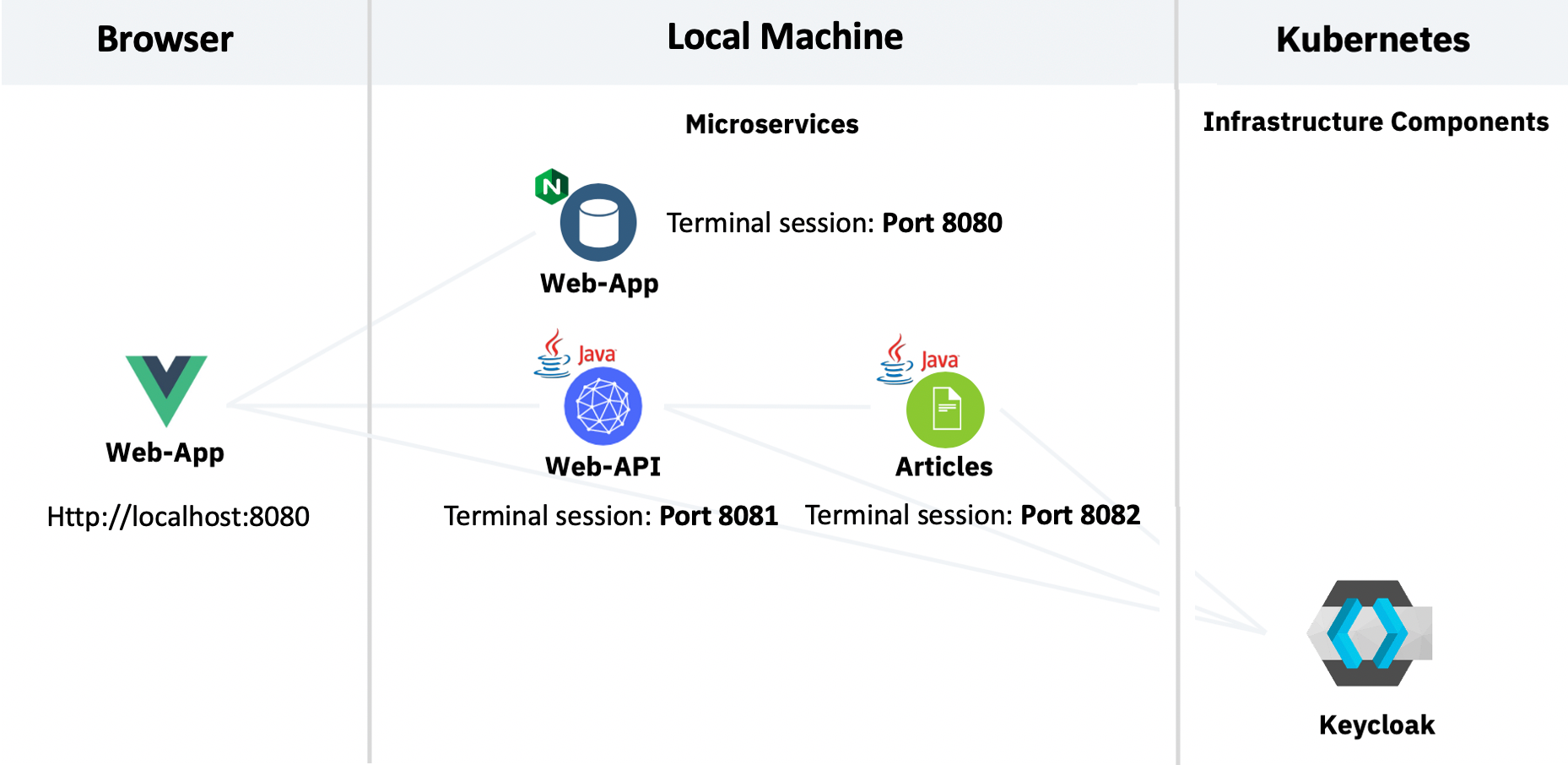
Credit: ibm.github.io
Frequently Asked Questions
How To Host A Java Web Application?
To host a Java web application, choose a reliable web hosting provider. Install a Java servlet container like Apache Tomcat. Deploy your application using a WAR file format. Configure server settings as needed. Ensure your application is secure and optimized for performance.
Regularly monitor and maintain your hosting environment.
Where To Host A Java Web Application For Free?
You can host a Java web application for free on platforms like Heroku, Render, and Vercel. These platforms offer free tiers with limited resources, ideal for small projects or testing purposes. Always check the terms and conditions for any restrictions or limitations on free hosting plans.
How Do I Host My Own Web Application?
Choose a hosting provider and plan. Set up a server environment. Deploy your web application files. Configure domain settings. Regularly maintain and update your application for optimal performance.
How To Run A Java Program On A Web Server?
To run a Java program on a web server, deploy it using a servlet container like Apache Tomcat. Ensure the server supports Java and configure the environment. Upload your Java application, then access it through a web browser. Optimize server settings for performance and security.
Conclusion
Hosting your Java web application is simpler than it seems. Follow the right steps. Choose a reliable hosting provider. Ensure your server supports Java. Deploy your application carefully. Test everything thoroughly before going live. Regular maintenance keeps your app running smoothly.
Troubleshoot issues as they arise. Stay updated with the latest tech trends. This helps your app stay competitive. Hosting can seem complex at first. But with practice, it gets easier. Start today. Watch your Java web app thrive online.


