
Imagine being able to host your own web server without needing a static IP address. Sounds intriguing, right?
Whether you’re setting up a personal website or want to run a server from home, dealing with a dynamic IP can seem daunting. But it doesn’t have to be. You don’t need to be a tech wizard to make it happen.
With the right tools and a bit of guidance, you can effortlessly host a web server even with a dynamic IP. In this guide, you’ll discover simple steps and strategies to get your server up and running, all while ensuring it stays accessible no matter how often your IP changes. Ready to unlock the secrets of hosting with a dynamic IP? Let’s dive in!
Understanding Dynamic Ip
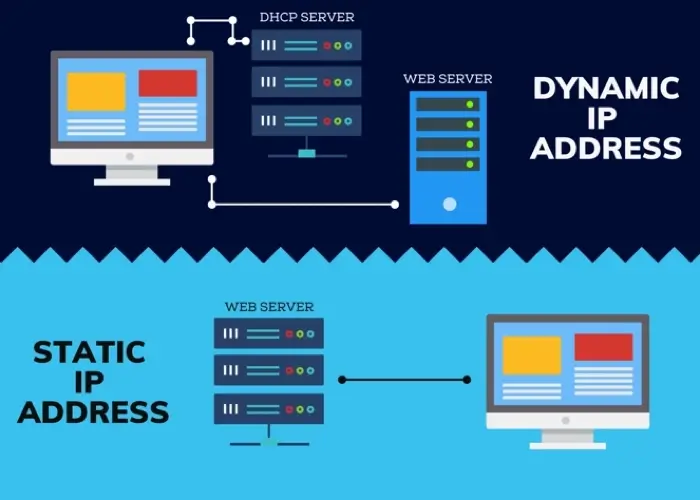
Static IP stays the same over time. Dynamic IP changes often. Static IPs are like a fixed address. Dynamic IPs are like moving addresses. Static is good for servers. Dynamic is cheaper and common for home use.
| Pros | Cons |
|---|---|
| Cheaper cost | Changes often |
| Easy setup | Not ideal for servers |
| More secure | Hard to track |
Credit: www.noip.com
Setting Up The Environment
Picking the right hardware is key. Choose a computer with at least 4GB RAM. A fast processor is important too. It helps in handling web traffic. Consider using a solid-state drive for storage. They are faster than regular drives. Keep your computer in a cool place. This prevents it from overheating. A stable internet connection is also necessary. It ensures your server is always online.
Start by installing a web server software. Apache or Nginx are popular choices. They help your computer act like a server. Next, install a dynamic DNS service. This helps with your changing IP address. No-IP and DynDNS are good options. They update your IP automatically. Lastly, set up a firewall. It protects your server from unwanted access. Always keep your software updated. This ensures it runs smoothly.
Dynamic Dns Services
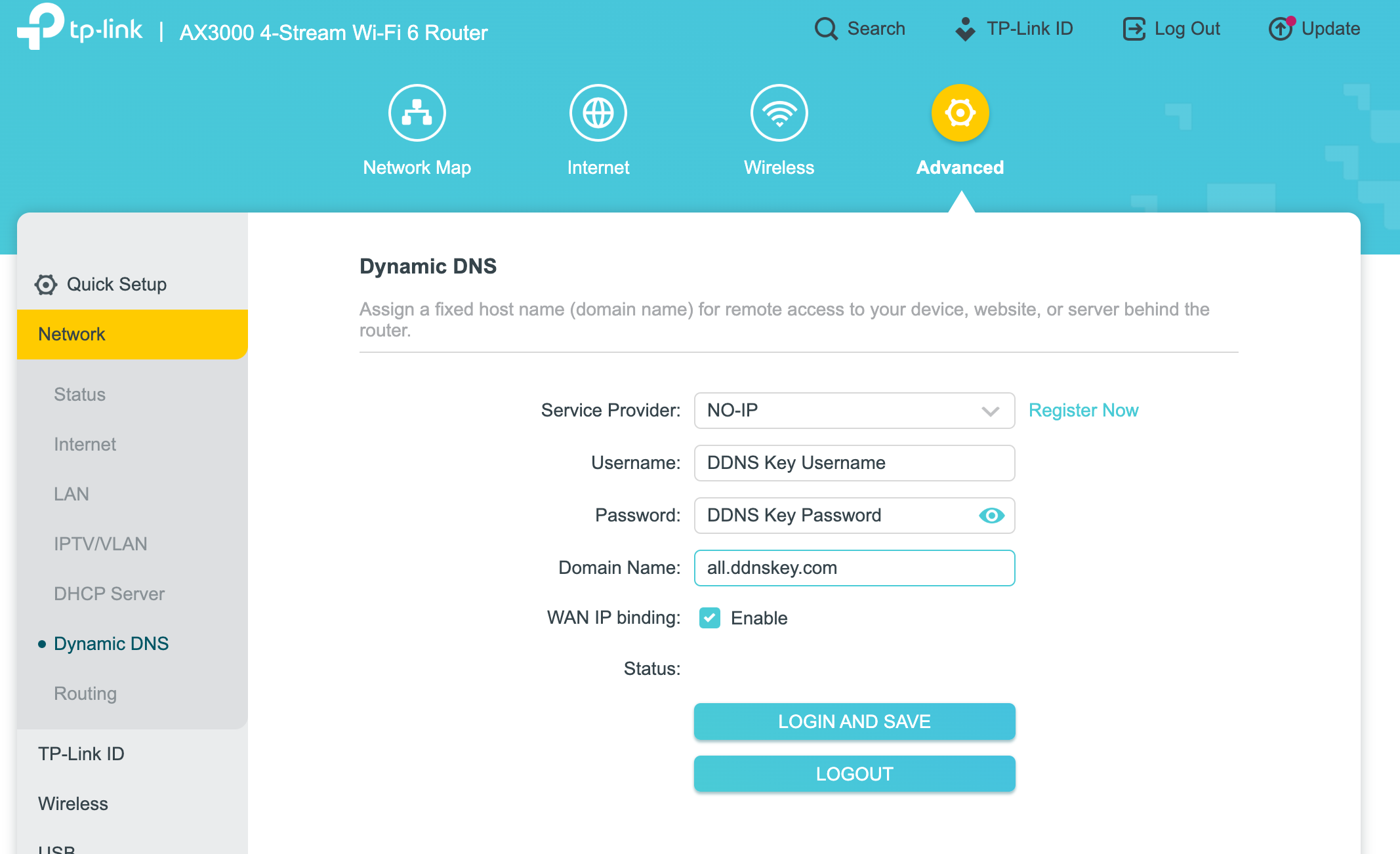
Several providers offer dynamic DNS services. No-IP provides a free tier with options to upgrade. DynDNS is known for its reliability. DuckDNS offers a simple setup process. ChangeIP provides good support and a variety of options. FreeDNS is another option with a free plan.
First, sign up with a dynamic DNS provider. Then, create a hostname for your IP. Install the update client on your device. The client updates your IP address automatically. Check the provider’s instructions for setup details. Ensure your router supports dynamic DNS. Use the settings from the provider to configure your router. Test to ensure the setup works correctly. Regular checks help maintain a stable connection.
Credit: www.whatismyip.com
Router Configuration
Port forwarding helps your server talk to the world. You need to let your router know which port to open. Port 80 is common for web servers. Enter your router’s settings page. Look for the Port Forwarding section. Add a new rule. Set the external and internal port to 80. Choose the right protocol, usually TCP. Save your changes. Now, your server can communicate outside. This is a vital step for hosting.
Assigning a static IP keeps your device’s address the same. Open your router’s settings. Find the DHCP settings. Look for an option to assign static IPs. Choose your device from the list. Assign a number that matches your network, like 192.168.1.100. Save your settings. Now, your device always gets the same IP. This makes it easier to host your server.
Web Server Installation
Choose the right software for your web server. Popular choices are Apache, Nginx, and IIS. Each has its own features. Apache is widely used and flexible. Nginx is known for its speed and efficiency. IIS works well with Windows servers. Think about your needs before choosing. Consider the type of content you host. Match the software to your server’s operating system. This ensures smooth operation and easy management.
Set up your server with basic settings. Start by assigning a static internal IP. This makes it easy to find the server on your network. Adjust the firewall settings to allow web traffic. Open ports like 80 for HTTP and 443 for HTTPS. Ensure the server’s time and date are correct. This helps with logging and security. Keep your software updated. It protects the server from threats.

Credit: help.dyn.com
Security Measures
Firewalls are like guards for your server. They block unwanted visitors. Set up a firewall to protect your data. Choose a software or hardware firewall. Both work well. They keep your server safe from bad people. You can allow or block traffic. Choose wisely.
SSL certificates make your site secure and trustworthy. They encrypt data. This keeps information safe from hackers. Use HTTPS for a secure connection. HTTPS protects your visitors. It shows a padlock in the browser. This means your site is safe. Visitors feel confident with HTTPS.
Testing Your Web Server
Make sure your web server works on the local network. Open a browser on your computer. Type the server’s local IP address in the address bar. If the website loads, then the server works locally. Check different devices on the same network. This helps ensure that everyone can access the server. Try using both a phone and a tablet. This test is important for smooth operations.
Confirm the server is reachable from outside your network. Use a tool like CanYouSeeMe.org to test this. Enter your external IP address and the port number. If the tool says “Success,” your server is live. Ask a friend to check your website from their location. This ensures your server is globally accessible. Use a VPN to test from different regions. This step is crucial for a successful web server.
Troubleshooting Common Issues
Setting up a web server with a dynamic IP can be tricky. Frequent IP changes disrupt server availability. Use dynamic DNS services for a stable connection.
Ip Address Change Handling
Dynamic IP addresses change often. Frequent changes can disrupt your server. Use Dynamic DNS services to fix this. They update your domain with the new IP. This ensures your server stays reachable. Check your router settings. Many routers support Dynamic DNS. This can help automate the process. It reduces manual updates.
Resolving Connectivity Problems
Connectivity issues are common with dynamic IPs. Ensure your firewall settings allow server traffic. This prevents blockages. Regularly test your connection. Use tools like ping or traceroute. They help identify network issues. Restart your router if problems persist. Sometimes, a simple restart fixes everything. Keep your firmware updated. Updates often solve connectivity issues.
Frequently Asked Questions
Can I Host A Website With A Dynamic Ip?
Yes, you can host a website with a dynamic IP. Use a Dynamic DNS service to map your domain to your changing IP address. This setup may require more management and might not be ideal for high-traffic sites.
How To Make A Ddns Server?
Set up a DDNS server by installing dynamic DNS software on your server. Configure your DNS settings to update automatically. Choose a DDNS provider to link the server with your domain. Test the setup to ensure real-time IP updates and accessibility.
Do You Need A Static Ip To Host A Website?
A static IP is not mandatory for hosting a website. Many hosting providers offer dynamic IPs. However, a static IP can provide more stability and ease of access. It is beneficial for SSL certificates and dedicated server hosting, ensuring consistent access to your website.
What Type Of Host Gets A Dynamic Ip Address?
Residential and mobile internet users typically receive dynamic IP addresses. Internet Service Providers assign these temporary IPs. Businesses might also use dynamic IPs for non-critical applications. Dynamic IPs change periodically, offering cost-effective solutions for users who don’t need a fixed IP.
This flexibility suits many personal and small business network needs.
Conclusion
Hosting a web server with a dynamic IP is achievable. It requires some configuration steps. Use DNS services to manage IP changes. Regular updates ensure smooth operation. Keep an eye on any IP shifts. Choose reliable software for server stability.
Consider security measures for data safety. Test your setup regularly for optimal performance. Troubleshooting any issues promptly helps maintain uptime. This approach is cost-effective and flexible. Perfect for home users or small businesses. Start your dynamic IP hosting journey today.
With patience, your web server will run efficiently. Enjoy the benefits of hosting your own server!


