
Are you ready to bring your website to life? Securing a web hosting account is the first crucial step in making your online presence a reality.
Imagine having the power to share your ideas, products, or services with the world, right at your fingertips. But where do you start? How do you choose the right web hosting service that fits your needs and budget? This guide will walk you through the process, making it simple and stress-free.
You’ll discover the secrets to selecting a provider that ensures your site is fast, secure, and always accessible. Stay tuned, as we unravel the steps to get your web hosting account up and running smoothly, giving you the confidence to launch your digital dreams.
Choosing The Right Web Hosting Provider
Web hosting comes in many types. Shared hosting is common. It is cheap and easy for beginners. VPS hosting offers more space. It is for growing sites. Dedicated hosting gives you a full server. This type is for big sites with lots of visitors. Cloud hosting is new. It uses many servers. It is good for scaling up fast. Each type has its benefits. Choose what fits your needs.
Price is an important factor. Find a plan that fits your budget. Uptime is also crucial. Look for a provider with 99.9% uptime. Customer support matters too. Check if they offer 24/7 help. Security features are key. Make sure they offer SSL and backups. Scalability lets you grow. Choose a provider that can expand with you. Ease of use is helpful. A simple dashboard makes things easy. These factors help in choosing the right host.
Credit: www.godaddy.com
Setting Up An Account
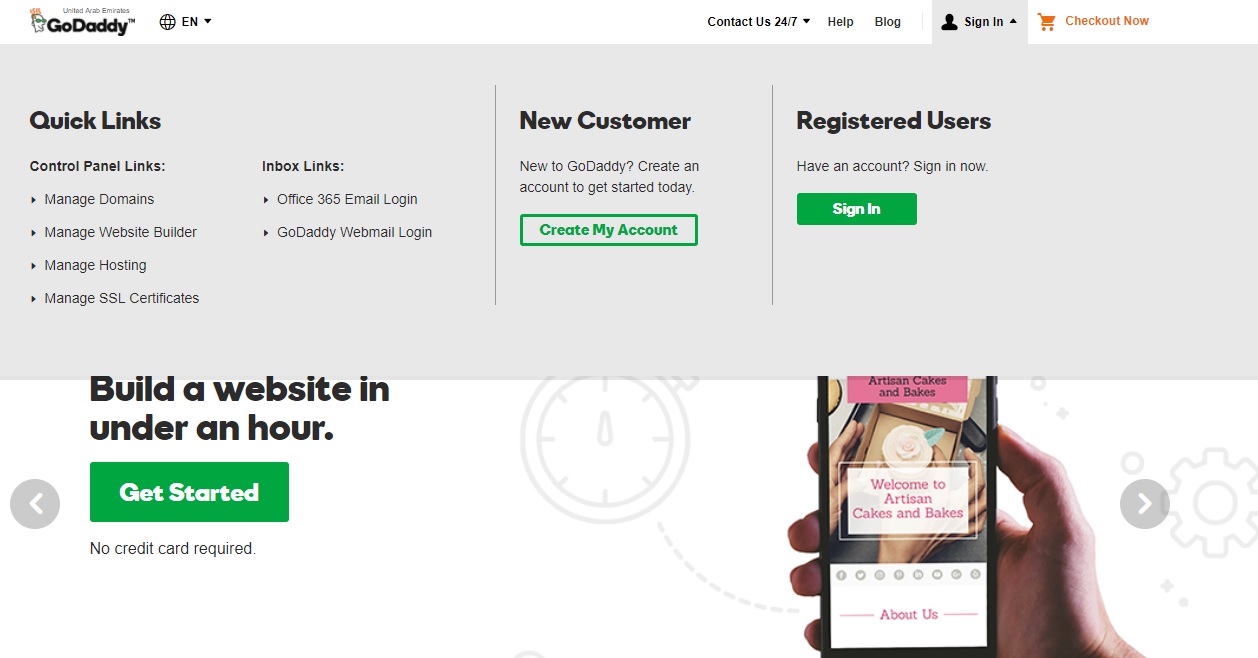
Getting a web hosting account starts with registration. First, visit the hosting site. Look for a sign-up button. Click it. Fill out the form. Provide your name and email. Choose a username and password. Check the box to agree to terms. Click submit to finish registration. You may get a confirmation email. Check your inbox. Click the link in the email to verify. Your account is ready!
Pick a domain name. Think of a name you like. Make sure it’s easy to spell. Avoid long words. Check availability on the hosting site. You can’t use a name someone else has. If the name is free, select it. Choose a domain extension like .com or .net. Keep it simple and memorable. Your domain is now part of your web identity!
Exploring Hosting Features
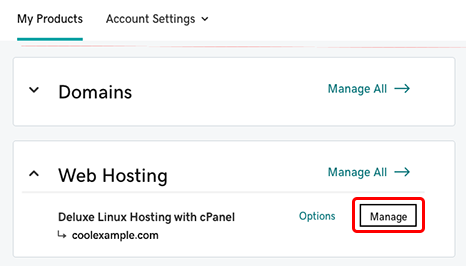
A control panel helps you manage your hosting. cPanel is very popular. It is easy to use. Plesk is another option. It works well with Windows servers. Custom panels may be offered by some hosts. These might have special tools. Always check for a user-friendly interface. This makes tasks simple.
Security is very important. Look for SSL certificates. They keep data safe. Firewalls protect your site from attacks. Automatic backups are useful. They save your data. Malware scanning helps find threats. DDoS protection stops bad traffic. Always choose a host with strong security.
Credit: www.godaddy.com
Managing Your Hosting Account
Paying for web hosting is easy. Most companies accept credit cards. Some accept PayPal too. It’s important to choose a method that is safe. Always check your billing details. Mistakes can happen. Watch for any extra charges. Know when your next payment is due. This helps avoid service interruptions.
Good support is very important. Many hosts offer 24/7 support. This means help is always there. Look for live chat options. They are fast and easy. Email support is another choice. It can take longer, though. Phone support is also helpful. Choose the method you like best. Always have your account details ready. It helps solve problems faster.
Migrating Existing Websites
Finding the right web hosting account involves researching providers that fit your needs. Consider server reliability, security, and customer support. Compare pricing plans and features to ensure the best value for your website migration.
Data Transfer Methods
Moving a website needs careful planning. Use FTP to move files. cPanel helps to transfer databases. Keep files organized for easy access. Backup your site before moving. This ensures data safety. Use migration plugins for WordPress sites. They simplify the process. Check if your new host offers migration services. Some providers offer this for free. This can save time. Follow steps closely to prevent errors.
Troubleshooting Common Issues
Problems can occur during migration. Files may not transfer correctly. Check permissions if files do not move. Databases might not connect. Verify database credentials. Links might break. Update all internal links. Missing images can be common. Re-upload them if necessary. Check site speed after migration. Slow speed means something is wrong. Fix it by optimizing files. Contact support if issues persist. They can help identify problems.
Credit: www.godaddy.com
Optimizing Website Performance
Faster websites make users happy. Happy users stay longer. One way to speed up your site is to use cache plugins. These save a copy of your pages. Next time, the page loads quickly. Another technique is image optimization. Smaller images load faster. Use tools to reduce image size. Use a Content Delivery Network (CDN) too. CDNs store your site on many servers. Users get data from the nearest server. This makes loading faster.
Check your site speed often. Use tools like Google PageSpeed Insights. It shows what slows down your site. Another tool is GTmetrix. It gives a detailed report. Also try Pingdom for real-time monitoring. These tools help you fix problems. Your website stays quick and smooth.
Frequently Asked Questions
How To Create A Web Hosting Account?
Choose a reliable web hosting provider. Visit their website and select a hosting plan. Register or log in to your account. Enter domain details and complete the payment process. Access your account dashboard to set up your website.
Is Web Hosting Free?
Web hosting is not always free. Many providers charge for hosting services. However, some offer free plans with limitations, such as reduced storage or bandwidth. Free hosting is often suitable for personal use or small projects but may lack features needed for businesses.
Choose based on your needs and budget.
What Is A Website Hosting Account?
A website hosting account stores your site’s files on a server, making it accessible online. It provides resources like storage, bandwidth, and support to ensure your website runs smoothly. Hosting services vary, offering shared, dedicated, or cloud options based on your needs and budget.
Is Google Web Hosting Free?
Google web hosting isn’t free. Google Cloud Platform offers paid hosting services with a free trial. Pricing varies based on usage. Google Sites provides basic free website creation, but lacks advanced hosting features. Always check current pricing details on Google’s official website for accurate information.
Conclusion
Choosing a web hosting account can be simple. First, list your website needs. Next, compare hosting providers. Check their features, prices, and customer support. Read user reviews to learn from others. Once you’ve decided, sign up for the plan. Ensure you understand the terms and conditions.
Setup your account and start building your website. Remember, a good host boosts your site’s performance. Enjoy your online journey with confidence. Your website’s future is bright with the right host. Keep learning and adapting as your site grows.


