
Imagine you’re in the middle of a busy workday on your WordPress site, and everything starts to slow down. Pages take forever to load, and you feel like you’re wading through digital quicksand.
Frustrating, right? You might have heard that purging your cache could be the magic fix, but what exactly does that mean? More importantly, what happens if you do it? When your website is sluggish, or you’re not seeing updates you’ve made, clearing the cache might seem like the perfect solution.
But before you take that step, it’s essential to understand both the benefits and potential pitfalls. This knowledge can empower you to make informed decisions that keep your website running smoothly and keep your visitors happy. We’ll dive into the ins and outs of cache purging in WordPress, explaining how it affects your site’s performance and why it might just be the secret weapon you need. Ready to unlock the mystery of cache purging and its impact on your WordPress site? Let’s get started!
Importance Of Caching In WordPress
Caching makes websites fast. It stores data for quick access. WordPress uses caching to speed up pages. Visitors get content faster with caching. It helps reduce server load. This makes sites work better. More visitors can come to your site. Caching improves user experience. Less waiting means happy users. They stay longer and visit more pages.
Cache purge clears stored data. This can slow down the site. But it helps when updates are needed. New content shows up after a purge. Old cache can cause errors. Purging fixes these errors. Site speed might drop after purging. But it gets better soon. Cache builds up again with visits.
Credit: www.hostpapa.com
Reasons To Purge Cache
Purging cache makes new changes visible. Your site may have new content or design. Old cache hides these changes. Purging helps users see the latest version. It keeps the website fresh and updated.
Sometimes, web pages do not look right. Images may not load. Text might appear scrambled. Purging cache can fix these display issues. It removes old and broken files. This helps the site load correctly for users.
Developers need to test new features. Old cache can hide bugs. Purging cache helps in testing and debugging. It ensures that changes are tested in a real environment. This makes the site run smoothly.
How To Purge Cache In WordPress
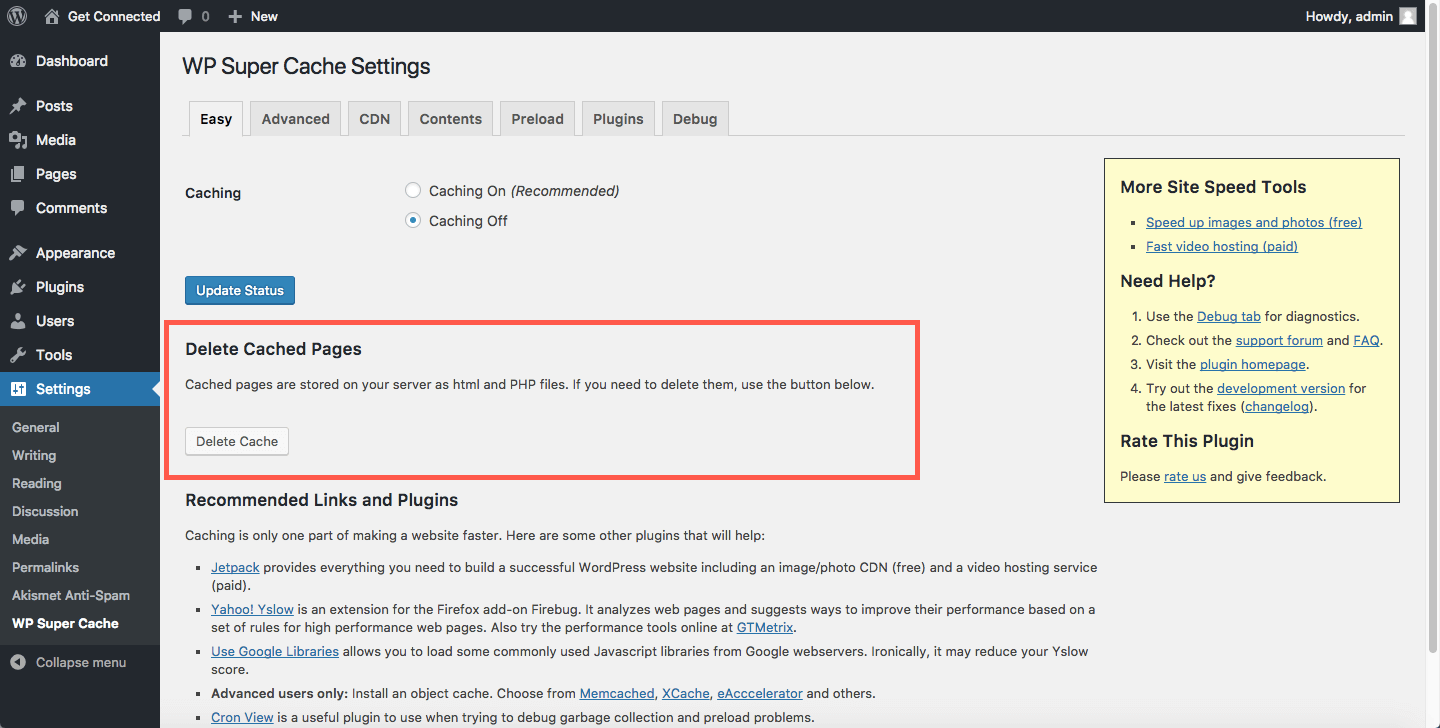
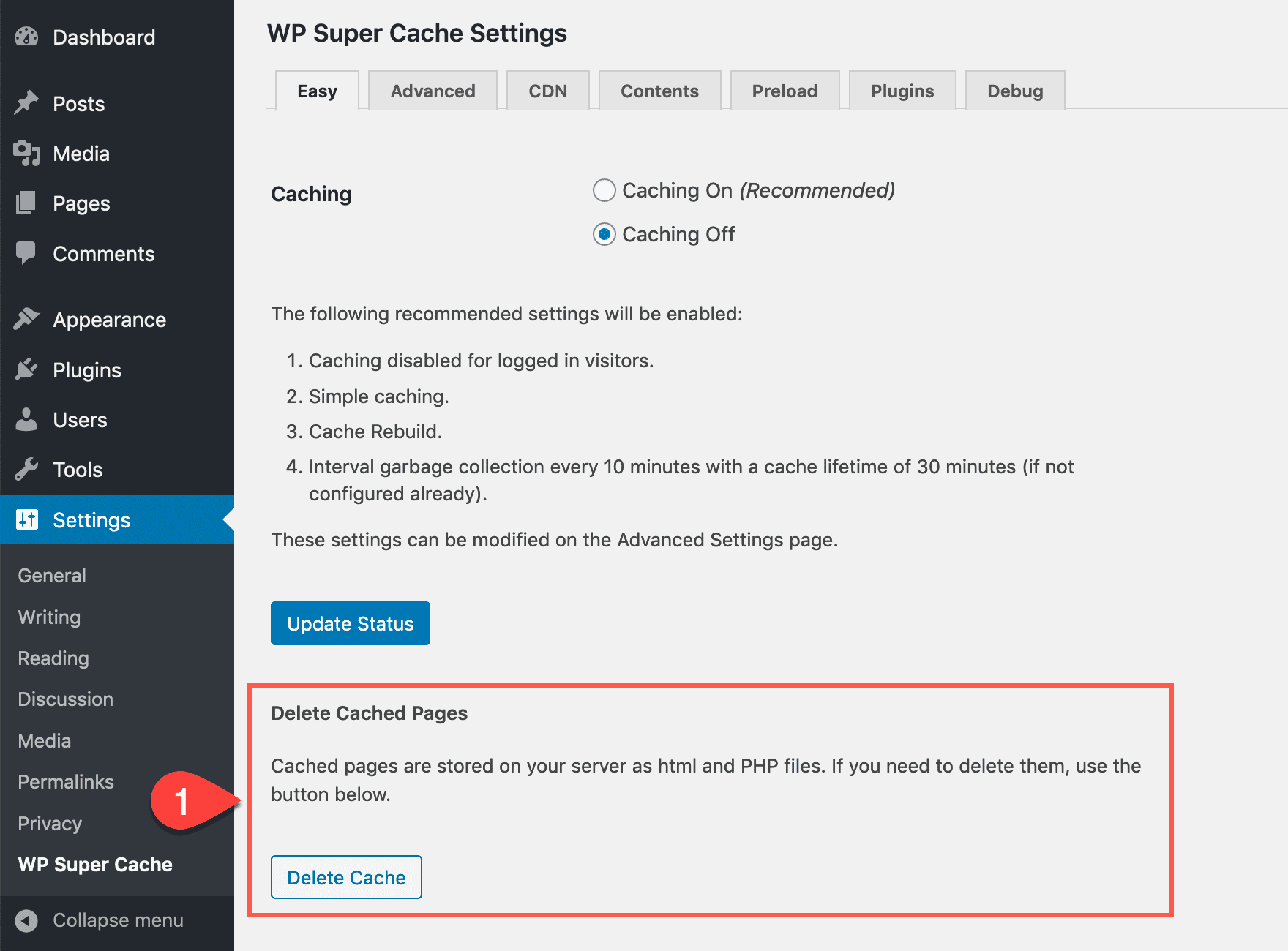
Plugins make cache purging easy. Popular plugins have a clear purge button. Click it to clear the cache. This refreshes the website. New visitors see the latest content. Plugins like W3 Total Cache are user-friendly. They offer multiple options. You can choose to purge all, or just a part. Scheduled purges can also be set. This keeps the content always up-to-date.
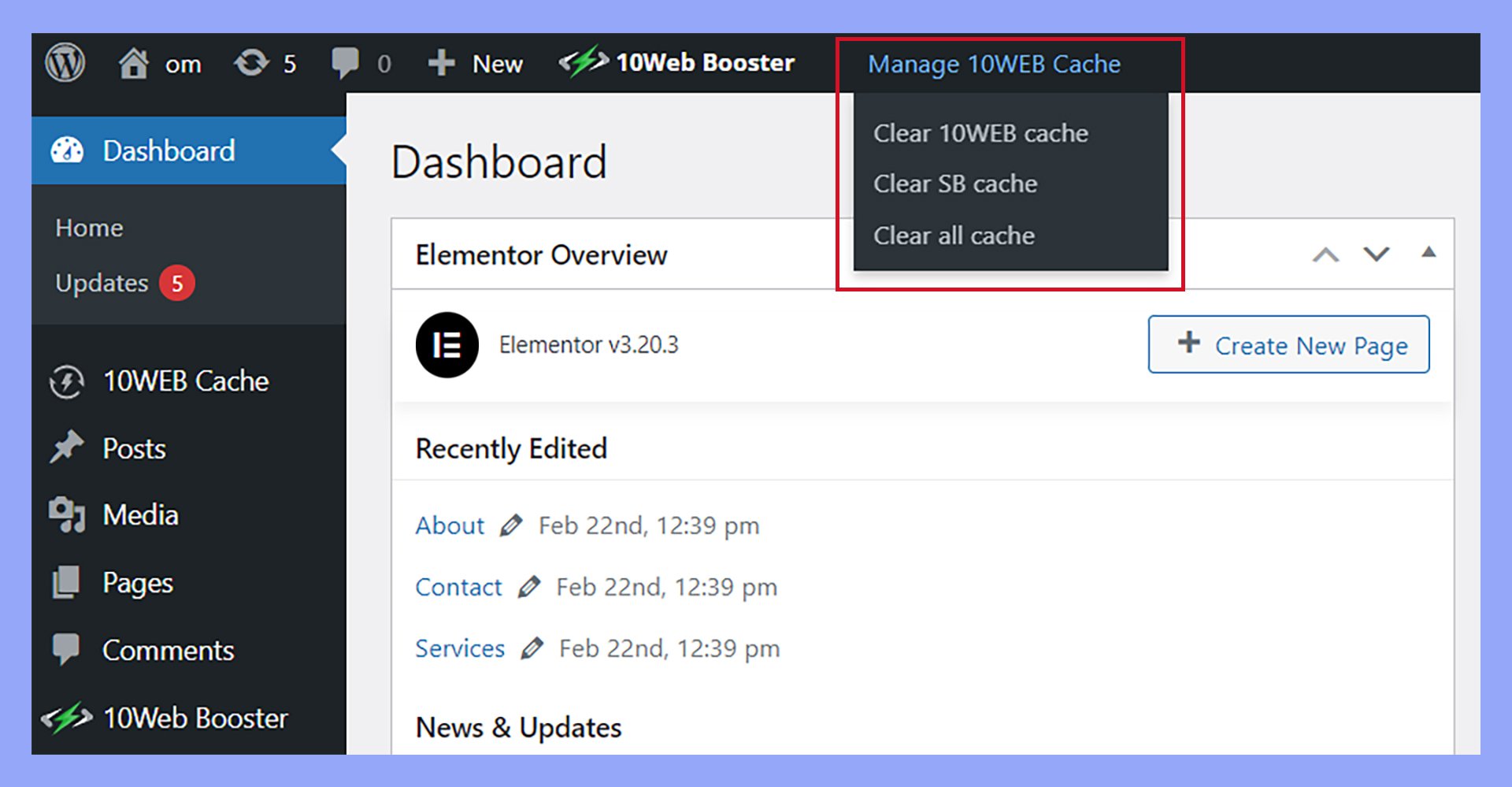
Hosting providers often have cache settings. Log in to your hosting account. Find the cache management section. There is an option to clear cache. Use this to purge the cache manually. It’s effective and simple. It ensures your website works smoothly. Regular purging can help with performance issues.
Some users prefer command line tools. It is a bit technical but powerful. Use SSH to access your server. Type the right commands to clear cache. It’s fast and efficient. Only do this if you are comfortable with commands. It requires some technical knowledge. But it gives more control and flexibility.
Immediate Effects Of Purging Cache
Purging the cache can speed up your website. The site might load faster for users. But sometimes, it can be slower right after purging. This happens because new data needs to cache again. It is a temporary effect. Later, the site will run smoothly.
Clearing the cache can show new changes. Updates to design or content will appear. Old images and styles might be gone. The site looks fresh and updated. This can be exciting for visitors. They see the latest version of your website.
Potential Challenges Post-purge
Purging cache in WordPress may lead to slower page loads initially. Cached data helps speed up website performance. Users might temporarily experience delays as the cache rebuilds, affecting user experience and SEO rankings.
Temporary Load Time Increase
Purging cache can make websites load slower. This happens because the server works hard to create new cache data. Visitors might notice pages take longer to open. This is temporary. Once the cache is rebuilt, speed improves.
Cache Rebuilding Process
The server rebuilds cache when old data is removed. During this process, server uses more resources. This can cause higher CPU usage. Website performance might drop for a short time. Rebuilding is crucial for fresh data. It ensures visitors see updated content.
Credit: www.elegantthemes.com
Best Practices For Cache Management
Cache needs regular care. Always clear old cache files. This keeps the site fast. Old cache can slow down your site. Use plugins to help clear cache. Many plugins can do this job. Pick one that suits your site. Schedule cache clean-ups. This keeps your site running well.
Check how your site is doing. Use tools to see speed and errors. A slow site can lose visitors. Fix issues as soon as you find them. Regular checks help find problems early. Fast sites keep users happy. Happy users stay longer and return often.
Tools And Plugins For Cache Management
WordPress offers several cache plugins to help speed up your site. W3 Total Cache is a favorite among many users. It improves your site’s performance with ease. WP Super Cache is another popular choice. It creates static HTML files from your dynamic WordPress blog. LiteSpeed Cache offers powerful server-side caching. It works well with LiteSpeed web servers. These tools help your site run faster and smoother. They also reduce load times for users. Each plugin has unique features and benefits. Choose the one that fits your needs best.
Many hosting providers offer built-in cache tools. SiteGround has a tool called SuperCacher. This tool enhances website speed efficiently. Bluehost provides caching options through its control panel. These tools are easy to use for beginners. They provide a hassle-free caching experience. Hosting tools work seamlessly with WordPress. They ensure your website loads quickly for visitors. Your hosting provider may offer other caching solutions. Always check your hosting dashboard for options.
Credit: 10web.io
Frequently Asked Questions
What Is Cache Purging In WordPress?
Cache purging in WordPress involves deleting stored data to refresh the site. It removes old cached files, allowing new content to display. This process helps resolve display issues, improve site performance, and ensure visitors see updated content. Regular cache purging can enhance user experience and maintain site functionality.
How Does Purging Cache Affect Site Speed?
Purging cache can temporarily slow site speed during rebuilding. However, it ultimately improves speed by removing outdated data. This ensures fresh content loads quickly for visitors. Regular cache purging optimizes performance, reduces server load, and helps maintain a responsive and fast-loading WordPress site.
Will Purging Cache Delete My Content?
Purging cache does not delete your website content. It only removes stored cache files, not actual site data. Your posts, pages, and media remain intact. Cache purging refreshes stored data, ensuring visitors see the latest updates without affecting or removing any original content from your WordPress site.
Is Cache Purging Necessary For WordPress?
Cache purging is necessary for optimal WordPress performance. It clears outdated data, resolves display issues, and improves site speed. Regular purging ensures visitors see the latest content. It helps maintain functionality, enhances user experience, and supports efficient site operations by keeping the cache up-to-date.
Conclusion
Purging your WordPress cache can improve website performance. It clears old data, making room for updated content. Visitors experience faster loading times. This can lead to more engagement and better user satisfaction. Regular cache purges ensure your site runs smoothly.
It’s a simple yet effective step. No need for technical expertise. Just a few clicks can make a big difference. Keep your site fresh and responsive. Remember, a well-maintained site keeps visitors coming back. Try purging your cache today for a better user experience.


