
Are you ready to dive into the exciting world of web hosting? Creating your own web host might sound like a daunting task, but with the right guidance, it can become a rewarding adventure.
Imagine having complete control over your websites, tailoring server settings to meet your specific needs, and even providing hosting services to others. Whether you’re a tech enthusiast or a business owner looking to expand your digital footprint, this guide will walk you through the essentials of setting up your own web host.
You’ll gain valuable insights, hands-on tips, and practical strategies that will empower you to take control of your online presence. Let’s simplify the process and unlock the potential of web hosting together!
Choosing The Right Server
Dedicated servers provide full control over resources. They are for one user. Shared servers host many users on a single machine. This option is cheaper but offers less control. Choose dedicated for heavy tasks. Shared is good for small sites. Consider your budget and needs before deciding.
Linux hosting is popular. It supports many applications. It is also cheaper than Windows. Windows hosting is needed for specific Microsoft products. Consider Linux for general use. Choose Windows if using ASP.NET or MSSQL.

Credit: www.wikihow.com
Setting Up The Environment
First, choose a good web server software like Apache or Nginx. These tools are popular and easy to use. Download the software from their official website. Follow the instructions given there. They help you set up the software on your computer. Make sure your computer meets the requirements. It needs enough memory and space. Once installed, check if it is working. Open your web browser and type in “localhost”. You should see a welcome page. This means your server is running. If not, check your installation steps again. It is important to get this right.
Open the configuration file using a text editor. Look for the file named httpd.conf or similar. This file controls how your server behaves. Set the document root to the folder where your web files are. Next, allow your server to handle different file types. Add “index.html” to the list if needed. Save your changes and restart the server. This makes sure all changes take effect. Check your server again. Type “localhost” in the browser. It should show your web page now.
Domain Management
First, think of a unique domain name. Make sure it’s easy to spell. Check if it is available. Many websites can help with this. Once you find one, register it quickly. Popular names go fast. Choose a trusted registrar. Pay for the domain name. You can register for one year or more. Keep your details safe. Some registrars offer privacy protection. This keeps your information private.
DNS records link your domain to your website. Start by logging into your registrar’s site. Find the DNS settings page. Add a new DNS record. Point it to your web host’s server. Use the right IP address. This connects your domain to the host. Save your changes. It may take some time to update. Check if your site loads properly. If not, review the DNS settings.
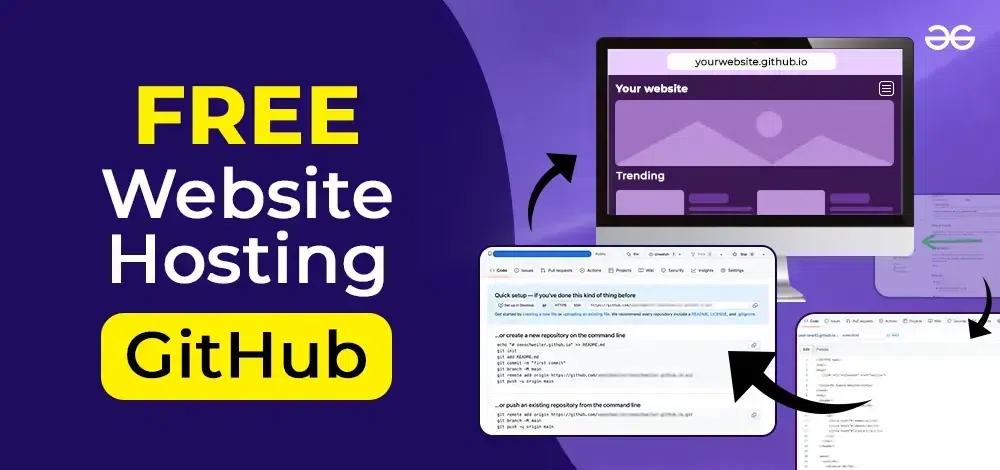
Credit: www.geeksforgeeks.org
Security Measures
Firewalls act as a shield for your web host. They block unwanted traffic. This keeps your website safe. Firewalls can be hardware or software. Both are important. Hardware firewalls protect the network. Software firewalls protect the computer. They work together to keep threats out. Regular updates are necessary. This ensures the firewall is strong. Always check for the latest version. A strong firewall is a must-have.
SSL certificates keep data private. They use encryption to secure information. This is important for sensitive data. SSL makes websites trustworthy. Visitors feel safe to share details. Websites with SSL have a lock icon. This shows they are secure. Always choose a reliable SSL provider. Regular updates are key. This keeps encryption strong. With SSL, your website is protected.
Performance Optimization
Good caching can make your website fast. It saves data in short-term memory. This memory is called cache. Cache keeps data ready to use. Loading times become faster with caching. Web pages need less time to show. Fast pages make users happy. Users stay longer on fast sites. Caching helps lower server work. Servers do less work with cache. Less work means better performance. All websites should use caching for speed.
Servers handle many tasks. They host websites and manage data. Server load shows how hard servers work. High load makes servers slow. Slow servers make websites slow too. Keep an eye on server load. Use tools to check the load. Load monitoring helps find problems fast. Fix problems to keep sites running well. Low server load means better performance. Regular checks keep servers in good health.

Credit: www.hostingseekers.com
Backup And Recovery
Automated backups save time and effort. They run on their own. No need to remember. Every file gets backed up. You can set schedules. Daily, weekly, or monthly. Choose what works best. Always have a recent copy. It helps in emergencies. Data loss can be bad. Always be ready with backups. This keeps your site safe.
Disasters can happen anytime. Having a plan is smart. Recovery plans are steps to follow. They help when things go wrong. It’s like a guide. Know what to do first. Then next. It helps fix problems fast. Always test your plans. Make sure they work well. This keeps your web host reliable.
Customer Support
A strong support team is very important. It helps users solve problems. Hire skilled people who know web hosting. Train them to be polite and helpful. Provide tools to help them answer questions fast. A good team makes customers happy. Happy customers stay longer.
A knowledge base is a collection of helpful articles. It should have answers to common questions. Users can find solutions themselves. Write clear and simple guides. Use pictures to explain better. Update regularly to keep it useful. A good knowledge base saves time for everyone.
Frequently Asked Questions
Can I Create My Own Web Hosting?
Yes, you can create your own web hosting. Set up a server, install web hosting software, and manage it. This approach requires technical skills and ongoing maintenance. Consider factors like security, bandwidth, and uptime. Many prefer using hosting providers for convenience and support.
Is Google Web Hosting Free?
Google Cloud offers a free tier for hosting. It includes limited resources. Charges apply for additional usage beyond the free tier limits. Always check the latest Google Cloud pricing details.
How To Set Up A Website Web Hosting?
Choose a reliable web hosting provider. Register a domain name. Select a hosting plan. Configure your account settings. Upload your website files using a content management system or FTP client. Test your website to ensure it’s live and functioning properly.
How Do I Create A Self Hosted Website?
Choose a domain name and purchase it. Select a hosting provider and set up an account. Install a CMS, like WordPress. Configure settings and customize your site. Publish content and manage your website regularly.
Conclusion
Creating a web host is simpler than it seems. Start small and focus on the basics. Choose reliable hardware and software. Remember, security is crucial. Keep your server protected. Regular updates ensure smooth operation. Offer excellent customer support. Happy clients mean repeat business.
Monitor performance to avoid downtime. Backup data regularly to prevent loss. Stay informed about industry trends. Adapt and grow with technology changes. With persistence, your web hosting can succeed. Follow these steps for effective results. Enjoy your journey into web hosting.


