
Are you ready to take control of your website hosting? Setting up a web hosting server on CentOS might seem like a daunting task, but it doesn’t have to be.
You can unlock the power of CentOS with just a few straightforward steps and have your server up and running in no time. Imagine the satisfaction of having your own server, tailored exactly to your needs, and how it could enhance your control over your online presence.
By the end of this guide, you’ll have the confidence and knowledge to set up your own web hosting server on CentOS, paving the way for a smoother, more personalized web hosting experience. Stick around to discover how simple it can be.

Credit: medium.com
Choosing The Right Server Hardware
Think about what you need from your server. Do you need fast speed? Or maybe more storage? Bandwidth is another important thing. Decide if you need high bandwidth. Your needs guide your choices.
| Component | Specification |
|---|---|
| CPU | Choose a multi-core processor for better performance. |
| RAM | 8 GB or more is good for smooth operation. |
| Storage | SSD drives are faster than HDD. |
| Network | Gigabit Ethernet is ideal for fast data transfer. |
Pick components based on your needs. Good hardware makes a server run well. Choose wisely to get the best from your server.
Installing Centos Operating System
First, visit the CentOS website. Find the latest version. Click on the download link. Choose the ISO file format. Ensure you have a stable internet connection. The file size is large. It may take some time.
You need a USB drive or a DVD. Download a tool like Rufus or Etcher. Open the tool and select the CentOS ISO file. Choose your USB or DVD drive. Click on the start button. Wait for the process to finish. Now, your media is bootable.
Insert the bootable media into your computer. Restart the computer. Enter the BIOS settings. Change the boot order to USB or DVD first. Save and exit. The CentOS installer will start. Follow the on-screen instructions. Choose your language. Set your region and time. Create a user account. Set a strong password. Wait for the installation to complete.
Configuring Network Settings
Assigning a static IP helps keep the server reachable. Open the network configuration file. The file is in the `/etc/sysconfig/network-scripts/` directory. Look for `ifcfg-eth0` or a similar file. Edit the file using a text editor. Change `BOOTPROTO=dhcp` to `BOOTPROTO=static`. Add your IP address, netmask, and gateway. Save the file. Restart the network service. This ensures the changes take effect.
Proper DNS configuration is essential. Open the `/etc/resolv.conf` file. This file contains DNS server information. Add your preferred DNS server addresses. Example: `nameserver 8.8.8.8` for Google DNS. Save the file. Test the DNS setup using the `ping` command. Type `ping google.com` to check connectivity. Successful ping means DNS is working. If not, recheck the file for errors.
Securing The Server
Setting up a web hosting server on CentOS involves securing the server efficiently. Begin by installing CentOS, then proceed with essential security configurations such as firewall setup and regular updates. Ensure strong passwords and monitor server logs for suspicious activity to maintain robust security.
Firewall Setup
Setting up a firewall is important. It protects your server from bad people. Use iptables or firewalld on CentOS. These tools block unwanted traffic. Allow only trusted IPs. Make sure to save your rules. Check them twice. Stay safe.
Ssh Hardening
Change the default SSH port from 22. This makes your server less obvious. Disable root login for extra safety. Use SSH keys instead of passwords. Keys are harder to guess. Always keep your SSH keys safe.
Installing Security Updates
Regular updates keep your server secure. Use yum update to get the latest fixes. Always check for updates. Some updates are critical. These updates fix known problems. Keep your server healthy. Never ignore these updates.
Installing Web Hosting Software
Choosing a Web Server can be tough. Apache and Nginx are popular choices. Apache is easy to use. Nginx is fast and handles more requests. Both are great. Choose based on your needs.
Installing Database Server is important. MySQL and MariaDB are common options. MySQL is popular and widely used. MariaDB is fast and open-source. Both are reliable. Pick one that suits your project.
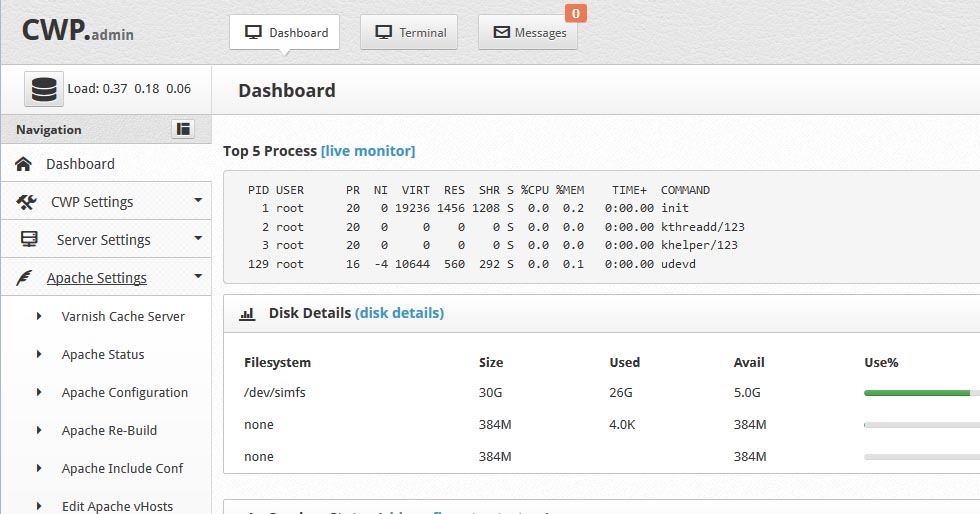
PHP Configuration makes your server dynamic. PHP helps run web applications. Ensure it is installed correctly. Configure it to work with Apache or Nginx. Check settings for optimal performance. Keep software updated for security.
Credit: centos-webpanel.com
Configuring Virtual Hosts
First, create a directory for your website files. Use the command line to make this directory. Choose a name that matches your domain name. Next, edit the hosts file on your computer. This will link the domain to your server’s IP address. Open the file and add the server’s IP address followed by the domain name. Save the changes. This step helps in testing the site locally.
Server blocks are like instructions for your server. They tell the server how to handle requests. Start by creating a new configuration file. Use a text editor to do this. Add the server block code inside this file. Make sure to include the server’s IP address and port number. Add the root directory of your domain too. Save the file and exit the editor. Finally, restart the server to apply changes. This completes the configuration.
Managing Server With Control Panels
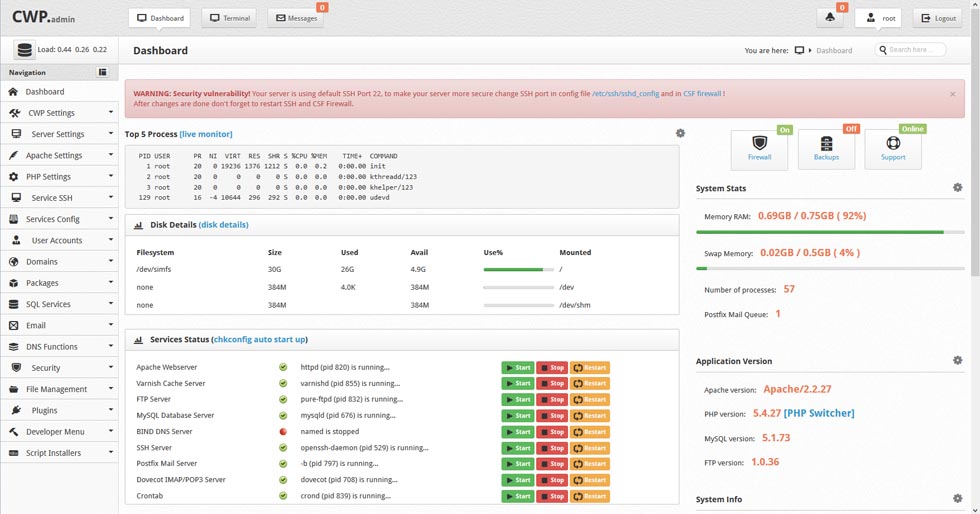
Setting up a web hosting server on CentOS involves installing a control panel for easy management. Control panels simplify tasks like domain management and email setup. They provide user-friendly interfaces, making server administration accessible even for beginners.
Cpanel And Alternatives
Setting up a server needs a control panel. cPanel is popular. It helps manage websites easily. You can create email accounts, databases, and manage files. It is very user-friendly.
There are alternatives to cPanel. DirectAdmin is one option. It is fast and simple. Webmin is another. It is free and open-source. It works well for small servers. Plesk is also a good choice. It offers many features for managing websites. Choose the panel that fits your needs.
Installing And Configuring Control Panels
Install control panels carefully. Follow the steps. First, download the panel software. Next, run the installation script. Read instructions carefully. Configure settings to match your needs. Set up domains, email, and security features.
Test everything after installation. Make sure it works. Check email, databases, and websites. Fix any errors you find. Keep your server safe and fast. Regular updates are important. These keep your server working smoothly.
Credit: www.en.ee
Monitoring And Maintenance
Monitoring tools help you see how your server works. Tools like Nagios and Zabbix check server health. They send alerts if something goes wrong. Set them up to watch CPU and memory usage. They can also track disk space. This helps you catch problems early.
Backups keep your data safe. Use tools like rsync or tar. They copy files to a safe place. Do this every day or week. Backups help if you lose data. They make sure you can recover files.
Servers can have problems. Check logs for error messages. Logs show what went wrong. Use commands like top to see running processes. Stop services that use too much memory. Restart them if needed. This can fix many issues.
Frequently Asked Questions
How To Make A Web Server In Centos?
Install Apache using the command `sudo yum install httpd`. Start the server with `sudo systemctl start httpd`. Enable it on boot using `sudo systemctl enable httpd`. Configure firewall settings to allow HTTP traffic using `sudo firewall-cmd –permanent –add-service=http`. Reload the firewall with `sudo firewall-cmd –reload`.
How To Host A Website On Centos 7?
Install Apache using “yum install httpd”. Start Apache with “systemctl start httpd”. Enable it with “systemctl enable httpd”. Place website files in “/var/www/html”. Adjust firewall with “firewall-cmd –permanent –add-service=http”. Reload firewall using “firewall-cmd –reload”. Access your website via server’s IP address.
How To Setup A Virtual Host In Centos 7?
Install Apache using `yum install httpd`. Edit `/etc/httpd/conf/httpd.conf`. Add “ block with `ServerName` and `DocumentRoot`. Replace placeholders with your domain and directory. Save and exit. Restart Apache using `systemctl restart httpd`. Enable Apache with `systemctl enable httpd`. Verify configuration with `httpd -t`.
How To Set Up A Centos Server?
Install CentOS from a bootable drive. Set up a static IP address. Update system packages. Install necessary software and firewall rules. Secure the server with strong passwords and SSH keys.
Conclusion
Setting up a web hosting server on CentOS is straightforward. Start with installing CentOS. Follow by configuring network settings. Secure your server with a firewall. Install essential packages. Use a web server like Apache or Nginx. Don’t forget MySQL for database needs.
Regularly update your software. This keeps your server safe and efficient. Remember, backup is crucial. Troubleshoot issues promptly. With practice, you gain confidence. Hosting becomes easier over time. CentOS offers stability and reliability. Perfect for hosting needs. Your journey begins now.
Keep learning and growing. Your server awaits configuration.


