
Are you considering moving your website to a new host but unsure about the costs involved? You’re not alone.
The decision to switch web hosts can be daunting, especially when you start thinking about potential costs, downtime, and the technicalities involved. But fear not, because this guide is here to demystify the process for you. We’ll break down the costs, both expected and hidden, and help you understand what you need to budget for.
By the end of this article, you’ll have a clear picture of what it takes financially and technically to make a smooth transition. So, let’s dive in and explore how much it really costs to move your web host.
Reasons For Moving Web Hosts
Slow loading times frustrate users. Websites need to be quick. A slow site can lose visitors. Performance affects user experience. It also affects SEO rankings. A move can improve speed. Better speed can mean more visitors. More visitors can mean more success.
Some hosts charge high fees. Budget-friendly options are available. You can save money by switching. Lower costs do not mean lower quality. Research helps find the best deal. Look for value, not just price. Saving money helps your business grow.
New hosts offer more features. These features can improve a website. Advanced security is one benefit. Improved customer support is another. New tools can make management easier. Better features can mean a better site. A better site can attract more users.
Evaluating Current Hosting Needs
Traffic is the number of people visiting your site. Bandwidth is the amount of data used. If the site grows, more bandwidth is needed. High traffic sites need strong hosting. Shared hosting might not be enough. Dedicated hosting could be better. More visitors mean more data. Plan for growth.
Websites have files like images and videos. These need storage space. Large files need more space. Small sites need less storage. Large sites need more. Check how much space is used now. Compare it with new host offerings. Ensure there is enough room for future growth.
Security keeps your site safe. Good hosts offer strong security features. Look for SSL certificates and firewalls. These protect data. Hosts should update software regularly. This keeps the site secure from threats. Choose a host with a good security record. Your website’s safety is very important.
Choosing The Right New Host
Assessing Hosting Plans is important. Look for plans that fit your needs. Check the storage and bandwidth. Ensure it matches your site’s size. Small sites need less. Big sites need more.
Customer Support Quality is key. Good support helps solve issues fast. Look for hosts with 24/7 support. Read reviews from other users. Make sure support is friendly and helpful.
Scalability and Growth matter for future needs. Choose a host that allows easy upgrades. Your site might grow. Extra resources will be needed. Ensure the host can handle this growth. It should offer flexible plans.

Credit: www.accuwebhosting.com
Cost Factors In Host Migration
Web host migration might include migration fees. Some hosts charge for moving data. This fee can vary. It depends on the amount of data. Sometimes, it is free. Always check with your provider. Compare different hosts for the best deal.
Switching hosts might cause potential downtime. Downtime can affect your site. Visitors might not access your site. This can lead to lost revenue. Plan the move carefully. Schedule during low-traffic hours. This helps reduce downtime.
Though moving can cost, it may lead to long-term savings. A better host can offer more features. Faster speeds. Better support. This can improve your site’s performance. Saving money over time. Choose a host wisely. It is an important decision.
Preparing For The Move
Always keep a copy of your data. This prevents loss during transfer. Use tools to save your files. Ensure everything is backed up. Check your files twice. Important data needs extra care. A safe backup is a smart move. Your data is valuable. Protect it well.
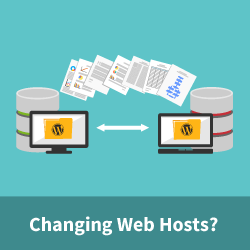
Start by unlocking your domain. This allows the transfer. Obtain an authorization code. Share this code with your new host. They will need it to proceed. Keep this code safe. Follow each step carefully. It ensures a smooth transfer. Patience is key during this process. Check each step twice.
Email is vital for communication. Ensure all emails are backed up. Check your database too. Transfer it without errors. Double-check email settings. Test all email accounts after moving. Databases must remain intact. Ensure no data is missing. A proper check saves you time.
Credit: www.wpbeginner.com
Executing The Transfer
Change the DNS settings to point to the new server. This step is critical for smooth transition. It might take up to 48 hours to fully update. Patience is key here. You need to ensure no downtime for users. Carefully note the current DNS settings. Backup any necessary configurations before changes.
Test the website on the new server thoroughly. Check every page and function. Ensure everything works as expected. Fix any bugs or errors found during testing. This ensures the site is ready for visitors. Testing should include load times and functionality. Use tools to help with testing if needed.
After transfer, monitor the website for any issues. Look for downtime or errors. Keep an eye on visitor feedback. Quick responses to issues keep users happy. Continuous monitoring helps catch problems early. Use monitoring tools to help track the site performance.
Post-move Considerations
Keep an eye on your website’s speed and uptime. Check if pages load quickly. Ensure there are no errors. Use tools to track these metrics regularly. This helps find problems early. Quick fixes keep users happy.
Ask visitors about their experience on the site. Listen to complaints and suggestions. Make changes based on what they say. This helps improve your site. Happy users mean more traffic. More traffic means a better business.
Learn how to use the new hosting tools. Get familiar with the control panel. Check how it works. Make sure everything is set up right. This helps avoid issues later. A smooth setup means less downtime.
Credit: www.bitcatcha.com
Frequently Asked Questions
How Much Does It Cost To Move A Website?
Website migration costs vary based on complexity and service provider. Prices typically range from $100 to $500. This includes domain transfer, hosting, and technical support. For larger or more complex sites, costs can exceed $1,000. Always compare quotes to ensure the best deal.
How Much Should I Pay Someone To Host My Website?
Website hosting costs vary from $5 to $30 monthly, depending on features and provider. Shared hosting is cheaper, starting at around $5. VPS hosting costs $20 to $30 monthly. Evaluate your needs and compare hosting services for the best deal.
Choose reliable hosts for optimal performance and support.
How Do I Move My Website Hosting?
Choose a new hosting provider. Backup your website files and database. Transfer files to the new host. Update DNS settings to point to the new server. Test the website to ensure everything functions correctly.
How Much Is The Cost To Host A Website?
Website hosting costs vary from $3 to $300 monthly. Shared hosting is cheapest, while dedicated servers cost more. Prices depend on server type, features, and provider. Consider your website’s needs and budget when choosing a plan.
Conclusion
Moving your website can seem daunting, but it’s manageable. Understand the costs involved. Consider domain transfer, hosting fees, and technical support. Research thoroughly. Choose a reliable host to ensure smooth transition. Plan every step to avoid downtime. Consult experts if needed.
Budget carefully to keep expenses in check. Evaluate your needs and prioritize them. Ultimately, a successful move saves time and improves site performance. Stay informed and make decisions confidently. Your website deserves the best home.


