
Imagine sending an email, confident it’s safe and secure, only to wonder if someone else might be peeking into your private messages. It’s a thought that can send shivers down your spine, especially if you’re concerned about privacy.
You deserve peace of mind knowing that your emails are truly yours, untouched and unseen by unintended eyes. This article is your guide to ensuring that your web host doesn’t have the keys to your digital mailbox. You’ll learn practical steps to fortify your email security, keeping your messages as private as they should be.
Stick around, because protecting your privacy is easier than you think. You’re about to discover how to safeguard your emails like a pro.
Choosing Secure Email Services
Privacy is key for email safety. Choose services with end-to-end encryption. This means only you and the receiver can read emails. Two-factor authentication adds another layer of protection. It keeps your account more secure. Services that offer spam filters help keep unwanted emails away. Customizable security settings let you control your privacy. Make sure the service has a good reputation for security. Trust is important.
| Provider | Key Features |
|---|---|
| Tutanota | End-to-end encryption, two-factor authentication |
| ProtonMail | Strong encryption, secure servers in Switzerland |
| Zoho Mail | Customizable security, spam filters |
| Mailfence | Encryption, secure collaboration tools |
Implementing Encryption
Email encryption keeps messages safe. SSL/TLS is a common type. It protects emails during transit. PGP is another method. It secures email content. S/MIME also encrypts emails. It uses digital certificates. These methods ensure privacy. Choose the right one for you. Keep your emails safe.
Start by choosing an encryption tool. GnuPG is a free option. Install it on your device. Follow the instructions carefully. Create your encryption key. Share your public key with contacts. Keep your private key secret. Use the tool for sending emails. Encrypt every message you send. This keeps your emails private.
Utilizing Secure Connections
HTTPS is a safe way to send messages online. It makes sure no one reads your emails. SSL/TLS helps keep your emails private. It locks the messages so only you and the person you send it to can read them. Using these tools, your emails stay safe from others.
Start by getting a trusted SSL certificate for your website. This will help your site use HTTPS. Next, make sure your email service supports TLS encryption. This keeps your emails safe. Lastly, always check your settings to ensure everything is secure. A small change can make a big difference.
Credit: www.pcrisk.com
Regular Software Updates
Updates are important for safety. They keep your software safe from threats. Old software can have holes. Bad people can use these holes. They can read your emails. Updated software fills these holes. It protects your emails from being read. So, always keep your software up-to-date.
Software gets smarter with updates. New updates fix old problems. They add new shields. These shields protect your data. This includes your emails. Using old software is risky. It might have problems. These problems can let others read your emails. Updates help fix these issues. They keep your information safe.
Setting up automated updates is useful. It makes sure your software is always current. You do not have to check updates manually. Automatic updates run on their own. They keep your software fresh and secure. This helps in keeping your emails private and safe.
Strengthening Password Policies
Strong passwords keep your emails safe. Use a mix of letters, numbers, and symbols. Passwords should be long. At least 12 characters. Avoid common words and easy patterns. Change passwords often. Don’t use the same password everywhere.
Password tools can help. They store passwords securely. You won’t forget them. Tools can create strong passwords for you. They save time. Pick tools that are trusted and well-reviewed. Check for updates often. Keep your tools safe from hackers.

Credit: www.facebook.com
Monitoring Access Logs
Access logs show who tries to see your emails. Check these logs often. Spot any suspicious activity quickly. Unknown IP addresses can mean trouble. Repeated login attempts might signal danger. Catch these early to keep your emails safe.
Use tools to look at your access logs. These tools help find unusual patterns. They make it easy to spot problems. Some tools are free. Some need money. Choose one that suits you. Protecting emails is very important. Using a tool makes it easier.
Educating Users On Security
Emails can hold private information. Keeping them safe is important. Teach users not to share passwords in emails. Use strong passwords with numbers and symbols. Change passwords often. Avoid clicking on unknown links. Attachments can be risky. Only open them from trusted people. Report strange emails to the IT team. This helps protect the network.
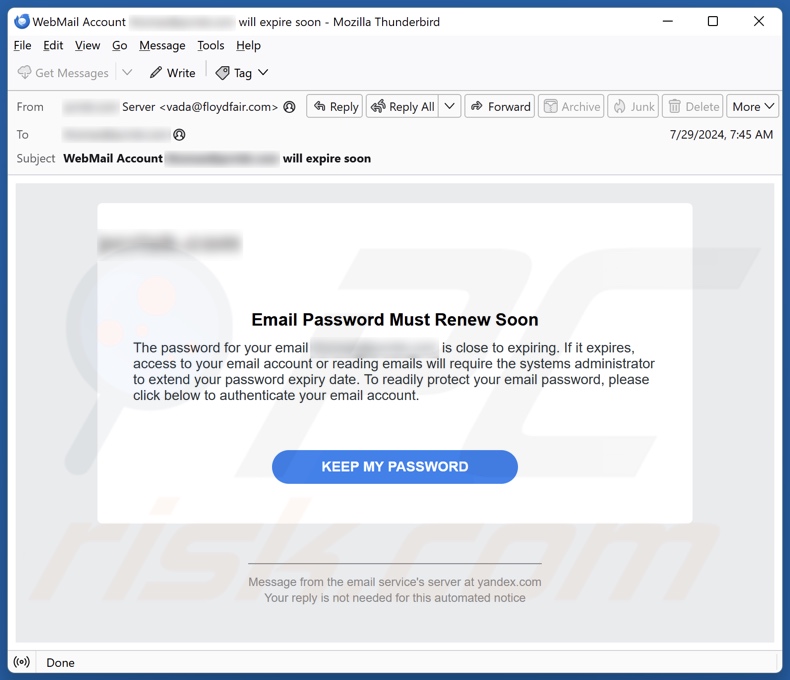
Phishing tries to trick users. It looks like a real email. Fake emails ask for personal info. They can look urgent. Check sender’s address. Is it real? Look for spelling mistakes. Real companies don’t ask for passwords. If unsure, call the company. Do not reply to phishing emails. Delete them immediately. Stay alert and protect your emails.
Credit: developer.infor.com
Frequently Asked Questions
Does Web Hosting Include Email?
Web hosting often includes email services, but not always. Check with your provider for specific details. Many hosting plans offer integrated email accounts, enhancing communication for your domain. Always verify the features included in your hosting package before purchasing to ensure it meets your email needs.
Can You Self Host Emails?
Yes, you can self-host emails using your own server. Set up a mail server software like Postfix or Exim. Ensure proper configuration for security and spam prevention. Regularly maintain the server for optimal performance. Self-hosting offers control but requires technical expertise and ongoing management.
How To Manage Email Hosting?
Choose a reliable email hosting provider. Set up email accounts through their control panel. Configure DNS settings to point to the hosting server. Regularly back up emails and monitor usage. Ensure security with strong passwords and spam filters. Provide user support and maintain software updates.
How Do I Change My Email Hosting Provider?
Select a new provider and sign up. Update DNS records to point to the new host. Backup emails from the old host. Import them to the new provider. Test to ensure everything works correctly.
Conclusion
Securing email privacy requires diligence. Use encrypted email services. Protect passwords and change them regularly. Ensure your hosting provider values privacy. Check their policies thoroughly. Avoid sharing sensitive information via email. Use two-factor authentication. Regularly update software and security settings.
Be proactive. Monitor email activities for unusual access. Educate yourself on privacy trends. Stay informed about security updates. Being cautious helps protect your data. Keep your communication safe. Prioritize your privacy. Implement these strategies consistently. Your emails deserve protection. A small effort can make a big difference.


