
Imagine you’re browsing your WordPress website, and it’s loading slower than a snail in a marathon. Frustrating, right?
You might have heard that clearing your cache could speed things up. But what does “clear cache” really mean in WordPress? This simple action can dramatically improve your site’s performance, making it faster and more efficient. Understanding this concept could be the key to enhancing your visitors’ experience and keeping them engaged.
Dive into this article to discover how clearing the cache can transform your WordPress site and why it’s a must-know for every site owner. By the end, you’ll not only know what it means but also how to do it with ease. Curious? Let’s unravel the mystery together.
Credit: www.wpfastestcache.com
Cache Basics
Clearing cache in WordPress means removing stored data to ensure the site shows the latest updates. This process can improve speed and resolve display issues. Regular cache clearing helps maintain optimal website performance and user experience.
Definition Of Cache
Cache is a place to store data temporarily. It helps pages load faster. WordPress uses cache to save copies of web pages. This reduces the time to fetch data from the server. Browsers also use cache. They store parts of websites on your computer. This way, pages open quickly when visited again. Cache improves user experience. It makes sites more efficient. It’s like a shortcut for loading pages.
Purpose Of Caching
Caching speeds up website loading. It saves server resources. Less data travels between the server and user. This enhances performance. Visitors enjoy faster access to content. Sites handle more users without slowing down. Memory and disk space are used to store cached data. This balance keeps sites running smoothly. Without caching, websites might lag or crash. Efficient caching ensures a better browsing experience.
WordPress Caching
WordPress stores data in a special place called cache. Cache helps speed up your website. It saves time by showing stored data quickly. This is great for users. They don’t have to wait long. It also helps servers. Servers work less hard with cache. This means fewer problems. Websites run smoothly.
Cache makes websites faster. Faster websites keep users happy. It also saves resources. Resources like energy and server space. Cache reduces load on servers. Less load means less chance of crashing. Websites stay online more. Cache also helps SEO. Search engines prefer quick websites. Your site ranks better with cache. Users and search engines love cache.
Clearing Cache In WordPress
Cache makes your website fast. It saves data for quick use. But sometimes it causes problems. Old data might show instead of new. Plugins can make errors. Clearing cache helps fix these issues. Your site will show the most updated content. It also helps in solving site speed problems.
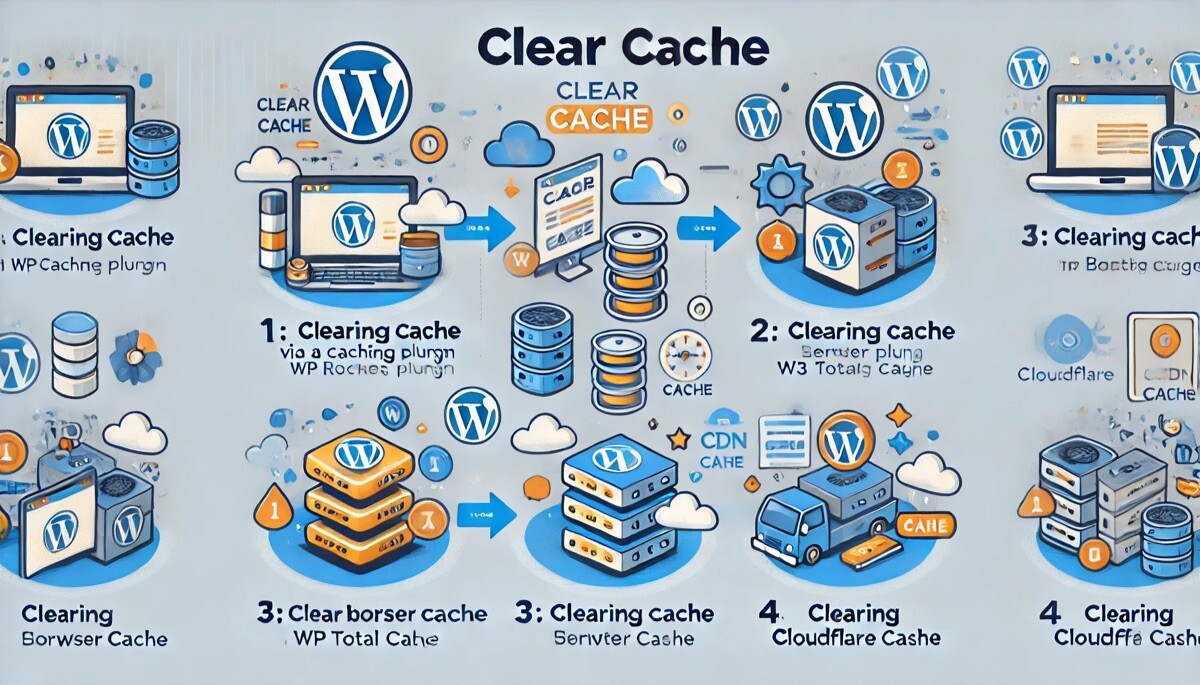
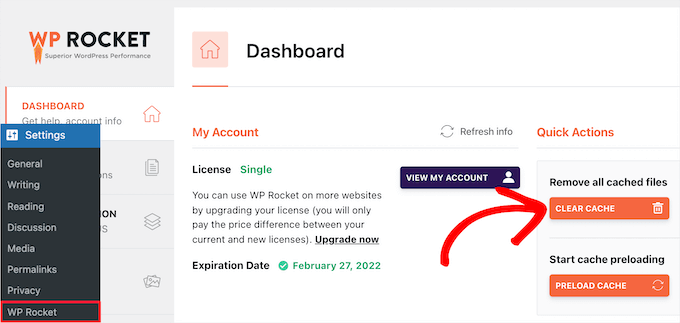
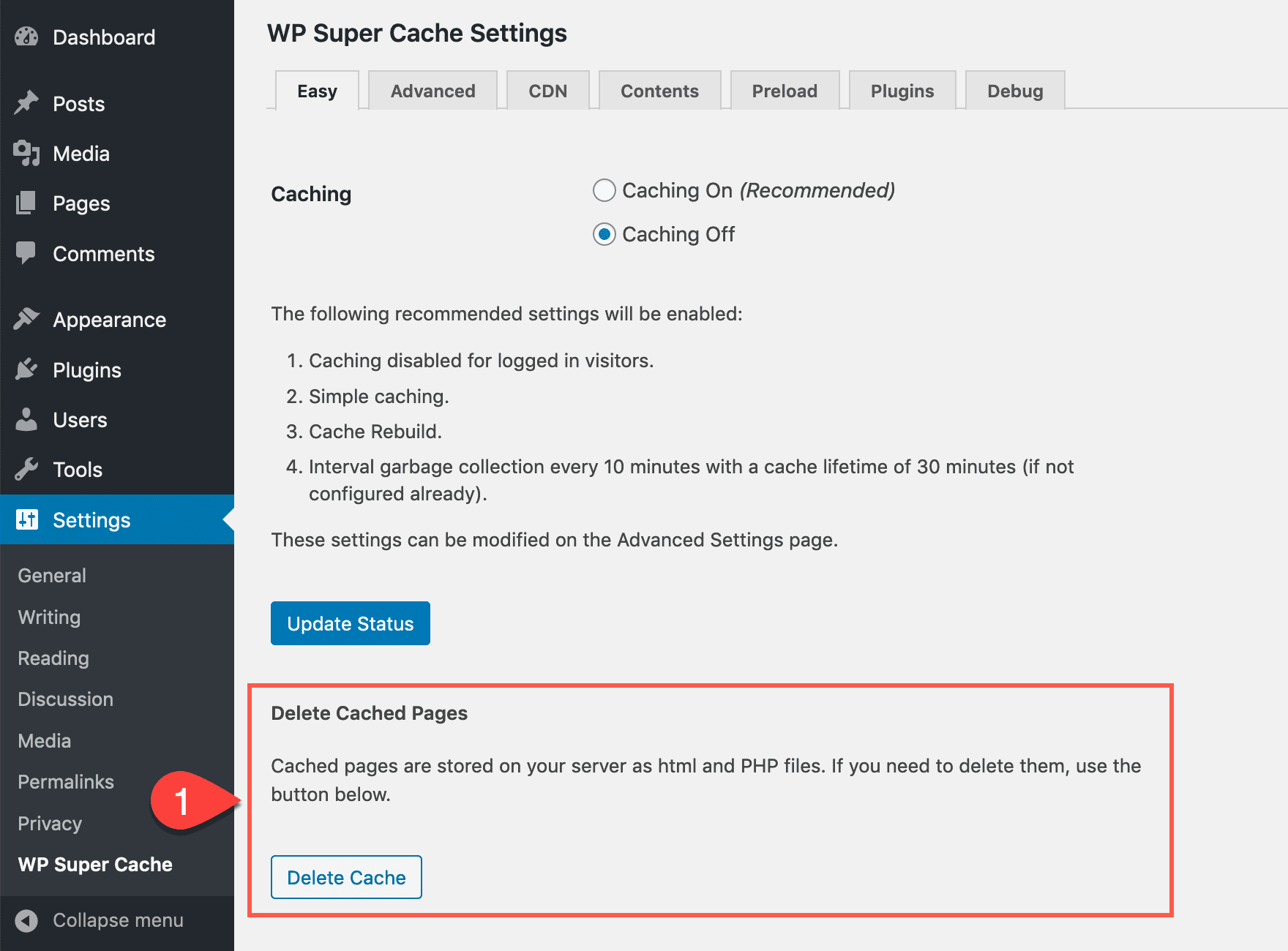
Use a plugin like W3 Total Cache. It has a button to clear cache. Another way is to clear your browser cache. Go to settings and find the option. Sometimes your web host has a cache. Check their control panel to clear it. Clearing cache helps keep your site fresh.
Tools For Clearing Cache
Clearing cache in WordPress helps remove old data, ensuring your website displays the latest updates. Tools like W3 Total Cache and WP Super Cache streamline this process, enhancing site speed and performance. Regular cache clearing boosts user experience and keeps your site running smoothly.
Popular Plugins
Popular plugins help clear cache easily in WordPress. These plugins are simple to use. WP Super Cache is a top choice. It speeds up your website. Another is W3 Total Cache. It improves site performance. WP Rocket is also great. It helps optimize your site. Each plugin has unique features. But they all clear cache well. They are easy for beginners too. So, pick a plugin that suits your needs.
Built-in Features
WordPress has built-in features for clearing cache. These features are handy. They are part of your WordPress dashboard. You can find them under settings. One feature is browser cache. It stores site data for quick access. Another is server cache. It keeps server data ready. Both features make your site faster. Using them is simple. Just a few clicks and you are done. No extra tools needed.
Impact Of Clearing Cache
Clearing cache in WordPress removes temporary stored data, improving site speed and performance. This process helps in reflecting changes instantly, ensuring users see updated content. Regular cache clearing can prevent errors and enhance the visitor’s experience on your WordPress site.
Performance Effects
Clearing the cache can make a website run faster. Old data gets removed. This helps fresh content load quickly. Visitors see updates faster. It reduces the server load. Less stress on the server means better speed. This boosts the website’s performance. All users can enjoy a better experience.
User Experience Improvements
Fresh cache improves user experience. Users see the latest content. No old or outdated information. Pages load fast. This keeps visitors happy. They spend more time on the site. Smooth navigation is key. It makes browsing easy. Happy users may return. They might share the site with friends.
Credit: www.wpbeginner.com
Best Practices
Clear cache when making changes to your site. Changes like updating plugins, themes, or WordPress itself. It helps to see new updates faster. Sometimes, your site may show old content. Clearing cache fixes this. Do it regularly for a smooth-running site. Also, clear cache if your site is slow. It can help improve speed. Remember, not too often. It may cause some delay.
Avoid clearing cache every day. It can slow down your site. Only clear when needed. Do not rely on cache plugins alone. They are helpful, but not magic. Double-check settings before clearing. Wrong settings can cause problems. Always backup your site before major changes. It keeps your data safe. Seek help if unsure about settings. Better safe than sorry.
Credit: www.elegantthemes.com
Frequently Asked Questions
What Is Cache In WordPress?
Cache in WordPress stores temporary data to speed up loading times. It reduces server load and improves user experience. Cached files allow quicker access to frequently requested resources, minimizing data retrieval time. Clearing cache helps refresh outdated content, ensuring users see the latest updates.
Why Clear WordPress Cache?
Clearing WordPress cache removes outdated files and resolves loading issues. It ensures users see the latest content updates. This process helps fix formatting problems and improves site performance. Regularly clearing cache is essential for maintaining optimal functionality and user experience.
How Often Should I Clear Cache?
Clear cache whenever you update themes, plugins, or content. Regular clearing ensures users see the most recent information. Depending on your site’s activity, clearing cache weekly or monthly is sufficient. Frequent updates may require more regular cache clearing to maintain optimal performance.
Does Clearing Cache Affect Site Performance?
Clearing cache can temporarily slow your site until new cache builds. Long-term benefits include improved loading times and updated content visibility. Regular cache clearing helps maintain optimal site performance. It ensures users always access fresh and accurate information on your WordPress site.
Conclusion
Clearing cache in WordPress boosts site performance. Faster load times. Improved user experience. Regularly clear your cache to keep your site efficient. Prevents outdated content from being displayed. It’s a simple step with big benefits. Tools make the process easy.
Most plugins offer quick cache clearing options. No technical skills needed. This keeps your website running smoothly. Visitors enjoy a seamless browsing experience. Regular maintenance enhances your site’s reliability. Don’t overlook this essential task. Ensure your WordPress site stays in top shape.
Stay proactive and maintain your website’s health. Your audience will appreciate it.


