
Ever wondered how to check your email addresses on GoDaddy Web Hosting? You’re not alone.
As a GoDaddy user, accessing your emails efficiently is crucial for maintaining seamless communication and ensuring your business runs smoothly. Whether you’re expecting an important client email or simply want to keep your inbox organized, knowing the ins and outs of checking your email addresses can save you time and stress.
Imagine the peace of mind knowing that you’re just a few clicks away from accessing essential messages. Dive into this guide to discover straightforward steps and tips, crafted to make your email checking process with GoDaddy a breeze.
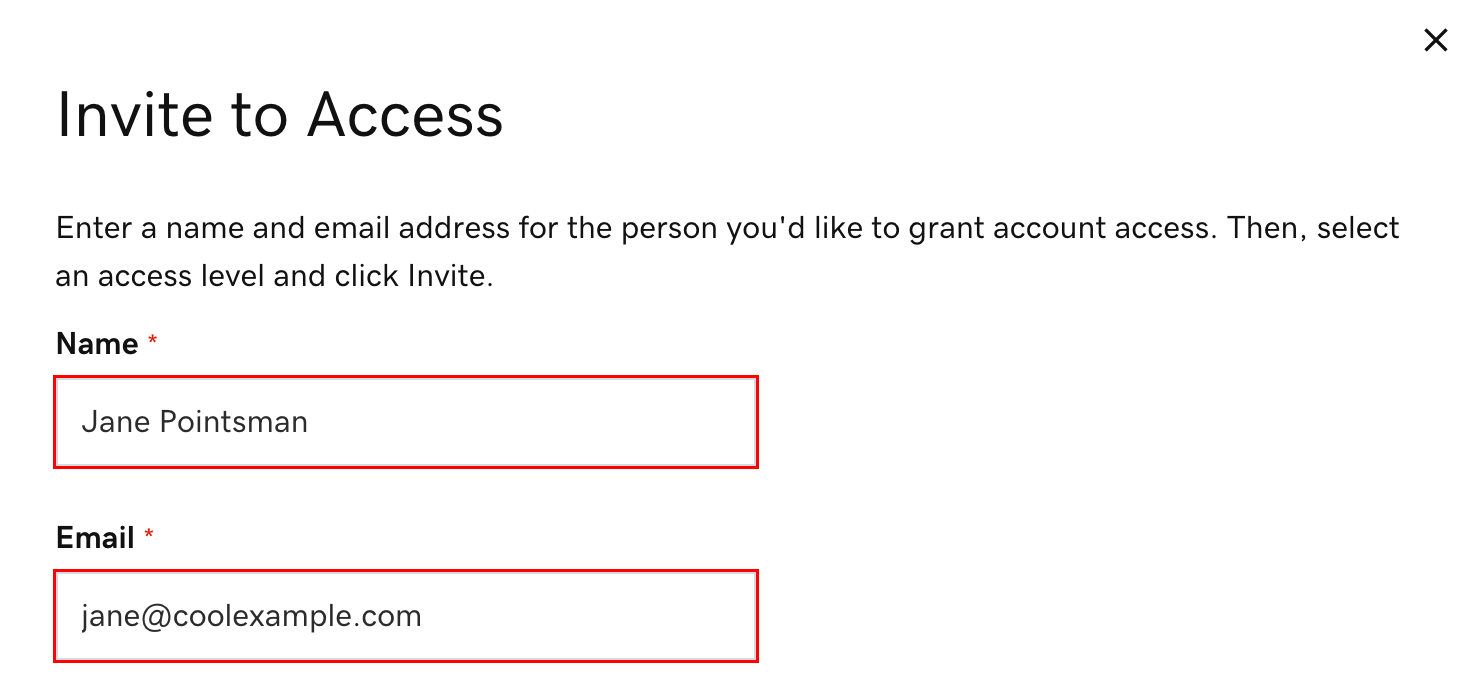
Credit: www.godaddy.com
Accessing Your Godaddy Account
Start by visiting the Godaddy website. Look for the “Sign In” button. It’s usually at the top right corner. Click it. A new page will open. Enter your username or customer ID. Then, type your password. Click the “Sign In” button. Now, you’re inside your account. It’s easy to see your dashboard.
If you have trouble, click “Forgot Password”. Follow the steps to reset it. Check your email for a reset link. Remember your new password. Keep it safe. Now, you can access your account easily.

Credit: www.godaddy.com
Navigating To Email Management
Accessing your GoDaddy account is the first step. After logging in, find the My Products section. This section houses all your products. Look for the Email & Office option. Click on it to open the email management area. Here, you can see all your email accounts.
Once inside, the control panel shows all email settings. You can manage each email account here. To view details, click on an email address. This lets you check storage and settings. You can also change passwords if needed. Managing your emails is easy with these tools. Keep your accounts safe and organized.
Checking Email Addresses
GoDaddy web hosting helps you manage emails easily. First, log in to your GoDaddy account. Next, click on the “Email & Office” tab. Here, you will see all your email addresses. You can find them listed clearly. Click on any email to see more details. It’s simple and quick. This way, you always know your email list. No more guessing or searching around.
Email forwarding sends emails from one address to another. To check, go to your Email Forwarding settings. Look for the “Forwarding” option. This shows where emails are sent. If you need changes, click edit. Always update forwarding settings as needed. This keeps your emails organized. It also ensures you never miss important messages.
Troubleshooting Email Issues
Emails not reaching their destination can be frustrating. First, ensure your internet connection is stable. A weak connection might disrupt email sending. Then, check the email settings. Ensure the SMTP server is set correctly. This helps in sending emails without issues.
Also, verify the recipient’s address. A small typo can stop email delivery. Look into your spam folder too. Sometimes emails land there by mistake. Make sure your email box is not full. A full inbox can cause email bounces.
Common errors can block email access. Check if you see any error codes. These codes provide clues about the problem. Look for password errors. Reset your password if needed. Ensure your account is active. Inactive accounts may not send or receive emails.
Update your email client regularly. Updates fix bugs and improve performance. Also, check your antivirus software. Sometimes it blocks email programs. Adjust settings if needed. Use these steps to keep your emails flowing smoothly.
Managing Email Settings
Change your email details easily. Go to your Godaddy account. Find the email section. Click on the email you want. You can update name, password, and storage limit. Save changes for them to work. Be sure to check your email after updating. It helps in confirming the changes. Regular updates keep your email safe.
Security is important for emails. Use strong passwords. Change them often. Enable two-step verification for extra safety. Look for the security settings in your account. Turn on anti-spam options. Keep your email secure from threats. Always check for unusual activity. Report anything strange quickly. Stay safe by configuring these settings.
Credit: www.godaddy.com
Utilizing Godaddy Support
Godaddy has many help resources online. Visit their website to find them. Look for the Help Center section. Many articles and guides are there. They help with email addresses. Use the search bar to find topics fast. Type your question and get results.
Video tutorials are there too. Watch them for clear steps. They are easy to follow. The community forums are also useful. Here, users ask and answer questions. You can learn from others’ experiences.
Sometimes online help is not enough. You might need to contact support. Godaddy offers support by phone and chat. Find the contact page on their website. Choose the way you prefer to talk. Phone calls are good for quick help. Live chat is also fast and easy.
You can ask anything related to email addresses. Support staff are trained to help. They will guide you step by step. Make sure to have your account information ready. This will make the process smoother.
Frequently Asked Questions
How To View Email Addresses In Godaddy?
Log in to your GoDaddy account. Navigate to the “Email & Office” dashboard. Select the email plan to view associated addresses.
How Do I Find My Godaddy Email Server?
Log in to your GoDaddy account. Navigate to “Email & Office” and select your domain. Find your email server details under “Server Settings” or “Advanced Settings”. Use this information for email client configuration.
How To Get Smtp Details From Godaddy?
Log in to your GoDaddy account. Navigate to the “Email & Office” section. Click on “Manage” next to your email plan. View your SMTP details, including server address, port, and login credentials.
How Do I Get An Email Address From Godaddy?
Sign up for GoDaddy’s email hosting services. Choose a plan, create your account, and set up your email address through their platform. Follow the prompts to customize and manage your email settings efficiently.
Conclusion
Checking email addresses on GoDaddy web hosting is simple. Follow the steps carefully. Access the GoDaddy dashboard first. Navigate to the email section. Select the email account you want. Check the settings and details. This ensures everything is correct. Regular checks help maintain email efficiency.
Use these tips to manage your emails better. It’s crucial for smooth communication. Keep your emails organized and up-to-date. This enhances your web hosting experience. Now, managing emails is within your reach. Enjoy hassle-free emailing with GoDaddy.


