
Imagine this: you’re in the middle of crafting the perfect blog post for your WordPress site. The content is engaging, the keywords are on point, and you’re ready to upload a stunning image to capture your readers’ attention.
But then, it happens—a frustrating HTTP error stops you in your tracks. If you’ve ever faced this, you’re not alone. This common issue can derail your creative process and leave you scratching your head. Why does it happen, and more importantly, how can you fix it?
Understanding the root causes of HTTP errors in WordPress image uploads is crucial for a smooth blogging experience. Dive into this article to uncover the reasons behind these pesky errors and learn how to prevent them, ensuring that nothing stands between you and your audience. Ready to solve this mystery? Let’s get started.
Common Causes Of Http Errors
Many factors can cause HTTP errors during image uploads in WordPress. One common issue is a poor internet connection. Slow speeds can disrupt uploads. Another cause is the file size. Large images may not upload correctly. A memory limit set too low can also lead to problems. WordPress may not have enough space to process the image.
Incorrect file permissions can block uploads as well. Ensure your folders and files have the right permissions. Also, check the server settings. Sometimes, servers have restrictions that prevent certain file types.
Plugins are another potential cause. Some plugins may not play nice with WordPress. They might cause conflicts during uploads. Disable plugins one by one to find the culprit.
File Size Limitations
Large images often cause upload issues. WordPress has a default file size limit. This limit stops big files from being uploaded. Check your settings to see the allowed size. You can increase the limit if needed. Use plugins or edit the php.ini file for changes. Smaller images upload faster. They also save space on your server. Try compressing images before uploading. This helps to avoid errors. Always keep backups of your images.
Memory Limit Issues
WordPress sometimes faces memory limit problems. This can cause errors when uploading images. The server might not have enough memory to process the image. This happens often with large images.
Increasing the PHP memory limit can help. This allows WordPress to handle bigger tasks. You can change this in the wp-config.php file. Add this line: define('WP_MEMORY_LIMIT', '256M'); This increases the memory limit to 256MB. Make sure to save the file after changes.
Always check if the server supports this change. Some hosts have restrictions. Contact your hosting provider for help if needed. They can guide you on how to increase the limit safely.
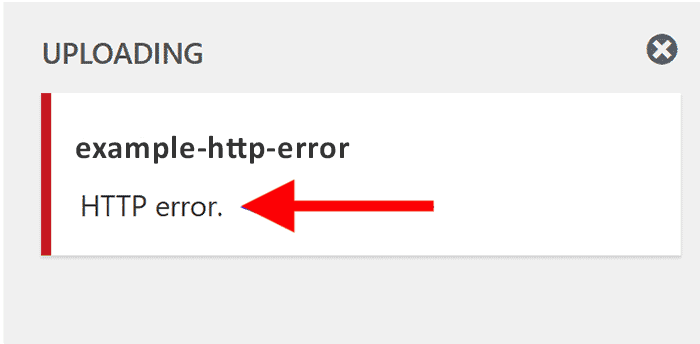
Credit: rarathemes.com
Incorrect File Permissions
Incorrect file permissions can block image uploads in WordPress. Files need correct permissions to work properly. If permissions are wrong, WordPress can’t upload images. Files and folders have numbers called permissions. These numbers tell who can see or change them. Common numbers are 644 for files and 755 for folders. If numbers are different, change them to fix the error. This can be done using an FTP client or hosting control panel. The process is simple and quick. But if unsure, ask someone for help.
Always make sure permissions are set correctly. This stops upload errors. Proper permissions keep the site running smoothly. Regular checks can prevent future problems.
Plugin Conflicts
Some plugins do not play well with others. They can cause errors during image uploads. Plugins add features to your site. Yet, they might also cause trouble. This happens when two plugins try to do the same thing. Or when they interfere with each other.
Outdated plugins are another problem. They may not be ready for the latest WordPress version. This can cause image upload errors too. Always keep your plugins updated. Check for updates often.
If you face issues, disable your plugins. Then, turn them on one by one. This helps find the troublesome plugin. Once found, consider replacing it. Or contact the plugin’s support for help.
Theme Conflicts
WordPress themes can cause issues. Sometimes, a theme is not compatible. It might have outdated code. This code can conflict with WordPress. It might not handle images well. This leads to HTTP errors.
Some themes use extra scripts. These scripts can slow down your site. Slow sites have trouble uploading images. Check your theme settings. Disable scripts you don’t need. Choose a theme that is simple. A simple theme reduces errors.
Updating themes helps. Updates fix bugs. They improve performance. Always update your theme. This prevents many issues. If errors persist, try another theme. Sometimes a fresh theme solves problems.
Server Configuration Problems
The server settings might not be correct. This can stop images from uploading. Sometimes, the upload size limit is too small. This means big images can’t be uploaded. To fix this, increase the size limit. Memory limits can also cause issues. The server might run out of memory.
File permissions are another problem. If the server blocks files, uploads fail. Make sure permissions are set right. Security settings can block uploads too. Servers may see them as threats. Adjust these settings to allow uploads.
PHP version matters as well. An old PHP version may not work well. Update to a newer version for better performance. Server timeouts can also interrupt uploads. If the upload takes too long, it may stop. Change the timeout settings if needed.
Browser Or Cache Problems
A web browser can sometimes cause upload errors. Outdated browsers may not work well with WordPress. Clearing the browser cache can fix these errors. Cache stores old website data. This can create problems with new uploads. Use private browsing or incognito mode to test image uploads. This mode does not use cached data.
Cookies can also interfere. These are small files stored on your computer. They hold data about your visits. Clearing cookies can help solve upload issues. Always update your browser to the latest version. This ensures better performance and fewer errors. If problems continue, try using a different browser.
Security Settings Restrictions
Security settings can stop image uploads. WordPress has strict rules. These rules protect your site. Sometimes, they block image uploads. Firewalls can also cause trouble. They guard against bad stuff. But, they might block good things too. Permissions are another issue. Files need the right permissions. If not, they won’t upload. This can be frustrating. Plugins add extra security. Some plugins block images. Check plugin settings. Change them if needed. This helps fix errors.
Server settings play a role too. Some servers have limits. They limit file size. This causes errors. Web hosts might restrict uploads. They do this for safety. Ask them for help. They can adjust settings. This makes uploads work again.
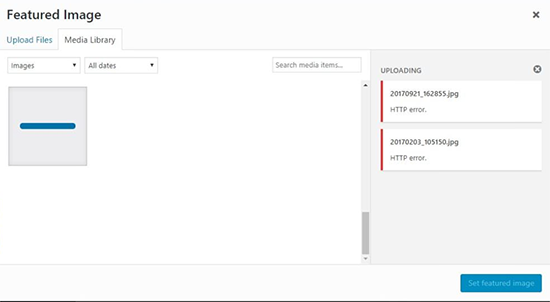
Credit: blog.berocket.com
Network Connectivity Issues
Poor network connections can cause problems with image uploads. Slow internet means images take longer to upload. Timeout errors might happen if the connection drops. Unstable connections often lead to incomplete uploads. This can cause HTTP errors. Wi-Fi signal strength can affect uploads. Weak signals make uploads fail. Ethernet connections are more stable. They provide a better upload experience. Check your network settings before uploading images. Ensure you have a stable internet connection. This helps avoid errors during uploads. Restarting your router can improve connectivity. Network congestion can also be a problem. Many users online can slow your connection. Try uploading at a time when fewer people are online.
Temporary Server Downtime
Server downtime can cause upload errors. Many websites experience this issue. It affects image uploads on WordPress. Connectivity problems arise. Your server might be too busy. It can’t handle the requests. Uploading images fails during these times. The server becomes unresponsive. Images don’t reach the server. This causes HTTP errors. Regular server maintenance helps. It keeps the server stable. Downtime reduces when servers are checked. You should contact your hosting provider. They can fix server issues. Server stability is crucial for uploads. Without it, errors occur. Upload errors frustrate users. They slow down website management.
Credit: www.wpbeginner.com
Frequently Asked Questions
Why Do I Get An Http Error During Image Upload?
HTTP errors during image uploads in WordPress can result from server issues, plugin conflicts, or incorrect file permissions. Check your server settings and ensure they’re compatible with WordPress requirements. Troubleshooting includes deactivating plugins, verifying file permissions, or increasing PHP memory limits to resolve the issue.
How Can Server Settings Affect Image Uploads?
Server settings affect image uploads by limiting file sizes or PHP memory. Incompatible settings can cause HTTP errors. Adjust server configurations like max upload size and memory limits. Ensure your hosting environment meets WordPress requirements to avoid upload issues.
Are Plugins Causing Http Errors In WordPress?
Yes, plugins can cause HTTP errors during image uploads. Conflicts between plugins or outdated versions may disrupt uploading processes. Deactivate all plugins and test uploads. Reactivate them one-by-one to identify the problematic plugin causing errors.
How Do File Permissions Cause Upload Issues?
Incorrect file permissions can hinder image uploads by restricting access. WordPress requires specific permissions to upload files. Set proper permissions for the uploads directory to prevent HTTP errors. Ensure permissions are set to 755 or 644 for directories and files respectively.
Conclusion
Understanding the causes of HTTP errors in WordPress image uploads is crucial. It helps keep your site running smoothly. Check your internet connection first. Then, look into file size and format restrictions. Consider server settings and plugin conflicts. Each issue has a solution.
Troubleshoot patiently. Fix errors promptly to maintain a professional website. Regular updates also reduce errors. Remember, solving problems improves your site’s performance. Keep learning about WordPress. It ensures you stay ahead of any technical challenges. This boosts user experience, making your site reliable and accessible to all visitors.


