
Are you gearing up to install Generate Press on your WordPress site, but feeling unsure about the steps you need to take before hitting that install button? You’re not alone!
Taking a few simple preparatory steps can make all the difference in ensuring a smooth and hassle-free experience. Imagine setting up your website effortlessly, avoiding common pitfalls, and having everything just fall into place. Sounds good, right? By understanding what you need to do before installing Generate Press, you’ll not only save time but also avoid unnecessary headaches.
Stick around to discover the essential pre-installation steps that will set you up for success. Your future self will thank you!
Credit: blogpioneer.com
Backup Existing Site
Backing up your site is very important. Data can get lost easily. Creating a backup keeps it safe. Use WordPress plugins for this. Many plugins are free and easy to use. Always check reviews before choosing one. Some plugins are UpdraftPlus or BackupBuddy. Follow instructions to save your data. Store backup files offsite for safety. Cloud storage is a good choice. It keeps files safe from computer crashes. Make backups a regular habit. Weekly backups are good practice. This keeps your site secure.
Check WordPress Version
Check your WordPress version first. It’s important. New themes need updated versions. Click on the dashboard. Find the “Updates” section. This shows your version. If not updated, update it now. Old versions might cause problems. Themes sometimes don’t work with them. Security is also a concern. Old versions have security risks. New updates fix these. Always keep WordPress updated. It’s simple and safe.
Review Installed Plugins
Before installing Generate Press, check your installed plugins. Some plugins might not work well with new themes. It’s best to deactivate unnecessary plugins to keep your site running smoothly. Fewer plugins mean less chance of errors.
Deactivate Unnecessary Plugins
Find plugins you don’t use often. Deactivate them to save resources. This action can make your site faster. Too many active plugins can slow down your website. They can also cause conflicts with new themes.
Ensure Compatibility With Generate Press
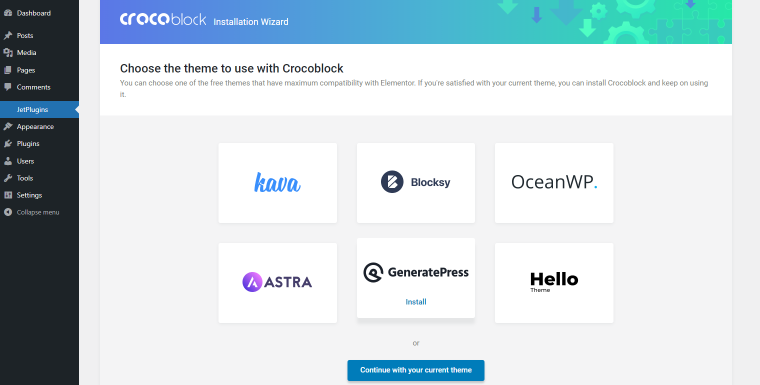
Some plugins might conflict with Generate Press. Check plugin compatibility before installing the theme. Read plugin details to see if they work well with Generate Press. This step helps avoid issues later. A compatible plugin ensures a smoother experience.
Credit: crocoblock.com
Assess Current Theme
Check what your current theme offers. Look at the design and layout options. Note if it has customization settings. These are buttons, colors, and fonts. Write down what you like and what you don’t. Knowing this helps you pick a better theme later. Also, see if the theme is mobile-friendly. Many people use phones to visit websites. If the theme is not mobile-ready, it may cause problems.
Think about what changes you want. Do you need a new logo area? Or maybe a different menu style? List these needs. This will guide your theme choice. Also, consider your content. Would you like different layouts for posts? Write these ideas down. Your list will help you choose the best features in a new theme.
Verify Hosting Requirements
Check your hosting plan. It must support WordPress. Ensure PHP version is up to date. The server should run MySQL or MariaDB. These are databases. They help store your site data. Memory limit should be 256MB. This helps your site run fast. Check that HTTPS is supported. It keeps your site safe. Bandwidth should be unlimited. This allows for many visitors. Ensure mod_rewrite is enabled. It helps with URLs. A good host will meet these needs. Ask your host if unsure. This saves time later. Happy site building!
Credit: blogpioneer.com
Research Generate Press Features
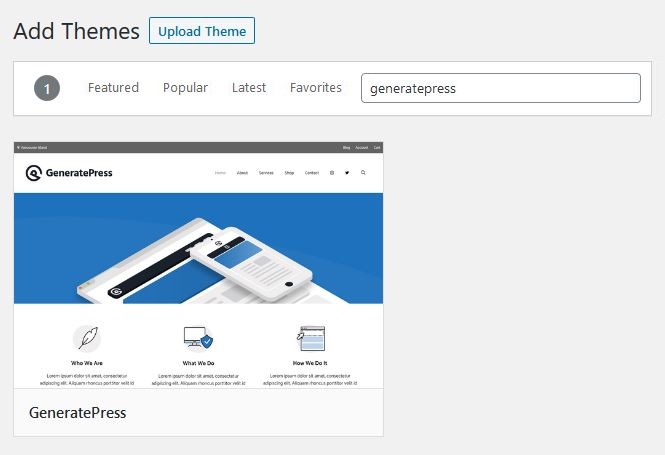
Explore Theme Options to find what suits your needs. Generate Press offers many choices. You can change colors, fonts, and layouts. This makes your website look unique. It’s great for beginners too. Easy to use and understand. These options help you create a nice website.
Understand Premium vs Free versions before deciding. The free version is basic. It offers limited features. Good for simple sites. The premium version adds more. It includes more templates and support. Worth checking if you need extra tools. Compare both to see what fits your project best.
Prepare A Staging Environment
Creating a test site is very important. This site lets you try things safely. You can make mistakes without fear. Your main site stays safe. Use plugins like Duplicator or WP Staging for this. They help you copy your site easily. Test sites are like practice grounds. You can try new themes here. See what works best for you.
Always ensure testing is safe. Use a strong password for your test site. This keeps unwanted people away. Regularly update your plugins and themes. It helps in smooth testing. Backup your data often. You won’t lose anything important. Testing should be fun and secure. Follow these steps for a safe experience.
Plan Design And Layout
Drawing your homepage is fun. Grab a paper and pencil. Start by sketching the main parts. Maybe a big banner at the top? Or a small one? Decide where the menu goes. Left side, right side, or top? Think about a logo. Small or large? Add sections for images and text. Keep it simple. It’s like a puzzle. Try different ideas. See what looks best. Your plan will guide you. It helps keep things clear. It’s your roadmap.
Colors make your site pretty. Pick two or three main colors. They should match well. Think about the mood. Bright colors feel happy. Soft colors feel calm. Use a color wheel for help. Contrast is important. Dark text on a light background is easy to read. Test your colors. Check how they look together. Do they look good on a screen? Use colors that fit your brand. Colors tell a story. They make your site look nice.
Gather Necessary Content
Collecting images and text is important before starting. Make sure the images are clear and fit your theme. Text should be simple and easy to read. Use short sentences for better understanding. Keep paragraphs small. This helps in keeping attention.
Put your files in separate folders. One folder for images, another for text. Name them clearly. Easy to find later. This makes upload smooth. Use simple names. Like “home-page-images” or “about-text”. Keeps things tidy. Easy work ahead.
Frequently Asked Questions
How To Backup WordPress Site Before Installing Themes?
Backing up your WordPress site is crucial before installing any theme. Use plugins like UpdraftPlus or BackupBuddy to create a backup. These plugins help save your database, files, and media securely. Ensure you store backups in multiple locations for safety.
Regular backups can prevent data loss in unforeseen situations.
Why Is WordPress Health Check Important?
A WordPress health check helps identify potential issues and optimize performance. Use the Site Health tool under Tools in your dashboard. It provides insights into server configurations, PHP limits, and plugin conflicts. Regular health checks ensure your site runs smoothly and securely, enhancing user experience and reducing downtime risks.
Should I Update Plugins Before Theme Installation?
Yes, updating plugins before installing a theme is essential for compatibility and security. Outdated plugins can cause conflicts with new themes. Regular updates ensure plugins function correctly and securely. Check for updates in the Plugins section of your dashboard. Keeping plugins updated enhances site performance and reduces vulnerabilities.
How To Choose Generatepress-compatible Plugins?
Choosing GeneratePress-compatible plugins ensures seamless integration and optimal performance. Check the plugin documentation for compatibility information. Forums and reviews can also provide insights into user experiences. Compatible plugins prevent conflicts and enhance functionality. Prioritize plugins that are lightweight and well-supported to maintain site speed and reliability.
Conclusion
Preparing your WordPress site before installing Generate Press ensures a smooth setup. Start by backing up your current website. This safeguards your content. Next, clear unnecessary plugins. This reduces potential conflicts. Optimize your site by updating WordPress to the latest version.
Also, check your site’s speed and performance. A faster site improves user experience. Review your content and clean up drafts. This keeps your site organized. By taking these steps, you’re ready for Generate Press. Enjoy a seamless, efficient design process.
Happy building!


