
Have you ever wondered what makes WordPress such a powerful tool for your website? Imagine being able to manage, customize, and optimize your site with just a few clicks.
“What Can WordPress Do? ” Is not just a question—it’s your gateway to discovering how this versatile platform can transform your digital presence. Whether you’re a blogger, a small business owner, or someone diving into the world of e-commerce, WordPress offers a suite of features that can help you succeed online.
You’ll uncover the secrets behind WordPress’s capabilities and how they can work in your favor. By the end of this read, you’ll be equipped with the knowledge to harness the full potential of WordPress, making your website not just another page, but a powerful tool for engagement and growth. So, are you ready to see what WordPress can do for you? Let’s dive in!
WordPress Basics
WordPress is a tool to create websites. It is easy and free. Many people use it for blogs and business sites. WordPress has many themes and plugins. Themes change how a site looks. Plugins add special features. You can make your site just how you want.
WordPress has two main types: WordPress.com and WordPress.org. WordPress.com is hosted for you. This means they take care of your site. It is easy but has limits. WordPress.org gives you more control. You need your own hosting. You can use any theme or plugin you like.
Setting Up A WordPress Site
A good domain name is short and easy to spell. It should relate to your site topic. Use popular domain extensions like .com or .org. These are well-known and trusted. Avoid numbers and special characters. They can confuse visitors. Keep it simple and memorable.
Reliable hosting is crucial for site speed. Look for providers with good customer support. Check their uptime guarantee. It shows how often your site will be online. Compare different plans and prices. Choose one that fits your needs. Consider security features and backup options. They protect your data.
Installing WordPress is simple. Many hosts offer one-click install. Follow the steps in your control panel. Set up your username and password. Keep them safe. Customize your site through the dashboard. Explore themes and plugins. They add features and design options.
Themes And Customization
WordPress offers many theme options for your website. Themes change the look of your site. Some themes are free, others cost money. You can choose simple themes. There are also complex themes. Each theme gives your site a unique style. It’s important to select a theme that fits your site’s needs. Themes impact both design and function.
Customizing your theme is easy on WordPress. You can change colors and fonts. Add your own logo if you want. Adjust layouts to suit your style. Some themes offer more features than others. Always preview changes before saving. It helps to see how your site looks.
Page builders make site design simple. They are like building blocks. Drag and drop elements onto your page. You don’t need coding skills. Many page builders offer templates. Templates help start your design quickly. Some popular builders are Elementor and Divi. They offer many tools to enhance your site.
Credit: matomo.org
Plugins And Functionality
WordPress has many plugins. These plugins help improve sites. Beginners should try Yoast SEO. It makes content easy to read. Jetpack is another good plugin. It helps with site stats. Use Contact Form 7 to add contact forms. These plugins make your site better.
Fast sites are important. Use W3 Total Cache to speed up your site. This plugin makes pages load fast. Smush helps with images. It makes them smaller. Smaller images load quicker. Lazy Load shows images only when needed. This saves time and data.
Keeping your site safe is key. Wordfence is a popular security plugin. It protects against hackers. Sucuri also offers good security. It checks your site for threats. iThemes Security adds extra protection. These plugins keep your site secure.
Content Management
WordPress makes it easy to create new posts. The editor is simple to use. Bold, italic, and links are easy to add. You can also add images and videos. Save drafts to work on posts later. Once ready, publish your post with one click. Editing is just as easy. Click on the post, make changes, and save.
Categories help in grouping posts. This makes finding posts easy. Each post can have one or more categories. Think of categories as big groups. For example, “Food” or “Travel”. Use categories to keep your site tidy.
Tags are like labels. They describe your post in detail. Tags are more specific than categories. Use tags to highlight key topics. For example, “pizza” or “Italy”. This helps users find related content. Taxonomies are ways to group things. WordPress uses taxonomies for both categories and tags.
Seo And Marketing
WordPress helps make content search engine friendly. Use plugins to improve SEO. Add keywords to titles and descriptions. Make sure images have alt text. This helps search engines find your site.
Connect WordPress to social media easily. Share posts on Facebook and Twitter. Add social media buttons. Encourage visitors to share your content. This gets more people to see your site.
Use tools to track site visitors. See how many people visit daily. Find out which pages are popular. This helps you understand what people like. Use this information to make your site better.
E-commerce With WordPress
WordPress makes it easy to create an online store. You can use plugins like WooCommerce. They help you build and manage your store. It offers many themes to make your store look nice. You can sell products or services. Digital or physical. All from one place.
Organizing your products is simple. You can add new items easily. Track your inventory with built-in tools. Get alerts when stock is low. This helps you keep items ready for customers. You can also add product details. Like size, color, and price. Customers love having options.
WordPress supports many payment gateways. Options like PayPal and Stripe. This makes paying easy for customers. You can also manage shipping. Set rates for different locations. Offer free shipping for special deals. Keep your customers happy with fast and reliable service.

Credit: make.wordpress.org
Maintaining Your WordPress Site
Updating WordPress is important. New updates fix bugs. They add new features. Always make sure your plugins are updated too. This keeps your site safe. Backups save your data. If something breaks, you can restore it. Use backup plugins. They make the process easy. Always keep a recent backup copy. It is your safety net.
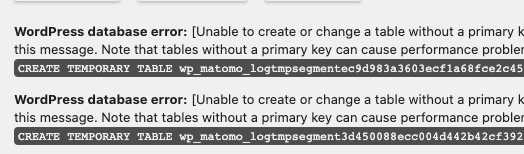
Sometimes, websites have problems. Broken links are common. Check them often. Fix them quickly. Sometimes, themes can cause issues. Try changing the theme. Deactivate plugins one by one. This helps find the problem. Always check your error messages. They give clues about issues. Simple steps can solve big problems.
Site security is very important. Use strong passwords. Change them often. Install security plugins. They watch for threats. Always update your software. Outdated software is risky. Limit login attempts. This stops hackers. Make sure to check for malware. It can harm your site. A secure site is a safe site.

Credit: glopoib.wordpress.com
Frequently Asked Questions
What Is WordPress Dp?
WordPress DP stands for “WordPress Data Processing. ” It involves handling and managing data within WordPress. This includes tasks like data storage, retrieval, and manipulation using plugins or custom code. WordPress DP ensures efficient data handling, improving site performance and user experience.
It’s crucial for developers and site administrators.
How Does WordPress Dp Improve Performance?
WordPress DP optimizes data handling, reducing server load and improving site speed. Efficient data processing ensures quick retrieval and storage, enhancing user experience. It can decrease page load times, leading to better SEO rankings and higher visitor retention rates. Proper data management is key for a responsive WordPress site.
Can WordPress Dp Help With Seo?
Yes, WordPress DP impacts SEO positively. Efficient data handling speeds up site performance, improving user experience and search engine rankings. Faster loading times lead to reduced bounce rates, signaling quality content to search engines. Properly managed data can enhance SEO strategies and boost site visibility.
What Tools Assist In WordPress Dp?
Several plugins and tools assist with WordPress DP. Popular options include WP-Optimize and Advanced Database Cleaner. These tools help manage, clean, and optimize your database for better performance. They streamline data processing, ensuring efficient storage and retrieval, which are crucial for maintaining a fast and responsive site.
Conclusion
WordPress offers diverse options for web creators. Its flexibility suits beginners and experts alike. Many plugins and themes simplify customization. This platform supports various content types, enhancing website potential. Users can manage blogs, e-commerce sites, and portfolios with ease. Security features keep data protected.
Regular updates ensure smooth performance. Engaging with WordPress is intuitive and rewarding. Accessible tools make it a preferred choice. Building a unique website becomes achievable. Explore WordPress to fit your needs. Start creating and sharing today. Your digital journey begins with WordPress.


