
Have you ever wondered how your WordPress site manages temporary data efficiently? If you’re seeking to optimize your site’s performance, understanding transient options in a WordPress database is crucial.
Transients are temporary data stored in your database, designed to expire after a set time. They help improve site speed by reducing the need to repeatedly fetch data from external sources. By the end of this article, you’ll grasp how transients work and why they can be a game-changer for your website’s efficiency.
Dive in to discover how you can leverage transient options to enhance your WordPress experience and make your site run smoother than ever.
Transient Options Overview
Transient options are temporary stored data in a WordPress database. They hold information for a short time. WordPress automatically deletes them when expired. These options help speed up your website.
Website performance improves with transient options. They reduce database load. They store data like API calls, cache data, and session information. Developers use them for tasks that require data caching.
Each transient option has a name and value. It can also have an expiration time. The expiration time tells WordPress when to delete the data. This helps keep the database clean. Use transient options wisely to manage resources.
Transient options are easy to create. Developers use functions like set_transient, get_transient, and delete_transient. These functions control the data flow.
Understanding transient options is important. It helps in optimizing WordPress sites. Better performance leads to satisfied users. Happy users visit your website more often.

Credit: wpmarmite.com
Purpose And Functionality
Transient options help speed up your website. They store data for a short time. This process is called caching. It saves server resources. The website loads faster. Users have a better experience. Transients are temporary. They are set with an expiration time. After this time, they are gone. This prevents old data from slowing things down.
Transients have a set expiration time. Once expired, they are auto-deleted. This keeps the database clean. No clutter. It frees up space. It helps the website run smooth. The auto-deletion is automatic. You do not need to remove them manually. This feature saves time. It ensures fresh data. Your site stays fast and efficient.
How Transients Work
Transient options are temporary data stored in the WordPress database. They hold data for a set time. Once expired, they are removed. This helps save space and improves speed. They are stored with a name, value, and expiration time. Think of them as short-lived helpers. They make sure WordPress runs smoothly. Useful for caching, they keep data handy for quick access.
Storage In Database
These options live in the wp_options table. Each has a unique name. Values can be anything from numbers to text. The expiration time is like a timer. When time is up, they vanish. This system keeps the database clean. It avoids clutter and frees space. They are perfect for temporary data.
Role In Performance Optimization
Transients play a big role in speeding up WordPress. They reduce the need to fetch data again and again. This helps pages load faster. By storing data temporarily, they cut down on resources needed. They make sure websites run efficiently. They are great for improving site performance.
Implementing Transients
Transients store temporary data in WordPress. This makes your site faster. They reduce database load. Use them for data that changes often. Examples are API calls or cached database queries. They are useful for short-lived data.
WordPress has functions for transients. Use set_transient() to save data. Use get_transient() to retrieve it. Use delete_transient() to remove it. These functions handle data efficiently. They keep your code clean and easy to read.
- Use transients for data with expiry.
- Set appropriate expiration time.
- Use unique keys for different data.
- Do not use transients for sensitive data.
Managing Transients
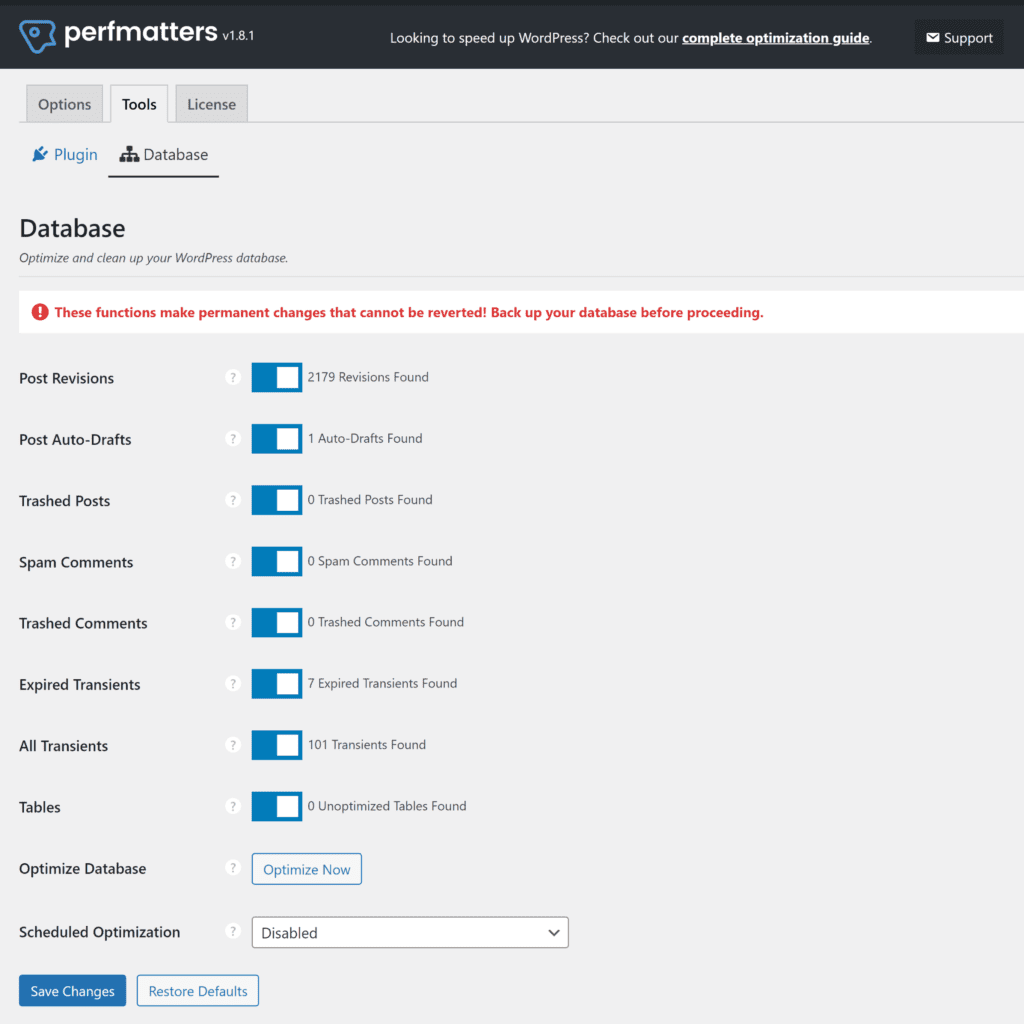
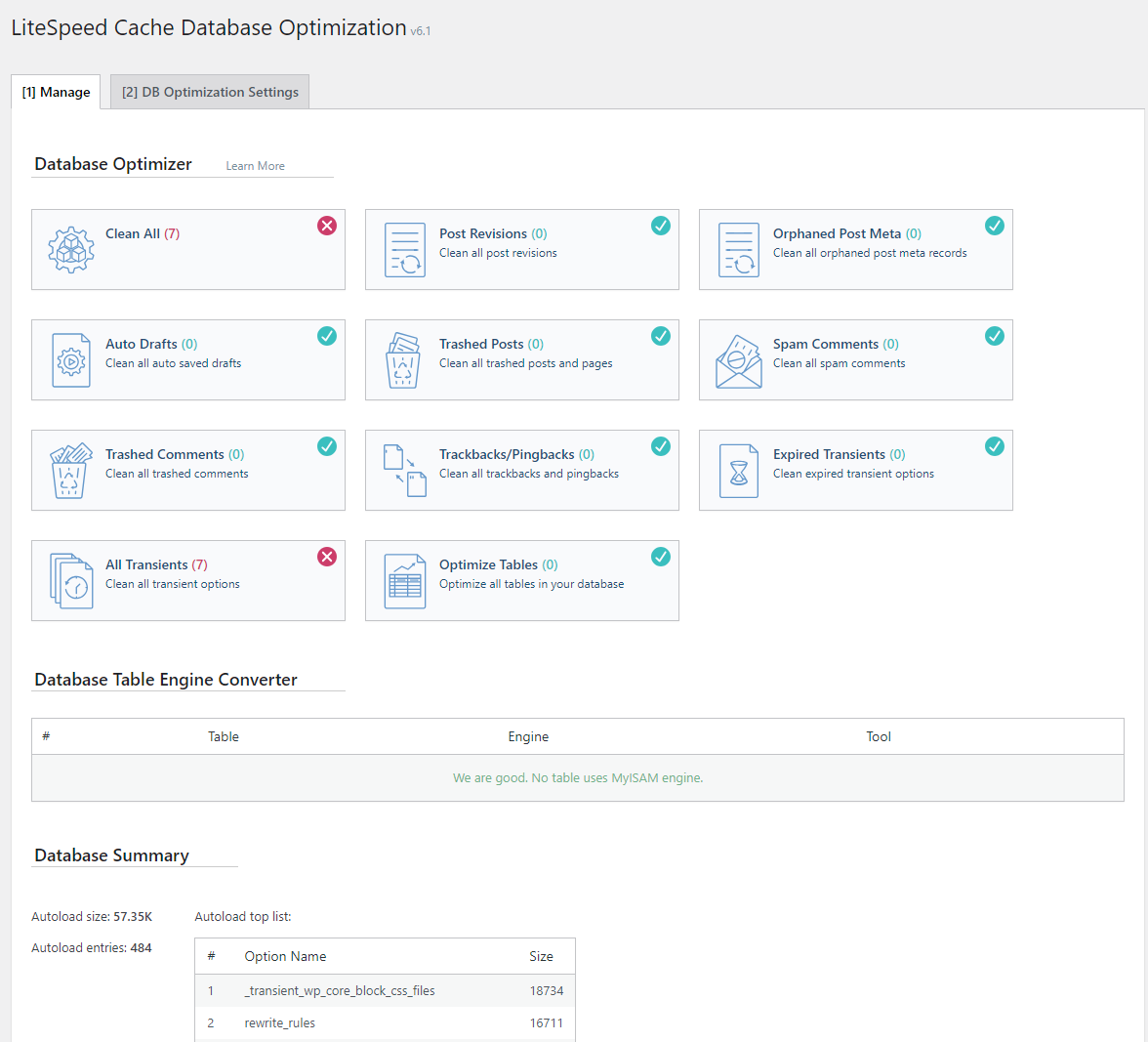
Plugins can help manage transients in WordPress. They make the process easy. Some plugins let users see all transients. Others help delete old transients. This keeps the database clean. Transients can slow down a website. Using plugins can help avoid this. A fast website is important. It gives users a good experience. Tools like WP-Optimize help manage transients well.
Manual management of transients needs careful steps. First, log in to the WordPress dashboard. Go to the database section. Find the table for transients. This table holds all transient data. Delete old entries to free up space. Be careful not to delete important data. This method is good for advanced users. It ensures better control over the database.
Credit: www.malcare.com
Common Use Cases
Transient options store temporary data. This helps reduce API calls. API calls can slow websites. Storing data locally is faster. Transients keep data on your server. This means fewer external requests. Fewer requests mean quicker load times. Quick load times improve user experience.
Page load time affects site speed. Speed is important for SEO. Faster sites rank better. Transients help speed up pages. They store data temporarily. This reduces the need for constant data fetching. With transient options, pages load faster. This benefits both users and site owners.
Potential Issues
Transient options in a WordPress database may cause issues like increased load times and resource consumption. They store temporary data but can lead to clutter if not properly managed. Misconfiguration might result in inefficient database performance, affecting site speed and user experience.
Expired Data Handling
Expired data can stay in the database. It takes up space. This can make the website slower. WordPress may not always clear expired data. This can cause problems. Keeping data clean is important. It helps the site run well. So, check often for old data. Clear it when you can. This helps keep the site fast.
Database Bloat
Database bloat happens when there is too much data. It makes everything slow. The site may not work right. Cleaning helps with this problem. Remove old and unused data. This keeps the database small. It also helps the site run smoothly. Always remember to check for bloated data.
Future Of Transients
Transient options in a WordPress database store temporary data with an expiration time. These options help improve site performance by caching data that frequently changes. Efficient management of transients ensures a faster and more responsive website.
Trends In WordPress Caching
WordPress caching is changing fast. Developers want faster websites. This means better caching methods are needed. Transients help store temporary data. They make websites run smoother. Using transients is a popular trend now.
New caching tools are popping up. These tools work with transients. They make data handling faster. More plugins support transient caching today. This helps WordPress sites load quickly. Speed is important for users. It keeps them happy.
More developers are learning about transients. They see the benefits. They want their websites to be quick and efficient. So, the future of transients looks bright. More use will lead to better websites. Faster websites make everyone happy.
Evolving Technologies
Technology keeps evolving. New solutions appear often. WordPress is no different. Its technology grows too. This growth affects transients. Developers find new ways to use them. They improve website speed and performance.
Transients work with these new technologies. They adapt well. They are flexible and useful. Many developers are excited. They explore new possibilities. They find better ways to use transients. This exploration helps make websites better. Everyone benefits from these changes.
Credit: docs.litespeedtech.com
Frequently Asked Questions
What Are Transient Options In WordPress?
Transient options in WordPress are temporary data storage solutions. They store cached data with an expiration time. This helps improve site performance by reducing database queries. Once expired, transients are automatically deleted. They’re ideal for storing data that changes frequently.
How Do Transients Improve Site Performance?
Transients reduce the need for frequent database queries. By caching data temporarily, they decrease server load. This leads to faster page loading times. Improved performance enhances user experience and can positively impact SEO rankings.
How Long Do WordPress Transients Last?
Transients have a set expiration time defined during creation. They can last seconds, minutes, or even days. Once expired, they are automatically removed. If not set, they can persist until manually deleted or overwritten.
Can Transients Be Manually Deleted?
Yes, transients can be manually deleted. This can be done through plugins or directly in the database. Regularly clearing expired transients helps maintain optimal site performance. It’s a good practice to manage them actively.
Conclusion
Transient options in a WordPress database offer simplicity and efficiency. They help manage temporary data effectively. This keeps your site running smoothly. Use them wisely to enhance performance. Regular checks and updates are crucial. This ensures your site stays fast and responsive.
Understanding transient options can save resources. It can also improve user experience. Explore and implement them in your WordPress projects. This practice will benefit both you and your visitors. Embrace this tool for a better website. Your site deserves optimal performance.


