
Have you ever wondered how your WordPress site manages temporary data efficiently? If you’re seeking answers, you’re in the right place.
Understanding transient options in the WordPress database can unlock a new level of control over your site’s performance. These little data snippets play a crucial role in enhancing speed and functionality, but many users overlook them. Imagine having the power to optimize your site without complicated coding or technical headaches.
You’ll discover what transient options are, why they matter, and how you can use them to your advantage. Prepare to dive into a world where your WordPress site runs smoother and faster, making both you and your visitors happy. Are you ready to transform your site’s performance? Let’s get started.
Credit: www.wpbeginner.com
Transient Options Basics
Transient options are temporary storage in WordPress. They keep data for a short time. This helps make your site faster. WordPress saves this data in the database. After some time, it deletes them. Each transient has a name and a timeout. The name helps find the data. The timeout tells when data should be removed.
Using transients saves time and resources. They are great for storing API results. This means you don’t have to fetch data repeatedly. It’s like a short-term memory for your website. Make sure to choose names wisely. Names should be unique. That way, you don’t mix up data.
Credit: www.malcare.com
Purpose Of Transient Options
Transient options in WordPress store temporary data. This data is cached for a short time. Developers use it to improve site speed. Transients are like a short-term memory. They help in reducing database queries. This makes the website load faster.
Each transient has an expiration time. After this time, it gets deleted. This helps in keeping the database clean. Transients can store different types of data. For example, they can hold API response data. They are not meant for storing important data. Only use them for temporary information.
Using transients wisely can improve user experience. Faster sites keep visitors happy. They spend more time exploring the content.
How Transient Options Work
Transient options help store temporary data in WordPress. They are like short-lived cookies. Developers use them to save data for a short time. This helps speed up websites. Transients store data in the database. Each transient has a name, value, and time limit. The name helps to find it later. The value is the actual data. The time limit tells how long it will last. This makes websites work faster.
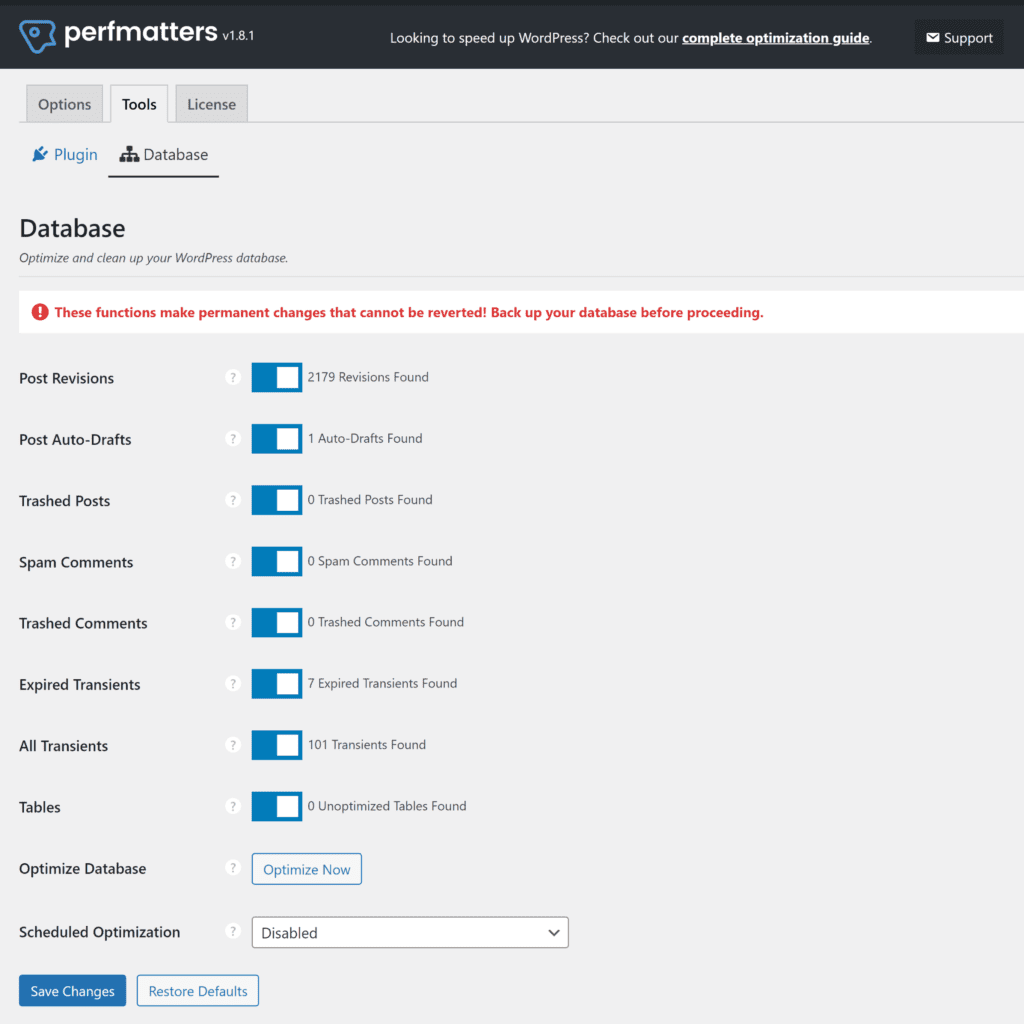
Each transient has a life span. After it expires, it is not needed. WordPress removes it from the database. This saves space and resources. Expired transients do not slow down the site. Developers can also delete them manually. This is useful for testing. Deleting old transients keeps the database clean. It helps with performance.
Benefits Of Using Transient Options
Transient options in WordPress enhance performance by storing temporary data. They help reduce database load and speed up page loads. This makes your site faster and more efficient.
Improving Performance
Transient options speed up your WordPress site. They store temporary data in the database. This avoids fetching data again and again. It saves time and increases page load speed. Users get faster access to your content. This makes the site more user-friendly. Faster sites lead to happier visitors. Happy visitors stay longer and explore more.
Reducing Database Load
Transient options help reduce database load. They store data for a short time. This means less frequent database queries. Fewer queries mean less stress on the server. The server can handle more traffic without slowing down. This ensures your site runs smoothly. Smooth running sites are important for user satisfaction. Managing database load helps maintain site performance.
Common Use Cases
Transient options help store data from API requests. This makes your website faster. You don’t need to ask the API each time. The data stays fresh for a short time. It saves time and makes users happy. Use transients to keep site speed up.
Temporary data needs storage. Use transients for this. Store data like user sessions or form inputs. They stay for a limited time. This helps in reducing database load. It makes your site run smooth and light. Good for quick data needs.
Managing Transient Options
Transients store temporary data. WordPress uses them often. They make sites faster. Use set_transient() function. It helps save data. You choose a name for your transient. Next, set the value. Lastly, decide the expiration time. It can be hours or days. This data helps your site run better.
Get stored data easily. Use get_transient() function. Input the name you set earlier. It checks if data is still valid. If valid, it returns the data. If not, it shows false. This helps keep information fresh. Your site remains fast and efficient.
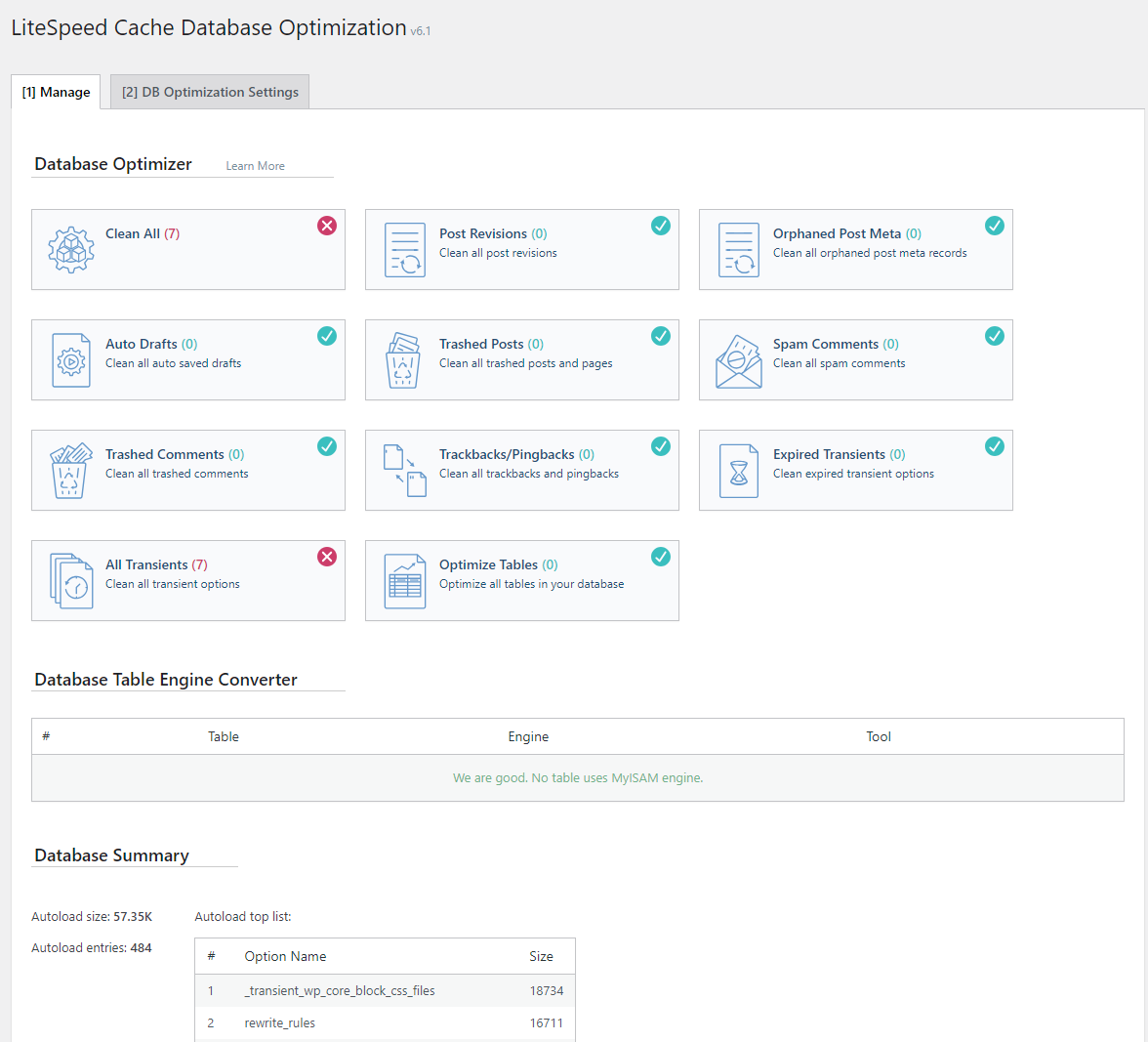
Remove expired data with ease. Use delete_transient() function. Input the name of the transient to delete. It clears the old data. This saves space in the database. Helps your site stay clean. Keeps everything running smoothly.
Best Practices
Choosing the right expiration time is important. Too short can lead to frequent updates. Too long might use outdated data. Balance is the key. Consider the data’s update frequency. For fast-changing data, use short expiration. For stable data, longer times work well. Check and adjust regularly. It ensures smooth performance.
Transients are useful, but don’t overuse them. Too many can slow down the site. Use them for temporary data only. Delete expired transients regularly. This keeps the database clean. Always monitor the database size. Overuse can lead to performance issues. Use wisely for best results.
Potential Drawbacks
Handling Expired Transients can be tricky. They might not always get deleted on time. When transients expire, they should be removed. But sometimes, they linger in the database. This can cause unnecessary clutter. It slows down your website. You need to clean them manually sometimes. Using plugins can help. But not all plugins work well. It’s important to choose carefully. Regular checks are necessary. This keeps your database tidy. A clean database runs faster. Your site visitors will thank you.
Database Bloat is a common issue. Too many transients can fill your database. This can lead to bloat. Bloat makes the database heavy. Heavy databases are slow. They can affect site speed. Site speed is crucial for users. Search engines notice slow sites. This can hurt your SEO. Keeping an eye on transients helps. Delete them when not needed. This keeps your database light. A light database performs better. Everyone prefers faster websites.
Tools And Plugins
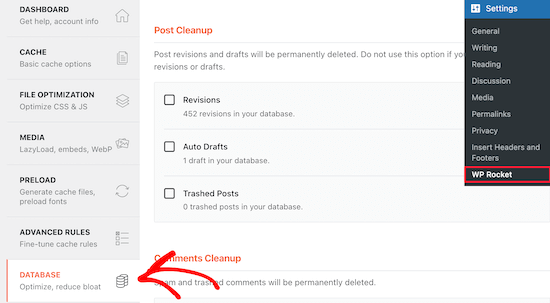
Many plugins help manage transient options in WordPress. These plugins make it easy to handle temporary data. WP Rocket is a popular choice. It speeds up your site by managing cache. Transient Manager lets you view and delete transients easily. Query Monitor is another helpful tool. It shows detailed information about transients. Plugins can simplify your work. They save time and effort.
Sometimes, plugins do not meet specific needs. Creating custom solutions becomes necessary. Developers can write code to handle transients directly. They can use PHP functions like set_transient() and get_transient(). This allows for more control and flexibility. Custom solutions can be tailored to exact requirements. They ensure efficient management of transient options. This approach requires coding knowledge. It is suitable for advanced users.
Credit: docs.litespeedtech.com
Frequently Asked Questions
What Are Transient Options In WordPress?
Transient options are temporary data storage in the WordPress database. They store cached data with an expiration time. This helps reduce database load and improve site performance. Transients are useful for storing API calls, large queries, or any data that can be regenerated.
They automatically expire and delete themselves after the set period.
How Do Transients Improve Site Performance?
Transients improve performance by caching data temporarily, reducing database queries. This minimizes server load and speeds up page load times. By storing data with an expiration time, transients ensure that only necessary database operations occur. This results in faster site performance and a better user experience.
Can Transient Options Be Manually Deleted?
Yes, transient options can be manually deleted. This can be done through WordPress plugins or custom code. Manually deleting transients is helpful when troubleshooting or optimizing site performance. It ensures that outdated or unnecessary cached data is removed, allowing fresh data to be cached and used.
How Long Do Transients Last In WordPress?
Transients have a custom expiration time set by developers. The duration can vary based on the data’s purpose. Once the expiration time is reached, the transient is automatically deleted. This ensures the storage of only relevant data, maintaining optimal performance and reducing unnecessary database clutter.
Conclusion
Transient options offer temporary data storage in WordPress databases. They help improve website performance by reducing load times. Developers find them useful for caching data efficiently. Understanding their role can enhance your site’s functionality. Managing these options ensures your database stays optimized.
Regularly review and clean up expired transients. This practice keeps your WordPress site running smoothly. Transient options serve as a practical tool for temporary data handling. Embrace their potential to boost your site’s speed and efficiency. Familiarize yourself with their usage to maintain a healthy database.
Your website will benefit from this knowledge.


