
Imagine unlocking a secret tool that could boost your WordPress website’s visibility and drive more traffic. This isn’t just a dream—it’s the power of image tags for SEO.
If you’re wondering how to make your website stand out in the crowded digital space, you’re in the right place. You might have heard about image tags but aren’t quite sure what they are or how they can benefit you.
By the end of this article, you’ll not only understand what tags in images are used for in SEO, but also how they can transform your site’s ranking. Dive in to discover how you can leverage this often-overlooked aspect of SEO to ensure your website grabs the attention it deserves. Don’t miss out on these game-changing tips—your website’s success could depend on it!
Importance Of Image Tags
Image tags help search engines understand your images. This improves your site’s SEO ranking. Search engines can’t see images like humans. They read the text instead. Adding alt text gives them clues about the image content. Use simple words in your tags. This makes them easy to read. Avoid using too many words in a tag. Keep it short and clear.
Image tags help users understand images faster. This boosts user engagement. Clear tags describe the image. Visitors find it easier to relate to the content. They stay on your site longer. This can lower your bounce rate. Happy visitors return more often. They may share your content with others. This can lead to more traffic on your site.

Credit: wordpress.com
Types Of Image Tags
Alt tags describe images for people who can’t see them. They help search engines understand the image’s content. This can improve your site’s ranking. Use clear words to describe the picture. Keep the description short and to the point.
Title tags provide a brief image title. They show when someone hovers over the image. These tags can include keywords. This helps with SEO. It’s like giving your image a name that search engines can read.
Captions appear below images. They explain what the image is about. These tags can engage readers. Captions can include keywords for better SEO. Make them simple and direct.
File name tags use the image’s file name for SEO. Use descriptive words in the file name. Avoid using generic names like “image1.jpg”. Instead, use clear words like “blue-bird.jpg”. This helps search engines find your images.
Creating Effective Alt Tags
Descriptive keywords help search engines understand images. They make images findable online. Use specific words to describe the image. Include details like colors or actions. This helps with SEO. Avoid using vague words. They confuse search engines. Be precise to improve visibility.
Balancing clarity and conciseness is important. Alt tags need to be clear yet short. Long tags may not help SEO. Keep them under 125 characters. Use simple language. This makes it easy for everyone to understand. Focus on the main point of the image. Avoid unnecessary details. This helps keep tags clear and effective.

Credit: managewp.com
Optimizing Title Tags
Title tags help search engines understand your page. Use keywords in your title tags. They should match your content. Keywords make your page easier to find. This helps in getting more visitors. Keep titles short and clear.
Accessibility is important for everyone. Use alt text for images. Describe the image with simple words. This helps people who can’t see images. It also helps search engines. Good alt text can improve your SEO. Keep it brief but helpful.
Utilizing Caption Tags
Caption tags are helpful for images. They give more information. This helps users and search engines. A well-written caption explains the image clearly. This makes the image more useful. Captions can describe what is happening in the picture. They can also tell why it matters.
Captions are great for giving context. They help readers understand the content better. They can make the content more engaging. When readers know more, they stay longer. This increases the time spent on your page. More time means better SEO performance.
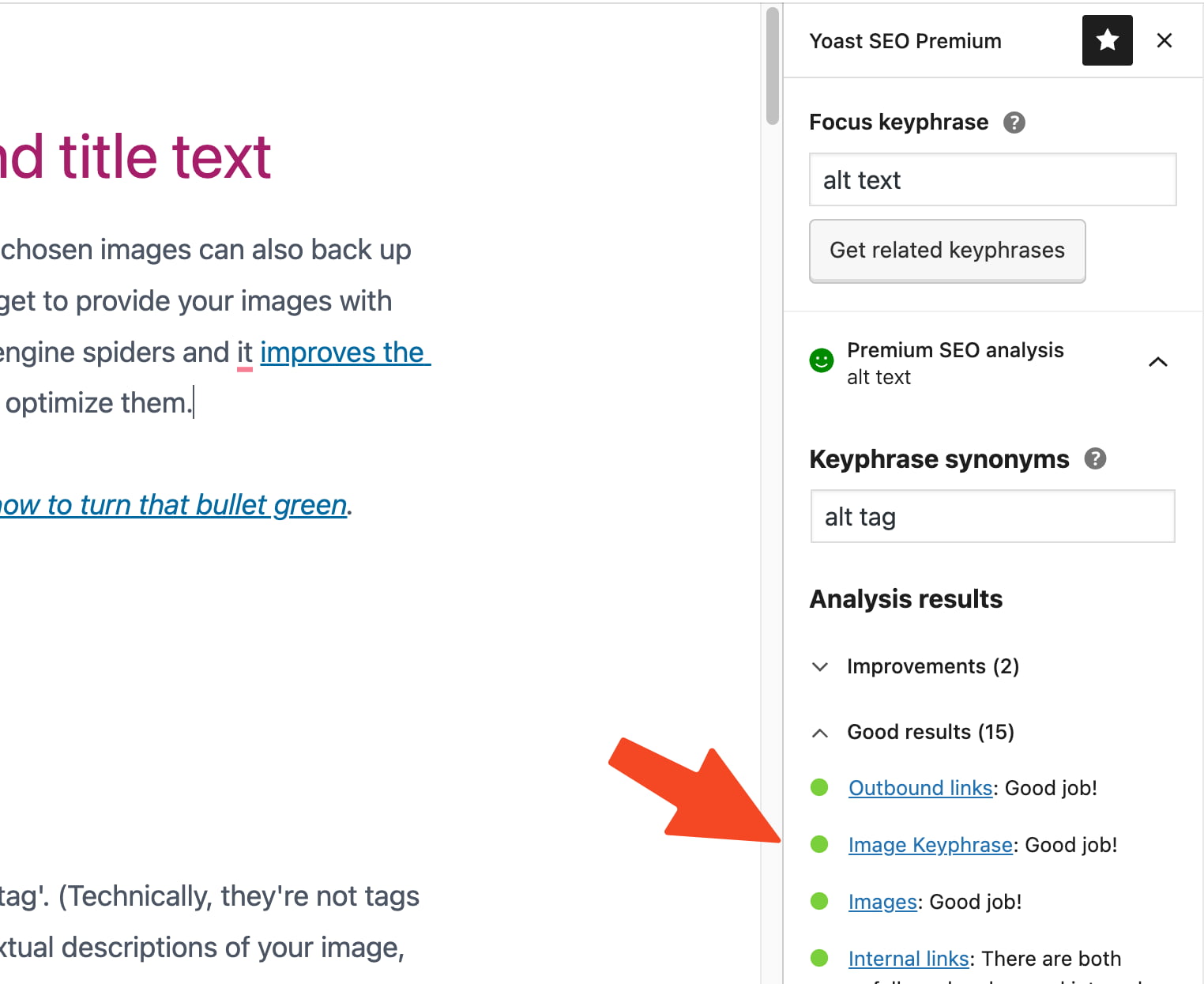
Credit: yoast.com
Best Practices For File Name Tags
Use keywords in image names. This helps search engines. Let the keywords match the image content. This makes the image relevant. Choose words that describe the picture well. Names with keywords are better for SEO. Avoid using long phrases. Keep it simple and clear. Each word should be useful. Add the keyword at the start if possible.
Avoid names like “image1.jpg”. These names do not help search engines. Be specific with names. This helps in ranking. Pick names that describe the image. Each name should be unique. This is important for SEO. Use relevant words. Do not use random numbers. Keep the name meaningful. Generic names are less effective.
Impact On Search Rankings
Image tags help search engines understand pictures. They improve a website’s visibility. This means more people can find your site. Search engines use tags to decide what images mean. This helps your site show up in search results.
Tags make images easier to find. Visitors are more likely to click when they see relevant images. This is called increasing click-through rates. Clicks mean more visits to your site. More visits can lead to more sales or attention. Tags are small but they make a big difference.
Common Mistakes To Avoid
Avoid using generic tags like “image” or “photo” in WordPress. They don’t help with SEO. Instead, use specific keywords that describe the image content. Also, ensure tags match the image’s purpose and connect with the main topic of your post.
Overstuffing Keywords
Using too many keywords in image tags is not good. Search engines see this as spammy. It can hurt your website’s ranking. Keep keywords relevant and natural. Use only one or two in each tag. This makes your content easy to read. It also keeps search engines happy.
Neglecting Accessibility
Not adding alt text to images can be a problem. Alt text helps people who can’t see well. It describes what the image shows. It is also good for search engines. Alt text should be simple and clear. It helps both people and search engines understand the image. Always remember to add it.
Frequently Asked Questions
What Are Image Tags In WordPress?
Image tags in WordPress refer to HTML attributes like alt text and title tags. They provide context and descriptions for images. These tags help search engines understand the image content, improving SEO. Properly optimized image tags can enhance website visibility and accessibility.
How Do Image Tags Improve Seo?
Image tags improve SEO by providing search engines with context about the image content. Alt text and title tags help search engines index images accurately. This increases the chances of images appearing in search results. Additionally, they enhance user experience by providing descriptions for visually impaired users.
What Is Alt Text In WordPress Images?
Alt text, or alternative text, is a description of an image’s content. It’s used by search engines to understand the image’s context. In WordPress, alt text is crucial for SEO and accessibility. It helps visually impaired users understand images and improves search engine indexing.
How To Add Alt Text To Images In WordPress?
To add alt text, upload your image in the WordPress media library. Select the image and enter a description in the “Alt Text” field. Ensure the description is relevant and concise. This helps search engines and improves your website’s accessibility for users.
Conclusion
Tags in images boost SEO for your WordPress site. They help search engines understand your content. This leads to better rankings and visibility. Using relevant keywords in tags is crucial. It aligns your images with your blog’s topic. Ensure tags are descriptive yet concise.
Avoid keyword stuffing. This can harm your site’s credibility. Regularly update your image tags. Reflect any changes in your content. Properly tagged images enhance user experience. They make your site more accessible. So, focus on optimizing image tags. It supports your overall SEO strategy effectively.
A small step with big benefits.


