
Are you curious about setting up your own web hosting at home? Imagine having total control over your website, from the server to the smallest details.
Hosting your own site might sound complex, but it’s more achievable than you think. This guide is crafted to demystify the process for you, turning what seems like a daunting task into a straightforward project. You’ll learn the step-by-step process, discover essential tools, and see how you can save money while gaining invaluable skills.
Keep reading, and you’ll soon find that setting up your own web hosting is not just possible, but a rewarding endeavor. Ready to dive in and take control of your digital space? Let’s get started!

Credit: proderror.eu
Choosing The Right Hardware
A strong server is vital for hosting. Choose a CPU with multiple cores for better performance. RAM should be at least 8GB. Some sites need more. Storage is also important. SSDs are faster than HDDs.
SSD storage is fast and reliable. It helps your server run smoothly. HDD storage is cheaper and offers more space. Choose based on your needs. For backups, external drives are useful.
A strong internet connection is crucial. Aim for a high-speed plan. Look for reliable upload speeds. Stability matters too. Wired connections are better than Wi-Fi. Ensure your router is modern.
Selecting A Suitable Software
Choose the right operating system for your server. Popular options are Windows and Linux. Linux is free and open-source. It is a favorite for many. Windows is user-friendly but may have licensing costs. Decide based on your comfort and budget.
You need web server software. Apache and Nginx are popular. Apache is easy to set up. It is very reliable. Nginx is known for speed and efficiency. Both are open-source and widely used. Choose what fits your needs.
A good database system is key. MySQL and PostgreSQL are top choices. MySQL is simple and fast. It is great for beginners. PostgreSQL is advanced and powerful. It is perfect for complex data needs. Both are free and open-source. Pick based on your project.
Configuring Network Settings
Set a static IP address for your computer. This helps your web server stay reachable. Go to your router’s settings. Find the section for IP addresses. Assign a unique IP to your computer. Avoid using the same IP for other devices.
Use a DNS service to link your domain to your IP. This allows people to find your website. Sign up for a DNS provider. Add your domain name. Enter your static IP address. Save the changes. Wait a few minutes for it to update.
A good firewall keeps your server safe. Open only the necessary ports. Common ports are 80 for HTTP and 443 for HTTPS. Block all other ports. This stops unwanted traffic. Always keep your system updated. Updates fix security holes.

Credit: www.youtube.com
Domain Registration And Management
Choose a simple and easy-to-remember domain name. Avoid long names. Short names are better. Use words that relate to your website. Check if the name is available. Many sites can help you check. Make sure the name is not too similar to others. This avoids confusion. You want your site to be unique.
Find a trusted registrar to register your domain. Many companies offer this service. Look for good reviews. Compare prices before you buy. Some registrars offer deals. Make sure you read the terms. You might need to renew your domain each year. Keep track of renewal dates. This helps avoid losing your domain.
Set up your domain to point to your home server. Use DNS settings to do this. Your registrar will have instructions. You need your server’s IP address. Enter it in the DNS settings. Changes can take some time. Usually a few hours. This process is important. It connects your domain to your server. Visitors can then reach your site.
Setting Up Email Hosting
Email Server Configuration is important. Set up the server on your computer. Use software that manages emails. Configure the server to send and receive emails. Ensure the server is secure. Protect it from hackers. Make sure the server works well with your internet.
Spam Protection keeps your emails safe. Install spam filters on the server. Filters stop unwanted emails. Adjust settings to block known spam. Update filters regularly. Keep your email clean and organized.
User Account Management helps organize users. Create user accounts for each person. Assign passwords to keep accounts secure. Monitor user activity. Update passwords often. Make sure users have the access they need.
Credit: docs.plesk.com
Implementing Security Measures
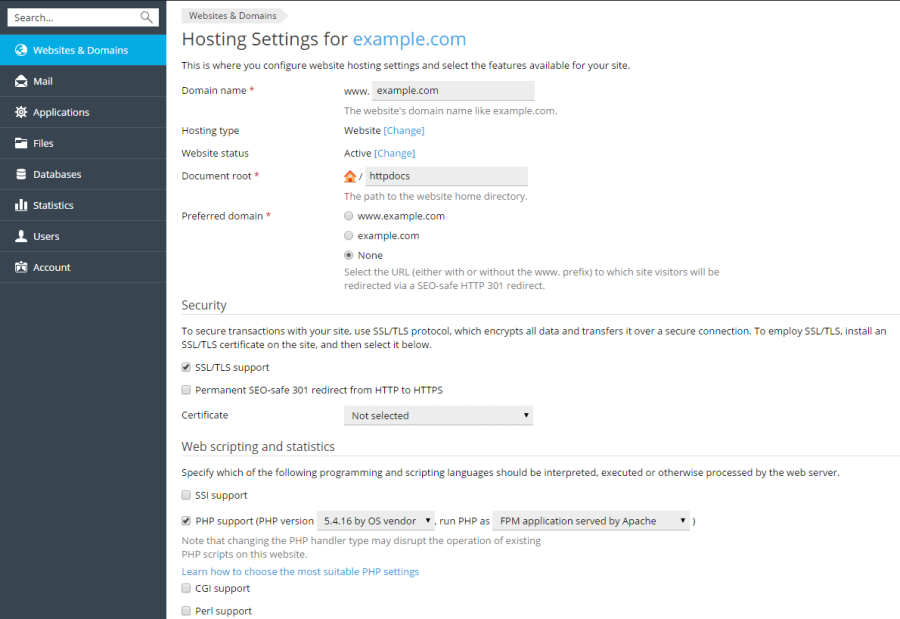
SSL certificates keep data safe. They stop hackers. These certificates encrypt data. This means they change data into a secret code. Users see a padlock sign in their browsers. This sign means the site is secure. SSL certificates are very important for trust.
Backups save copies of your files. Make these backups often. Use external drives for safety. If data is lost, you can restore it. Backups protect against computer crashes. They also help when files get deleted by mistake.
Check your systems often. Look for any strange activity. Update software to fix bugs. Use antivirus programs for protection. Regular checks keep your system healthy. Maintenance stops problems before they start.
Troubleshooting Common Issues
Check cables and ensure they are connected well. Restart the router. This can fix many issues. If the problem persists, contact your Internet Service Provider. Sometimes, the issue is on their end.
Regularly check your server’s status. Use monitoring tools for alerts. If downtime occurs, restart the server. Check for any hardware issues. Sometimes, a simple reboot helps.
Clear cache regularly to improve speed. Too many files slow down the server. Use performance tools to analyze speed. Make adjustments for better performance. Always keep software updated.
Frequently Asked Questions
How Do I Host My Own Website At Home?
To host your website at home, set up a local server using a computer. Install web server software like Apache. Configure your router for port forwarding. Secure your network with firewalls. Ensure your ISP allows web hosting. Consider using a dynamic DNS service for a stable domain name.
How Do I Get Started With Web Hosting?
Choose a reliable web hosting provider. Select a plan that suits your needs. Register a domain name. Set up your website using a content management system like WordPress. Ensure your site is secure with an SSL certificate.
How Much Does It Cost To Host A Website At Home?
Hosting a website at home costs around $100 to $300 annually. Expenses include hardware, electricity, and internet. A reliable computer or server, uninterrupted power supply, and high-speed internet are essential. Costs may vary based on setup and maintenance needs. Consider additional expenses for security and backup solutions.
Can I Host A Website On My Home Network?
Yes, you can host a website on your home network. Ensure you have a static IP, proper security, and sufficient bandwidth. Use a reliable computer, install server software, and configure your router. Be aware of potential ISP restrictions and security risks.
Conclusion
Setting up web hosting at home can be rewarding. You gain control over your data. Privacy is maintained. Costs are reduced. You learn valuable tech skills. Start small, then expand. Troubleshooting issues will enhance your knowledge. Remember to prioritize security.
Regular updates keep your server safe. Enjoy the journey of hosting. It’s a continuous learning experience. Your persistence will pay off. Hosting at home offers independence. It’s a worthwhile venture. Keep exploring and improving your setup. Success comes with patience.
Happy hosting!


