
Are you ready to take your web API application to the next level? You’ve built an amazing app, and now it’s time to share it with the world.
But where do you start when it comes to hosting? The process might seem daunting, but don’t worry—this guide will simplify everything for you. Imagine your application running smoothly and efficiently, reaching users across the globe. It’s not just a dream; it’s entirely possible.
We’ll walk you through the steps to host your web API application so you can focus on what really matters: delivering value to your users. Get ready to unlock the potential of your application and engage your audience like never before. Keep reading to discover the secrets of successful web API hosting.
Choosing The Right Hosting Environment
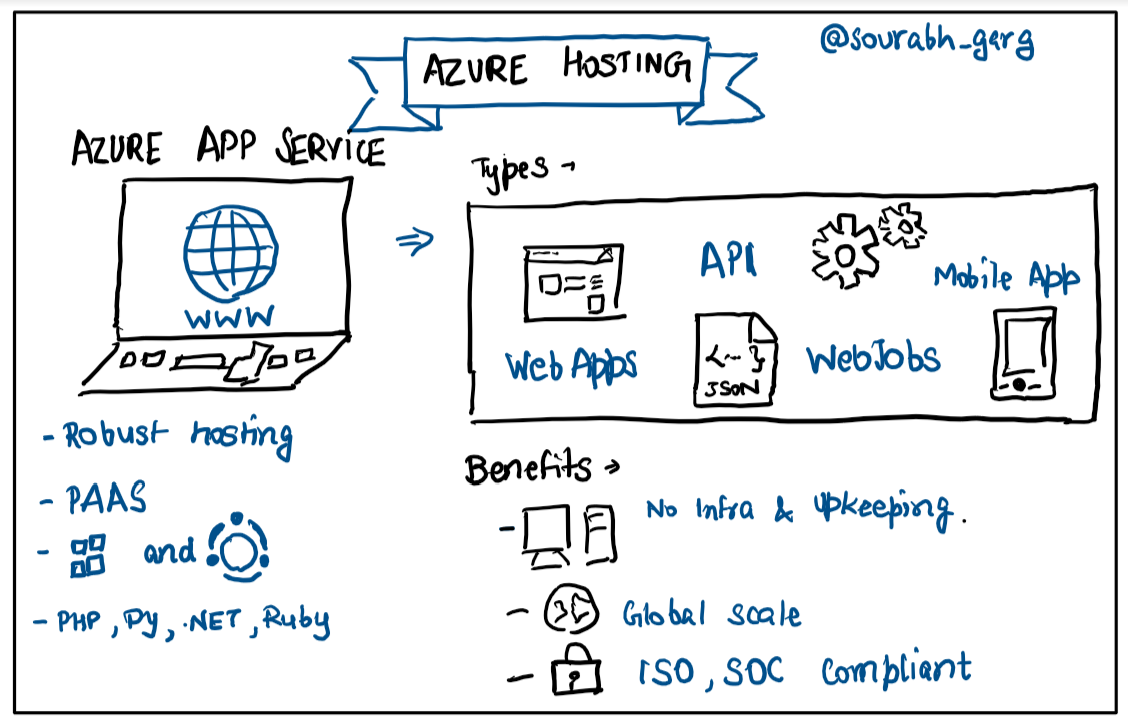
Cloud hosting is flexible and easy. It offers scalability. Pay for what you use. No upfront hardware cost. On-premises is more secure. You control all data. It can be costly. You manage hardware yourself. Think about your needs. Choose the best fit for you.
Shared servers are cheap. Many users share one server. Traffic can affect speed. Dedicated servers are more private. You have one server. They offer better performance. They cost more. Consider your budget and needs. Choose wisely.
Credit: faun.pub
Setting Up The Server
Choosing the right operating system is crucial. Linux is popular for web servers. Windows is also a good choice. Consider your team’s expertise. Linux offers strong security features. Windows is user-friendly. Think about software compatibility.
Install software required for hosting. Apache or Nginx are common web servers. Choose based on needs. Apache is flexible. Nginx is fast and efficient. Install a database system. MySQL or PostgreSQL are popular choices. Ensure your API is compatible.
Configuring Network And Security
Firewalls keep your web API safe. They block harmful traffic. Open only necessary ports. This allows good data to pass through. Common ports are 80 for HTTP and 443 for HTTPS. Restrict access to trusted IP addresses. This keeps your network safe from bad users. Check firewall rules regularly. Keep them updated to protect from new threats.
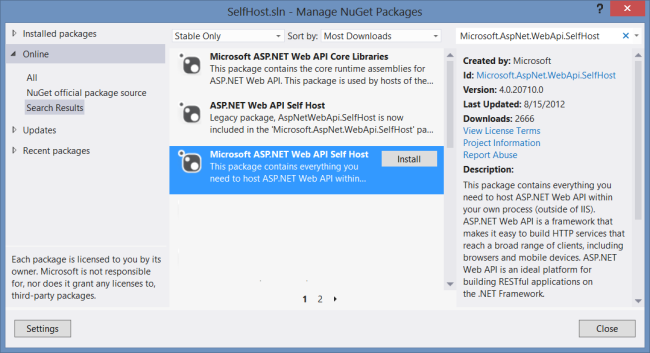
SSL/TLS certificates make your web API secure. They encrypt data between server and client. This means hackers can’t read the data. Get a certificate from a trusted provider. Install it on your server. Use HTTPS instead of HTTP. This adds a layer of security. Regularly update the certificates. This ensures continued protection.
Credit: learn.microsoft.com
Deploying The Web Api
Deployment tools make the process easy. They handle most tasks for you. Automated tools like Azure and AWS are popular. They help deploy with few clicks. These tools save time and reduce errors. Continuous integration is another feature. It ensures your app is always up to date.
They also provide monitoring and scaling options. This keeps your app running smoothly. Choose the right tool for your needs. It depends on your budget and project size. With the right tool, deployment is simple.
Sometimes you may deploy manually. First, compile your application code. Ensure it is error-free and ready. Next, transfer the files to your server. You can use FTP or SSH for this task.
Set up the server environment. Ensure it meets all requirements. This includes the correct software and settings. Test the application after deployment. Make sure it runs without problems. Fix any issues you find. Manual deployment takes more time but gives you control.
Testing The Deployment
Testing endpoints is important. Every endpoint should work correctly. Each one must return the expected response. Use tools like Postman or curl. These help check responses. Ensure that endpoints are secure. Don’t forget to test error responses. Errors should give clear messages. This helps users understand issues. Regular tests keep the application reliable.
Performance tests are crucial. They measure how fast the API responds. Slow APIs frustrate users. Use tools like Apache JMeter. This tool simulates multiple users. Check how the API handles load. Ensure the API stays responsive under stress. Fast response times improve user experience. Regular performance checks are key.
Monitoring And Maintenance
Setting Up Alerts is important for your web API. Alerts help you know when something is wrong. Use tools like email or SMS alerts. These tools can warn you of problems. Problems can be server downtime or high traffic. Alerts can help you fix issues faster. Faster fixes keep your API running smoothly. A smooth API keeps users happy.
Regular Updates and Patches keep your API safe. Updates fix bugs and security holes. Bugs can slow down your API. Security holes can make your API unsafe. Regular patches protect your system from hackers. Hackers look for old software to attack. Updating often is smart. Smart updating helps your API work better.
Scaling The Application
Hosting a Web API application involves ensuring it can handle increased user demand effectively. Choose a reliable server and configure it for optimal performance. Consider using cloud services to manage scalability and maintain smooth operation during traffic spikes.
Horizontal Vs. Vertical Scaling
Horizontal scaling adds more servers to handle load. Vertical scaling increases server power. Horizontal scaling is great for growth. It offers better flexibility. Vertical scaling works for small needs. It can be limited by hardware. Choosing between them depends on the application’s size. For large apps, horizontal scaling is better. Small apps may benefit from vertical scaling. Both methods improve performance.
Load Balancing
Load balancing divides tasks among servers. It prevents overload on one server. A balanced server gives better user experience. It uses smart algorithms. These algorithms direct traffic efficiently. Improves reliability and speed. Load balancers can be hardware or software. They make sure requests are handled evenly. Important for maintaining performance. Ensures no single server fails under pressure.
Optimizing Performance
Caching makes web applications fast. Store data temporarily. Use memory caches for quick access. Reduce server load. Improve user experience. Choose the right cache type. Use distributed caches for large apps. Keep cached data updated. Remove old data. Save network bandwidth. Reduce database calls.
Keep databases quick and efficient. Use indexes for faster queries. Reduce data redundancy. Clean up old records. Split large tables. Use partitioning to manage data. Optimize query performance. Check slow queries. Use query plans for improvement. Regularly update statistics. Ensure data integrity and consistency.
Ensuring Security Compliance
Keeping data safe is very important. Use encryption to protect data. This means changing data into a secret code. Only the right people can read it. Use strong passwords too. Change them often. Do not share passwords with others. Use firewalls to block bad traffic. Firewalls help keep hackers out. Always update software. This makes it harder for hackers to break in.
Security audits help find problems. They check if everything is safe. Do audits often. This helps fix issues quickly. Hire experts to do the audits. They know what to look for. Make a plan to fix problems fast. This keeps data safe. Audits can find vulnerabilities. Fix them right away. This keeps your system strong and secure.

Credit: forum.uipath.com
Frequently Asked Questions
How Do I Host My Web Api?
To host your Web API, choose a reliable hosting provider, configure server settings, and deploy your API files. Ensure security measures are in place, and monitor performance regularly for optimal functionality. Popular options include AWS, Azure, or Google Cloud.
Can I Host My Api For Free?
Yes, you can host your API for free using platforms like Heroku, Vercel, or Netlify. These services offer free tiers with limited resources, ideal for small projects. Consider the platform’s restrictions to ensure it meets your API’s needs before deciding.
How To Host A Local Api?
Install Node. js and create your API using Express. js. Use npm to initialize and install dependencies. Write your API routes and logic. Start the server by running your main file with Node. js. Access your local API through localhost with the specified port number.
How To Consume Web Api In Web Application?
To consume a Web API in a web application, use AJAX or Fetch API to send HTTP requests. Parse the JSON response data and integrate it into your application. Ensure proper error handling and security measures, like authentication. Keep your API endpoints organized and well-documented for efficient use.
Conclusion
Hosting a Web API application is simpler than you think. Start by choosing the right server. Make sure your application is secure and reliable. Keep performance in mind. Regular updates are crucial. Monitor and optimize your API regularly. Stay informed with new technologies.
Understanding the basics helps you greatly. Practice makes it easier over time. Follow these steps carefully. Your Web API will run smoothly. Ensure the server environment is always stable. The right approach brings success. Enjoy hosting your Web API application with confidence.


