
Are you ready to take your .NET web application live and share it with the world? Hosting your application might seem like a daunting task, especially if you’re new to the process.
But don’t worry! This guide is designed to make it simple and straightforward. Imagine the satisfaction of seeing your hard work accessible to users everywhere. You’ll learn everything you need to know to get your application up and running, from choosing the right hosting provider to deploying your code seamlessly.
Let’s dive in and transform your. NET application from a local project into an online success story!

Credit: www.youtube.com
Choosing The Right Hosting Platform
Shared hosting is like sharing a bus. You share space with others. It’s cheap but can be slow. If many users use it, the site might lag.
Dedicated hosting is like having your own car. You have the whole space. It’s faster and more reliable. But, it costs more. You pay extra for speed and control.
Think about your needs. If you have a big site, choose dedicated. For small sites, shared hosting is fine. Always check the cost and speed before deciding.
Setting Up The Server Environment
First, download and install a web server. Common choices are IIS or Apache. Next, install .NET Framework on your server. Ensure you have the latest version. This helps run your web application smoothly. Download it from the official site. Then, install a database server like SQL Server. This helps store your data safely. Follow the installation instructions carefully. Finally, ensure all software is up-to-date. This keeps your server secure.
Open your server settings panel. Look for network settings. Set the IP address correctly. This makes your server accessible online. Configure the firewall settings. Allow necessary ports for web traffic. This keeps your server safe. Check the security settings. Ensure strong passwords for admin accounts. This prevents unauthorized access. Apply the changes and restart the server. Everything should be ready now.
Deploying The Web Application
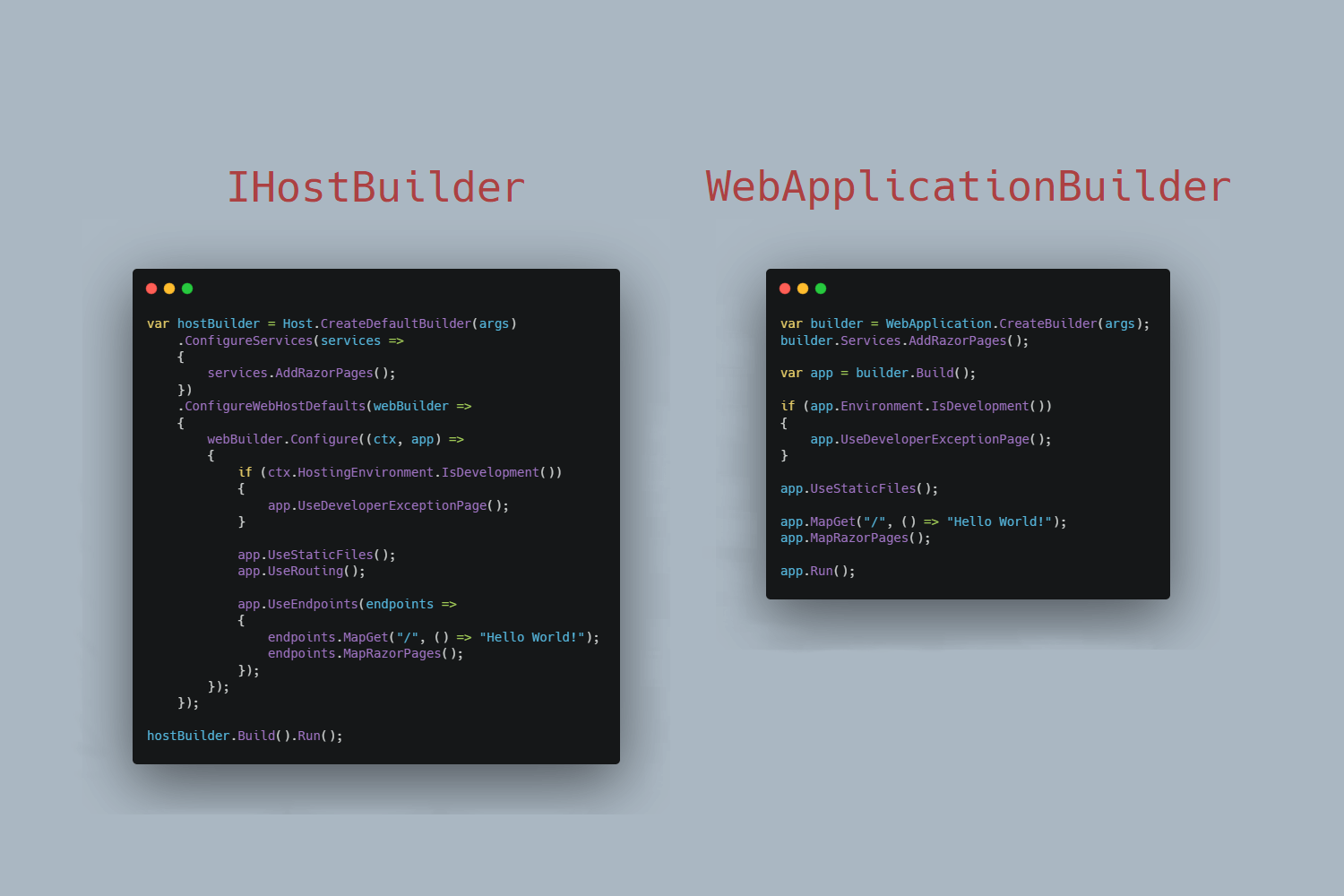
First, gather all your application files. Make sure you have the latest version. Use an FTP client to upload files. Connect to your hosting server. Drag and drop the files into the server’s folder. Ensure all files are uploaded correctly. Check for missing files.
Open your application settings file. Locate the database connection section. Enter the server name and database name. Add your username and password. Test the connection. Ensure it connects without errors. Save the settings. Your application should now connect to the database.
Credit: andrewlock.net
Configuring Application Settings
Configuration files are important for apps. They store settings and options. First, find the config file in the app folder. It might be named `web.config` or `appsettings.json`. Open it with a text editor. Look for settings you need to change. Database connections or API keys might be there. Save changes when done. Then, check if the app works fine.
Environment variables help apps run correctly. They store important info outside the app. To set them, go to the system settings. Find the option for environment variables. Click to add a new variable. Name it something easy to remember. Add the value needed, like a file path or API key. Save the changes. Restart the app to apply the settings.
Managing Security And Access
SSL certificates keep web data safe. They protect information from hackers. Websites need SSL for secure connections. Users trust sites with SSL. SSL makes the web secure. It encrypts data. This keeps information private.
Firewalls guard networks. They block unwanted traffic. Setting rules controls access. Only safe connections are allowed. Firewalls protect from attacks. They keep data safe. Rules must be clear and strict. This prevents unauthorized access.
Monitoring And Maintenance
Keeping an eye on app performance is important. Track key metrics like loading time and response rates. These show how well your app works. Good metrics mean happy users. Bad metrics need fixing. Use tools to help track these numbers. They make it easy to see changes over time. Regular checks help catch problems before they grow.
Updates keep your app secure and running smoothly. Always use the latest software versions. Old versions can have bugs or security issues. Backing up data is also important. It saves information if something goes wrong. Regular backups make recovery easy. Automated backups are best. They save time and prevent mistakes.
Troubleshooting Common Issues
Hosting a. NET web application can be tricky. Common issues include server configuration errors and database connection problems. Ensure server settings match application requirements and verify database connections to streamline deployment.
Resolving Deployment Errors
Deployment errors can be frustrating. They can stop your application from running. One common cause is missing files. Ensure all files are uploaded. Check configuration settings. Sometimes settings might be incorrect. Verify database connections. They often cause issues too. If errors persist, consult server logs. Logs provide clues to the problem.
Handling Server Downtime
Server downtime disrupts web applications. It can frustrate users. Check the server status first. Sometimes servers need a restart. Ensure there’s enough memory available. Low memory can cause downtime. Monitor server performance regularly. This helps catch problems early. Consider having a backup server. It ensures continuous service during downtime.
Credit: www.freecodespot.com
Frequently Asked Questions
How Do I Host A Web Application?
To host a web application, choose a reliable hosting provider. Select a plan that suits your app’s needs. Upload your application files using FTP or a web hosting control panel. Configure your domain settings and ensure your database connection is properly set up.
Monitor and maintain your server regularly for optimal performance.
How To Deploy A .net Web Application?
Deploy a. NET web application by publishing it from Visual Studio. Choose the target server, and set configurations. Use IIS for hosting or Azure for cloud deployment. Ensure you have the required permissions and network access. Test the application post-deployment to verify functionality and performance.
How To Host A .net Web Application In Iis?
Install IIS via Windows Features. Deploy your. NET app to a server directory. Create a new IIS site. Set the app’s folder path. Configure bindings and application pool. Ensure. NET version compatibility. Start the site, test the app’s functionality in a browser.
Can You Host Asp.net For Free?
Yes, you can host ASP. NET for free. Several platforms like Azure offer free hosting tiers. Always check the terms for limitations.
Conclusion
Hosting a. NET web application is simpler than it seems. Start by choosing the right server. Ensure your application files are ready. Test your application thoroughly before going live. Security is crucial; safeguard your application. Regular updates keep your application running smoothly.
Make sure you understand your hosting plan. A reliable host can make a big difference. Remember, support can help when issues arise. Keep learning as technology evolves. Hosting your application is a rewarding experience. Your confidence grows with each step.
Embrace the journey of hosting.


