
Are you ready to launch your website but feeling overwhelmed by the technical jargon of domains and web hosting? You’re not alone.
These are the first crucial steps in building your online presence, and understanding them can seem daunting. But it doesn’t have to be. Imagine having a clear roadmap that guides you effortlessly through the process, allowing you to focus on your passion and creativity instead.
You’ll discover straightforward steps to secure your domain and choose the perfect web host, ensuring your website not only exists but thrives. Dive in, and let’s transform your vision into an online reality!
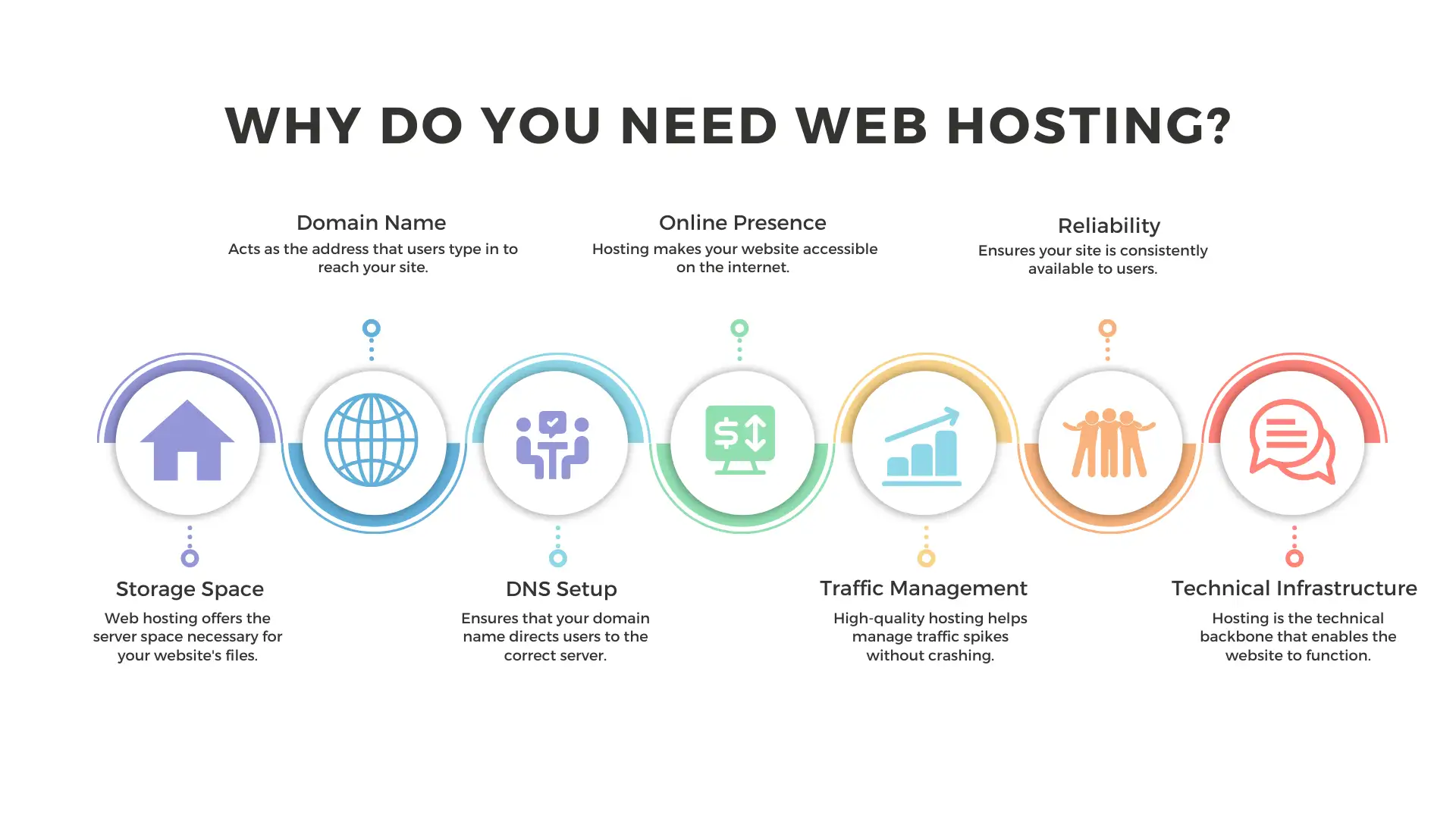
Credit: wegic.ai
Choosing A Domain Name
Think about what your website is about. Make a list of related words. Short names are better. Simple words are easy to remember. Ask friends for ideas. Check how the words sound together. Avoid using hard words.
Use online tools to see if the name is free. A name might look good. But it can be taken. Domain registrars can help. You need a unique name. Try other endings like .net or .org if .com is taken.
Choose words that people search for. Keywords help people find your site. Think about the main topic of your site. Use words that explain that topic. Keep the name relevant to the content. This helps in search engines.
Registering Your Domain
Picking a good registrar is key. Look for a trusted company. Check their prices and features. Some registrars offer free privacy protection. Others charge for it. Compare their customer service. Read reviews from other users. Ensure they have a user-friendly website. A simple site makes things easier. Choose the best fit for your needs.
Start with your chosen domain name. Add it to the cart. Fill in your details. Name, address, and email are needed. Some registrars ask for a phone number. Check your domain settings. Choose the registration period. One year or more. Longer periods can save money. Review all details. Make sure everything is right. Click purchase to finish.
Log into your account dashboard. Find your domain settings. Update your DNS records. This connects your domain to your host. Set up automatic renewal. This helps you keep your domain. Check for any extra features. Some domains offer email forwarding. Some have website builders. Explore your options. Keep your information up-to-date. This helps with security and notifications.
Understanding Web Hosting
Shared hosting means sharing a server with others. It’s like living in an apartment. It is cheaper but offers less control. Dedicated hosting gives you the whole server. It’s like owning a house. It costs more but gives more power. Choose based on your needs and budget.
Shared hosting is great for small sites. It costs less. Limited resources might slow down your site. Dedicated hosting is for bigger sites. More expensive but faster. You have full control. It is ideal for high traffic.
Cloud hosting uses many servers. If one fails, another takes over. This makes your site fast and reliable. You can add more space easily. No need to buy new hardware. This makes it flexible and scalable.

Credit: www.geeksforgeeks.org
Selecting A Web Host
Find a reliable hosting provider. Look for good reviews. These will help you choose. Compare different providers. See what they offer. Look for uptime guarantees. This means your site stays online. A good host is important for your website.
Hosts offer different plans. Check what each plan includes. Some plans have more features. Others are more basic. Look for storage and bandwidth limits. These affect your site’s performance. Choose a plan that fits your needs. Don’t pay for extras you don’t need.
Good customer support is very important. You might need help at any time. Check if support is available 24/7. See how you can reach them. Phone, chat, or email support is best. Read customer feedback on their support. This tells you how helpful they are.
Setting Up Your Web Host
Begin by accessing your web host control panel. Look for server settings options. Set up the domain name. Adjust DNS settings to point to your server. Choose the right server location for your audience. This helps with speed. Enable SSL for secure connections. Check for automatic backups. These keep your data safe.
Use FTP or the host’s file manager. Select your website files on your computer. Upload them to the server. Make sure all files are uploaded properly. Check if images and scripts work. Test the website by visiting your domain. Fix any broken links or errors. This ensures your site runs smoothly.
Install security plugins. They protect against malware and hackers. Update plugins regularly. Use strong passwords for all accounts. Enable two-factor authentication. This adds an extra layer of security. Monitor site activity. Look for unusual logins or changes. Keep your website safe and secure.
Linking Domain And Host
Secure your online presence by linking your domain to a reliable web host. Choose a domain name that suits your brand. Select a hosting provider with good uptime and support.
Update Dns Settings
Begin by logging into your domain registrar account. Find the DNS settings. Here, you will add the nameservers provided by your web host. This tells the internet where your website lives. Changes may take some time to update. Usually, it takes a few hours.
Verify Domain Connection
After updating, check if your domain points to your host. Use online tools like “What’s My DNS.” These tools show where your domain points. Ensure the IP address matches your host’s address. This confirms a correct setup.
Troubleshoot Common Issues
Sometimes, things don’t work as planned. Check your DNS settings if the site doesn’t load. Ensure nameservers are correct. Look for typos. Clear your browser cache. This helps show the latest changes. Contact your host if problems persist. They can assist further.
Maintaining Your Website
Keep an eye on how the site runs. Slow websites annoy visitors. Use tools to check speed. Fix issues quickly. Happy users stay longer. Fast loading is key.
Important data can disappear. Back up files often. Store copies on safe places. Protecting data is smart. Lost files mean sad faces. Regular backups are a safety net.
Old software is risky. Updates keep sites safe. New features help sites grow. Security patches are vital. Updated sites work better. Stay current to avoid problems.

Credit: www.youtube.com
Frequently Asked Questions
How Much Does It Cost To Buy A Domain And Host A Website?
Buying a domain costs around $10 to $20 annually. Hosting prices vary from $3 to $10 monthly. Premium services may cost more. Choose a reliable provider to ensure website performance and security. Consider bundles for potential savings. Compare features and prices before purchasing.
Do I Need Web Hosting If I Have A Domain Name?
Yes, web hosting is essential to make your website accessible online. A domain name alone doesn’t provide storage or server resources. Hosting stores your site’s files and content, enabling users to visit your website. Without hosting, your domain won’t display any site content or functionality.
How Do I Set Up A Domain And Host?
Choose a domain name and register it through a domain registrar. Select a hosting provider. Purchase a hosting plan and connect your domain to the host by changing DNS settings. Use your hosting provider’s control panel to set up your website files.
Confirm everything is working correctly.
How Do I Buy A Domain And Host It?
Choose a domain name from registrars like GoDaddy. Purchase a hosting plan from providers like Bluehost. Connect domain to hosting through DNS settings. Install WordPress for website creation. Follow provider instructions for setup.
Conclusion
Choosing a domain and web host is simple. Start with your needs. Research options carefully. Compare prices and features. Reliable hosting matters for website performance. Secure your domain quickly. It establishes your online identity. Look for user-friendly host interfaces. They simplify management tasks.
Read reviews from real users. They offer valuable insights. Customer support is crucial. It helps when issues arise. Make informed choices to avoid regrets. Your website’s foundation depends on these decisions. A solid start ensures future success. Enjoy building your online presence effectively.


