
Ever stumbled upon a website and wondered who’s behind the curtain hosting it? Whether you’re a curious tech enthusiast, a business owner scoping out the competition, or just someone needing to solve a web mystery, knowing how to find a website’s host can be incredibly useful.
Imagine the power of discovering this information, giving you insight into the reliability, speed, and security that the host provides. You’ll uncover the secrets to easily identify a website’s hosting provider. By the end, you’ll feel like a digital detective, equipped with the tools and knowledge to unveil the web’s hidden infrastructure.
Ready to demystify the web hosting puzzle and gain a strategic edge? Let’s dive in and satisfy that curiosity once and for all.
Why Knowing The Web Host Matters
Understanding who hosts a website can be very useful. Web hosts are companies that store your website’s data. They make sure your site is online and running. If your site is slow, the host might be the reason. Choosing the right host can keep your website fast and secure.
When you have problems, knowing your host helps. You can contact them for support. They can fix issues like downtime or errors. Some hosts offer extra features. These include backups or security scans. It’s good to know what your host offers.
Knowing the web host is also helpful for business. You can compare costs and services. It helps to find a host that fits your needs. This way, you save money and get the best service.

Credit: www.webhostinghub.com
Using Online Tools
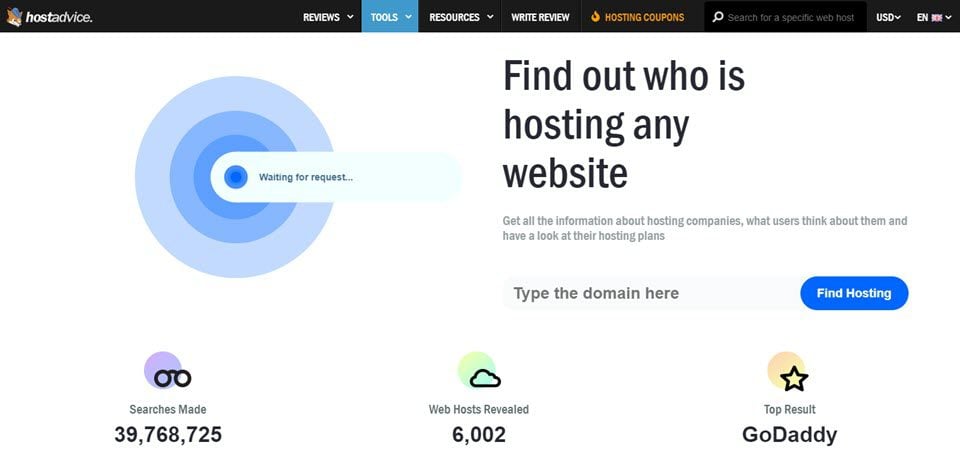
Many people search for ways to find a website’s host. Online tools make this easy. Some tools are very popular. They help you find web host details quickly. WhoIsHostingThis and HostAdvice are well-known options. They are free to use. Simply enter the website’s URL. The tool will show the host name. Results come in seconds. These tools save time and effort.
First, open your web browser. Next, visit a hosting checker website. Type the website’s URL in the search box. Then, click the search button. Wait for the results. The tool will show the host’s name. It may show extra details too. This process is simple and fast. Anyone can do it.
Inspecting Domain Information
A Whois lookup helps find domain information. You can see the domain owner and other details. Enter the domain name in a Whois tool. Websites like DomainTools or Whois.com are useful. Sometimes, the data is private. But often, you find helpful details. Look for the registrar or the hosting company. This can be listed in the results.
The Whois data shows the hosting provider too. Check the section labeled “Name Server”. This often points to the host. Names like ns1.bluehost.com indicate the host. Some names are tricky. Use online tools to help. Enter name server info in a search engine. This can reveal the hosting company. Remember, not all data is accurate. But it often gives a good clue.
Credit: www.elegantthemes.com
Analyzing Dns Records
DNS stands for Domain Name System. It acts like a phone book. It helps computers find websites. Each website has a unique IP address. DNS translates domain names to IP addresses. This makes it easier for users to visit websites. Without DNS, we’d have to remember long numbers. DNS makes browsing simple.
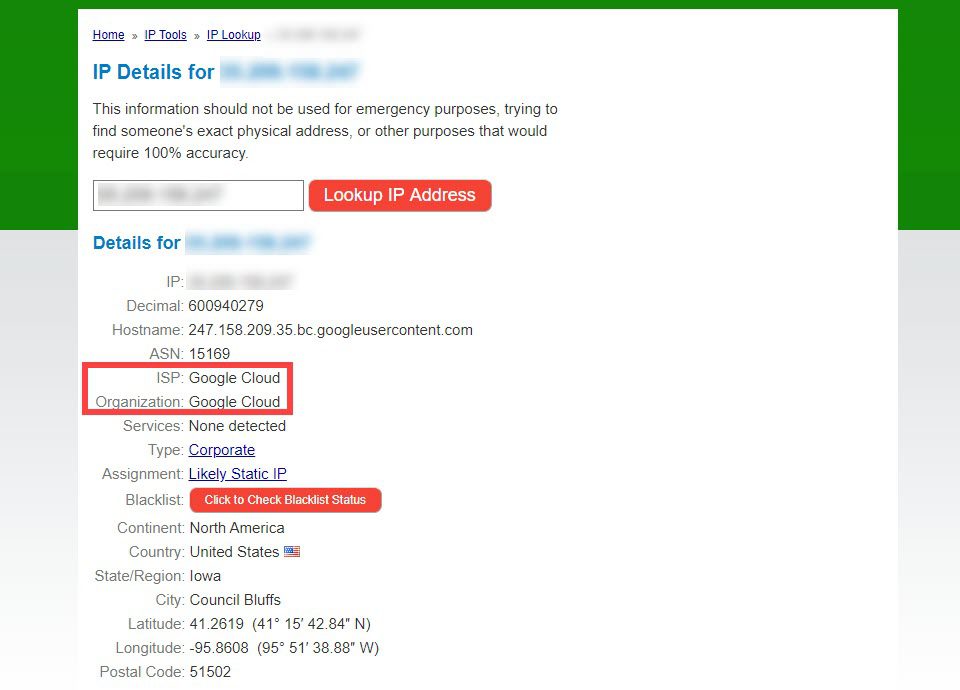
You can find a website’s host through DNS records. Use a DNS lookup tool. Enter the domain name. Check the A record for IP address. The IP address can reveal the host. Some tools show the host directly. This method is quick and helpful. It gives you the needed info in seconds.
Checking Website’s Source Code
Finding clues in the HTML source can be helpful. It shows hidden details about a website. Look for “meta tags” or “comments” in the code. These can give hints about the hosting provider. Sometimes, you might see “server headers“. They can tell you more. Check for words like “hosted by” or “powered by“. These are important clues. Don’t miss them.
Hosting providers often leave traces. Look for names like “Bluehost“, “GoDaddy“, or “SiteGround“. These are common hosts. You might find “IP addresses” linked to hosts. They are like digital addresses. They show where a site lives online. Sometimes, the “nameservers” give hints. They show who controls a domain. Pay attention to these signs. They lead you to the host.
Credit: www.elegantthemes.com
Exploring Website Footer
The footer of a website often has valuable clues. Look for text at the bottom of the page. Sometimes, you might see phrases like “Powered by” or “Hosted on”. These words can lead you to the web host. Some websites list their hosting provider directly. Names like “Bluehost”, “SiteGround”, or “GoDaddy” might appear there.
Companies often use hosting logos in the footer. These logos help people find the host. A quick search of the name can confirm the host. Checking the footer is a simple way to start. It’s like finding a hidden treasure map on a website.
Using Command Line Tools
Traceroute helps you find the path to a website. Type “traceroute” in the command line. Follow it by the website’s address. The tool shows the journey of the data. Each line has a number. It shows where the data goes. The final line shows the web host. This is where the website lives.
Another tool is Ping. It checks if a website is alive. Type “ping” followed by the website’s name. The tool sends small packets to the site. Each packet tells how fast the site responds. Look at the IP address shown. This is the site’s location on the internet. You can use this IP to find hosting details.
Reaching Out To Site Owner
Start with a polite email. Introduce yourself clearly. Explain why you need the hosting info. Be direct but respectful. Avoid demanding answers. Respect their privacy. Many owners are busy. Be patient for a reply. Offer help in return. Keep your message short and simple. Use easy words. Thank them for their time. Always end with a polite note. Leave your contact details. This way, they can reach you. Be professional in your approach. Show kindness. This often helps in getting a reply. Use simple language. Owners appreciate this.
Frequently Asked Questions
How To Find Out Who Hosts A Website?
Use a WHOIS lookup tool to find a website’s hosting provider. Enter the domain name, and the tool displays hosting details, including the provider’s contact information. Popular tools include WHOIS. com, ICANN WHOIS, and DomainTools. This method is quick and efficient for discovering hosting information.
What Is Your Website Host?
Our website is hosted by Bluehost, offering reliable and secure hosting services with excellent customer support. Bluehost provides various hosting options, including shared, VPS, and dedicated servers, ensuring optimal performance for our site. Their user-friendly interface makes website management simple and efficient for all users.
How Do I Know The Web Server Of A Website?
Use online tools like “WHOIS” or “Netcraft” to identify a website’s web server. Alternatively, inspect HTTP headers via browser developer tools for server details.
How To Find Out Who Manages A Website?
Check the website’s contact page for management details. Use WHOIS lookup to find domain owner information. Contact the hosting provider for assistance. Explore LinkedIn or social media for potential contacts. Emailing the website’s admin can also help identify the manager.
Conclusion
Finding a website’s host is simpler than it seems. Use online tools like WHOIS for quick results. These tools offer details about the host provider. Understanding the hosting helps in analyzing website performance. Knowing this information can assist in making informed decisions.
Whether you’re curious or planning your own site, these steps are useful. Always remember to respect privacy and data protection laws. Discovering a host is just one part of understanding a website. Keep exploring and learning to deepen your web knowledge.
Websites are fascinating; they hold a wealth of information.


