
Are you ready to take your program to the next level? Hosting on Amazon Web Services (AWS) might be your golden ticket.
Imagine your application running smoothly, scaling effortlessly, and being supported by one of the most trusted names in cloud computing. AWS offers a robust platform that can help you achieve all this and more. But how do you get started?
And how do you ensure you’re making the most of what AWS has to offer? In this guide, we’ll walk you through everything you need to know about hosting your program on AWS. From choosing the right services to setting up your environment, we’ve got you covered. You’ll discover tips and tricks that can save you time and enhance your program’s performance. Plus, we’ll delve into the nuances that can help you avoid common pitfalls. Keep reading to unlock the full potential of AWS and transform the way you host your applications.
Setting Up An Aws Account
Start by visiting the AWS website. Click on the “Create an AWS Account” button. You need to fill in your email address and a strong password. Choose a unique AWS account name. Click “Continue” to move ahead.
Next, provide your personal details. This includes your phone number and address. Select your AWS plan. The Free Tier is good for beginners. Enter your credit card information for billing. AWS needs this for account verification.
Verify your account through a phone call or SMS. AWS will send you a code. Enter this code to complete verification. Finally, choose the support plan you want. The Basic Support plan is free. Now your AWS account is ready.
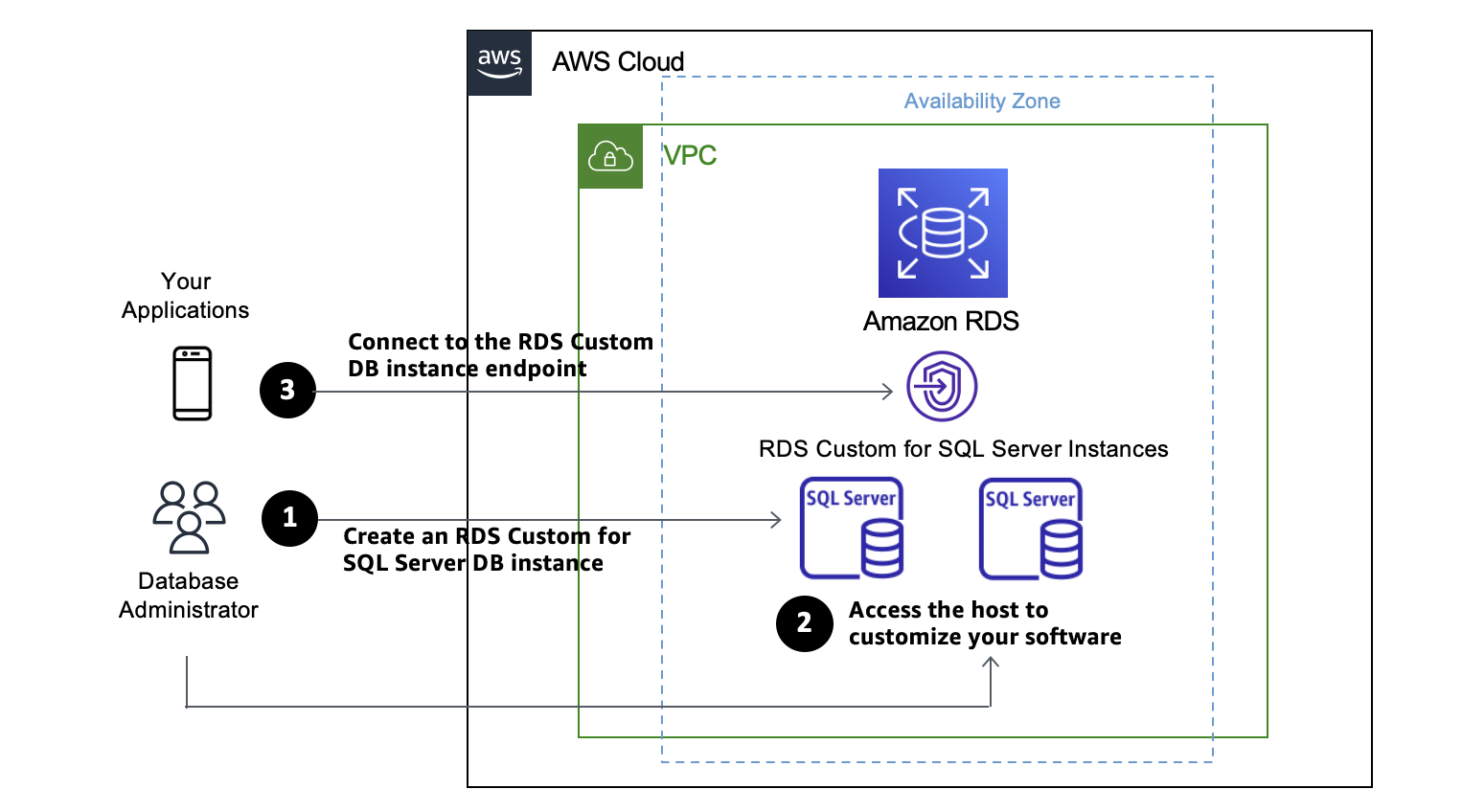
Credit: aws.amazon.com
Choosing The Right Aws Services
AWS offers many choices for computing. EC2 is a popular option. It lets you run virtual servers. Lambda is another choice. It runs code without servers. Elastic Beanstalk can help. It manages your applications. Choose the right one for your needs.
AWS has storage for everyone. S3 is great for storing files. It’s easy and safe. EBS provides block storage. It’s good for data you need fast. Glacier is for storing data you rarely use. It is cheap but slow.
Databases are important. RDS offers managed databases. It supports many types. DynamoDB is a NoSQL database. It scales easily. Aurora is a fast database. It works with MySQL and PostgreSQL. Choose what fits your project.
AWS networking is powerful. VPC lets you create private networks. It’s secure. Route 53 helps with DNS management. It is reliable. CloudFront speeds up content delivery. It makes websites faster.
Configuring Security Settings
Setting up security is crucial when hosting on Amazon Web Services. Implement strong passwords and use multi-factor authentication. Regularly update permissions to protect your program.
Identity And Access Management
AWS Identity and Access Management (IAM) helps protect your AWS account. It controls who can do what. Create user accounts for each person. Assign only necessary permissions. Use roles for applications needing access. This keeps your account safe. Always enable multi-factor authentication (MFA). This adds an extra layer of security.
Security Groups And Firewalls
Security Groups act like firewalls for your resources. They control incoming and outgoing traffic. Define rules for what is allowed. Only allow trusted IP addresses. Block all other access. Regularly review and update these rules. This ensures your system stays secure.
Data Encryption
Encryption protects your data. AWS offers encryption services for data at rest and in transit. Use AWS Key Management Service (KMS) to manage your keys. Always encrypt sensitive information. This prevents unauthorized access. Regularly rotate your encryption keys. This keeps your data safe and secure.
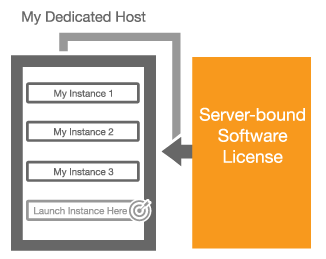
Credit: aws.amazon.com
Deploying The Program
AWS Elastic Beanstalk makes deployment easy. Upload your code to Elastic Beanstalk. It handles all the hard work. You don’t worry about infrastructure. Elastic Beanstalk automatically scales your app. It monitors your app’s health. You can focus on building features. Managing servers is not your problem. Elastic Beanstalk supports many programming languages. Choose the one you like best.
AWS Lambda runs code without servers. Write your code and upload it. Lambda takes care of execution. Only pay when your code runs. You save money this way. Lambda scales automatically. It handles many requests at once. You don’t manage servers. Lambda works well for small tasks. It processes data quickly and efficiently.
Amazon ECS lets you run containers. Containers package your app. They include everything needed to run. ECS manages containers for you. It scales them based on demand. You can run many containers at once. ECS integrates with other AWS services. This makes your app powerful. Containers are portable. You can move them easily.
Monitoring And Scaling
Hosting a program on Amazon Web Services involves monitoring and scaling to ensure optimal performance. Utilize AWS tools to track system health and adjust resources based on demand. This approach helps in managing costs and maintaining efficiency.
Setting Up Cloudwatch
CloudWatch helps keep track of your programs. It watches over CPU, memory, and disk usage. It shows data in graphs and charts. You can set alerts for high usage. It also sends notifications for unusual events. This helps you react quickly.
Auto Scaling Strategies
Auto Scaling adjusts the number of servers. It adds more when traffic is high. It reduces when traffic is low. This saves money. You set rules for scaling. It can be based on CPU usage or network traffic. Auto Scaling makes sure programs run smoothly.
Performance Optimization
Performance is about speed and efficiency. AWS tools can help with this. You can use load balancers to distribute traffic. Caching stores data for faster access. CloudFront delivers content quickly. These tools make programs run better.

Credit: kb.kentik.com
Cost Management
Setting a budget is important for using Amazon Web Services. Begin by estimating the cost of your needs. Plan how much you can spend each month. This helps avoid surprises. Use AWS tools to track your spending. They can show where your money goes. Stay within your budget to keep costs low.
AWS Cost Explorer is a helpful tool. It shows your spending patterns. You can see which services cost the most. It helps you find ways to save money. You can set alerts for when spending is high. This helps manage your budget better.
- Use only the services you need.
- Turn off unused resources.
- Choose cheaper options when possible.
- Regularly review your spending.
- Consider reserving instances for lower rates.
Troubleshooting Common Issues
Facing issues with hosting on Amazon Web Services? Discover simple solutions to common problems. Learn steps for a seamless hosting experience.
Debugging Deployment Errors
Deployment errors can be tricky. Check your error logs first. They often show what’s wrong. Look for missing files or wrong paths. Sometimes, a simple typo causes errors. Verify your configuration settings. Make sure they match your requirements. Try to re-deploy after fixing errors.
Resolving Connectivity Problems
Connectivity problems might occur. Ensure your network settings are correct. Check if the firewall blocks access. Your IP address should be allowed. Sometimes, the DNS settings need a fix. Test your connection with a ping command. It helps in checking network status.
Handling Resource Limitations
Resource limitations can slow your program. Monitor your usage regularly. Ensure you have enough CPU and memory. Scaling up might be necessary. Check Amazon’s resource limits for your account. Upgrade your plan if needed. Optimize your code to use fewer resources.
Frequently Asked Questions
Can I Host My Application On Aws?
Yes, you can host your application on AWS. It offers scalable cloud services and infrastructure. AWS provides various hosting solutions tailored to different needs. You can choose from options like EC2, Lambda, and Elastic Beanstalk. This flexibility helps optimize performance and cost for your application.
Can I Host On Aws For Free?
AWS offers a free tier with limited resources for hosting. It includes services like EC2, S3, and Lambda. Free tier eligibility lasts 12 months, but resource usage limits apply. Always monitor your usage to avoid charges. Visit AWS’s website for details on free tier services and limitations.
How Much Does It Cost To Host A Website On Aws?
AWS website hosting costs vary based on usage. Basic plans start at around $3. 50 per month. Higher resources increase costs significantly. Use AWS’s pricing calculator for detailed estimates based on your specific needs. The flexibility and scalability of AWS make it a preferred choice for various businesses.
How To Run An Application In Aws?
Launch your application by creating an EC2 instance in AWS. Install required software and deploy the application. Configure security groups and set permissions. Monitor and scale resources as needed. Use AWS management tools for efficient operation.
Conclusion
Amazon Web Services offers powerful tools for hosting programs. It ensures reliable performance. Security features keep your data safe. Scalability allows growth without worry. AWS’s cost-effective plans fit many budgets. Easy-to-use interfaces simplify setup. Support resources are available for help.
Businesses gain flexibility and control. Developers enjoy robust environments. AWS adapts to diverse needs. Hosting on AWS is a smart choice for many. It supports innovation and efficiency. Explore AWS for your hosting needs. Make the switch. Embrace the cloud.
Boost your program with AWS today.


