
Creating a website can seem like a daunting task, but it doesn’t have to be. Whether you’re starting a blog, launching an online store, or showcasing your portfolio, having your own website is crucial.
You might wonder, “Where do I even begin? ” The good news is, with the right guidance, you can create a stunning website that captivates your audience and meets your goals. In this guide, you’ll discover how to create a website in web hosting, step by step.
Imagine the satisfaction of seeing your ideas come to life on the web, accessible to anyone, anywhere. Ready to dive in and make your mark online? Let’s turn your vision into reality.
Choosing A Domain Name
A memorable domain makes your website easy to find. People will remember it and return often. It builds your brand. A unique name stands out. This helps in getting more visits. Your domain is your identity online. It’s how people talk about your site. A good domain is short. It is also simple and catchy. Avoid complex words.
- Keep it short.
- Choose a name that is easy to spell.
- Make sure it is unique.
- Avoid using numbers or hyphens.
- Think about your audience.
- Check if the name is available.
Selecting A Web Hosting Provider
Web hosting comes in many forms. Shared hosting is common for small sites. It is cheap and easy to use. VPS hosting is a step up. It offers more power. Dedicated hosting gives you full control. It is for big websites. Cloud hosting is flexible. It grows with your site.
Think about your site’s needs. Uptime is important. It means your site stays online. Speed affects user experience. Fast sites keep visitors happy. Security protects your data. Look for strong security features. Customer support helps when things go wrong. Choose a host with good support.
Registering Your Domain
Domain registration is the first step to creating a website. Choose a name that fits your site. Make sure it’s easy to spell and remember. Check if the name is available. Many tools can help you. Once you find a name, register it with a domain registrar.
- Pick a name for your domain.
- Check the name’s availability.
- Select a domain registrar.
- Register your domain name.
When you register, your data is public. Domain privacy helps keep it private. It protects your name, address, and phone number. Some registrars offer privacy options. They may cost extra but are worth it. Privacy options make your data safe.
Setting Up Web Hosting
First, log into your hosting account using your username and password. Look for the login page on your host’s website. Sometimes, it’s at the top right corner. Once logged in, you will see your control panel. This is where you manage your website. If you can’t find it, check your email. The host usually sends a welcome email with details.
Go to the settings section in your control panel. Set your preferred language and time zone. These help you understand notifications better. Next, create an admin email for your site. This email is important for alerts and updates. Lastly, set up a strong password for security. This keeps your website safe from bad people.
Installing A Content Management System
Choosing the right CMS is important. WordPress is the most popular choice. It is easy and has many features. Joomla is another option. It is flexible and great for advanced users. Drupal is best for large sites. It offers more power. Each CMS has its own strengths.
Installing a CMS is simple. Start by downloading the CMS from its website. Upload the files to your web host. Use an FTP client for this. Next, create a database on your host. Use MySQL or another database software. Connect the CMS to your database. Follow the CMS instructions. Set up your admin account. Now your CMS is ready to use.
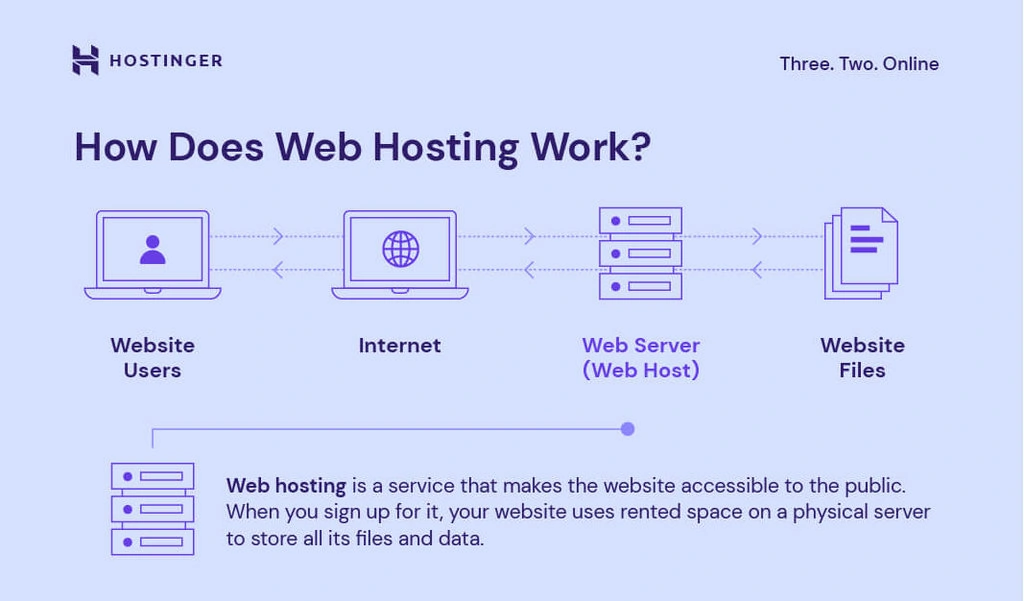
Credit: www.hostinger.com
Designing Your Website
Creating a website in web hosting involves selecting a hosting provider, choosing a domain name, and using design tools. Customize your site with templates, add content, and ensure it’s mobile-friendly. Check security features and optimize for fast loading to enhance user experience.
Choosing A Template Or Theme
Templates help make your website look good. Choose a template that fits your style. Look for colors and fonts that you like. Make sure it matches your brand. Some templates are free. Others you need to pay for. Pick a template that is easy to use. It should work well on phones and computers. Check if the template has good reviews. This means other people like it too.
Customizing Design Elements
Change elements to make your site unique. Edit colors and fonts to match your theme. Add your logo to the site. This helps people know your brand. Use pictures to make it look nice. Arrange the layout so it is easy to read. Test the site on different devices. Make sure everything looks right. This makes your website look professional and neat.
Adding Content To Your Site
Creating a website in web hosting involves adding engaging content. Start with clear, simple text to connect with your audience. Use images and videos to enhance understanding and interest.
Creating Pages And Posts
Pages and posts make your website alive. Pages are for main content. Posts are for updates. Use simple words to write. Short sentences are best. Keep paragraphs small. This helps people read fast. Bold important words. This catches the eye. Always keep the reader in mind. Make sure your content is clear.
Incorporating Multimedia
Pictures and videos make your site fun. Add images to show ideas. Videos can tell stories. Use clear photos. Make sure videos are short. This helps people stay interested. Bold captions for pictures. This helps people understand fast. Keep multimedia relevant. Make sure it fits the topic.
Implementing Seo Strategies
Finding the right keywords is key. Think about what people search. Use tools to help find words. Google Keyword Planner can help. Look for popular words with low competition. Use long-tail keywords. They are more detailed. These can bring more visitors. Write words that match what people look for. Place them in your text naturally.
Make sure your titles are clear. Use keywords in them. Keep them short. Write a good meta description. This tells people what your page is about. Use keywords here too. Add headers to your page. They help organize your content. Put keywords in headings like H1, H2. Images need alt tags. Describe them with keywords. This helps search engines find your page.
Ensuring Website Security
SSL certificates keep websites safe. They encrypt data between users and servers. This makes it hard for hackers to steal information. Websites with SSL have a green padlock in the browser. This shows the site is secure. Many hosting providers offer free SSL certificates. Install SSL as soon as you create your website. It builds trust with visitors. People feel safer when browsing your site.
Backup your website often. This saves your data if something goes wrong. Many hosting services offer automatic backups. Use them to protect your site. Also, keep your website software updated. Updates fix bugs and improve security. Outdated software can have security holes. These can let hackers into your website. Set updates to happen automatically if possible. This keeps your site safe and running smoothly.

Credit: m.youtube.com
Testing And Launching Your Website
Check all links on your website. Ensure they work correctly. Images should load fast and look clear. Test forms to make sure they submit data. Check your website on different devices. It should look good on phones and tablets. Verify browser compatibility. Your site should work on Chrome, Firefox, and Safari. Review content for spelling and grammar errors. Make sure all information is accurate. Test website speed. Faster websites keep visitors happy.
Once checks are complete, it’s time to go live. Backup your website before launching. This protects your data. Choose a reliable hosting provider. It ensures your site stays online. Update DNS settings to point to your new site. This can take up to 48 hours. Monitor website performance after launch. Check for any issues and fix them quickly. Promote your website on social media. Tell friends and family about your site.
Monitoring Website Performance
Creating a website in web hosting involves several steps. First, choose a reliable hosting provider. Then, select a domain name and design your site using easy-to-use tools. Regularly monitor website performance to ensure fast loading times and a smooth user experience.
Using Analytics Tools
Analytics tools help you see how your website is doing. They show how many people visit your site. This is called traffic. These tools can also show which pages are popular. You can find out where visitors come from. This might be from search engines or social media. Understanding this helps you improve your website. You can make better content by knowing what people like.
Improving Load Times
Faster websites make people happy. Slow websites lose visitors. Check your website speed often. Use tools to see how fast your site loads. Try to use smaller images. Large images take longer to load. Remove any unnecessary plugins. Too many plugins slow down your site.
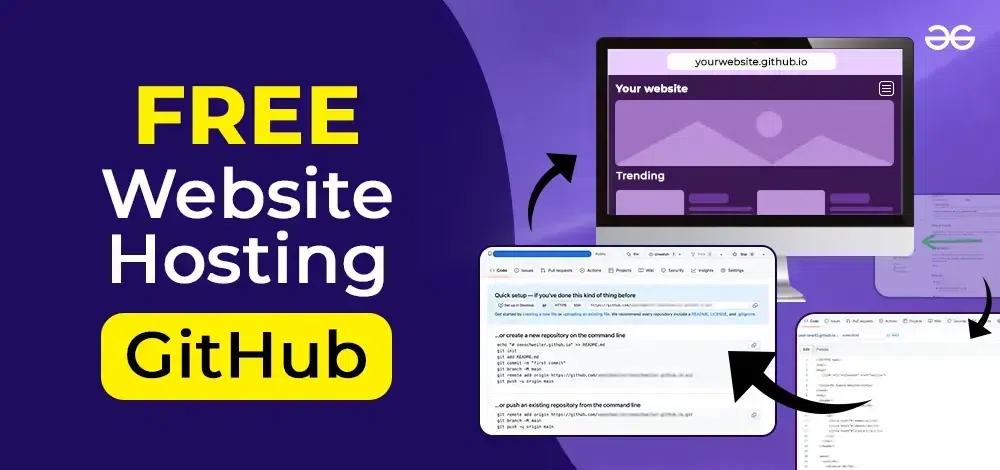
Credit: www.geeksforgeeks.org
Frequently Asked Questions
How To Set Up A Website Web Hosting?
Choose a reliable hosting provider. Register a domain name. Select a hosting plan. Set up your account. Install a website builder or CMS.
Can I Create My Own Web Hosting?
Yes, you can create your own web hosting. Set up a server, install hosting software, and configure DNS. Ensure security measures are in place. Use Linux or Windows servers based on your needs. Consider scalability and support for web traffic.
How To Create A Server Hosting Website?
Research hosting platforms and domain registrars. Choose a reliable server provider. Install web hosting software. Design user-friendly website templates. Implement secure payment gateways.
Can I Host A Website From My Home?
Yes, you can host a website from home using your own server. Ensure a reliable internet connection, static IP address, and proper security measures. Consider potential ISP restrictions and technical challenges. Hosting at home may not be as reliable or fast as professional web hosting services.
Conclusion
Creating a website in web hosting is simple and rewarding. Start small. Choose the right hosting provider. Focus on clear design and user-friendly navigation. Keep content relevant and engaging. Regular updates boost user interest. Ensure mobile compatibility. Add contact details for easy communication.
Use analytics to track visitor behavior. This helps improve the site. Remember, patience and creativity are key. With these steps, your website can grow and succeed. You’re ready to share your ideas with the world. Embrace the journey and enjoy every moment.


