
Imagine having the power to access your important documents from anywhere in the world, anytime you need them. Whether it’s for work, school, or personal use, being able to host and manage your files with ease can be a game-changer.
You don’t have to rely solely on third-party services when you can create your own web server for hosting documents. This not only gives you more control but also enhances security and accessibility. In this guide, you’ll discover the steps to set up a web server tailored to your needs.
Get ready to empower yourself with the skills to host documents efficiently, and say goodbye to the limitations of traditional storage methods. Keep reading to unlock the secrets of creating your very own document-hosting web server.
Choosing The Right Server
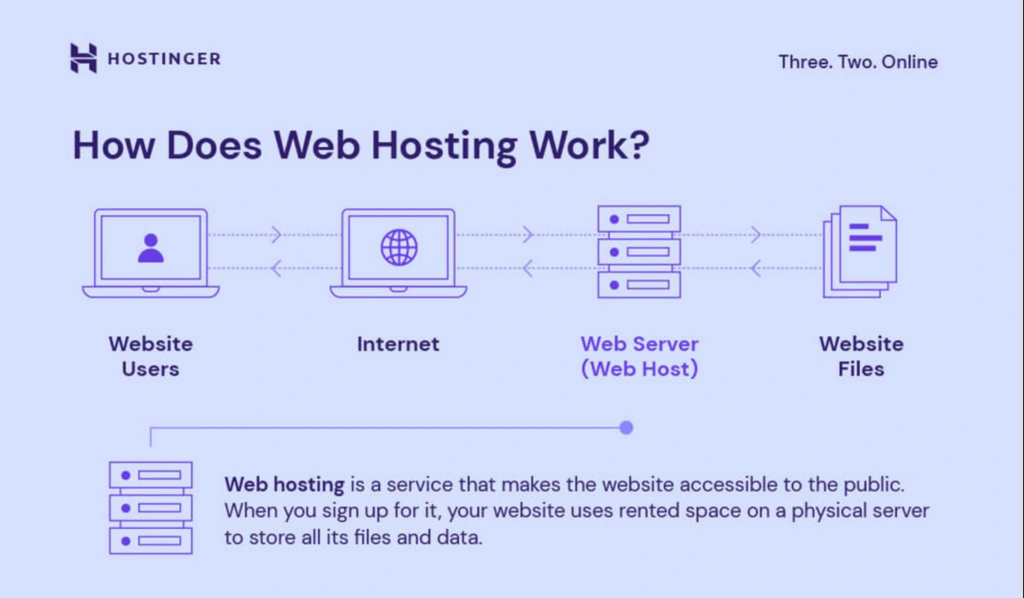
Servers are like computers. Each server has a task. Some are for hosting websites. These are called web servers. Others store files. These are file servers. There are also database servers. They hold and manage data.
Dedicated servers are powerful. They have one job. They are fast and reliable. Shared servers are cheaper. Many users share them. They can be slower. Choose wisely.
Think about cost. Some servers are expensive. Others are budget-friendly. Speed is important too. Fast servers help users quickly. Consider security. Protect your data.
Scalability matters. Your needs may grow. Choose a server that can expand. Lastly, consider support. Good help is valuable.
Setting Up The Environment
Begin by downloading Apache or Nginx. These are popular web servers. Install the software on your computer. Follow the on-screen instructions carefully. Make sure all files are saved in the right place. This helps in smooth operation later. After installation, check if the server is running. You can do this by opening a web browser. Type localhost in the address bar. If you see a welcome page, everything is fine.
Now, you need to set up the network. Open your router settings. You might need a password for this. Find the port forwarding section. This allows others to access your server. Enter your computer’s IP address. Use port 80 or 8080 for HTTP. Save the settings and restart the router. This ensures changes take effect. Check if the server is accessible from another device. This confirms that the network is set up correctly.
Document Management
Keeping files tidy is important. Group documents by type or topic. This helps in finding them easily. Use clear names for each file. This avoids confusion later. Store important files in main folders. Use subfolders for smaller groups. Organize files regularly to keep everything neat.
Control who sees your documents. Some files need to be private. Others can be shared. Set permissions for each file or folder. This keeps sensitive information safe. Use passwords for extra protection. Only give access to those who need it. Review permissions often to ensure security.
Security Measures
Firewalls protect your web server from threats. They act like a shield. Only trusted data can pass through. This stops hackers and bad software. Setting up a firewall is easy. You must choose the right one for your server. Many types are available. Software firewalls run on your server. Hardware firewalls are separate devices. Both types keep your data safe. Regular updates are important. They fix bugs and improve security.
Encrypting data is crucial. It keeps information private. Encryption turns data into unreadable code. Only authorized users can read it. SSL certificates help encrypt web data. They ensure secure connections. Users see a padlock icon in browsers. This means the connection is safe. Use strong encryption methods. AES and RSA are popular choices. They offer high levels of security. Update encryption methods often. This protects against new threats.
Testing And Optimization
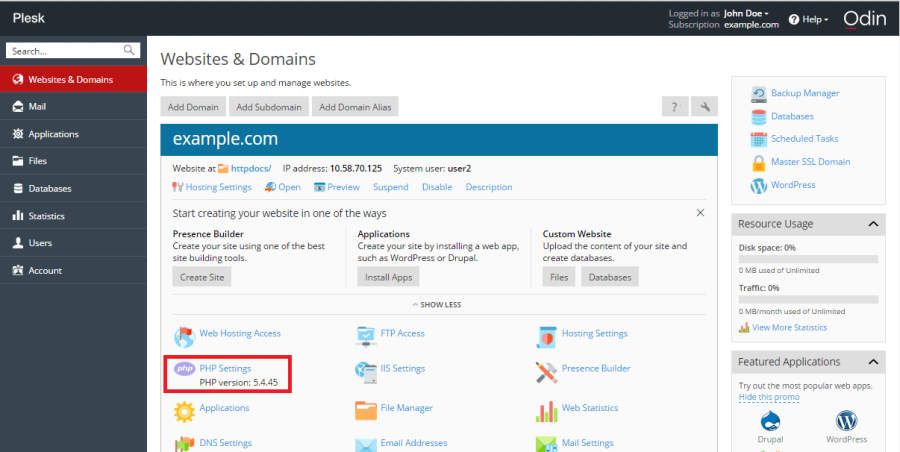
Performance Testing helps check how fast the server works. It measures speed and reliability. Testing tools are important. They simulate real-world conditions. Use these tools to find weak spots. Fixing these can improve performance. A smooth server ensures happy users. Always test after making changes.
Speed is crucial for a good server. Fast servers keep users engaged. Improving Speed can be simple. Reduce file sizes where possible. Compress images and documents. Use caching techniques. Caching stores frequent data for quick access. Optimize code for faster execution. Every improvement counts. Small changes can make a big difference.
Credit: docs.plesk.com
Maintaining The Server
Keeping your server updated is important. Updates fix bugs and improve security. Always check for new updates. Install them as soon as possible. This keeps your server safe and efficient. Updates can also add new features. Make sure to back up your data first. This prevents data loss during updates.
Use monitoring tools to check your server’s health. These tools show CPU and memory usage. They alert you to errors. This helps fix problems quickly. Choose tools that are easy to use. Some tools are free. Others require payment. Pick one that suits your needs. This way, your server runs smoothly.
Troubleshooting Common Issues
Setting up a web server to host documents involves addressing common issues like server configuration errors. Ensure correct permissions and software installations. Regularly update security settings to prevent unauthorized access.
Error Logs
Error logs help find problems on the server. They tell what is wrong. Check logs often. Look for errors or warnings. Logs show error codes. Each code means something. Learn what codes mean. Fix errors step by step. This helps keep the server healthy. Logs are important tools for troubleshooting.
Connectivity Problems
Connectivity problems stop documents from showing. Check if the server is online. Look at the network settings. Make sure they are right. Test the internet connection. Restart the router if needed. Sometimes firewalls block connections. Adjust firewall settings. Ensure cables are connected well. Simple checks can fix many problems.

Credit: developer.mozilla.org
Credit: www.hostinger.com
Frequently Asked Questions
Do You Need A Server To Host Website Files?
Yes, a server is essential to host website files. It stores, processes, and delivers your site’s content online. You can use either a shared, dedicated, or cloud server. Many hosting providers offer these services, making it easy to get your website live and accessible to users.
Can I Create My Own Web Hosting Server?
Yes, you can create your own web hosting server. You’ll need hardware, software, and technical knowledge. Consider server management, security, and maintenance. Ensure reliable internet connection and backup plans. It’s feasible but requires effort and expertise.
What Is The Process Of Putting Files On A Web Server?
Upload files using FTP clients or web hosting control panels. Select files, choose destination, and transfer. Ensure correct permissions and paths. Use secure connections for safety. Verify upload and check website functionality.
Can I Turn My Pc Into A Web Server?
Yes, you can turn your PC into a web server. Install server software like Apache or Nginx. Configure your router for port forwarding. Ensure a static IP address or use a dynamic DNS service. Remember security measures, like firewalls and regular updates, to protect your server.
Conclusion
Creating a web server to host documents is straightforward. Start with choosing the right software. Install and configure it carefully. Ensure your server is secure. Test your server to confirm everything works. Check document access and permissions. Maintain your server regularly.
This keeps it running smoothly. Following these steps makes document hosting easy. Anyone can do it with some practice. Hosting documents on a web server saves time. It also increases accessibility. Now, you’re ready to host documents efficiently. Keep learning and improving your skills.
Happy hosting!


