
Have you ever stumbled upon a website and wondered who hosts it? Maybe you’re dealing with a sluggish site and want to switch providers, or perhaps you’re just curious about the backbone of a web page you admire.
Whatever your reason, finding the site host for a website can be crucial. This knowledge can empower you to make informed decisions about your own web presence or satisfy your curiosity. In this guide, we’ll walk you through simple steps to uncover the mystery of website hosting.
Stick around to discover how easy it can be to unveil this hidden layer of the internet. Your understanding of the digital landscape is about to get a whole lot clearer.
What Is A Site Host?
A site host is like a home for your website. It stores all your website’s files and data. It lets people see your website on the internet. Think of it like a storage room. You need it to keep your website safe and available. Some popular site hosts include GoDaddy, Bluehost, and HostGator.
Choosing the right site host is important. A good host makes your site fast and reliable. Some hosts offer extra features. These include security and support. Always check what each host offers before you choose. A wrong choice can make your site slow and hard to access. So, take your time and pick carefully.
Reasons To Identify A Site Host
Knowing your site host is very important. It helps with troubleshooting. If your website goes down, you can contact the host. They can help fix the issue. You can also make sure your host is reliable. This ensures your site stays online. A good host provides strong security. This keeps your site safe from hackers. It’s also important for making updates. Some hosts offer easy tools for this. You can also compare prices. This helps you save money. Finding a host with good support is essential. It makes running your site easier.
Using Whois Lookup
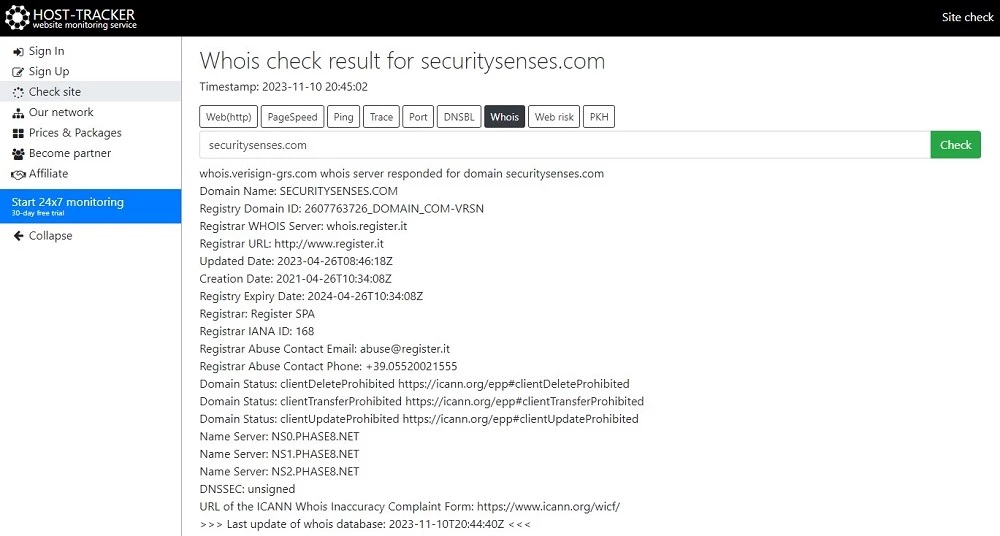
WHOIS tools help find details about websites. These tools are easy to use. Start by visiting a WHOIS website like whois.net. Type the website name in the search box. Click the search button. The tool will show data about the site. You can learn about the site’s host and the domain owner. Always make sure the website is correct before you search. WHOIS tools help you find the right information quickly.
WHOIS data shows many details. It includes the domain name and its registration date. You will also see the expiration date. The data shows the registrar who manages the domain. It also tells you who the hosting company is. Sometimes, contact details are included. Look for the words “Registrant” and “Registrar”. This helps you find the important information.
Examining Dns Records
Discovering a website’s host involves examining DNS records. These records reveal details about the domain’s hosting provider. Use tools like DNS lookup to find essential information quickly.
Understanding Dns Components
DNS records are like a big phone book. They help computers find websites. Important parts include the A record, which links a domain to an IP address. The CNAME record points one domain to another. The MX record tells where emails go. NS records show the servers that hold the DNS records. Understanding these helps find a website’s host.
Tools For Dns Analysis
Many tools help check DNS records. Dig is a command-line tool. It shows detailed DNS info. Nslookup works in Windows. It’s easy for beginners. Whois helps find domain details. Online tools like MXToolbox are user-friendly. They check DNS records quickly. These tools make it simple to find a website’s host.
Utilizing Online Hosting Checkers
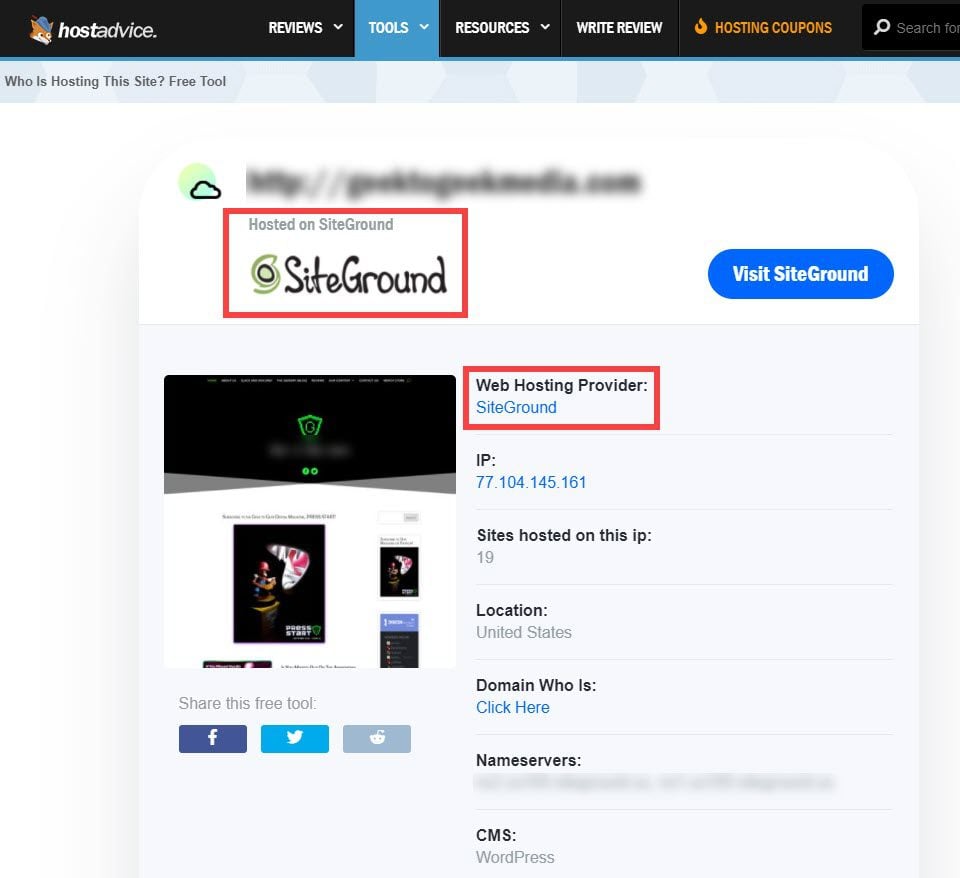
Hosting checkers help you find out who hosts a website. They are easy to use. Some tools are free, others may cost money. WhoIsHostingThis is a popular tool. It is simple and quick. You just enter the website name. Then click the search button. Another tool is HostAdvice. It gives detailed information. You can also try Site24x7. It offers extra features. Each tool has its own strengths. Choose the tool that fits your needs.
First, open the hosting checker website. Enter the website’s name in the search box. Next, click the search button. Wait for the results to load. The hosting information will appear. You will see the host’s name. Some tools show extra details. Read the information carefully. Use it to learn about the website’s host. These steps are simple to follow. Anyone can do it.
Consulting Website Footer Or Contact Page
Website footers often have useful details. Look at the bottom of a site. You might find the hosting provider there. Some sites list their host in small print. This is common on many websites. Check for a link or logo. This can guide you to the host.
Contact pages are helpful too. They usually have more details. Sometimes, the site host is mentioned here. Contact pages may have hosting information. Look for email addresses or phone numbers. They might lead you to the hosting company. Always inspect both footers and contact pages. This increases your chances of finding the host.
Exploring Ip Address Information
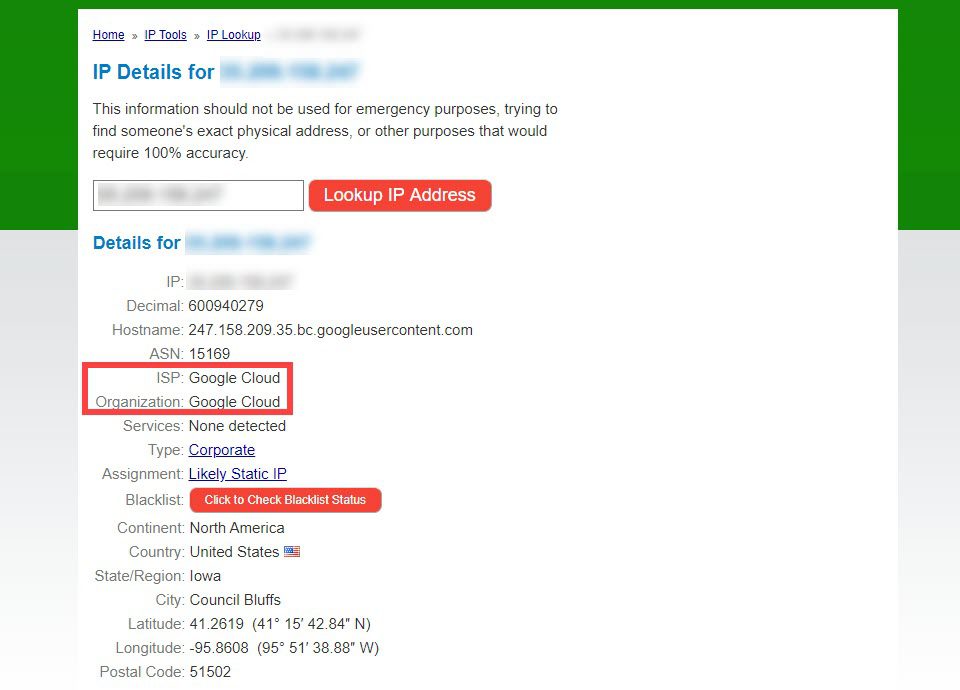
Each website has a unique IP address. This address is like a phone number. It helps computers find websites. Use online tools to see a site’s IP address. One popular tool is WHOIS. Another tool is IP Lookup. These tools are simple to use. Enter the website name. Then, see the IP address. Easy as pie!
Once you have the IP address, find the host. The host is the company storing the website. Use tools like DNS Checker for this. Input the IP address. The tool shows the host name. Big hosts include GoDaddy and Bluehost. Knowing the host helps with website problems. Always check the host for more info.
Credit: www.elegantthemes.com
Contacting The Website Owner
To find a website’s host, use online tools like WHOIS. These tools provide hosting details and contact information. Simply enter the domain name to discover who manages the site.
Locating Contact Information
Finding the contact information on a website can be simple. Check the homepage or the footer for contact details. Look for an email address or contact form. Sometimes, the About Us page has this information. If you can’t find it, try searching for the website’s name on social media. Often, they share contact info there.
Questions To Ask
Prepare questions before contacting the owner. Ask about the website host and other technical details. It’s helpful to ask if they have a webmaster or technical support. This person can give you more information. Always be polite and clear with your questions. Respect their time and give them space to reply. Keep your questions simple and easy to understand.
Checking Web Hosting Forums
Explore web hosting forums to find the host of a website. These forums offer helpful insights and practical tips. Users often share tools and techniques to identify hosting providers, making the process easier for everyone.
Forum Resources
Web hosting forums are helpful to find site host information. People share their experiences and knowledge. You can read past discussions and comments. Experts often post solutions to common hosting issues. Use the search feature to find topics about hosts. Look for threads that mention your web host.
Engaging With Community Experts
Joining these forums lets you engage with community experts. Ask questions to get direct answers. Many experts are happy to help. They share advice on different hosts. You can learn from their experiences. Keep your questions simple. Clear questions get better answers. Be polite and thank them for their time. This builds a good reputation in the forum.
Credit: www.elegantthemes.com
Credit: securitysenses.com
Frequently Asked Questions
How Do I Find The Host Of A Website?
Use online tools like WHOIS to find a website’s host. Enter the domain name for hosting details. Services like HostAdvice can provide insights into hosting providers. Check website source code for hosting clues. Ensure to use reliable tools for accurate information.
What Is Your Website Host?
Our website is hosted by Bluehost, known for its reliable performance, excellent customer service, and competitive pricing. They offer a range of hosting plans to suit various needs, including shared, VPS, and dedicated hosting, ensuring optimal speed and security for our site.
How Do I Find Out What Platform A Website Is Hosted On?
Use tools like BuiltWith or Wappalyzer to identify a website’s hosting platform. Check the site’s source code for clues.
How Can I Find My Host?
Check your website’s domain registration details. Use tools like WHOIS or contact your web hosting provider’s support team for help.
Conclusion
Finding a website’s host doesn’t need to be complicated. Start with domain lookup tools. They provide essential hosting details. Don’t forget to check the website’s source code. Sometimes, hosting information hides there. Online services like WHOIS can also help. They reveal host and domain specifics.
If you still struggle, tech forums can guide you. Experts share valuable tips and tricks. Remember, knowing the host can improve your site management. You gain insights into server performance. Armed with this knowledge, managing your website becomes easier. Keep exploring and learning.
Your site’s success depends on it.


