
Imagine you’re navigating a massive library with endless rows of books. Suddenly, you realize you’ve lost your way back to that intriguing section you found earlier.
Frustrating, right? Now, think of your website as that library, and your readers as visitors trying to find their way around. This is where WordPress breadcrumbs come into play. Breadcrumbs are like a digital GPS for your website. They guide your visitors back and forth through your site’s hierarchy with ease.
If you’re aiming to enhance your website’s user experience and boost its SEO, understanding and implementing breadcrumbs is a game-changer. Are you ready to discover how these tiny navigational aids can transform your website into a user-friendly haven? Let’s dive in and explore the world of WordPress breadcrumbs.

Credit: blog.hubspot.com
Understanding Breadcrumbs
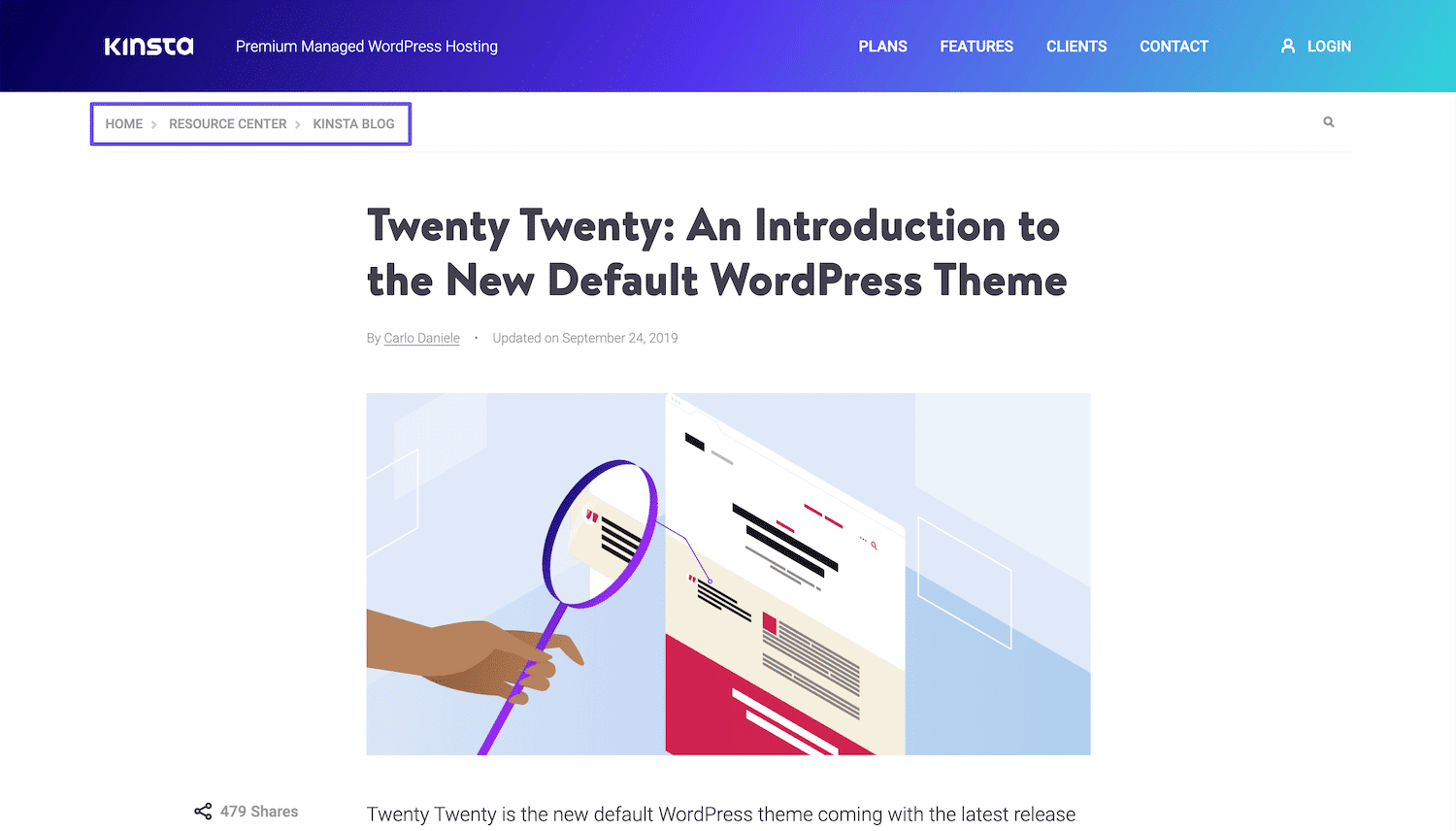
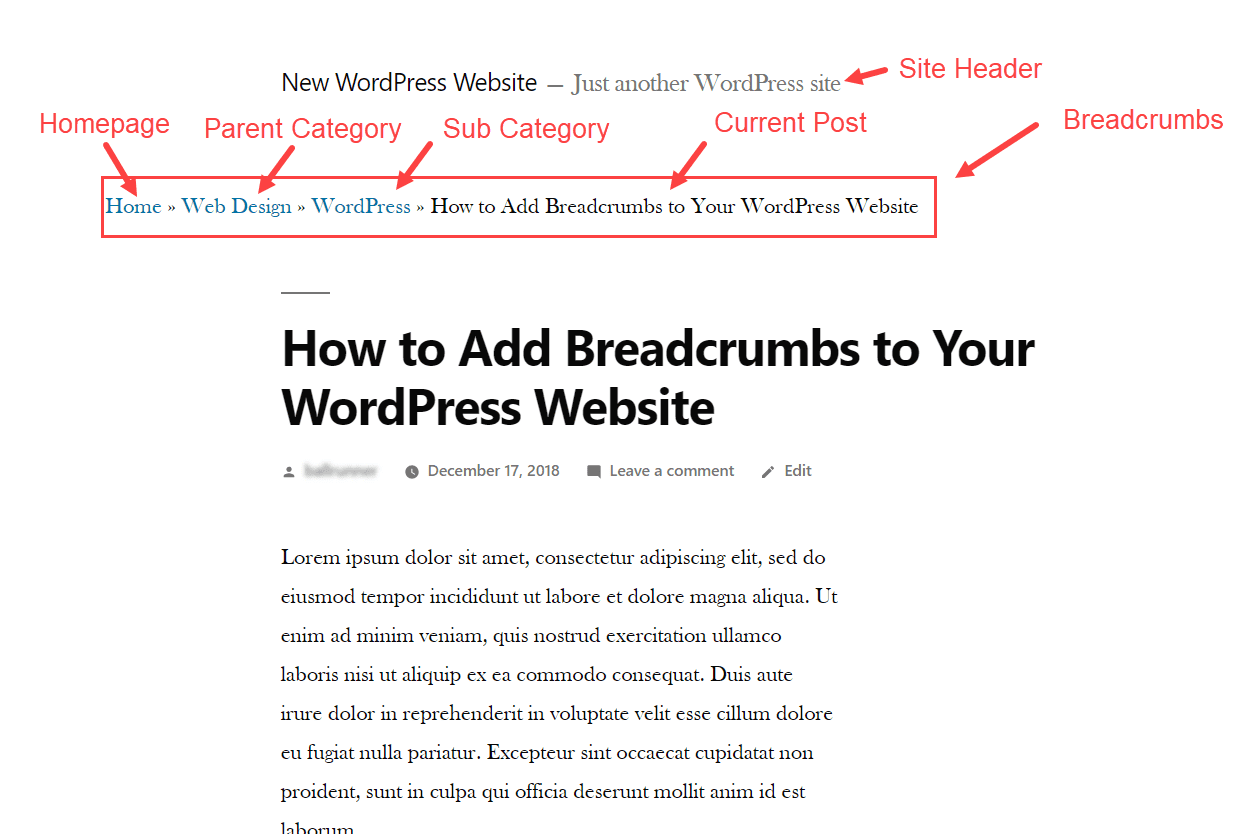
Breadcrumbs are like a trail. They show where you are on a website. They make navigation easy. Users see a path from the homepage to the current page. Each step is a link. Users can click to go back. This helps them not get lost.
Breadcrumbs also help search engines. They understand the website better. This can improve SEO ranking. Websites with breadcrumbs are usually more user-friendly. It makes a website look organized. Visitors feel more at ease. They know where they are and how to find things.
Importance Of Breadcrumbs
Breadcrumbs help users find their way on a website. They show the path from the homepage to the current page. This makes navigation simple. Users can see where they are and how to go back. Breadcrumbs also help with SEO. Search engines like Google use them to understand site structure. This can improve your site’s ranking. Visitors will stay longer if they can find things easily. That means more traffic and potential customers.
Breadcrumbs also reduce the bounce rate. Users are less likely to leave if they can navigate easily. They create a better user experience. This makes users happy. Happy users often return to your site. Always include breadcrumbs if you can. They are a small addition but very helpful.
Types Of Breadcrumbs
Location-based breadcrumbs show where you are on a site. They help users see the hierarchy of pages. For example, Home > Products > Shoes. This type of breadcrumb is very common. They make navigation easy and intuitive. Users can trace back to any page with ease.
Attribute-based breadcrumbs use attributes or filters. They show chosen characteristics of a product. For example, Home > Clothing > Red > Cotton. These breadcrumbs make finding specific items easy. Users can quickly see selected attributes. This helps in narrowing down choices.
Path-based breadcrumbs show the path taken by a user. They track the user’s clicks. For example, Home > Sale > Jackets > Blue Jacket. These breadcrumbs are dynamic. They change based on the user’s journey. Users can easily retrace their steps.
Credit: kinsta.com
Benefits For Seo
Breadcrumbs make website navigation easy. Users find their way back simply. This improves the user experience. Visitors stay longer on your site. This can lower your bounce rate.
Search engines love breadcrumbs. They help search engines understand your site structure. This can lead to better search rankings. Breadcrumbs often appear in search results. This makes your site more attractive to users.
Breadcrumbs organize your content. They show the hierarchy of your pages. This helps users and search engines. A well-structured site is easier to crawl. This can lead to more pages being indexed.
Enhancing User Experience
Breadcrumbs help users find their way on websites. These tiny links show the path to the current page. They make it easy to go back to older pages. Users feel more confident navigating through content. Breadcrumbs reduce clicks needed to explore a site. This keeps users happy and engaged. Search engines love breadcrumbs, too. They enhance SEO by improving site structure. Better site structure means better rankings. Breadcrumbs show users where they are on a website. This helps them feel comfortable and oriented. Users don’t get lost when breadcrumbs are visible. They save time searching for content. Users find what they want faster with breadcrumbs. This boosts user satisfaction and keeps them coming back.
Implementing Breadcrumbs In WordPress
Many WordPress themes offer built-in breadcrumb features. These themes often provide easy options. You can enable breadcrumbs from theme settings. This method requires no extra plugins. Choose a theme supporting breadcrumbs. It’s simple and effective. Themes handle breadcrumbs automatically. Make sure to check theme features before installing.
Plugins add breadcrumbs easily. They give more control and options. Yoast SEO is a popular choice. It helps with breadcrumbs. Another option is Breadcrumb NavXT. It offers customization. Plugins are easy to use. They require no coding knowledge. Simply install and activate. Follow setup instructions provided by the plugin.
Manual code adds flexibility. It requires coding skills. You can insert breadcrumb code in your theme files. Use PHP code for this purpose. It’s more advanced than themes and plugins. Follow guides and tutorials online. This method is highly customizable. Ensure backup before modifying code. Mistakes can break your site.
Common Issues And Fixes
Breadcrumbs might break if a page is deleted. This breaks the link path. Check if any page is missing. Update the breadcrumb links when you delete a page. Regular checks ensure links work.
Sometimes, breadcrumbs don’t display on pages. Verify if your theme supports breadcrumbs. Some themes hide them. Install a plugin like Yoast SEO to force breadcrumbs to show.
Breadcrumbs can show in the wrong order. This confuses visitors. Edit the breadcrumb settings. Ensure pages appear in the right sequence. Use a plugin for easier management.
Mobile users may not see breadcrumbs. Check your mobile settings. Some themes hide them on phones. Adjust the settings to show breadcrumbs on all devices.
Credit: www.elegantthemes.com
Best Practices
Breadcrumbs help users know where they are on a website. They show a path. This path shows users each step they took. It is good to place breadcrumbs at the top of the page. They should be easy to find. Keep them simple. Use clear labels. Users should understand them quickly.
Use breadcrumbs for navigation. They should not replace main menus. Make sure links work. Broken links confuse users. Keep the design clean. Do not use too many colors. Simple designs are best. Test breadcrumbs often. Ensure they help users.
Case Studies
Breadcrumbs are simple tools. They guide users on a website. Users see a trail of links. These links show the path taken. Helps users find their way back easily. Improves navigation on the site. Users feel less lost. Boosts site usability.
Many sites use breadcrumbs. They see better user engagement. Visitors stay longer. Bounce rates drop. Easier navigation leads to more clicks. Users find content faster. This improves overall user experience.
Breadcrumbs are easy to set up. They fit well on any website. They look neat. Users appreciate them. They are not just pretty. They are functional. Small change, big impact.
Frequently Asked Questions
What Are Breadcrumbs In WordPress?
Breadcrumbs are navigational aids that help users understand their current location on a website. They display a trail of links, usually at the top of a page. Breadcrumbs improve user experience by offering easy navigation paths back to previous pages or the homepage.
They are also beneficial for SEO by enhancing site structure.
How Do Breadcrumbs Benefit Seo?
Breadcrumbs enhance SEO by providing a clear site structure for search engines. They help distribute link equity across pages. Breadcrumbs improve user experience, reducing bounce rates and increasing time spent on site. Search engines use breadcrumbs to understand page hierarchy and relationships, potentially improving search rankings.
How To Add Breadcrumbs In WordPress?
To add breadcrumbs in WordPress, you can use plugins like Yoast SEO or Breadcrumb NavXT. These plugins are easy to install and configure. They automatically generate breadcrumb trails for your pages. You can also manually add breadcrumbs by editing your theme’s code, but plugins are more user-friendly.
Are Breadcrumbs Important For User Navigation?
Yes, breadcrumbs are crucial for user navigation as they provide a clear path of pages visited. They help users easily backtrack to previous sections or the homepage. Breadcrumbs enhance website usability by offering a structured way to explore content, reducing confusion and improving overall user experience.
Conclusion
Breadcrumbs help users navigate your WordPress site easily. They show where users are on your website. This improves user experience and keeps visitors engaged. Search engines benefit too. Breadcrumbs can boost SEO by helping search engines understand your site structure.
They enhance the overall visibility of your website. Installing breadcrumbs is simple with WordPress plugins. Consider adding them to make your site more user-friendly. Your audience will appreciate the clarity and ease of navigation. So, why not give breadcrumbs a try?
They could make a big difference in how visitors interact with your site.


