
Are you looking to make the most out of your web hosting reseller account? Dividing web space efficiently is crucial for maximizing profits and keeping your clients satisfied.
Imagine being able to offer tailored hosting solutions to your customers, providing them with exactly what they need without wasting resources. This can significantly boost your reputation and increase your client retention rates. But how do you achieve this? In this guide, you’ll discover the secrets to organizing web space on your reseller account with precision and ease.
By the end, you’ll have the confidence to manage your resources like a pro and provide top-notch hosting services. Don’t miss out on learning these valuable strategies that could transform your reseller business. Dive in to unlock the potential of your web hosting reseller account!
Understanding Web Hosting Reseller Accounts
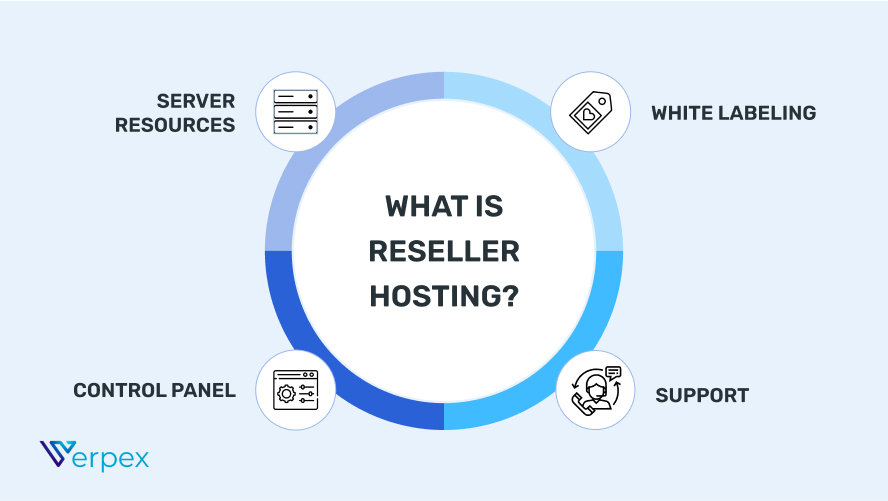
Reseller hosting lets you sell hosting to others. You rent server space from a hosting company. Then, you divide this space and sell it to customers. Reseller hosting is like buying a large cake and selling slices. You don’t need to own servers. You manage accounts and provide support. Many small businesses use reseller hosting. It is easy to start. You need basic web knowledge.
It offers profit opportunities. You can earn money by selling hosting plans. Reseller hosting helps build your brand. You can offer custom services. You control prices and features. It is a low-cost investment. You don’t need expensive equipment. You get technical support from the hosting company. Flexibility is another benefit. You can grow as needed. Many people choose reseller hosting for its ease and benefits.
Credit: verpex.com
Setting Up Your Reseller Account
Begin by finding a reliable hosting provider. Check their customer support and uptime guarantees. These are important for your clients. Look for a provider with easy-to-use tools. This helps in managing your accounts smoothly. Compare the pricing plans. Choose one that fits your budget and needs. Read reviews to know others’ experiences. This helps in making a good choice.
After choosing a provider, set up your account. Start by creating your own packages. Decide on disk space and bandwidth for each package. Set pricing for your packages. Ensure it is fair and competitive. Configure your control panel settings. This helps in managing accounts. Don’t forget to set up billing systems. This makes payments easy for your clients. Always keep your settings updated.
Dividing Web Space Effectively
Understand what your clients need. Some need more space. Others need more speed. Ask questions. Find out their website size. Do they have many visitors? Gather details to help you. This way, you divide space wisely. Keep clients happy with the right plan.
Allocate space based on client needs. Share more with those who need it. Use a resource table to track use. Monitor space and speed regularly. Adjust if needed. Use tools for easy management. Ensure everyone gets what they need. Keep space balanced and fair.
Creating Hosting Packages
Making web hosting plans can be fun. You get to choose what to include. Think of disk space and bandwidth. These are important. Decide how much each plan gets. This helps keep things fair. You can also add features like email accounts or databases. More features mean better plans. People like options. Give them choices.
Choosing prices is important. Low prices can attract more people. But make sure you cover costs. Higher prices can mean better service. Find a balance that works. Offer discounts for long-term plans. This makes people stay longer. Think about your target audience. What do they need? What can they afford? Setting good prices takes time. Be patient.
Managing Client Accounts
Each client needs a control panel. This panel lets them manage their own space. Set up the panel with easy tools. Make sure clients can see their usage. Keep the panel simple. Too many buttons can confuse. Guide clients on how to use the panel. Help them understand basic functions. Provide support for questions. Make it easy to reach help.
Check how much space each client uses. Watch for high usage. Some clients may need more space. Monitor performance regularly. Speed is important for websites. Slow sites can lose visitors. Use tools to track site speed. Address issues quickly. Keep sites running smoothly. Happy clients will stay longer.

Credit: templately.com
Handling Technical Support
Helping clients is very important. They may have many questions. Always be patient and listen to them. Clients need clear answers. Use simple words. Make sure they understand. Clients feel better when they know someone cares. Being helpful builds trust. Happy clients stay longer. They may tell their friends. That is good for your business.
Problems happen sometimes. Things may not work. Start by identifying the problem. Ask simple questions. Check if the server is working. Look at the settings. Maybe a small change fixes it. If not, search for answers online. Many others might have the same issue. If still unsure, contact support. They can help fix things faster.
Scaling Your Reseller Business
Reseller accounts need smart space usage. Divide web space among clients wisely. Use space tools to check limits. Avoid overloading server space. This ensures smooth site performance.
Each client needs a share. Decide space based on their needs. Monitor usage closely. Adjust space if necessary. Keep clients happy with reliable service.
Servers must handle growth well. Upgrade server for more power. Check for better hardware options. Boost server speed and storage. Fast servers make clients happy.
Look for efficient solutions. Choose upgrades that fit your budget. Improve server without high costs. Ensure smooth client experiences. Reliable servers attract more clients.

Credit: templately.com
Best Practices For Reseller Hosting
Always use strong passwords for all accounts. This keeps data safe. Update your software often to fix security gaps. Back up data regularly to avoid loss. Use firewalls to block harmful traffic. Encryption protects sensitive information from hackers. Limit access to important files. Only trusted people should have access. Monitor activities for any strange behavior. This helps catch problems early. Educate users about safe online habits. This builds a secure environment.
Choose a hosting provider with a good track record. Reliable providers offer better uptime. Regularly check server performance to ensure smooth operations. Use tools that send alerts for any downtime. This helps in quick fixes. Keep software updated to avoid bugs. Regular updates ensure compatibility and performance. Offer customer support to address issues quickly. Happy customers stay longer. Plan for extra space as your business grows. This avoids unexpected slowdowns.
Frequently Asked Questions
Can I Host Multiple Websites On One Hosting Account?
Yes, you can host multiple websites on one hosting account. This depends on your hosting plan. Choose a plan that supports multiple domains to easily manage and operate several websites from a single account. This is a cost-effective solution for businesses and bloggers.
How To Make Space For A Website In A Host Server?
Choose a hosting plan with adequate storage. Access your hosting control panel. Create a new directory for your website files. Upload your website files using FTP or file manager. Monitor usage and upgrade if necessary to ensure enough space for growth.
What Are Reseller Hosting Plans?
Reseller hosting plans let individuals or companies sell hosting services to clients. These plans offer resources like bandwidth and storage. Users can brand and manage these services independently. It’s cost-effective for businesses wanting to offer web hosting without maintaining servers.
What Is The Difference Between Web Space And Hosting?
Web space refers to the storage area for website files. Hosting provides the technology and services needed to make websites accessible online.
Conclusion
Dividing web space on your reseller account is simple. Start by assessing client needs. Allocate resources based on demand. Keep monitoring and adjust as required. This strategy helps maximize efficiency. Your clients will appreciate well-allocated space. It builds trust and satisfaction.
Regular updates ensure smooth operation. Managing web space effectively boosts your business. Stay organized, and success will follow. A structured approach makes tasks easier. Streamlined processes save time. Focus on client satisfaction for growth. Happy clients mean more referrals. This cycle leads to long-term success.
Reseller hosting becomes manageable. Enjoy the benefits of proper planning.


