
Have you ever scrolled through a website and noticed that the top menu stays put, even as you dive deeper into the page content? That’s a sticky header in action!
If you’re navigating the world of WordPress, understanding what a sticky header is and how it can elevate your site’s user experience is crucial. Imagine never losing sight of the navigation bar, no matter how far down the rabbit hole of content you go.
This little feature can significantly enhance your website’s usability, keeping vital links always within reach. Curious about how to implement this in your WordPress site and why it’s a game-changer? Stick around, because this article will unravel everything you need to know about sticky headers in WordPress.
Sticky Header Basics
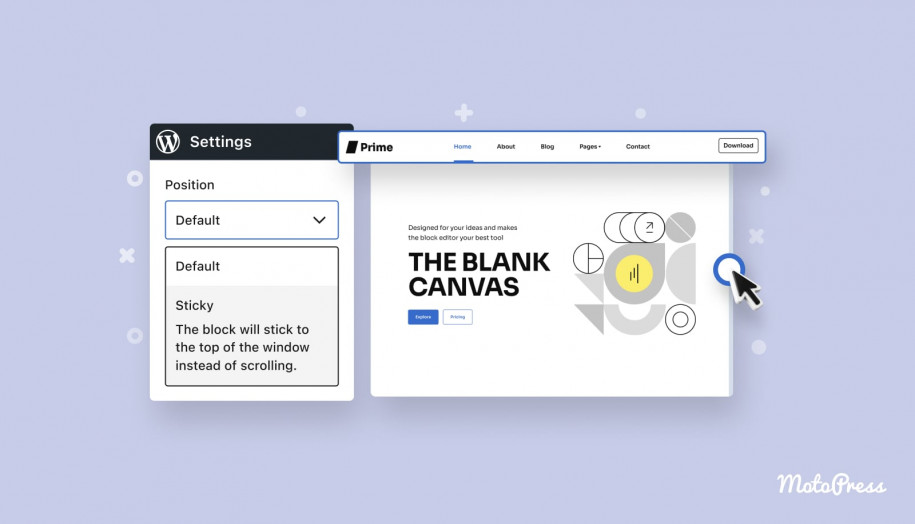
A sticky header stays at the top when you scroll. It is always visible. This means you can see it without scrolling back up. A sticky header can have a logo, menu, or important links. It helps users find things easily. It is a common feature on many websites.
Sticky headers help users navigate a site. They keep important info always visible. This makes browsing easier and faster. Users don’t get lost on long pages. It makes the website look neat and organized. Websites often use sticky headers for better user experience.
Credit: motopress.com
WordPress Implementation
Many WordPress themes support sticky headers. These headers stay at the top when you scroll. They help users navigate easily. Some popular themes include Divi and Astra. These themes make it simple to add sticky headers. You just need to activate the option. With sticky headers, your menu is always visible. This is great for user experience. It keeps important links at hand. Choose a theme wisely for this feature.
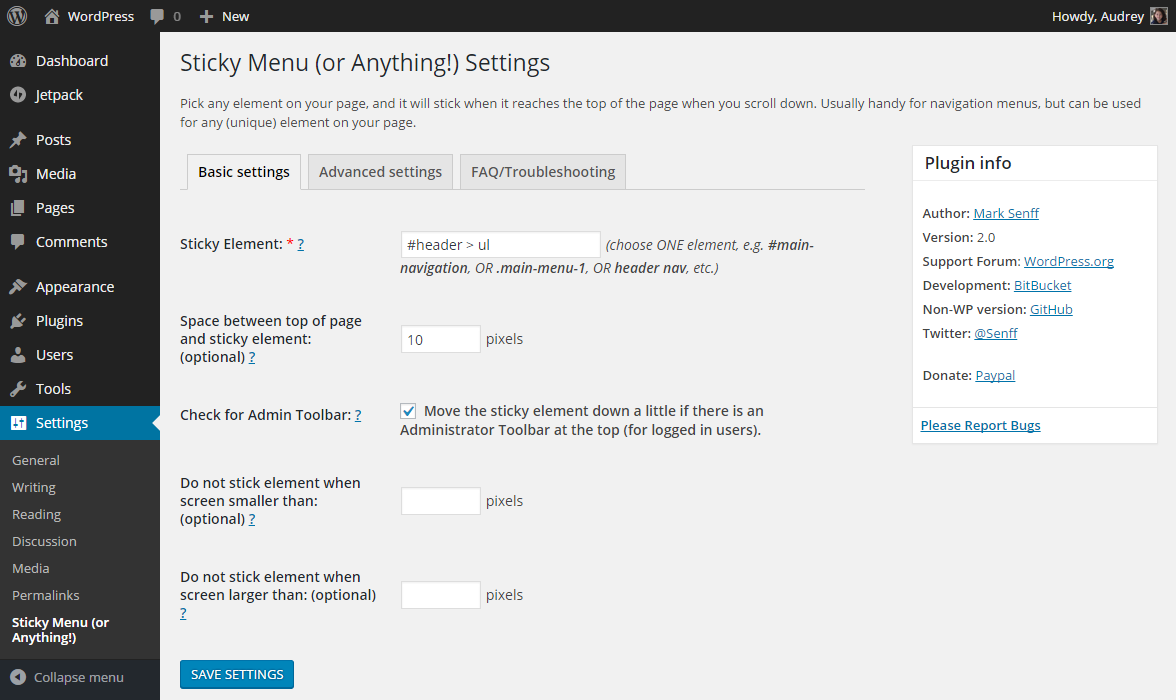
Plugins are useful for sticky headers. They add this feature to any theme. One popular plugin is Sticky Menu. Another is Sticky Header by ThematoSoup. These plugins are easy to install. They work with most themes. You can also customize them. Adjust the header size and color. Make sure it’s visible and attractive. Sticky headers improve site navigation. They keep menus in place as you scroll down.
Customization Options
A sticky header in WordPress stays at the top as users scroll down. Customization options let you change colors, fonts, and sizes. This feature improves navigation and keeps important links visible.
Design And Layout
A sticky header can look stylish. You can choose different colors and fonts. Some people like bright colors. Others prefer calm tones. The header should match the rest of the site. This makes it look neat. You can change the size of the header. A small header saves space. A big header can show more information. Adding a logo is also possible. It helps visitors know where they are. Choose a simple design for easy reading.
Behavior Settings
Sticky headers can do more than just stick. They can hide and appear. This means they vanish when you scroll down. But they come back when you scroll up. This is useful. It gives more room to read. You can set how fast the header moves. Some like it quick. Others prefer it slow. You can also decide if it stays on all pages. Or just on some pages. These settings make the header useful and fun.

Credit: www.youtube.com
Performance Considerations
Sticky headers can slow down your site. They need extra code. This makes pages take longer to load. Users might get impatient. They may leave if it takes too long.
Optimize images used in headers. Smaller images load faster. Use fewer elements in the header. Less content means quicker loading. Fast sites keep visitors happy.
Use caching to improve speed. Caching saves some data for later. This makes pages load faster next time. Minify CSS and JavaScript. This means removing spaces or extra code. Smaller files load faster.
Use a content delivery network (CDN). CDNs store your site in many places. This way, users get it from the nearest server. Faster delivery means a better experience.
User Experience Impact
A sticky header in WordPress remains visible as users scroll down a page. This feature enhances navigation by keeping key information easily accessible. It improves user experience, helping visitors quickly find menus and links without scrolling back up.
Improving Navigation
A sticky header makes it easier for users to find things. It stays at the top of the page when you scroll. So, users don’t have to go back up to click important links. This saves time. It helps users find what they need quickly. A sticky header can have the menu, logo, and search bar. Users can click them anytime. This helps them move around the site easily. It is very useful for long pages.
Potential Drawbacks
Sticky headers can sometimes block content. They take up space at the top of the screen. This can be annoying for users. Especially if the header is big. It can also slow down page loading. More code is needed for sticky headers. This can make the site load slower. Some users may not like it. They may want more screen space. It’s important to think about these things when using sticky headers.
Best Practices
A sticky header should fit any screen. It must look good on phones and computers. Responsive design helps with this. Use fluid layouts to make it flexible. Test it often to ensure it works well.
Test the sticky header on different devices. Check how it appears on tablets and desktops. Look for any errors or misalignments. Fix them quickly. Use online tools to see how it looks on various screens. This ensures a smooth experience for all users.
Credit: wordpress.org
Frequently Asked Questions
What Is A Sticky Header In WordPress?
A sticky header is a fixed navigation bar that remains visible at the top of a webpage as users scroll down. It enhances user experience by providing easy access to important links and content. Sticky headers are popular in WordPress themes for improving usability and site navigation.
How Do Sticky Headers Improve User Experience?
Sticky headers improve user experience by keeping navigation links accessible at all times. Users don’t need to scroll back up to access the menu. This feature allows for seamless navigation, especially on content-heavy sites, enhancing overall user satisfaction and engagement.
Are Sticky Headers Mobile-friendly In WordPress?
Yes, most modern WordPress themes ensure sticky headers are mobile-friendly. They adapt to different screen sizes, maintaining functionality and visibility on smartphones and tablets. Responsive design ensures a consistent user experience across devices, which is crucial for mobile users.
How Can I Add A Sticky Header In WordPress?
To add a sticky header in WordPress, you can use a theme with built-in sticky header options. Alternatively, plugins like “Sticky Menu & Sticky Header” can achieve this. Custom CSS can also be applied for more tailored solutions, ensuring flexibility in design and functionality.
Conclusion
Sticky headers enhance website navigation. They keep menu options visible. This improves user experience. Visitors find it easy to explore. No need to scroll back. It saves time and effort. Easy access to important links. More engagement on your site.
Helps in retaining visitors longer. A great feature for WordPress sites. Simple to implement with plugins. Consider adding a sticky header. Make your site user-friendly. Enhance the overall browsing experience. Your site becomes more efficient. Users appreciate the convenience. They stay on your site longer.
A small change with big impact.


