
Imagine stumbling upon a stunning website that leaves you in awe. Its speed, reliability, and seamless user experience make you wonder, “What web host powers this masterpiece?”
You’re not alone. Many people share your curiosity, eager to uncover the hosting secrets behind successful sites. Discovering the web host can unlock insights into performance and reliability, guiding your own hosting choices. This article will reveal simple strategies to unveil the mystery behind a website’s hosting.
By the end, you’ll have the tools to explore and learn from the hosting choices of others, enhancing your own online presence. Dive in, and satisfy your curiosity!
Identifying The Domain
WHOIS lookup is a tool. It helps find domain details. Enter the domain name. The tool shows the registration info. This info includes the registrar’s name and hosting provider. WHOIS gives more details like the domain’s owner. It’s useful for finding who runs the website.
Some sites hide their info. They use privacy services. This keeps their details secret. Yet, WHOIS can still show the hosting service. This makes WHOIS a handy tool for checking domains.

Credit: www.facebook.com
Inspecting Web Hosting Details
Many tools help find web hosting details. Hosting checker tools are easy to use. Enter the website’s URL in the tool. The tool shows the host’s name. Some tools give extra details too. This includes server location and IP address. Popular tools are WhoIsHostingThis and Hosting Checker. They are free and quick. You can try different tools for more accuracy.
DNS records can reveal hosting details. Use online DNS lookup tools. Enter the domain name. The tool shows DNS information. Check the A record for the IP address. This helps find the web host. Some DNS tools are MXToolbox and IntoDNS. They are helpful and easy. Learn more about the web host with DNS details.
Exploring Website Source Code
Look at the website’s source code for clues about its web host. Right-click on the webpage and select “View Page Source.” This will show you lots of code. Search for terms like “server” or “host.” These may reveal hosting info. You might find names like “Amazon AWS” or “Bluehost.”
Some hosting providers are easy to spot. Names like “GoDaddy” or “SiteGround” often appear in website code. These are popular hosts that many sites use. You may also see “Cloudflare” which offers security and speed services. Learning these names helps you identify hosts quickly. Use this info to know more about a site’s web host.

Credit: www.godaddy.com
Utilizing Online Services
Online detective platforms can help find web hosts. Enter the website address. The platform shows the host name. These tools are free to use. They are quick and easy. Some popular ones include WhoIsHostingThis and HostAdvice. You get results in seconds. They provide extra info too. This might include IP address or server location. Most users find these tools helpful.
Browser extensions can be handy. They show web host info right away. Install the extension first. Then visit the website. The extension provides host details. This method is fast. It saves time. Some popular extensions are Wappalyzer and BuiltWith. They also show other site details. This includes CMS or analytics tools. Extensions are useful for quick checks.
Leveraging Search Engines
Typing the website name in the search bar can help. Look for hosting reviews linked to the site. These reviews often mention the host used. Reading reviews gives clues about the hosting provider.
Try using advanced search operators. Add “site:” before the domain name in searches. This narrows results to that specific site. Using “inurl:hosting” can find hosting-related pages. Combine operators for deeper insights.
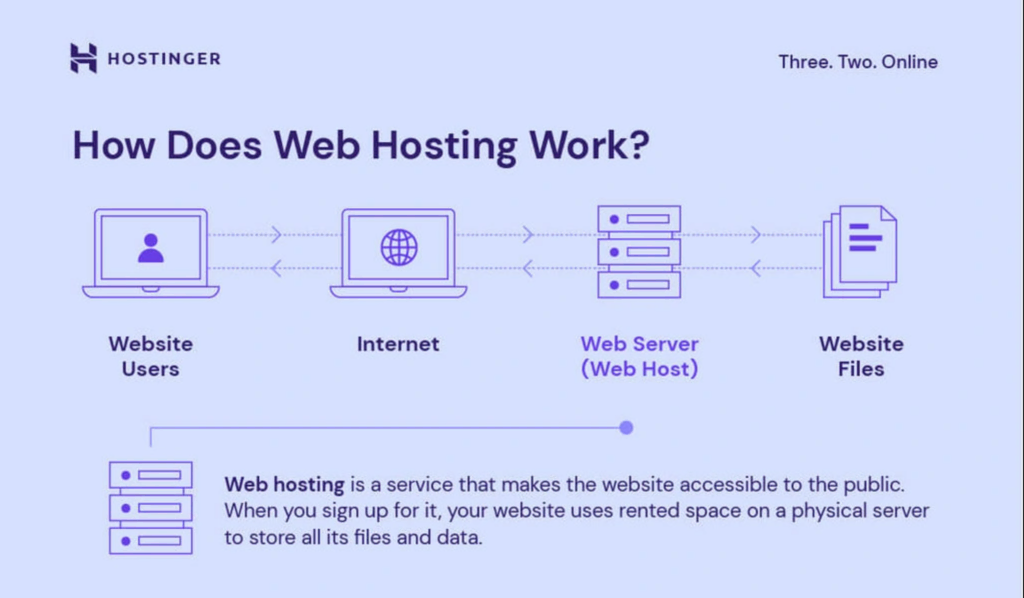
Credit: www.hostinger.com
Consulting Web Development Communities
Online forums are places where people share information. You can ask about web hosts there. Experienced developers often give advice. They know many web hosts. Web hosting forums are a good place to start. They can help you find answers.
Groups on social media also help. Many developers join these groups. They discuss web hosts. You can learn a lot there. Networking with others can lead to useful tips.
Professionals often know the best web hosts. Connecting with them is smart. They share insights and knowledge. Web hosting events are great for meeting them. You can ask questions and learn.
Sometimes, professionals have blogs. They write about web hosts. Reading these blogs is helpful. Industry experts have valuable experience. Their advice is usually reliable.
Frequently Asked Questions
How Do I See What Server A Website Is Using?
Use online tools like Netcraft or BuiltWith to see a website’s server details. Alternatively, inspect HTTP headers using browser developer tools or command line utilities like cURL. These methods reveal server information efficiently.
How To Find Out What Platform A Website Is Hosted On?
Use online tools like BuiltWith or Wappalyzer to check a website’s hosting platform. Access the site, enter the URL, and obtain hosting details. Alternatively, inspect the website’s source code for clues about its hosting environment. These methods help identify the hosting platform quickly and easily.
How Do I Find Out If A Host Is In A Domain?
Use the command `nslookup hostname` in your terminal. It reveals the domain associated with the host. Alternatively, perform a reverse DNS lookup using online tools to verify the host’s domain. Ensure the hostname is correct for accurate results.
Which Hosts A Web Page?
A web page is hosted by web hosting services that store website files on servers. Popular hosts include Bluehost, SiteGround, and HostGator. These services ensure your website is accessible online, providing various hosting plans to suit different needs and budgets.
Reliable hosting enhances website speed and security.
Conclusion
Finding a website’s host can be simple with the right steps. Use online tools to get fast results. Browser extensions offer convenience and ease of use. Access WHOIS data for detailed information. Contact the website owner for direct answers. Each method has its advantages, so choose what suits you best.
With practice, identifying web hosts becomes second nature. This skill helps you learn more about websites. Stay curious and keep exploring the digital world. Happy hosting discovery!


