
Imagine having the power to transform your WordPress website with just a few clicks. That’s exactly what plugins offer you.
These small yet mighty tools can add new features, enhance functionality, and elevate your site’s performance without needing to write a single line of code. Whether you’re looking to improve your site’s SEO, add a contact form, or even create an online store, plugins make it possible.
They’re like the secret ingredients that can make your website stand out and work exactly how you envision it. Curious to unlock your site’s full potential? Dive into this article to discover how WordPress plugins can revolutionize your website experience.
WordPress Plugins Overview
WordPress plugins are like special tools for your website. They add new features and make your site better. Imagine wanting to add a photo gallery. A plugin can do that easily.
There are many plugins available. Some are free, others are paid. Each plugin has a specific job. Some help with SEO. Others help with security.
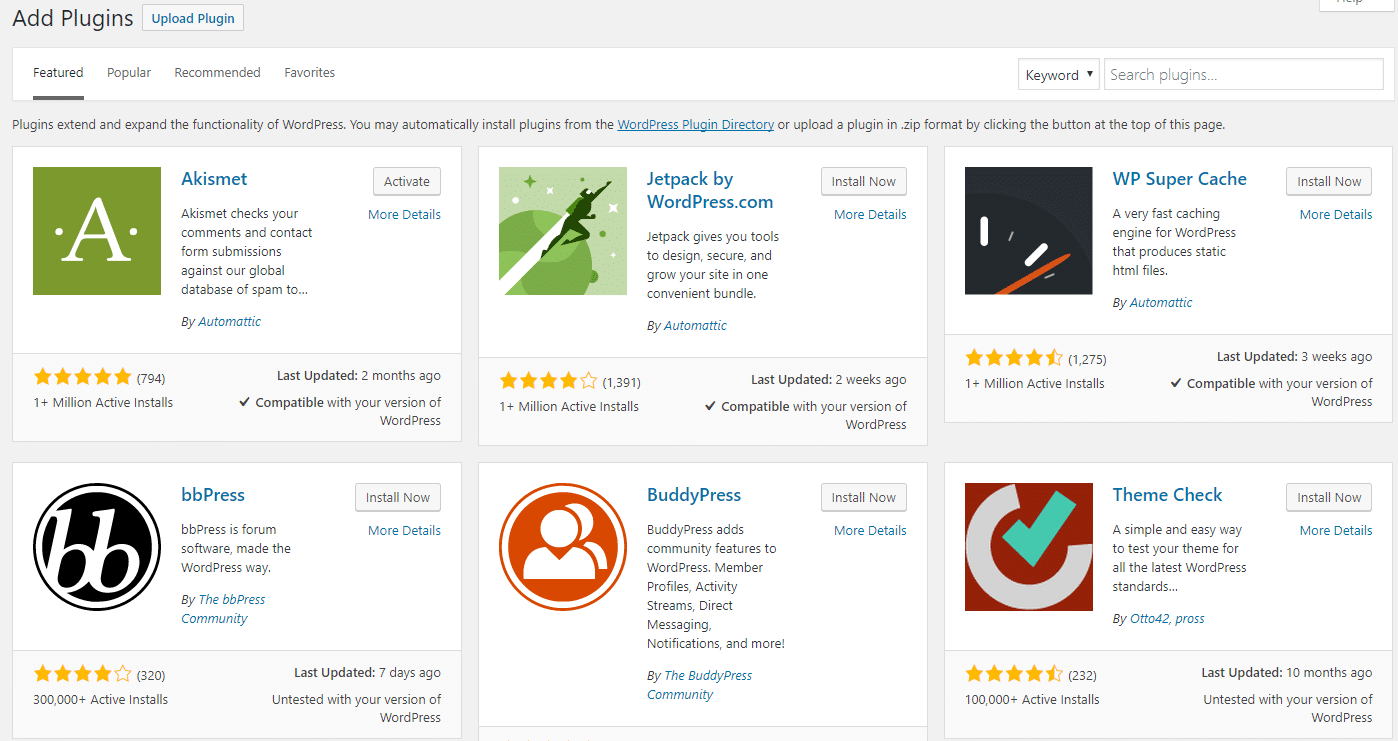
Installing a plugin is easy. You find it in the WordPress dashboard. Then, click install and activate. Now, it works on your site.
But be careful! Too many plugins can slow your site. Choose the most important ones. Always check if they are updated. This keeps your website safe and fast.
How Plugins Work
Plugins are like small tools for your website. They add new features. You can find them in the WordPress library. These tools help make your website better. Some plugins can help you add a contact form. Others can help with SEO or social media. Plugins work by adding code to your site. This code helps add new features. It’s like adding new blocks to a Lego set. Each block has a special job. You can use many plugins at once. But too many can slow down your site. Choose plugins wisely. Always keep them updated. Updates fix bugs and add new features. This helps keep your site safe. Without updates, your site may have problems. So, always check for new updates.
Benefits Of Using Plugins
WordPress plugins add extra features to your site. They make tasks easier. You can add a contact form with just a few clicks. Plugins help improve your site’s security. They keep your site safe from threats. You can also use plugins for SEO optimization. This helps your site rank better on search engines.
Plugins offer customization options. You can change how your site looks. With plugins, you can add social media buttons. This helps people share your content easily. You can also add e-commerce features. Sell products directly from your site.
Most plugins are easy to install. Even beginners can use them. Many plugins are free or have affordable versions. This means you can enhance your site without spending much. Plugins make WordPress more flexible and powerful. They help you create the site you want.
Credit: kinsta.com
Types Of Plugins
Plugins make WordPress better. Some plugins are free, others are premium. Free plugins have no cost. Many people use them. Premium plugins need money. They often offer more features. Free plugins are good for beginners. Premium plugins help advanced users. Choose based on needs. Both are useful. Free plugins can be limited. Premium plugins provide support. Free ones often have community help.
Plugins come in many categories. SEO plugins improve website ranking. Security plugins protect data. Backup plugins save website files. Social media plugins link to social sites. Performance plugins speed up the site. Contact form plugins collect visitor info. Plugins make tasks easier. Each category serves a purpose. Pick what suits your site best. Categories help organize plugins.
Choosing The Right Plugin
Plugins in WordPress are tools that add features to your website. Choosing the right plugin enhances functionality and performance. Ensure compatibility with your theme to avoid issues and keep your site running smoothly.
Assessing Your Needs
Identify your website needs before choosing a plugin. Think about the features you want. Do you need a contact form or an SEO tool? Write down what you need. This list helps you find the right plugin. Keep your goal clear. Plugins should meet your needs and improve your site.
Evaluating Plugin Compatibility
Check the plugin’s compatibility with your WordPress version. Read the reviews from other users. Look at the last update date. Plugins should be updated often. This shows they are well maintained. Make sure the plugin works with your theme. Test it on a staging site first. This way, you avoid problems on your live site.
Credit: kinsta.com
Installing And Managing Plugins
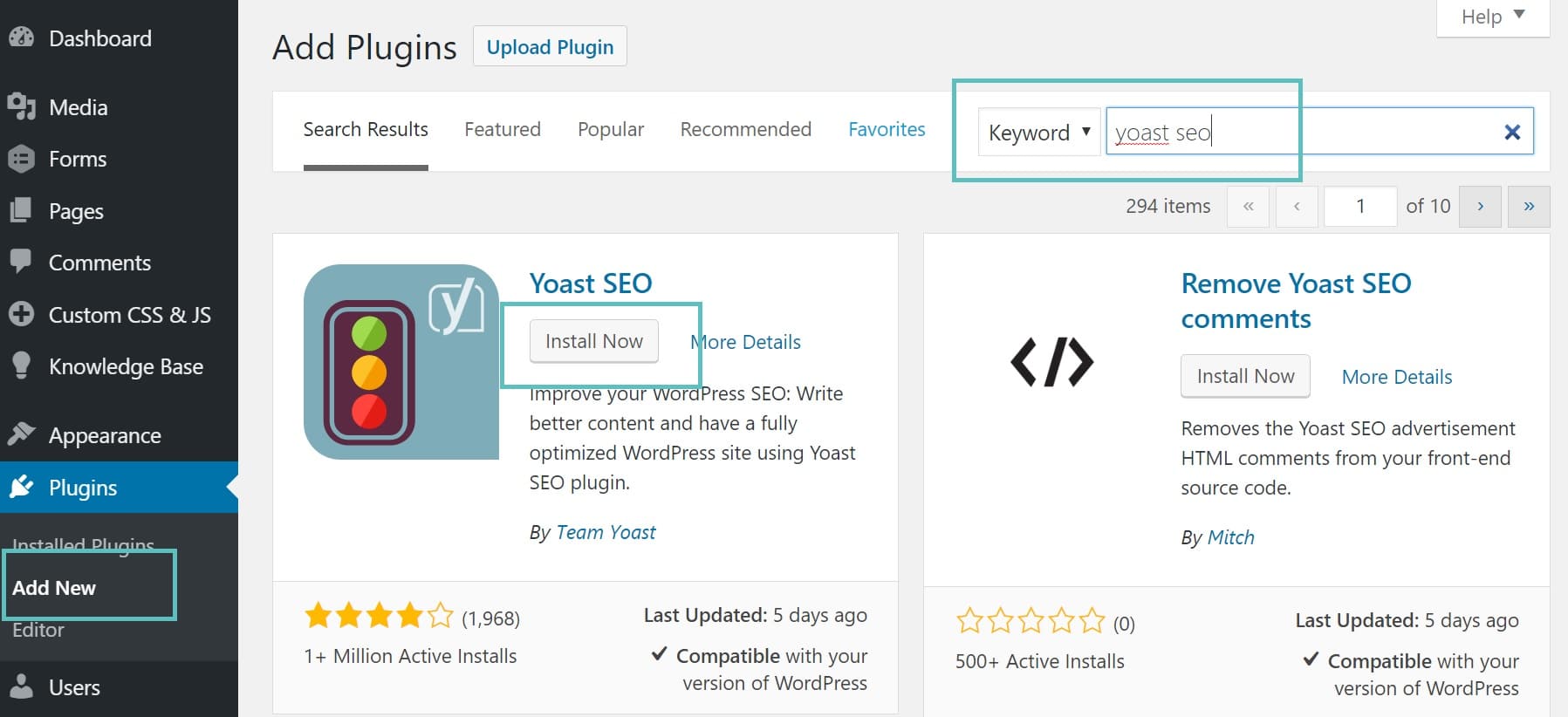
WordPress plugins add new features to your site. Visit the WordPress dashboard. Click on “Plugins” and then “Add New”. Use the search bar to find a plugin. Once found, click “Install Now”. After installation, click “Activate” to use it.
Keep plugins updated for security. Go to the “Plugins” section. Look for the “Update Now” button. Click it to update. Always backup your site before updating. This ensures safety.
Unused plugins slow your site. Deactivate them first. Go to “Plugins” and click “Deactivate” next to the plugin name. To delete, click “Delete” after deactivation. Deleting frees up space and speeds up your site.
Security Considerations
Plugins in WordPress enhance functionality but can pose security risks. Choosing trusted sources minimizes potential vulnerabilities. Regular updates and reviews ensure plugins remain safe and efficient.
Avoiding Malicious Plugins
Plugins can be very helpful. But some plugins can be harmful. These are called malicious plugins. They can steal your data. Or they can break your website. Always check reviews before installing a plugin. Reviews tell if a plugin is safe. Use plugins from trusted sources only. Trusted sources are well-known and have good ratings. This helps keep your site safe.
Regular Security Checks
Regular checks keep your site safe. Scan your plugins often. This helps find any bad ones. Update your plugins regularly. New updates fix security problems. Always have the latest version. Remove unused plugins. They can be a security risk. Regular checks make your site stronger.
Troubleshooting Common Plugin Issues
Plugins in WordPress extend website functionality by adding new features without altering core code. Troubleshooting common plugin issues ensures smooth website performance. Identifying conflicts, updating outdated plugins, and checking compatibility can resolve most problems efficiently.
Conflict Resolution
Plugins sometimes clash with each other. This can break your site. First, check for updates. New versions fix old bugs. Next, disable all plugins. Activate them one by one. This finds the problem plugin. If issues persist, contact support. They often help quickly. Conflicts can also arise from themes. Switch themes if needed. Always backup your site. This prevents data loss. Remember, a clean site works best. Avoid too many plugins. They often cause trouble. Keep your plugins updated.
Performance Optimization
Plugins can slow down your site. Choose lightweight plugins. They use less resources. Disable unused plugins. This speeds up your site. Always test plugin speed impacts. Use tools like GTmetrix. Fast sites rank better on search engines. Users leave slow sites quickly. Optimize images and scripts. This helps plugins work smoothly. Regular checks keep your site fast. Consider caching plugins. They improve site speed. A fast site offers a better experience. Happy users stay longer.
Future Trends In WordPress Plugins
New trends in WordPress plugins are exciting. AI-powered plugins are gaining popularity. They help automate tasks and improve user experience. Voice search optimization is another trend. It helps websites cater to voice search queries. Security plugins are more advanced now. They protect websites from threats and attacks.
E-commerce integrations are also growing. They make online shopping easier. Mobile optimization is crucial too. More people use mobile devices to browse. Performance optimization plugins boost site speed and efficiency. They ensure a smooth user experience.
SEO-focused plugins are evolving. They help websites rank better on search engines. Accessibility plugins are important too. They make websites usable for everyone. User-friendly interfaces are a must. They make managing websites easier.
Credit: wedevs.com
Frequently Asked Questions
What Are WordPress Plugins?
WordPress plugins are software add-ons that enhance website functionality. They allow users to add new features without coding. Plugins can improve SEO, speed, security, and more. With thousands available, they cater to diverse needs. They are a crucial part of WordPress’s flexibility and customization.
How Do Plugins Work In WordPress?
Plugins work by integrating with WordPress to extend its capabilities. They add specific features through code. Users can install them directly from the WordPress dashboard. Once activated, they modify or enhance website functionality. Their seamless integration makes them essential for customizing WordPress sites.
Why Use Plugins In WordPress?
Plugins offer easy ways to customize WordPress websites. They add features like SEO tools, contact forms, and security enhancements. Without coding, users can enhance site functionality. This flexibility makes WordPress suitable for various needs, from blogs to e-commerce. Plugins are vital for building a unique online presence.
Are WordPress Plugins Free?
Many WordPress plugins are available for free in the WordPress Plugin Directory. These free plugins offer essential features and functionality. However, some plugins offer premium versions with additional features. Users can choose based on their needs and budget. Premium plugins often provide better support and updates.
Conclusion
WordPress plugins are essential tools for enhancing your website’s functionality. They offer a range of features, from SEO improvements to security enhancements. Choosing the right plugins can significantly improve your site’s performance. Always ensure plugins are updated for the best results.
Explore and experiment with different plugins to find what suits your needs. Remember, too many plugins might slow down your site. So, keep only what’s necessary. With the right plugins, your WordPress site can efficiently meet your goals. Embrace these tools to make your website more user-friendly and effective.
Happy blogging!


