
Imagine the peace of mind that comes from knowing your valuable files are safe and secure from prying eyes. As you manage your website, safeguarding your data is crucial, especially when stored on your web host.
But how exactly can you encrypt files to ensure their protection? You might be concerned about complexity or worried it’s beyond your skill set. Rest assured, encrypting your files is easier than you think, and it’s a step you can’t afford to skip.
You’ll discover straightforward methods to encrypt your files right from your web host. Whether you’re a tech novice or have some experience under your belt, this guide will empower you to take control of your data security. Don’t leave your files vulnerable; by the end of this read, you’ll be equipped with practical tips to keep your information safe, ensuring only the right eyes can access it. Are you ready to unlock the secrets to secure file encryption? Dive in to protect what matters most to you.
Importance Of File Encryption
Protecting Sensitive Data is very important. It keeps your files safe from bad people. They cannot see or steal your data. Encryption makes it hard for them to break into your files. This keeps your information private and secure.
Ensuring Privacy and Security is key. Encryption locks your files. Only you can open them. This helps keep your secrets safe. It stops others from reading your files. Your data stays safe and private.
Compliance with Regulations is needed. Many rules ask for encrypted files. It helps meet these rules easily. Encrypting files shows you care about safety. It helps you follow laws and keep data safe.
Types Of Encryption Methods
Symmetric encryption uses one key for both encrypting and decrypting. It is fast and simple. Common types include AES and DES. AES is very safe. DES is older and less safe. Keep the key safe. If others find it, they can see your files.
Asymmetric encryption uses two keys. One is public and the other is private. You share the public key. You keep the private key secret. RSA is a popular method. Secure but slower than symmetric. Good for sending files safely.
Hash functions create a unique code for a file. This code is called a hash. Hashes check file changes. If a file changes, the hash changes too. SHA and MD5 are common hash methods. SHA is safer than MD5. Verify files with hashes to keep them safe.
Choosing The Right Encryption Software
It’s important to find the best tool for file safety. Popular choices include VeraCrypt, BitLocker, and AxCrypt. Each offers unique features. VeraCrypt is free and open-source. BitLocker is built into Windows. AxCrypt is easy to use for beginners.
Think about cost, ease of use, and security level. Open-source tools often have strong communities. Paid tools might offer better support. Check if the tool works on your operating system. Some tools are for Windows only. Others work on macOS and Linux too.
Preparing Your Web Host Environment
Ensure the server meets all needs. It should support encryption protocols. Look for SSL/TLS support. Check if PHP or Python is available. These help in encrypting files. Verify the server’s memory and CPU are adequate. Encryption can be resource-heavy. Confirm support for libraries like OpenSSL. This helps in encryption tasks. A quick check saves time later.
First, access your server control panel. Use it to install software. Consider OpenSSL for its power in encryption. It’s a common choice. Follow the steps on the provider’s guide. Installation is usually simple. Ensure the software is updated. Updates fix problems and add features. Sometimes, manual updates are needed. Keep a list of installed software. This helps in tracking updates and changes.
Encrypting Files Step-by-step
Choose the files you want to keep safe. Important files need extra care. Sensitive information like passwords and bank details should be encrypted. Decide which files need protection. Sometimes, personal photos or documents also need encryption. Make sure not to skip any file that matters.
Use encryption tools available on your web host. AES encryption is a good choice. This makes files unreadable to others. Follow instructions to encrypt. Tools will guide you step by step. Keep your encryption key safe. Without it, files cannot be opened.
Check if files are encrypted correctly. Try opening them. They should ask for a key or password. If files open without any key, they are not encrypted. Recheck settings and try again. Ensure files remain secure after encryption.

Credit: owncloud.com
Managing Encrypted Files
Storing encrypted files securely is very important. Use a reliable storage service. Cloud services like Google Drive or Dropbox are good choices. Make sure they have end-to-end encryption. This keeps your files safe from hackers. Always keep a backup. Use an external hard drive for this. Label your files clearly. This helps you find them quickly. Organize them in folders. This makes it easy to manage.
Access to your files should be limited. Set strong passwords for your storage accounts. Change them every few months. Use two-factor authentication if available. This adds an extra layer of security. Share files only with trusted people. Give them limited access. This reduces the risk of leaks.
Check your files regularly. Look for any signs of tampering. Report any suspicious activity at once. Keeping files safe is everyone’s responsibility.
Troubleshooting Common Issues
Encrypting files on your web host protects sensitive data. Common issues include incorrect permissions and software incompatibility. Regularly check settings and updates to ensure effective encryption.
Resolving Encryption Errors
Errors can stop file encryption. Check your settings first. Ensure the correct encryption method is selected. Incorrect keys cause problems. Double-check your encryption keys. Wrong file formats can lead to errors. Use compatible formats for encryption. Update your software regularly. Old versions may not support new encryption methods. Restart your system if errors persist. Sometimes, a simple reboot fixes the issue.
Handling Compatibility Problems
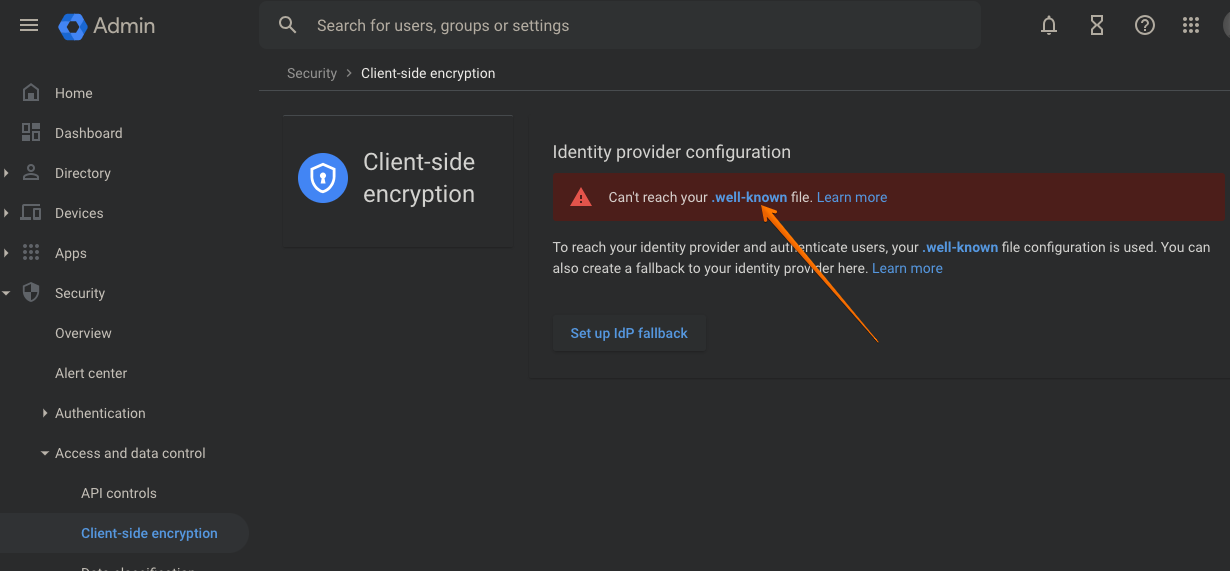
Compatibility issues can disrupt encryption. Different software might not work well together. Check if your encryption tool supports your file type. Old software can be incompatible. Update your tools to latest versions. Ensure both encryption and web host software align. Some hosts have specific requirements. Always read host guidelines for encryption. If issues continue, consult your web host support. They can provide specific advice for your situation.
Credit: docs.cosmian.com
Best Practices For File Encryption
Regular updates keep your encryption methods strong. Software often gets new features. These features can block new threats. Always use the latest version. This keeps your files safe. A web host should also update its systems. This ensures your data stays protected.
Regular checks are crucial for monitoring and auditing. Look for unusual activity in your files. This can show if something is wrong. Keep logs of all file changes. These logs help find and fix problems quickly. Always check if your encryption is working well. This helps keep your files secure.
Credit: blogs.cisco.com
Frequently Asked Questions
How Do You Encrypt Your Own Files?
To encrypt your own files, use software like VeraCrypt or BitLocker. Select the files to encrypt, choose a strong password, and follow the software’s instructions. Ensure you keep your password safe and backup your encrypted files. Encryption adds an essential layer of security to protect sensitive data.
How To Encrypt Data From Isp?
Use a VPN to encrypt your internet data from your ISP. It masks your IP address, ensuring privacy. Enable HTTPS for secure browsing and use encrypted messaging apps. Regularly update your security settings and firewall for optimal protection. Always choose reputable services for effective data encryption.
How Do You Encrypt A File Before Emailing?
Encrypt files using software like WinRAR, 7-Zip, or VeraCrypt. Select the file, choose encryption, and set a password. Save the encrypted file and email it securely. Ensure the recipient knows the password for decryption. Always use strong passwords to enhance security.
How Do You Encrypt A Folder On A Server?
Use software like VeraCrypt to encrypt a folder on a server. Install and run the program. Select “Create Volume” and choose “Encrypt a non-system partition/drive. ” Follow prompts to select the folder and set a strong password. Ensure backups are secure before encryption.
Conclusion
Encrypting files from your web host boosts security. It’s crucial for protecting sensitive data. Regular encryption checks help maintain safety. Choose reliable tools for file encryption. Practice safe storage and backup strategies. Keep your software updated. Stay informed about new security threats.
Encryption is a key part of online security. It ensures your data remains private. Remember, secure files mean peace of mind. Enjoy a safer digital experience by encrypting wisely. Protecting your data strengthens your online presence. Make encryption a regular practice for optimum security.


