
Are you curious about the web hosting behind your favorite websites or perhaps your own domain? Knowing who hosts a website can provide valuable insights into its performance, reliability, and even its security features.
Whether you’re a budding entrepreneur, a curious tech enthusiast, or someone looking to switch hosting providers, understanding how to check the web hosting for a domain is a skill worth mastering. In this guide, you’ll discover simple yet effective methods to uncover hosting information, empowering you to make informed decisions.
So, grab your digital magnifying glass and let’s dive into the world of web hosting discovery—your website’s future might just depend on it!
Web Hosting Basics
Web hosting is like renting space on the internet. It keeps your website online. Think of it as a home for your web pages. It stores all your files safely. Without hosting, your site cannot be seen online. Companies provide this service to help you.
There are many types of web hosting. Shared hosting is like sharing a room. It is cheap but limited. VPS hosting offers more space and control. Dedicated hosting gives you a whole server. It is for big websites. Cloud hosting uses many servers. It is flexible and reliable. Choose based on your needs.
Credit: sitechecker.pro
Tools For Checking Web Hosting
Online tools can help find a domain’s web host. Websites like WhoIsHostingThis and Site24x7 provide easy solutions. Enter the domain name, and get the hosting details. They show the host’s name and sometimes more info. These tools are usually free and simple to use. No need for technical skills.
Command line tools can also reveal hosting details. Ping and Traceroute are common commands. Open the command prompt on your computer. Type `ping ` to check the domain’s IP address. Use `tracert ` to trace the route to the host. These methods require some technical knowledge but are very effective.
Steps To Identify Web Hosting Provider
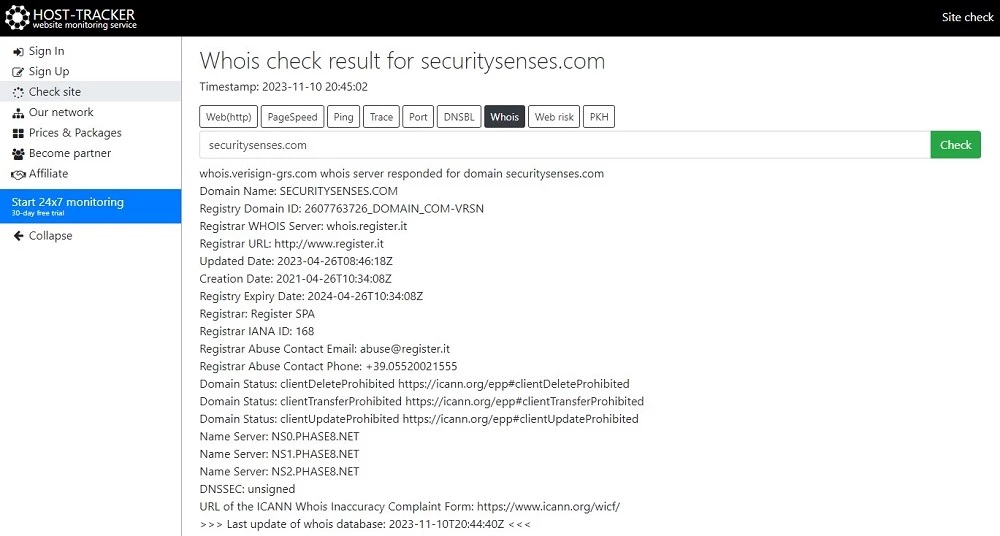
Use WHOIS to find the domain owner. WHOIS shows the hosting provider too. Search online for a WHOIS tool. Enter the domain name. The tool shows the registration details. It might show the hosting company as well. Sometimes, the info is hidden. This depends on privacy settings.
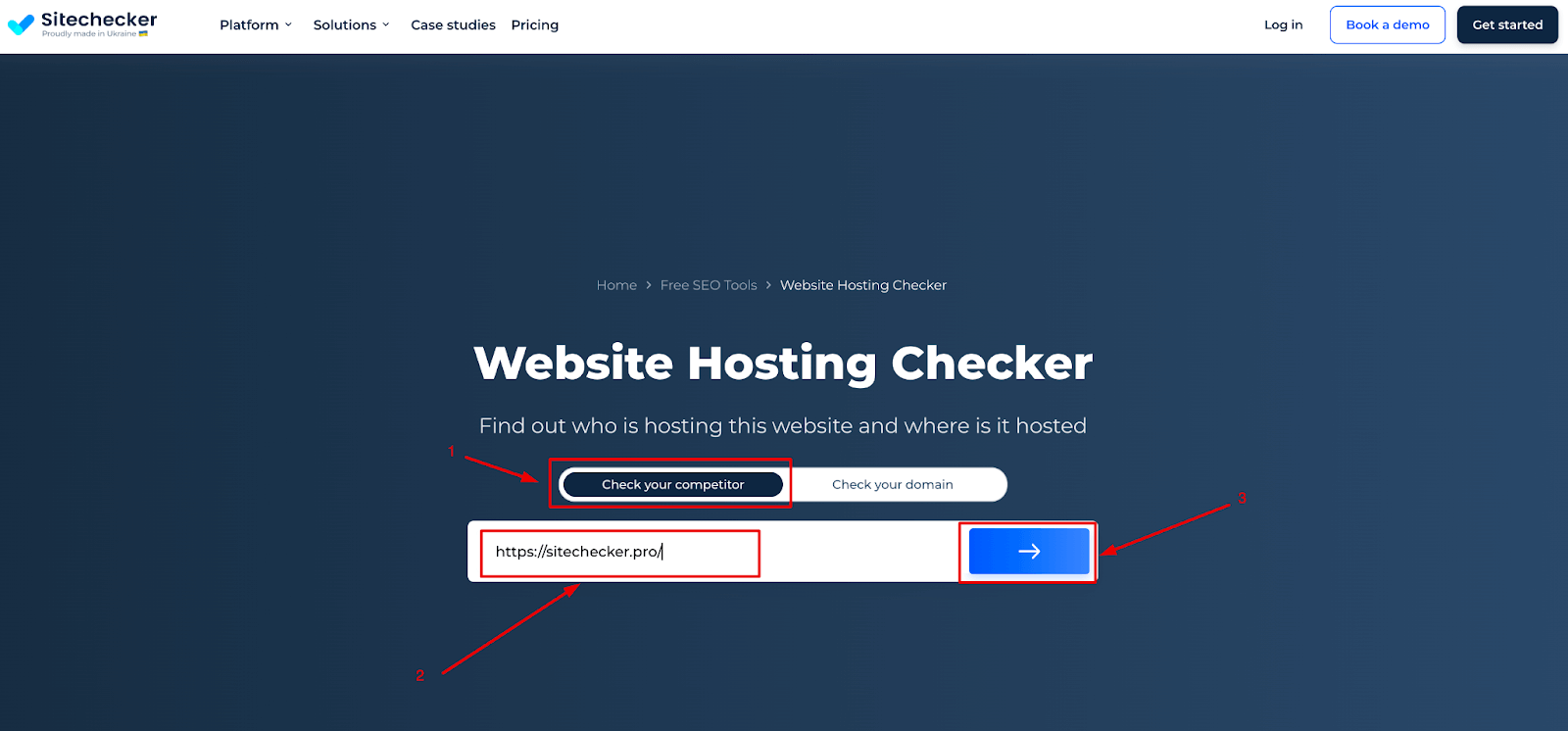
Hosting checker tools are simple and quick. Find one online. Input the domain name. Click check. The tool gives the hosting provider’s name. Some tools show more details. Like server location and IP address. These tools are usually free. They make finding a host easy.
Credit: securitysenses.com
Analyzing Hosting Features
The server location affects how fast your website loads. If the server is close, the site loads quicker. Always pick a server near your users. This ensures a smooth browsing experience. Some hosts let you choose a server location. Check if this is an option before deciding.
Bandwidth is how much data you can send. More bandwidth means more visitors at once. Storage is space for your site files. More storage is needed for bigger sites. Always check the limits before picking a host. Some hosts offer unlimited bandwidth and storage. This is good for growing websites.
Common Challenges
Identifying web hosting services can be tricky. Many face challenges like deciphering technical terms and accessing accurate hosting data. Simple tools and methods can ease this process.
Hidden Ownership
Some websites hide their real owners. This makes it hard to find out who owns the domain. Companies might use services to keep their details private. This is often for security reasons. But it can be a problem if you need to know the owner. Some tools can help find this information. But they are not always accurate.
False Results
Tools might show wrong information about web hosting. This can happen due to outdated data. Sometimes, data is not updated regularly. This leads to errors in results. It’s important to use reliable tools. Check if the tool updates its data often. This helps in getting the right information.

Credit: www.webhostinghub.com
Additional Tips
Explore online tools like WHOIS for quick hosting checks. Verify hosting details by entering the domain name. Use DNS lookup services to gather additional insights.
Cross-verification
Always check the web hosting details from multiple sources. This ensures accuracy. Some tools might show different results. Compare findings for consistency. Use trusted websites for verification. Double-check the hosting provider’s name. Confirm the server location. Ensure the IP address matches across tools. This helps in validating the correct information. Keep a record of your findings.
Regular Monitoring
Web hosting details can change. Regular checks are important. Hosting providers might update their servers. Keep an eye on these changes. Schedule monthly or quarterly checks. This helps in staying updated. Use alerts to get notified of changes. Many tools offer this feature. Regular monitoring helps in maintaining website security. It ensures your website runs smoothly.
Frequently Asked Questions
How To Find Out What Platform A Website Is Hosted On?
Use online tools like BuiltWith or Netcraft to identify website hosting platforms. Check the website’s source code for clues. Analyze domain information via WHOIS lookup services. Hosting providers often leave identifiable traces, helping you pinpoint the platform. Understanding these elements aids in discovering the hosting service.
How Do I Know The Web Server Of A Website?
Use online tools like Whois Lookup or Netcraft to find a website’s web server details. Check HTTP headers via browser developer tools to identify the server type. Explore the website’s hosting provider information for more insights.
What Is Your Website Host?
Our website is hosted by Bluehost. They offer reliable and fast hosting services. Bluehost ensures optimal performance and security. Their customer support is available 24/7. We chose them for their excellent uptime and features. You can trust Bluehost for efficient web hosting solutions.
How Do I Find My Dns Hosting Provider?
Check your domain registrar’s website for DNS details. Use online tools like WHOIS to identify your DNS provider. Access your domain’s control panel to view DNS settings. Consult your web hosting service for DNS information. Check your email records for initial DNS setup confirmation.
Conclusion
Checking web hosting for a domain is simple and essential. Follow the steps to ensure you’re informed. Knowing your web host helps manage your site better. It aids in troubleshooting issues quickly. Use online tools for easy identification. Keep your website running smoothly.
Always stay updated with your hosting details. This knowledge empowers you to make informed decisions. Build confidence in managing your online presence. A little effort goes a long way. Enjoy a seamless website experience with the right hosting. Remember, understanding hosting is key to your website’s success.


