
Are you ready to establish your online presence but unsure where to start? Creating a website and choosing the right web host can seem daunting, but you’re not alone.
Many people face the same challenge, and the good news is that it’s easier than you might think. Imagine having a website that reflects your style and meets your needs, all while running smoothly and efficiently. This guide is designed to help you navigate the process with confidence, from selecting a web host to getting your site up and running.
You’ll discover tips and tricks that make the technical aspects simple and straightforward. Whether you’re launching a personal blog or a business website, understanding how to create and host your site is crucial. Dive in, and you’ll find the steps to success are simpler than you imagined. Your website is just around the corner, waiting to be built. Let’s get started!
Choosing A Domain Name
Start by thinking of words that describe your website. Write them down. Make a list of ideas. Mix words together to form new names. Keep it short. Short names are easy to remember. Make it unique. Stand out from others.
Search for your domain on a domain registrar site. See if someone else has it. Try different versions if it’s taken. Add numbers or other words. Avoid confusing names. People should find your site easily.
Choose a registrar to buy your domain. Popular registrars include GoDaddy and Namecheap. Pick a plan that fits your needs. Plans can be for one year or more. Complete your purchase to own the domain. Now, it’s yours!
Credit: www.hostinger.com
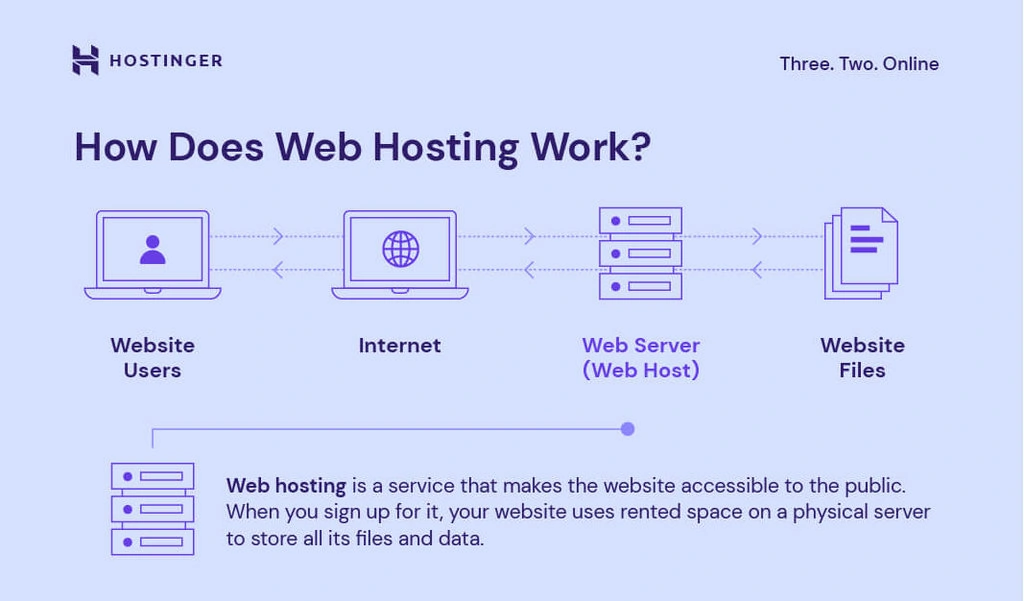
Selecting A Web Hosting Provider
There are different types of web hosting. Shared hosting is the most common. It is cheaper but shares resources with other sites. VPS hosting gives more control and resources. It is like having your own space. Dedicated hosting offers full control and resources. It is the most powerful option. Cloud hosting spreads resources across multiple servers. It is flexible and reliable.
Many features matter in web hosting. Disk space is important for storing files. Bandwidth affects how fast data moves. Look for good uptime guarantees. This means the website stays online. Customer support helps when problems occur. Security features like SSL are vital for protection. Backup options ensure your data is safe.
Pricing varies across different hosting plans. Look at the initial cost and renewal rates. Some offer discounts for the first term. Check what features each plan includes. Unlimited bandwidth or extra storage can be valuable. Balance cost with the features you need. Some hosts offer a money-back guarantee. This lets you try their service risk-free.
Setting Up Your Hosting Account
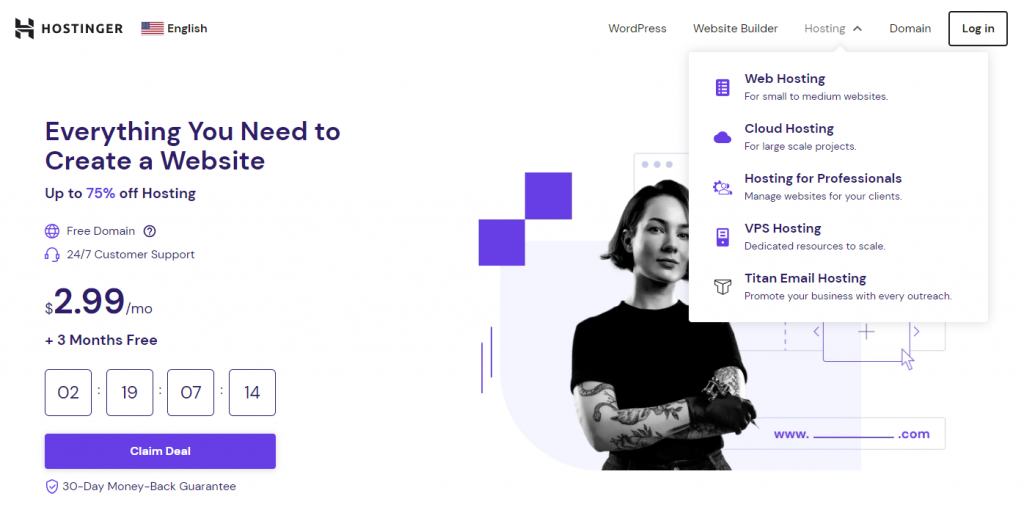
Start by choosing a hosting provider. Visit their website. Find the sign-up option. Provide your email and a strong password. Next, verify your email address. This process is simple. Follow the instructions. Now, your account is ready.
Log in to your hosting account. Look for the control panel. Here, you can adjust settings. Find the option for security. Set up a backup plan. This keeps your data safe. Check for updates regularly. Settings should be easy to change. Make sure your settings match your needs.
First, purchase a domain name. Find the DNS settings in your account. Enter your domain provider’s nameservers. This links your domain to your host. Changes can take some time. Be patient. Your domain will soon connect. Check your website after linking. Ensure everything works well.
Credit: www.hostinger.com
Installing A Website Platform
Many websites use a Content Management System (CMS). Popular options are WordPress, Joomla, and Drupal. Each CMS has its own features. WordPress is user-friendly. Joomla offers flexibility. Drupal is great for complex sites. Pick the one that suits your needs.
Web hosts often provide one-click install options. These are fast and easy. Just click to set up your CMS. No coding needed. It saves time and reduces errors. Many beginners prefer this method.
Manual installation gives more control. It requires downloading CMS files. Then, upload files to your server. Create a database for your site. Connect CMS to the database. Follow step-by-step guides provided by CMS. It’s more work but offers customization options.
Designing Your Website
Creating a website begins with choosing a reliable web host. A good host ensures your site runs smoothly and stays online. Consider factors like speed, customer support, and pricing when selecting a host for your needs.
Selecting A Theme Or Template
Choose a theme that fits your website’s style. Many themes are available online. Some are free, while others cost money. Make sure the theme is easy to use. It should also have a clean design. A good theme makes your site look professional.
Customizing Design Elements
Change colors and fonts to match your brand. Add your logo to the site. Use images that relate to your content. Keep the layout simple and neat. Make sure everything is easy to read. This helps users find information quickly.
Ensuring Mobile Responsiveness
Many people use phones to browse websites. Your site must work well on small screens. Check if your theme is mobile-friendly. Test your site on different devices. Everything should look good and function well. This way, everyone can enjoy your site.
Adding Content To Your Site
Pages hold the main content of your site. They stay constant. Posts are for regular updates. They appear in a timeline. Use both for a balanced site. Make sure to write clear and simple text. It helps readers understand fast. Engage your visitors with interesting topics. Keep them coming back.
Add images to make your site pretty. Videos can tell stories. Use them to explain ideas. Media elements grab attention quickly. They make your site feel alive. Use clear images and short videos. They help people stay longer on your site.
SEO helps more people find your site. Use simple words people search for. Put these words in titles and text. Add alt text to images. It tells search engines what the image shows. Keep sentences short and easy to read. This helps your site rank higher.
Testing And Launching Your Website
Gather friends and family to test your website. Watch how they use it. Notice any problems they face. Make notes of confusing parts. Ask them questions about their experience. Use their feedback to make changes. A simple website is easy to use. Make sure everything works.
Check your website for broken links. Fix any errors in text or images. Make sure all buttons work. Test on different devices. Look for slow loading pages. Speed matters a lot. A fast site makes visitors happy. Fix all issues before launch.
Choose a good web host for your site. Upload your files to the host. Check everything again after uploading. Make sure all parts work. Tell people about your site. Share it on social media. Invite others to visit. Keep your site updated.

Credit: m.youtube.com
Maintaining And Updating
Backups keep your website safe. They help you recover lost data. Always save your data in a secure place. Use cloud storage or an external drive. Make backups often. Daily backups are best. This way, you never lose important information.
Always update your software. This keeps your website secure. New updates fix bugs. They also add new features. Plugins need updates too. Outdated plugins can cause problems. Check for updates weekly.
Check your website’s performance often. Look at the loading speed. Slow websites make people leave. Use tools to check the speed. Also, check for broken links. Fix them right away. This keeps visitors happy.
Frequently Asked Questions
How Do I Make My Own Web Host?
Set up a dedicated server or VPS with Linux or Windows. Install hosting software like Apache or Nginx. Configure DNS settings and security measures. Create a control panel for user management. Regularly update software and monitor server performance for reliability.
Can I Host My Website By Myself?
Yes, you can host your website yourself using a personal server or computer. Ensure you have the necessary technical skills and resources, including a stable internet connection, server hardware, and security measures. Self-hosting offers control but requires maintenance and troubleshooting.
Is Google Web Hosting Free?
Google Cloud offers web hosting services, but they are not free. Users can try Google Cloud free-tier with limited resources. For full hosting capabilities, costs depend on usage and selected services. Pricing is based on factors like storage, bandwidth, and computing power.
How Much Does It Cost For A Website Host?
Website hosting costs range from $3 to $300 per month, depending on features and type. Shared hosting is cheaper, while dedicated hosting is pricier. Choose a host based on your needs and budget. Compare providers for competitive pricing and services.
Always check for discounts or promotions.
Conclusion
Setting up your website’s web host is simpler than it seems. Start by choosing a reliable hosting provider. Check their customer support. Compare their pricing plans. Consider your website’s needs. Then, follow the setup instructions given by the host. Many offer step-by-step guides.
Ensure your site loads fast. Optimize images and content. Secure your site with HTTPS. Regularly back up your data. Stay updated with new hosting features. Your online presence is crucial. A good web host enhances it. Make thoughtful decisions. Your website deserves the best care.


