
Have you ever wondered how websites come to life on the internet? The secret lies in web hosting servers.
These powerful machines store your website’s data and make it accessible to people worldwide. By developing your own web hosting server, you can gain control, flexibility, and potentially save money. Imagine having the ability to manage every aspect of your website’s performance and security.
It’s an exciting and empowering opportunity! We’re going to guide you through the steps of creating your very own web hosting server. You’ll learn about the essential components, software, and configurations needed to turn your vision into reality. Whether you’re a tech enthusiast or a business owner looking to expand your digital presence, this guide will provide you with the knowledge and tools to succeed. Keep reading, and unlock the secrets to web hosting like a pro!

Credit: cyfuture.cloud
Choosing The Right Hardware
Selecting the best processor is crucial. A strong CPU ensures quick handling of tasks. Memory or RAM affects speed. More RAM means better performance. Storage type matters too. Choose SSD for faster access. Regular HDDs are slower but cheaper. Decide based on your needs.
Storage capacity is essential. Large websites need more storage. Consider security features. Data protection is key. RAID systems help. They prevent data loss. Backup solutions are also important. Regular backups keep data safe.
Energy-efficient servers save money. Look for low power consumption. It reduces electricity bills. Environment-friendly choices are good. They help the planet. Check for certifications. Green servers are beneficial. They have less impact on nature.
Operating System Selection
Linux and Windows are popular choices for web servers. Linux is open-source and free. This makes it a favorite for many developers. It is known for its stability and security. Windows, on the other hand, is user-friendly. It supports many applications like ASP.NET. This is great for those who use Microsoft tools. Both have their pros and cons. Choose what fits your needs best.
Linux Vs Windows
Linux is great for those who want flexibility. It offers many customization options. You can tweak it to meet your needs. Windows is easier for beginners. It has a familiar interface. This can be helpful if you are new to servers. Think about your skills and needs.
Custom Os Options
Some developers like to create their own systems. This is for advanced users. You can build a system to do exactly what you need. This might require more time and effort. It gives you total control over your server.
Setting Up The Network
The IP address is like a home address. Each server needs one. It helps computers find each other on the internet. You must choose a unique address. This prevents confusion. Check with your service provider. They can give you an IP address.
DNS is like a phone book. It turns names into IP addresses. This helps users find websites easily. You must set up DNS for your server. Use a reliable service. This ensures quick access. Check settings regularly. This keeps everything running smoothly.
A firewall is like a security guard. It keeps bad guys out. Your server needs one to stay safe. Set up rules for the firewall. Allow only trusted connections. Regular checks are important. They keep the firewall strong. This protects your data.

Credit: www.siteuptime.com
Installing Server Software
Choose a web server application like Apache or Nginx. These are popular choices. They handle requests from browsers. Both are open-source and free. Apache is easy to use. Nginx is fast and lightweight. You can choose based on your needs.
Use a database to store data. MySQL and PostgreSQL are common. They help manage data easily. MySQL is user-friendly and widely used. PostgreSQL offers advanced features. Both are reliable for different tasks. Pick one to match your project.
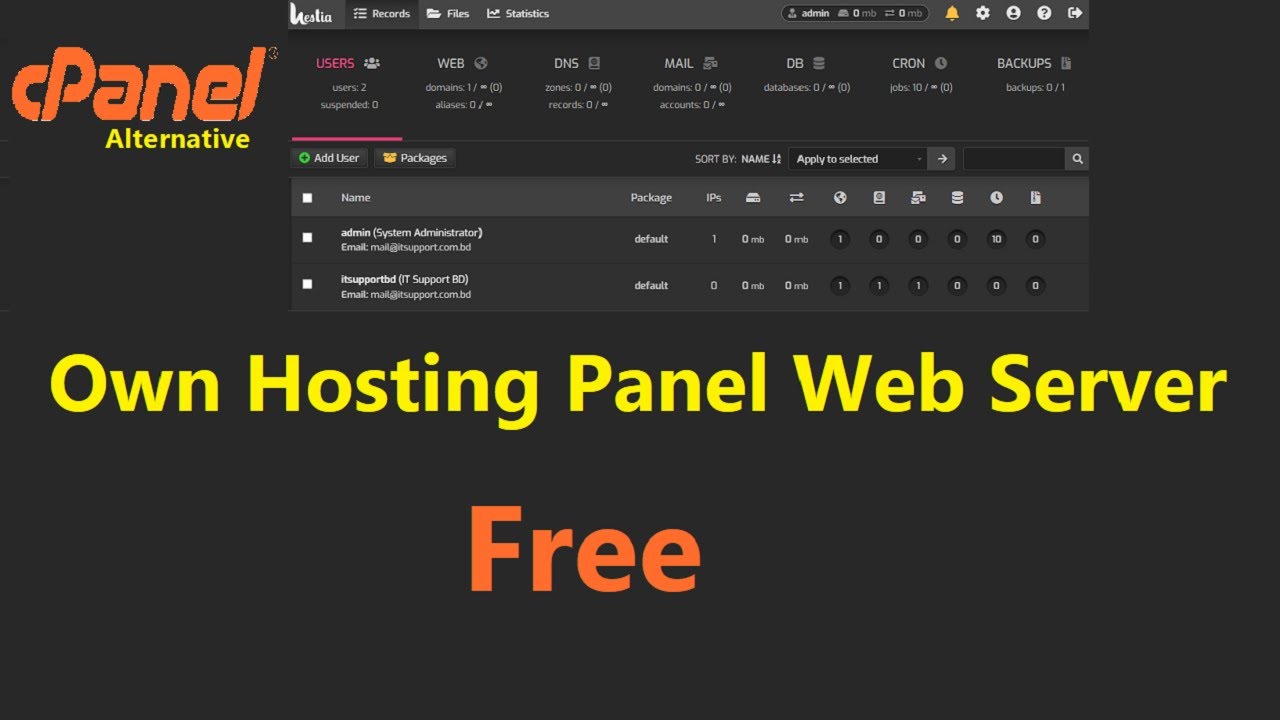
Control panels simplify server management. Popular options include cPanel and Plesk. These tools offer easy interfaces. They help manage domains, emails, and files. cPanel is user-friendly. Plesk supports multiple operating systems. Choose a panel for easier server management.
Security Measures
Developing a web hosting server requires robust security measures. Protect data with strong firewalls and regular software updates. Use encrypted connections to safeguard sensitive information and ensure secure access controls.
Ssl Certificates
SSL Certificates are important for keeping data safe. They help encrypt data between the user and the server. This stops bad people from seeing private information. Without SSL, hackers can steal data easily. Sites with SSL have a padlock icon. This shows the site is safe and trusted. Users feel more secure when they see this icon.
Ddos Protection
DDoS Protection guards your server against attacks. Bad people send too much traffic to the server. This makes the site slow or crash. Protection tools can help stop this traffic. They check and block fake traffic. Servers stay online and work well. Users can visit the site without problems.
Regular Security Audits
Regular Security Audits keep the server safe. Experts check the server for weaknesses. They look for holes that hackers might use. Audits find problems and fix them. This keeps the server strong. A strong server means safe data. Regular checks are important for trust and safety.
Credit: www.youtube.com
Performance Optimization
Caching saves data for quick use later. This means users get faster service. Two common types are browser caching and server caching. Browser caching saves data on the user’s computer. Server caching stores data on the server. Both help in making websites load faster.
Load balancing spreads work across servers. This keeps any one server from getting too busy. It helps servers run smoothly. Users get quick responses because of balanced loads. It also ensures high availability. This means the website stays online even if one server fails.
Monitoring tools watch server performance. They check for errors and slowdowns. Real-time alerts warn when something goes wrong. Tools help identify problems quickly. This means issues get fixed fast. Good monitoring keeps the server healthy.
Backup And Recovery Solutions
Automated backup systems help keep data safe. They work by copying files regularly. These systems save time and reduce human errors. Data security is improved with automatic backups. They store copies in different places. This makes recovery easy when needed. Servers can have different types of backup systems. Some backup every hour, others daily. Choosing the right system is important. It depends on how much data you have.
Disaster recovery plans help when things go wrong. They are steps to fix problems quickly. Plans include what to do if a server fails. They can have steps for natural disasters. They make sure data is not lost forever. Testing plans often is important. It helps find problems before they happen. Good plans keep businesses running smoothly. Everyone should know the steps. This helps fix issues fast.
Scalability Planning
Vertical scaling means adding more power to your existing server. Horizontal scaling involves adding more servers. Vertical scaling is simpler. It works well for small businesses. It can be costly for large needs. Horizontal scaling offers more flexibility. It handles more traffic. Businesses often use both types together. Choose based on your needs. Consider your budget.
Cloud integration connects your server to cloud services. It helps to store data safely. Cloud offers flexible resources. It scales easily. This reduces downtime. It boosts performance. Many businesses use cloud for growth. It offers many tools. Choose wisely for your hosting needs. It can save money and time. It supports your scalability plans.
Compliance And Legal Considerations
Data protection is very important. Laws ensure safety of user data. GDPR is a law in Europe. It keeps personal data safe. In the USA, CCPA protects data. Knowing these laws is key. They prevent data misuse. Companies face fines if they ignore them. Encryption can help protect data. Always secure data both online and offline. Use strong passwords and firewalls. Regular audits are helpful too.
Service Level Agreements (SLAs) are contracts. They state the service terms. Uptime is a common term in SLAs. It shows how often a service works. 99.9% uptime is good. It means less downtime. Response time is also important. It shows how fast a server reacts. SLAs help set clear expectations. They protect both the provider and user. Always read SLAs carefully. Know what is promised. Know what happens if things go wrong.
Maintenance And Support
Web hosting servers need regular software updates. Updates fix bugs and improve security. They help keep your server safe from hackers. Updated software runs faster and smoother. Check for updates often. Set a schedule for updates. Make sure your server never misses an update. Updating software is crucial for performance. It ensures your server works well. Regular updates build trust with users. They know their data is safe. Updates keep your hosting service reliable.
Good support channels are vital for web hosting. Users need help fast when issues arise. Offer support through email, chat, and phone. Ensure support is available 24/7. Train your team to solve problems quickly. Provide clear guides and FAQs. Help users understand solutions easily. Use simple language in support materials. Make sure users feel heard and valued. Strong support builds customer loyalty. It makes users stay with your hosting service.
Frequently Asked Questions
How Do I Build My Own Web Hosting Server?
Choose hardware suitable for your needs. Install a Linux server OS, like Ubuntu. Set up server software, such as Apache or Nginx. Configure security with firewalls and SSL. Finally, register a domain and link it to your server’s IP address.
How To Develop A Web Server?
Develop a web server by choosing a programming language like Python or Node. js. Install necessary software and libraries. Write code to handle HTTP requests and responses. Test the server locally and deploy using platforms like AWS or Heroku for broader access.
Ensure security protocols are in place.
Can I Be My Own Hosting Provider?
Yes, you can be your own hosting provider by setting up a server and managing its infrastructure. Ensure you have technical knowledge, reliable hardware, and a stable internet connection. Consider security, maintenance, and scalability to handle traffic efficiently. It requires substantial effort compared to using established hosting services.
Can I Turn My Pc Into A Web Server?
Yes, you can turn your PC into a web server. Install server software like Apache or Nginx. Ensure a stable internet connection and configure your firewall. Register a domain name if needed. Regularly update software to maintain security.
Conclusion
Building a web hosting server requires patience and planning. Start with understanding your needs. Choose the right hardware and software. Security is key, so always prioritize it. Regular updates keep your server running smoothly. Testing ensures everything works as expected.
Troubleshooting skills will help in resolving issues quickly. Lastly, stay informed about new technologies and trends. This helps in maintaining a competitive edge. Developing a web hosting server can be challenging. But with persistence, it becomes manageable and rewarding. Keep learning and adapting to ensure success.


