
Are you thinking about switching your web hosting domain but feeling a bit overwhelmed? You’re not alone.
Changing your web hosting domain might sound complex, but it’s simpler than you think. Imagine having a sleek, new domain name that perfectly captures your brand or idea. With the right guidance, you can make this transition smoothly and efficiently.
We’ll walk you through the steps to ensure your website remains accessible and your data is secure during the switch. You’ll discover insider tips and tricks that will make the process stress-free and rewarding. So, let’s dive in and get your domain ready for its fresh start!
Credit: www.godaddy.com
Choosing The Right Domain
Picking a domain needs careful thought. Domain length matters. Short names are easy to remember. Long ones are hard to spell. Keywords in the domain can help with searches. They tell users what the site is about. Availability is key. Check if the domain is free. If taken, try different versions. Adding a number or a hyphen might help.
Extension choice is crucial. Common extensions like .com are popular. Others like .net or .org may fit specific needs. Legal issues must be considered. Avoid names that might infringe on copyrights or trademarks. It’s important to ensure the name is unique. Future growth is another factor. Choose a domain that can grow with your business. A flexible name can adapt to changes. These factors help pick the right domain.
The domain impacts brand image. A catchy name sticks in minds. It makes your brand memorable. Consistency is vital. Match your domain with your brand name. This consistency helps users find you easily. Simplicity aids understanding. Simple names are easy to share. Complex ones can confuse users. Relevance is key. Ensure the domain reflects your business. This builds trust with users.
Uniqueness sets you apart. A unique domain can stand out in the crowd. It also helps in search rankings. Emotion can be evoked. A good domain name can trigger feelings. Positive emotions can attract more visitors. The domain is a part of your brand identity. It speaks about your business values. Choose wisely for long-term success.
Preparing For Domain Change
Before changing the domain, create a backup of your website. This ensures your data is safe. Use your hosting control panel for this task. Some hosts offer one-click backup options. Download the backup file to your computer. Store it in a safe place. This step is crucial. It prevents data loss during the transfer. Make sure everything is backed up correctly. Check database files and media files too.
Inform everyone involved about the domain change. This includes team members and clients. Send an email or message with the new domain details. Share the expected time for the change. This keeps everyone informed and avoids confusion. Update any business cards or profiles with the new domain. Make a checklist to ensure nothing is missed. Clear communication is key in this step. It makes the transition smooth.
Updating Domain Settings
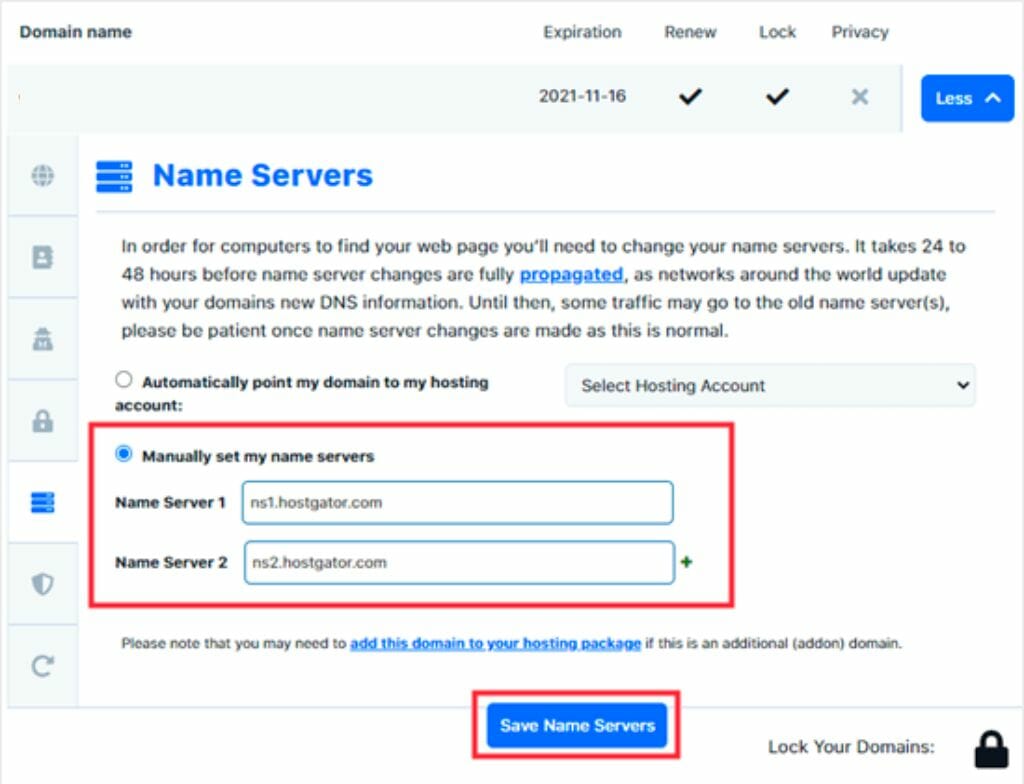
To change your web hosting domain, start with the DNS settings. Access your domain registrar’s site. Look for the DNS management or settings section. Enter the new domain name. Make sure to update the nameservers. This will connect your new domain to your hosting. Save your changes. It may take some time to update. Be patient. Check if the domain is pointing to your hosting.
An SSL certificate ensures a secure connection. When changing domains, update the SSL. Contact your hosting provider. They will guide you. They might need to reissue the SSL. This ensures your new domain is secure. Users will see the padlock icon in their browser. This builds trust. Keep your site safe and secure.
Migrating Website Content
Moving files from one host to another is simple. Use an FTP client to download files. Then, upload them to the new server. Ensure all files are transferred. Double-check the file permissions too. Some hosts may have different settings. Always keep a backup of your files. This is important to prevent loss.
Export the database from the old server. Use phpMyAdmin for this task. Save the file on your computer. Import the file to the new server’s database. Ensure the new database has the same name. Check for any errors during import. Fix any issues before proceeding. Update the database details in the website’s configuration file.
Testing The New Domain
Testing is important. Check if pages load correctly. Ensure links work. Test forms and contact pages. Verify images display properly. Check site speed. Fast loading is crucial. Test on different devices. Mobile and desktop both matter. Ensure security settings are correct. Look for broken links. Fix them if needed.
Check title tags. They should include keywords. Look at meta descriptions. They must be relevant. Review header tags. They guide search engines. Ensure alt text for images. It helps with SEO. Inspect the URL structure. URLs should be clean and simple. Verify site maps are updated. Ensure they reflect the new domain. Search engines need them. Revisit internal links. They should work correctly.
Credit: diggitymarketing.com
Post-migration Tasks
Keep an eye on your website’s speed and uptime. Use tools like Google Analytics. They help you see how your site is doing. A fast site keeps visitors happy. Slow websites make users leave. Check the loading time. Make sure it is quick. Look for any errors or broken pages. Fix them right away. A smooth website means better user experience.
Check all your external links. Make sure they go to the right place. Broken links confuse users. They can also hurt your site’s reputation. You can use online tools to check links. Fix or update any broken links you find. Tell other websites about your new domain. Ask them to update links to your site. Keeping links updated is important. It helps your site stay connected and relevant.
Credit: www.liquidweb.com
Frequently Asked Questions
How Do I Change The Domain In Hosting?
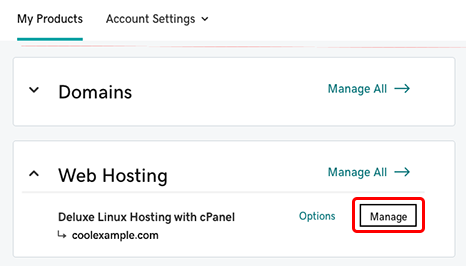
Access your hosting account’s control panel. Locate the domain management section. Select “Add Domain” or “Change Domain. ” Enter the new domain name. Update DNS settings to point to the new domain. Save changes and verify. Contact support if needed.
How Do I Transfer A Domain To A New Host?
Unlock your domain at the current registrar. Obtain the authorization code. Initiate the transfer with the new host. Approve the transfer request via email. Wait for completion, usually within 5-7 days.
How Do I Change My Website Hosting Provider?
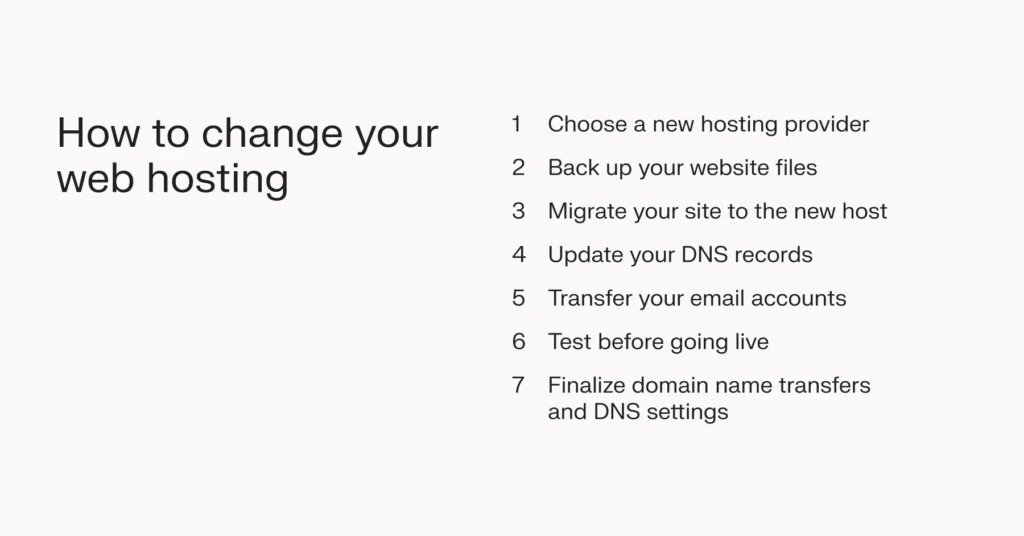
To change your hosting provider, back up your website files and databases. Transfer domain to the new host. Upload your files to the new host’s server. Update DNS settings to point to the new provider. Verify the website’s functionality after the transfer.
How Do I Switch From One Domain To Another?
Switch domains by updating DNS settings, redirecting URLs, and notifying search engines. Backup data and monitor traffic changes.
Conclusion
Changing your web hosting domain can feel challenging. But, with the right steps, it becomes simple. First, understand your hosting provider’s process. Then, back up your website data. Next, update DNS settings accurately. Check for errors after making changes. Finally, monitor your website’s performance.
This ensures everything runs smoothly. Always refer to guides or support if needed. Keep these tips handy for future domain changes. With practice, the process becomes easier. Your website will benefit from a fresh start. Embrace the change. Your online presence will improve as a result.


