
Finding the right web hosting control panel can feel like searching for a needle in a haystack. You want something that simplifies your tasks, saves you time, and boosts your efficiency.
Imagine having a tool that turns complex web management into a breeze. That’s what the right control panel can do for you. But how do you know which one fits your needs? You’ll discover the secrets to finding the perfect web hosting control panel that aligns with your goals.
Get ready to unlock the power of seamless web management. Stay with us as we dive deep into the features, benefits, and insights that will guide you in making an informed decision. Your journey to effortless web hosting starts now!
Credit: www.awardspace.com
Types Of Control Panels
Shared hosting panels are user-friendly. They help beginners manage websites easily. Popular options include cPanel and Plesk. These panels provide basic features like file management and email settings. Users can install apps with one click. Security is often managed by the host. These panels are cost-effective. Perfect for small websites.
VPS and dedicated hosting panels offer more control. Webmin and DirectAdmin are popular choices. They allow custom server configurations. Users need some technical skills. These panels provide advanced options. They include root access and database management. Ideal for larger websites. They require more maintenance.
Cloud hosting panels are flexible. Amazon AWS and Google Cloud are common examples. They offer scalability and resource management. Users can adjust resources based on traffic needs. These panels support multiple applications. They often have automated backups. Suitable for dynamic websites. They require understanding of cloud services.
Popular Control Panel Options
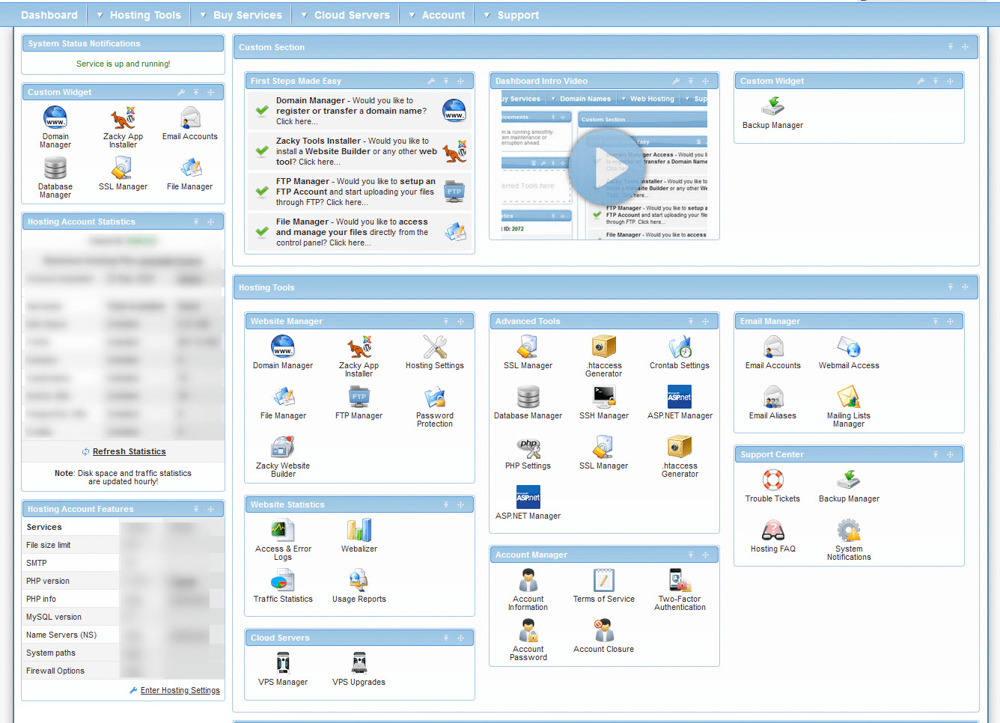
cPanel is very popular. It is easy to use. Many websites use it. It has a friendly interface. You can manage emails, files, and databases. It helps you keep your website safe. You can add more features. It is suitable for both beginners and experts.
Plesk is another option. It works with Windows and Linux. You can manage multiple websites. It is secure and flexible. It helps with website performance. You can use it for business websites. Many users like its clean design.
DirectAdmin is simple and fast. It is cheaper than others. You can manage users easily. It offers basic features. Many small businesses choose it. It is lightweight and efficient. It works well for shared hosting.
Webmin is a free option. It is open-source. You can customize it. It is for advanced users. You can control many servers. It is powerful and flexible. Webmin helps in managing system settings.
Features To Consider
Choosing a web hosting control panel requires examining essential features like user interface, security, and support. Compatibility with your hosting needs ensures seamless management. Efficient resource allocation aids in performance optimization.
User Interface And Usability
The control panel should be easy to use and understand. Kids can use it too. Simple menus and clear instructions are important. The design should be clean and neat. Easy navigation helps find things fast.
Security Features
Keeping your site safe is very important. The control panel should have strong security tools. Look for firewalls and SSL certificates. These tools help protect your site from bad people.
Backup And Recovery Options
Data can sometimes be lost. Control panels should have backup tools. You can save your data safely. If something goes wrong, you can restore it easily. This keeps your site safe from losing information.
Compatibility And Integration
Control panels should work well with other tools. Make sure it can connect with CMS and apps. This will make your site run better. Compatibility ensures everything works smoothly.
Credit: www.awardspace.com
Evaluating Cost And Value
Free vs. Paid Options: Some control panels are free. Others need payment. Free options may limit features. Paid options offer more tools. They can be better for big sites. Think about your needs. Free might work for small sites. Paid can be a good choice for more features.
Licensing Models: Some panels have monthly fees. Others ask for a one-time payment. Monthly fees are good for short use. One-time payment might save money long-term. Choose based on your budget. Know what each license includes. This helps you plan costs.
Long-term Value: Look at features you get over time. Some panels add new tools as they grow. Others stay the same. Consider future needs. Will your site need more features later? A panel with growth potential is useful. Check reviews for long-term user satisfaction.
Customization And Flexibility
Many panels offer color themes and layout choices. Users can often change dashboard settings. This helps to make the panel feel personal. Some panels allow adding custom scripts or tools. This lets users tailor the panel to their needs. Icons and shortcuts can be organized easily. This allows fast access to important features.
Panels should grow as your needs grow. Look for storage options that expand. Some panels offer bandwidth upgrades. This helps handle more traffic. User accounts can be added without fuss. Server resources should be flexible. This keeps websites running smoothly. Good panels adapt to changes easily.
Panels often support extra features. Plugins can add new functionalities. These include security tools and site builders. Extensions can help with SEO tasks. Social media tools are also common. They improve sharing and tracking. Backup solutions are helpful too. They protect data from loss. Add-ons enhance the panel experience.
Getting Support And Resources
Many hosting users chat in forums. These are places where people ask questions. Others answer and share ideas. Helpful tips are often found here. Forums are a great way to learn. You can see what others think. Sometimes, you even get to help someone else. Being part of a forum is like being in a club. Everyone wants to help each other.
Reading documentation gives clear steps. Tutorials show how to use tools. They are very useful for new users. Many hosting providers have guides. These guides explain each feature. Sometimes, there are videos too. Watching a video helps understand better. It’s like a teacher showing you how to do it.
Some people need extra help. This is where professional support comes in. Experts are ready to solve problems. They know a lot about hosting. You can reach them by chat or email. Sometimes, phone calls work too. It’s good to have expert help when you’re stuck. They make sure everything works fine.
Installation And Setup
Choosing the right server is crucial. Linux and Windows servers are popular. Ensure your server has enough RAM and storage. Verify the operating system version matches your control panel needs. Some panels need specific software versions. Check for compatibility before starting.
Start by downloading the control panel from its official site. Upload the file to your server. Run the installation script. Follow the instructions carefully. Set up admin accounts. Configure network settings. Ensure firewalls are ready. Complete setup by checking each option.
Sometimes, installations fail due to missing files. Permissions can block certain actions. Firewall settings might interfere. Check if your server meets all requirements. Ensure software versions are up-to-date. Solve issues with documentation or support.
Credit: www.hotjoomlatemplates.com
Frequently Asked Questions
Where Is The Web Hosting Control Panel?
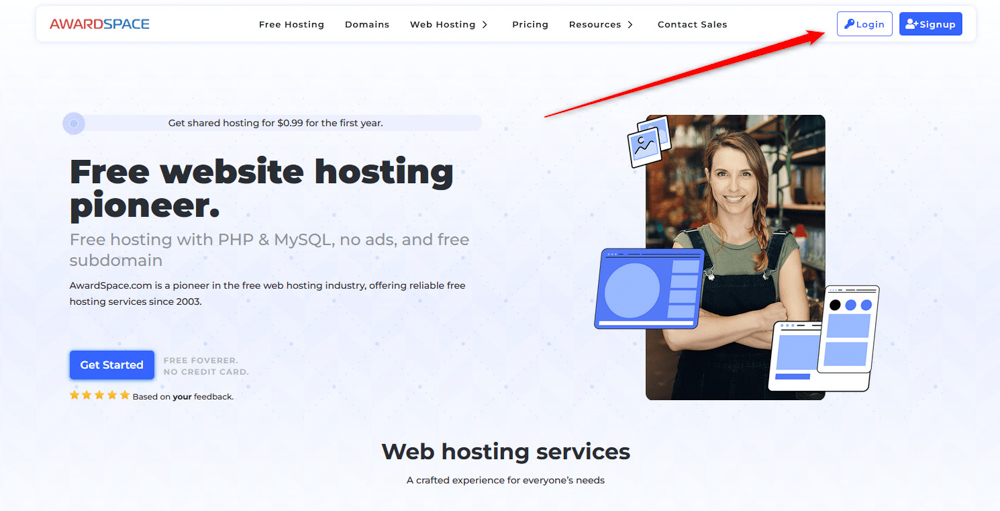
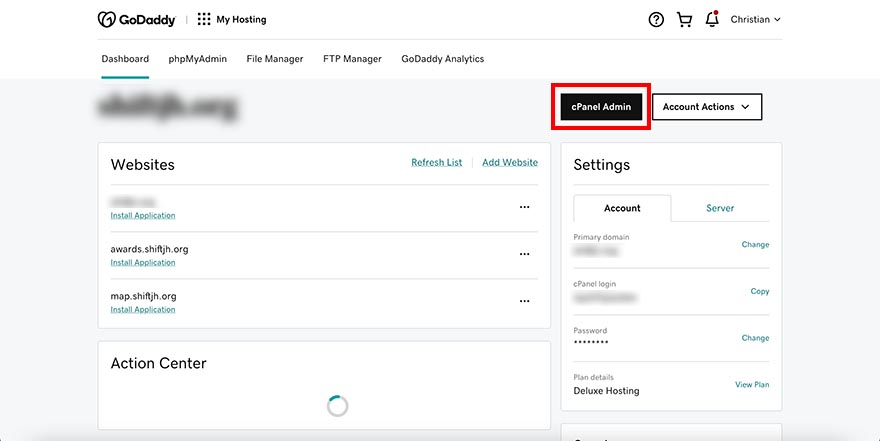
Access the web hosting control panel through your hosting provider’s website. Log in with your account credentials. Look for the “Control Panel” or “cPanel” link in your account dashboard. This interface allows you to manage website settings, files, and databases efficiently.
How Do I Access The Control Panel Of My Website?
Log in to your hosting account. Navigate to your dashboard. Click on the “Control Panel” or “cPanel” option. Use your credentials to access it. Look for tools to manage your website.
How Do I Open A Hosting Panel?
Log in to your hosting account. Locate the hosting panel link in the dashboard. Click to access the control panel.
How Do I Find My Web Host?
Check your email for hosting account details or invoices. Use online tools like WHOIS to search for your domain. Contact your website administrator or developer for hosting information. Access your website’s control panel for host details. Search for hosting company names in your files or website settings.
Conclusion
Finding the right web hosting control panel is crucial. It impacts your site’s performance and management. Start by evaluating your needs. Compare features of different control panels. Check user reviews and ease of use. Ensure compatibility with your hosting service.
Consider security features and support options. Don’t rush the decision. The right choice simplifies site management. Boosts efficiency, too. Explore options, make an informed choice. Your website deserves the best setup. A well-chosen control panel leads to smoother operations. Enhanced website performance awaits with the right control panel.
Choose wisely for your online success.


