
Are you wondering if your website is on shared web hosting? Understanding the type of hosting you have is crucial for your site’s performance and security.
Shared hosting means your website shares server resources with other sites, which can impact speed and reliability. But how do you know if this is the setup you’re using? By the end of this article, you’ll have the clarity you need to identify your hosting type and make informed decisions for your website’s future.
Whether you’re managing your personal blog or a business site, knowing your hosting environment is the first step to optimizing your online presence. Let’s dive in and discover what your current hosting plan really means for you.
Credit: verpex.com
Identifying Shared Web Hosting
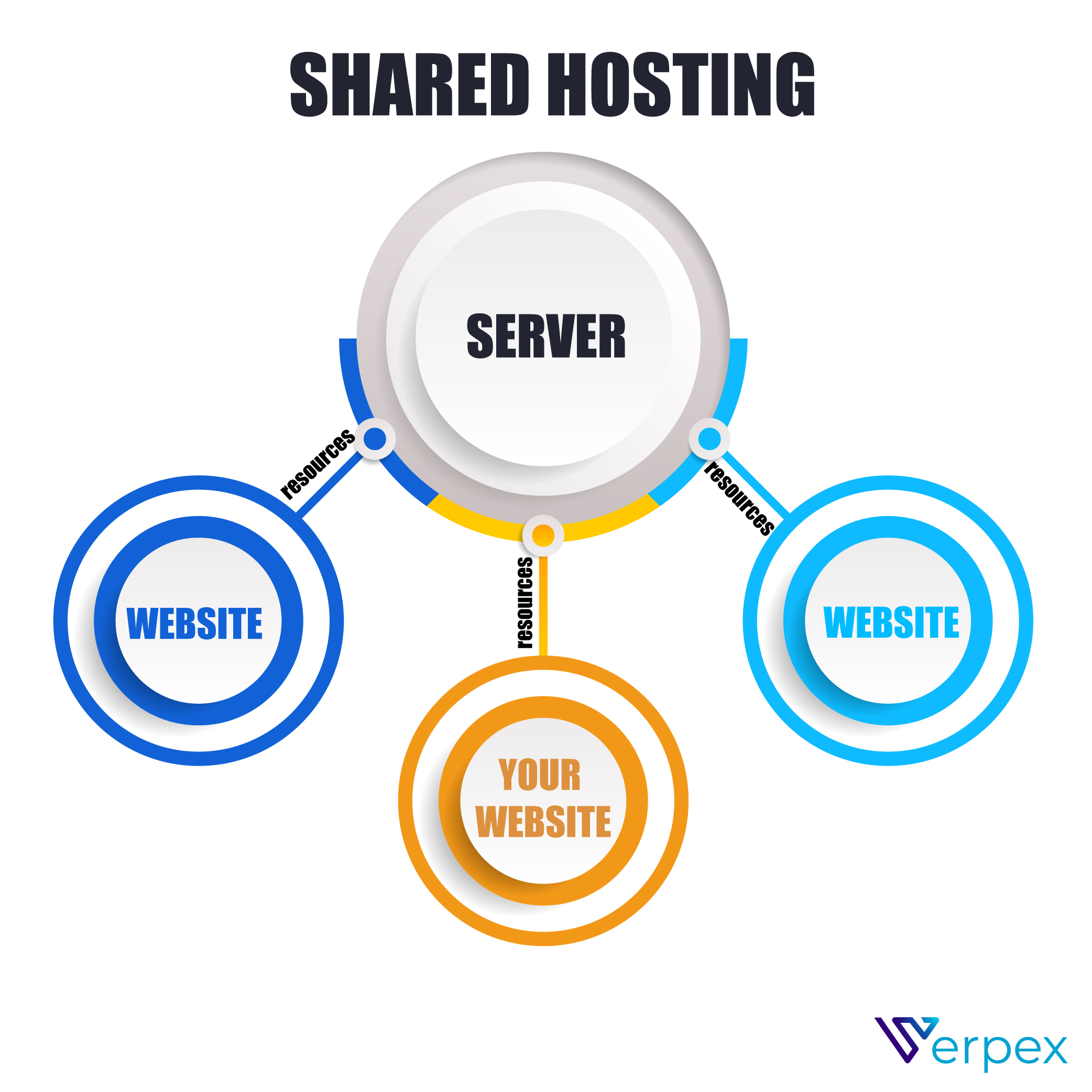
Shared hosting means many users on one server. Space and resources are shared. Low cost is a big sign of shared hosting. You pay less for your website. Limited control over the server settings is common. You cannot change server software. Performance can vary as more websites join. Traffic spikes might slow down your site. This is due to shared resources.
Limited bandwidth is a key indicator. Your site may slow if many visit. Basic security features are provided. Advanced security needs extra payment. Support is often general. You may not get personalized help. Pre-installed software is common. You can use what is available. No admin access to the server is usual. You cannot change server settings. These signs help identify shared hosting.
Hosting Plan Details
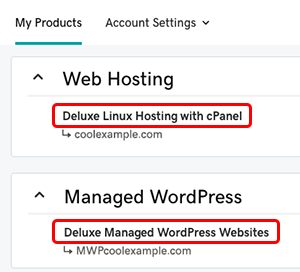
Check the hosting agreement for any mention of “shared hosting”. This means you share resources with other sites. Look for terms like bandwidth limits and “shared server”. These indicate shared hosting. Review pricing details too. Shared plans are usually cheaper.
Look at your hosting plan features. Shared hosting often includes limited storage. It may offer basic security features. Shared plans usually have set traffic limits. If your plan mentions these, it could be shared hosting. Check if there are restrictions on installed software. Shared hosting might limit your choices. Compare your features with other types of hosting.
Server Resource Allocation
In shared hosting, many websites use one server. This means they share resources like CPU, RAM, and disk space. Think of it like sharing a pizza with friends. Everyone gets a slice. But the more people, the smaller each slice becomes. If one website uses too much, others get less.
Shared hosting can affect website speed. If another site gets busy, your site might slow down. This is because all sites share the same power. Imagine a group of people trying to fit through one small door. It takes time, and some people might wait longer. So, while shared hosting is cheaper, it might not be the fastest option.
Access And Control
Shared hosting means sharing a server with others. This comes with limitations. Your control over the server is restricted. You can’t change server settings. Access to certain features is limited. Security settings are often preset. Customization options are fewer. You have less control over your files. The server is shared with many users. Performance can be affected by others. Resources are divided among all users. Limited bandwidth can slow down sites.
Shared hosting uses different control panels. The most common is cPanel. Easy to use with a simple interface. It lets you manage your website files. Some hosts offer Plesk instead. Plesk is also easy to navigate. Both have limited advanced features. They’re designed for basic management. Not ideal for complex tasks. You can update files and databases. But you can’t change server settings. These panels make hosting simple.
Cost And Pricing
Shared hosting usually has a lower cost. It divides resources among many users. Pricing can start from a few dollars per month. Some plans offer discounts for long-term commitments. Basic plans often include limited features. More advanced options may increase the price. Check if your plan offers unlimited bandwidth or storage. Small businesses often choose shared hosting for its affordability.
Consider what features you really need. Compare different hosting providers. Look at the cost vs. benefits. Do you need extra security or daily backups? Sometimes, paying a bit more offers better service. Think about your website’s growth in the future. A good host should be cost-effective now and later. Budget wisely to get the best value.
Technical Support And Security
Good support is very important. Shared hosting usually offers 24/7 support. This means help is always there. You can ask questions anytime. Support is often via chat or email. A team of experts is ready to help. Quick response is key. Waiting too long is not fun. Easy support is a big plus.
Security keeps websites safe. Shared hosting has basic security. It includes firewalls and antivirus. These tools block bad things. Regular updates are important too. They fix problems fast. Many hosts offer SSL certificates. SSL keeps data private. Sharing a server can be risky. It is important to follow safety tips. Always use strong passwords. Change them often. Stay safe online.
Migration Considerations
Determining if you have shared web hosting involves checking specific features. Look for multiple websites sharing the same server. Limited customization options often indicate shared hosting plans.
Upgrading Hosting Plans
Thinking about upgrading your hosting plan? Shared hosting is good for small websites. But growing sites need more power. Upgrading gives you better speed and support. It also handles more visitors. This means your site runs smoothly. You can choose a VPS or Cloud Hosting. Both options are great for busy websites. They offer more control and resources. Always check your current needs. This helps in picking the right plan.
Transferring To Dedicated Hosting
Considering moving to dedicated hosting? This option is for big websites. It gives you a whole server. No sharing with others. This means faster loading times. Plus, more security. Dedicated hosting is more expensive. But it offers full control. Your site can handle more traffic. Dedicated hosting is a good choice for e-commerce sites. Or sites with high traffic. Make sure to plan before you transfer. It helps in a smooth move.
Credit: www.godaddy.com

Credit: www.bigscoots.com
Frequently Asked Questions
How Can I Tell Who Is Hosting My Website?
Use a WHOIS lookup tool to find your website host. It displays domain registrar and hosting provider details.
How To Check If A Server Is Shared Or Dedicated?
Identify the server type by checking hosting plan details. Use SSH or FTP to access and inspect server configuration files. Alternatively, contact hosting provider for confirmation. Dedicated servers usually have unique IP addresses, while shared servers have multiple domains on one IP.
What Is Website Shared Hosting?
Shared hosting means multiple websites share a single server’s resources. It is cost-effective and beginner-friendly. Users share storage, bandwidth, and computing power. Performance may vary based on other sites’ traffic. Ideal for small to medium-sized websites.
How Do I Find My Hosting Account?
Log in to your hosting provider’s website. Check the dashboard or account section for hosting details. Contact customer support if needed. Use your email for password recovery if you can’t log in. Access cPanel or similar tools for account management.
Conclusion
Shared web hosting is popular. It offers affordable options for beginners. Check your hosting plan details to confirm if it’s shared. Look for terms like “shared hosting” in your account or contract. Shared hosting often means sharing resources with others.
Use hosting provider tools to see server usage. Shared hosting suits small websites with moderate traffic. It’s a good start for personal blogs or small businesses. Understanding your hosting type helps optimize performance. Make informed decisions for future upgrades. Explore different hosting options as your site grows.
Keep an eye on your website’s needs over time.


