
Are you ready to launch your very own website but feel overwhelmed by the first step—choosing a web host? You’re not alone.
Navigating the world of web hosting can seem like a daunting task, especially with so many options out there. But don’t worry; we’re here to simplify it for you. Imagine your website as a beautiful house you’re about to build.
To make it real, you need land to build on—that’s where web hosting comes in. The right web host can make your website faster, more reliable, and safer, acting as a solid foundation for your online presence. We’ll guide you through the essentials of getting a web host, helping you make informed decisions that align with your needs. By the end, you’ll feel confident and ready to choose the perfect web host to bring your website dreams to life. Let’s dive in and discover how you can secure the best spot on the digital map!
Choosing The Right Web Host
Web hosting comes in different types. Shared hosting means you share a server with others. It is often cheaper but can be slower. Dedicated hosting gives you a server all to yourself. It is faster but costs more. Each type has its own benefits.
In shared hosting, many sites use the same server. This makes it affordable. But it might slow down if many people visit at once. Dedicated hosting offers more speed. Your site gets its own server. This can handle more visitors.
Cloud hosting uses many servers. This helps if one server fails. Your site can keep working. It is flexible and can grow with your needs. You only pay for what you use.

Credit: www.godaddy.com
Evaluating Hosting Features
Web hosting must support your site’s size. Storage is crucial. Small sites need less. Large sites need more. Bandwidth affects loading speed. High bandwidth means fast. Low bandwidth means slow. Choose wisely.
Sites must be online all the time. Uptime shows reliability. Look for hosts with 99.9% uptime. This means almost no downtime. Reliable hosts keep sites running smoothly.
Safety is key. Security features protect your site. Look for SSL certificates. They ensure safe data transfer. Firewall prevents attacks. Regular backups save your data. Choose hosts with strong security.
Comparing Pricing Plans
Some hosts have cheap plans. These are good for small sites. You get basic features. Enough to start. But not much more. Choose wisely. Look for reliable support. You want help if things go wrong. Even cheap plans should offer this.
More money can mean more features. Free domain, more storage, and better support. Make a list. What features do you need? Compare plans. Do not pay for things you do not need. Find a plan that fits your site.
Some hosts offer special deals. Lower prices for new users. Watch for these deals. They can save you money. Check the terms. Sometimes prices go up later. Always read the fine print. Make sure the deal is right for you.
Assessing Customer Support
24/7 Availability is crucial for a web host. Problems can happen anytime. A good host is always ready to help. Day or night. This keeps your site running smoothly. No one wants downtime!
Technical Expertise is needed. Support staff should know their stuff. They must fix issues fast. This helps save time and stress. Poor support can be frustrating.
Support Channels are different ways to get help. Some hosts offer chat. Others have email or phone support. Choose what works best for you. The more options, the better.
Considering Scalability
Growth potential is crucial for web hosting. Websites can grow fast. Choose a host that supports this growth. Some hosts offer easy upgrades. This helps when your website becomes popular. More visitors mean more resources needed. Ensure your host can handle this.
Upgrading plans should be simple. Your host should offer various plans. Start small, then upgrade as needed. Larger plans should offer more space and bandwidth. This ensures your site runs smoothly. It prevents slowdowns during traffic spikes.
Flexible resources are important. Your host should provide additional resources. This might include extra storage or faster servers. Flexibility helps during busy times. It ensures your site remains fast and reliable. Always check the host’s flexibility before choosing.
Reading Reviews And Testimonials
User experiences offer real insights. People share their thoughts online. They talk about service quality. They mention support and ease of use. Happy users write good reviews. Unhappy users mention problems. Reading both helps you decide.
Expert opinions are valuable. Experts know the field well. They test services and give feedback. They rate web hosts based on performance. They often explain complex terms simply. Experts help you understand what you need.
Case studies show real examples. They highlight challenges and solutions. They provide detailed stories of success. They show how a web host helped a business grow. Case studies offer lessons and insights.
Registering A Domain
Choosing a domain name is important. It should be easy to remember. Short names are better. Avoid using numbers and dashes. Unique names help stand out. Keywords in the name can help search engines find you.
The process is simple. Find a domain registrar online. Check if your name is available. Follow steps to register. Pay a small fee. Your name is now reserved. You can use it for your website.
Privacy matters. Domain privacy hides your information. It stops spam emails. It keeps your data safe. Some registrars offer it free. Others charge a fee. Choose based on your needs.
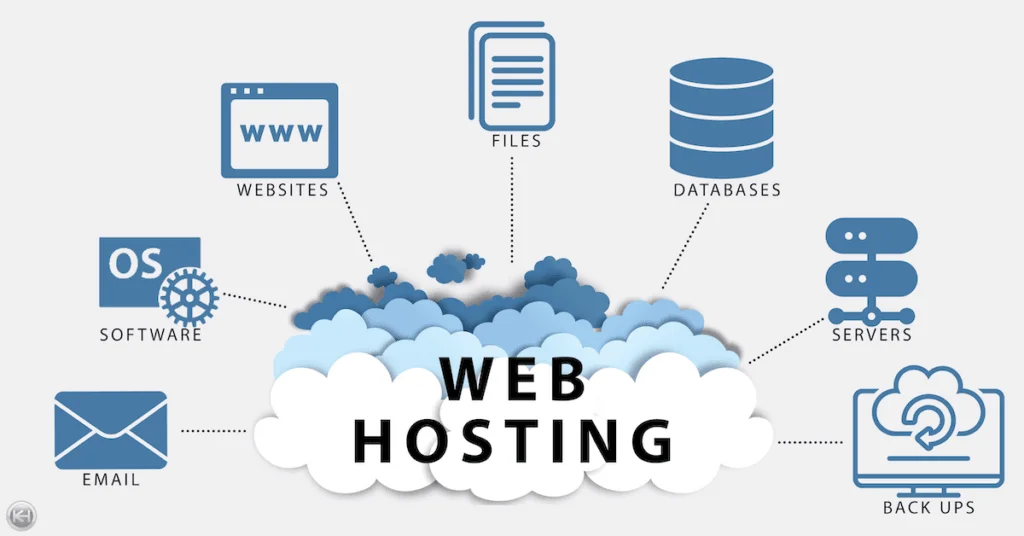
Credit: www.knownhost.com
Setting Up Your Hosting Account
Start by picking a hosting provider. Choose one that fits your needs. Visit their website. Find the Sign Up or Create Account button. Click it. Fill out the form. Use real details. Provide your email. Pick a strong password. Submit the form. Wait for confirmation email. Check your inbox. Follow the instructions. Your account is ready!
Log into your hosting account. Find the Settings section. You will see many options. Choose the ones you need. Set up your domain. Pick a domain name. Make sure it is available. Connect it to your hosting. Adjust privacy settings. Enable backups. Keep your data safe. Save changes.
Upload your website files. Use the File Manager tool. Choose the right folder. Place your files there. Check your website link. Ensure it works. Test different pages. Look for errors. Fix them. Make your site live. Share your link. Let others visit your site. Enjoy your new website!

Credit: www.hostinger.com
Frequently Asked Questions
How To Get A Website Hosted?
Choose a reliable web hosting provider. Register a domain name. Select a hosting plan. Set up your website using a CMS or website builder. Upload your website files.
Is Google Web Hosting Free?
Google offers free hosting through Firebase for basic projects. For larger websites, costs may apply. Firebase provides hosting for static and dynamic content, but advanced features might require payment. Always check Google’s current pricing plans for the most accurate information.
How Much Does It Cost For A Website Host?
Website hosting costs range from $3 to $300 monthly, depending on the plan and provider. Shared hosting is cheaper, while dedicated servers cost more. Choose based on your needs and budget. Always check for any additional fees or discounts.
Is Godaddy A Website Host?
Yes, GoDaddy is a website host. It offers reliable web hosting services for individuals and businesses. GoDaddy provides domain registration, website building tools, and customer support. Known for its user-friendly interface, it helps users create and manage websites easily.
Conclusion
Choosing a web host doesn’t need to be complicated. Start with clear needs. Consider your website size and traffic. Compare different hosts. Look at their reliability and customer support. Check their pricing plans. Don’t overlook features like security and scalability.
Read user reviews. They offer real insight. Make sure the host fits your budget and growth plans. With careful research, you’ll find the perfect match. Remember, a good host supports your website’s success. Make your choice wisely. Your website deserves the best home.


