
Do you ever wonder how to set up your email with web hosting sites? You’re not alone.
Emails are a vital part of your online presence, whether you’re running a personal blog or managing a business website. Knowing how to get them right can be the difference between seamless communication and missed opportunities. But don’t worry, it’s simpler than you might think! Imagine having all your emails organized under your domain, looking professional and credible.
This guide is here to help you achieve just that. You’ll learn the steps to set up your email, ensuring you never miss an important message. Whether you’re tech-savvy or a complete beginner, this article will walk you through the process in straightforward steps. Ready to unlock the potential of your email setup? Let’s dive in and make it happen!
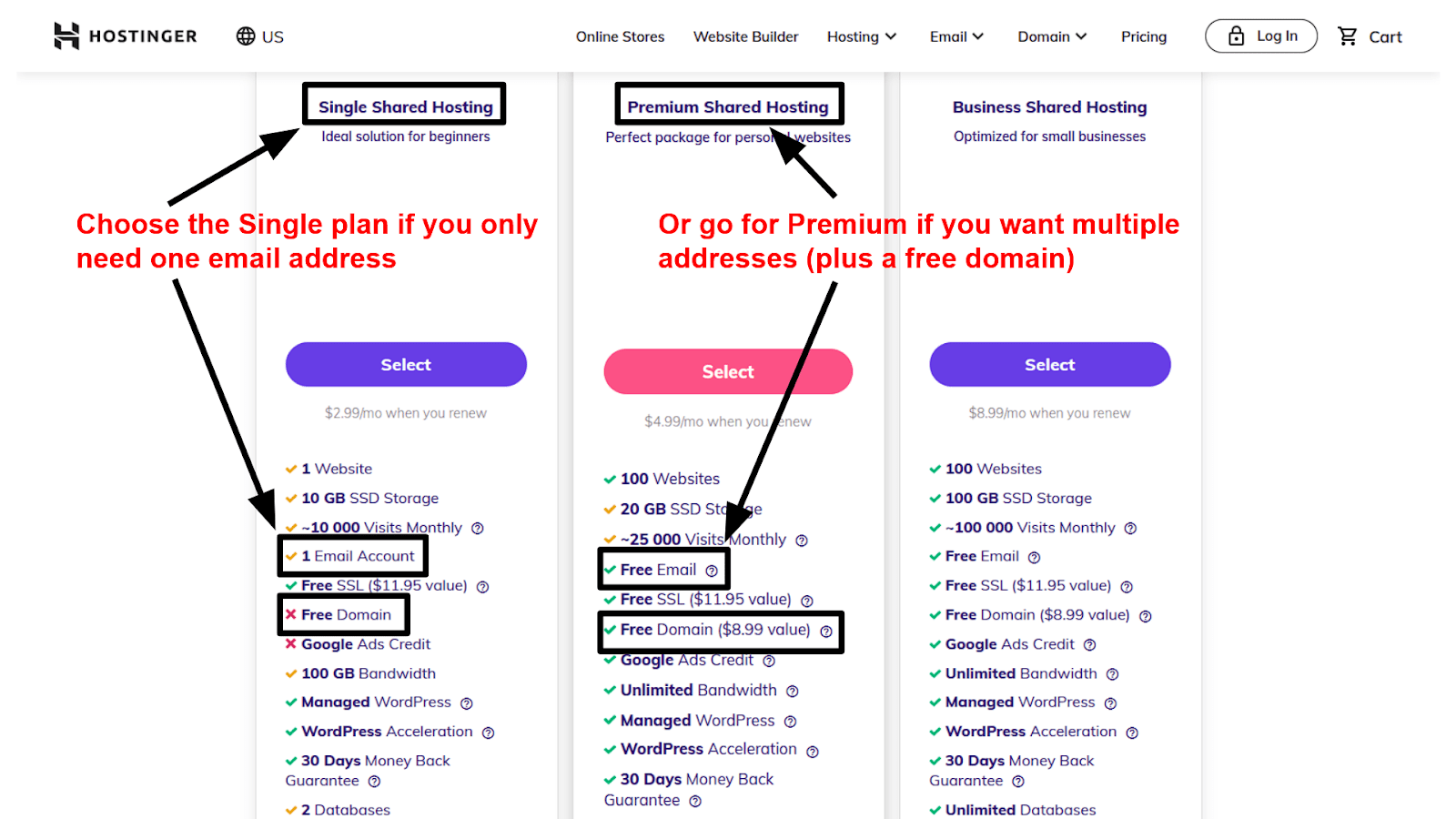
Credit: www.websiteplanet.com
Choosing The Right Web Hosting Provider
Pick a provider that offers reliable service. Check customer reviews. They give real insights. Look for good uptime. It means less downtime for your site. Examine the support options. Can you contact them easily? Is help available 24/7? Check storage space. More is better. Look at bandwidth limits. High limits mean more visitors.
Several web hosting companies are well-known. Bluehost is very popular. They offer many features. HostGator is another good choice. They have great plans. SiteGround offers strong security features. Their customer service is praised. GoDaddy is famous for domain services. They also offer hosting plans.
Setting Up Your Domain
First, find a good domain name for your website. It should be short and easy to remember. Use a domain registrar to buy it. Some popular registrars are GoDaddy and Namecheap. After you choose a name, check if it’s available. If it is, proceed to register it. Provide your contact details and pay the registration fee. Your domain is now ready to connect with your hosting.
Log into your hosting account. Look for the domain management section. Here, you will enter the domain name. Use the nameservers provided by your hosting company. Update the nameservers in your domain registrar account. This connects your domain to your hosting. The change might take a few hours to work. Once done, your domain will point to your website.
Email Hosting Features
Setting up emails with web hosting sites involves accessing the hosting control panel. Users create email accounts and configure settings easily. Web hosting providers offer features like spam filters, storage space, and security tools to enhance email management.
Email Storage And Limits
Email hosting sites offer different storage options. Some provide unlimited storage, while others have specific limits. It’s important to know your storage needs. More storage allows keeping many emails. Less storage means you must delete old emails often. Check the storage capacity before choosing a hosting plan.
Security And Spam Protection
Security is crucial in email hosting. Good hosts offer strong security features. They protect emails from hackers. Spam protection is also vital. It keeps unwanted emails away. Many hosting sites have built-in spam filters. They help keep your inbox clean. Always choose a host with good security and spam features.

Credit: www.wisevu.com
Creating Email Accounts
First, log into your web hosting account. Find the control panel section. This section lets you manage your website. Look for an icon that says Email Accounts. Click on it to enter the email setup area. The control panel is usually easy to find. Most web hosting sites offer it on the main dashboard. Explore the options available to you there.
Once inside the email section, search for a button labeled Create New Email. Click this button to begin. A form will appear asking for details. Enter the email name you want. Choose a strong password. Make sure to note it down. After filling in all fields, find the Create or Submit button. Click it to finalize the new email account. Now, your new email address is ready to use!
Configuring Email Client Settings
IMAP and POP3 are ways to get emails. IMAP keeps emails on the server. It lets you see the same emails on different devices. POP3 downloads emails to one device. Once downloaded, they are gone from the server. Choose IMAP if using many devices. POP3 is good for one device only. Remember, IMAP uses more space on the server.
SMTP helps send emails. It’s like a mailman for emails. To set up SMTP, you need the server name. Also, the port number is important. Common ports are 25 and 587. Some servers use SSL for safety. Always check if SSL is needed. Username and password are also required. These settings help send emails securely.
Managing Emails
Keeping your inbox tidy is important. Start by sorting emails. Put them in different folders. For example, create a folder for work emails. Another for personal ones. This helps you find emails easily. Check your inbox daily. Delete unnecessary emails. This keeps your inbox clean and organized. Use color-coded labels for categories. It makes emails stand out.
Filters and labels are handy tools. Filters sort emails automatically. Set rules for incoming emails. For example, move emails from a friend to a specific folder. This saves time. Labels are like tags. They help group emails. Apply labels to important emails. Bright colors make them visible. Filters and labels make managing emails easy.
Troubleshooting Common Issues
Email Delivery Problems can frustrate many users. Emails might not reach the recipient. The inbox stays empty. Check if the email server is down. Sometimes, spam filters block emails. Look into spam settings. Make sure email addresses are correct. Typos cause big issues.
Authentication Errors are another concern. Incorrect login details block access. Check your username and password. Keep them safe. Sometimes, settings on the server change. Users need to update them. Recheck your security settings. Ensure they match the server requirements.
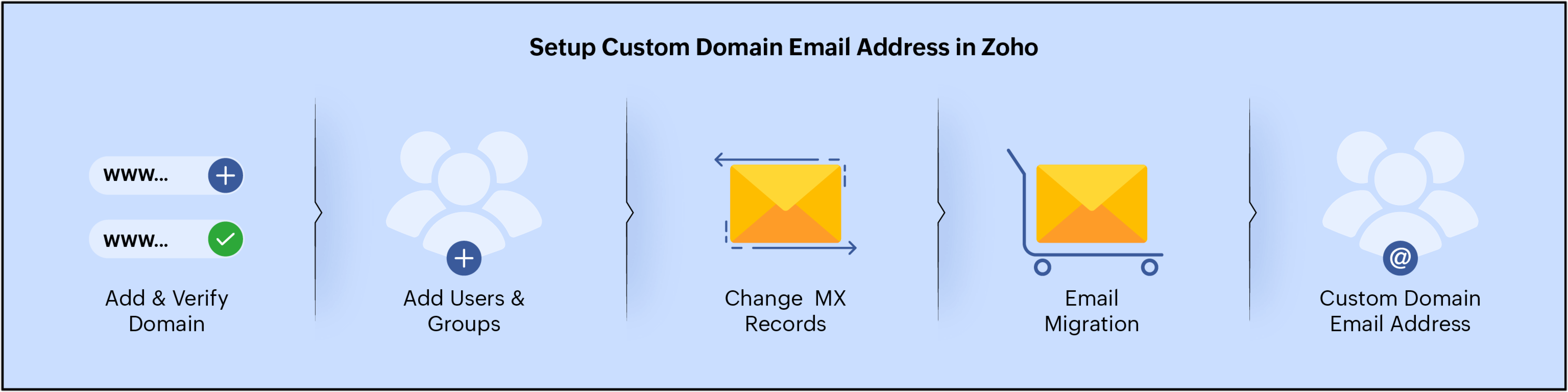
Credit: www.zoho.com
Frequently Asked Questions
How To Create An Email In Hosting?
Log into your hosting control panel. Locate the “Email Accounts” section. Click “Create” or “Add New. ” Enter the desired email address and password. Save your changes. Your new email is ready for use.
Does Web Hosting Include Email?
Yes, many web hosting providers offer email services. These include creating email accounts, forwarding, and spam filtering. Always check your hosting plan to confirm email features. Some plans may require additional purchase for advanced email functionalities. Ensure your hosting choice meets your specific email needs.
What Is The Best Host For Domains Hosting Emails?
Google Workspace and Microsoft 365 are top choices for domain hosting emails. They offer reliable service, strong security, and excellent integration with other tools. Both provide user-friendly interfaces and scalable options for businesses of all sizes. Consider your specific needs to choose the best fit.
How Much Does Email Hosting Cost?
Email hosting costs vary from free to $10 per user monthly. Pricing depends on features and storage requirements. Many providers offer scalable plans to fit different business needs. Always compare providers to find the best value for your budget.
Conclusion
Setting up emails with web hosting is straightforward and rewarding. Start by choosing a reliable host. Then, access your hosting dashboard. Create your email accounts there. Use simple settings to personalize them. Ensure spam filters are on. Regularly check and manage your inbox.
Email setups enhance communication. They build trust and professionalism. Now, your online presence looks polished. You connect easily with your audience. These steps secure your email efficiency. Enjoy streamlined communication with your clients. Your business thrives with organized emails. Follow these steps for a smooth experience.
Happy emailing!


