
Are you looking to tap into a lucrative market and unleash your creativity? Creating and selling WordPress themes might be the perfect opportunity for you.
In the ever-evolving digital landscape, website owners are constantly on the hunt for unique and functional themes to make their sites stand out. This is your chance to not only showcase your design skills but also to generate a steady stream of income.
Imagine having the power to design themes that captivate users and enhance website functionality. Picture the satisfaction of knowing your work is being used and admired by people worldwide. By learning how to make WordPress themes, you can turn this vision into reality and open doors to endless possibilities. This guide will walk you through the essentials of theme creation, from the initial design phase to the final steps of selling your masterpiece. You’ll discover practical tips, insider secrets, and the tools you need to succeed in this competitive market. Ready to transform your passion into profit? Let’s dive in and explore how you can make website themes on WordPress to sell.
Choosing Your Niche
Knowing who will use your theme is important. Think about their needs. Are they bloggers, businesses, or artists? Each group has different wants. Bloggers need simple designs. Businesses may want professional looks. Artists might need creative layouts. Understand their preferences to make a good theme.
Market trends show what is popular now. Check popular themes on WordPress. See what features they have. Look for patterns. Do many themes have similar colors or styles? Knowing this helps you create a competitive theme. Stay updated on changes to meet customer demands.
Planning Theme Features
Themes must have responsive design. They should look good on phones and computers. Easy customization is important. Users like changing colors and fonts. Fast loading speed is a must. Slow themes lose visitors. SEO-friendly design helps sites rank better. This attracts more users. Themes should support popular plugins. Plugins add extra features to websites.
Offer something different. Maybe a unique layout. Or special animations. Simple navigation can be a selling point. Users enjoy easy menus. Regular updates are crucial. Themes should stay current. Help users with good documentation. Guides make setup easy. Consider creating a demo version. This lets users try before they buy.
Designing The Layout
Colors and images catch the eye. Choose bright colors for buttons. Use clear fonts for text. Make sure pictures look good. Balance is key. Too many colors can confuse. Keep it simple. Avoid cluttered pages. White space helps focus.
Easy clicks make users happy. Put menus where users expect them. Use simple words for labels. Ensure links work well. Fast loading is important. Slow pages can annoy users. Test your theme on phones. Many people use phones more than computers. Responsive design adapts to screen size. Make navigation smooth. Users should find things quickly.

Credit: themeforest.net
Coding The Theme
Building a WordPress theme needs three main tools: HTML, CSS, and PHP. HTML creates the structure of your theme. Think of it like the bones of a body. CSS adds style. It decides colors, fonts, and spacing. It makes your theme look nice. PHP makes WordPress work with your theme. It connects the database and shows content. Each file must be saved with the correct extension. HTML files end with .html, CSS with .css, and PHP with .php.
Themes must work on all devices. Phones, tablets, and computers. Use responsive design techniques. CSS media queries help. They adjust the style for different screen sizes. A mobile-friendly theme is key. This means easy navigation and readable text on any device. Test your theme on many devices. Check for any layout issues. Fix them to ensure a smooth user experience. Every user should enjoy your theme no matter the screen size.
Testing And Debugging
Cross-Browser Compatibility is crucial for your theme. Every browser shows websites differently. Make sure your theme works well on Chrome, Firefox, Safari, and Edge. Use browser testing tools like BrowserStack. Check your theme on different devices too. Mobile, tablet, and desktop views should look great. Fix any issues you find. Happy users stay longer on your site. This means more sales.
Performance Optimization keeps your theme fast. Slow themes annoy users. Optimize images; smaller files load quicker. Minify CSS and JavaScript. This reduces file sizes. Use caching plugins like W3 Total Cache. Caching speeds up page load times. Test your theme speed with Google PageSpeed Insights. Aim for a score above 80. Fast themes make users happy. They keep coming back. This boosts your sales.
Creating Documentation
Clear instructions help users set up their themes. Step-by-step guides are very useful. Start with simple steps. Download the theme. Next, upload the theme to WordPress. Finally, activate the theme. Use simple language. Add pictures if possible. Pictures help understand better. Visual aids make instructions clearer. Avoid technical jargon. Make sure even a child can follow along.
User manuals help users navigate the theme. Explain each feature in detail. Use bullet points for clarity. Provide examples where needed. Offer tips for best use. Highlight unique features. Make sure the user knows all the functions. Keep sentences short. This helps in understanding. Use simple words. Avoid confusing terms. Manuals should be easy to read and understand.
Setting Up A Demo Site
A demo site should highlight the best features of your theme. Use high-quality images to show the design. Include sample content to demonstrate layout options. This helps buyers see the potential. Make sure the demo is easy to navigate. Clear menus and links improve user experience. Offer different style variations. Give options for color schemes and fonts. These choices attract more customers. A responsive design is crucial. Test on mobile and desktop devices. Ensure the site looks good everywhere. This boosts buyer confidence in your theme.
A live preview lets users interact with your theme. They can explore features in real-time. Provide a simple button for this option. Make the process quick and easy. Users should see changes instantly. Include a reset button. This allows users to start fresh anytime. Offer preview settings. Let users change colors, fonts, and layouts. These options make your theme attractive. Ensure the live preview is responsive. It should work on all devices. This ensures a positive user experience.

Credit: themeforest.net
Marketing Your Theme
Create a simple website for your theme. Show examples and features. Use easy words to describe your theme. Make it clear and fun to read. Add contact information.
Share your theme on Facebook and Instagram. Show how it looks. Post pictures and short videos. Talk about your theme’s benefits. Ask friends to share your posts. Join groups related to WordPress. Be friendly and helpful.
Pricing Strategies
Setting the right price is important. Look at other themes. See what they charge. Your price should be similar. But add something special. Maybe a unique feature. Or a special design. Stand out but stay competitive. This way, people choose your theme.
Discounts make people happy. Offer them during holidays. Or for new customers. Even a small discount can help. It makes buyers feel smart. Like they found a good deal. Use discounts wisely. They can boost your sales. Attract more buyers with special offers.
Selling Platforms
Creating WordPress themes can be a rewarding venture. Start by understanding design principles and coding basics. Use online resources to learn theme development. After crafting your theme, explore selling platforms like ThemeForest or Creative Market to reach potential buyers.
WordPress Theme Marketplaces
Many creators sell themes on WordPress theme marketplaces. These platforms have a large user base. Creators list their themes for users to browse. Themes should be unique and well-designed. Good themes attract more buyers. Marketplaces handle payments and downloads. Creators focus on making high-quality themes. Support and updates are vital for success. Popular marketplaces include ThemeForest and TemplateMonster. These sites have thousands of themes. Creators compete with others for attention. Quality and uniqueness are key to standing out.
Personal Website Store
A personal website store lets creators sell directly. No middleman is involved. Owners keep all profits from sales. Websites should be easy to navigate. Clear descriptions help buyers understand themes. Payment systems must be secure and simple. Marketing is crucial for success. Social media can drive traffic to the store. Email newsletters keep customers informed. Regular updates and support build trust. Owners have full control over pricing and promotions.
Customer Support
Answer all questions quickly. Customers like fast replies. Be polite and clear. Use simple words. Help them understand your themes. If they ask a lot, make a FAQ page. This saves time for both.
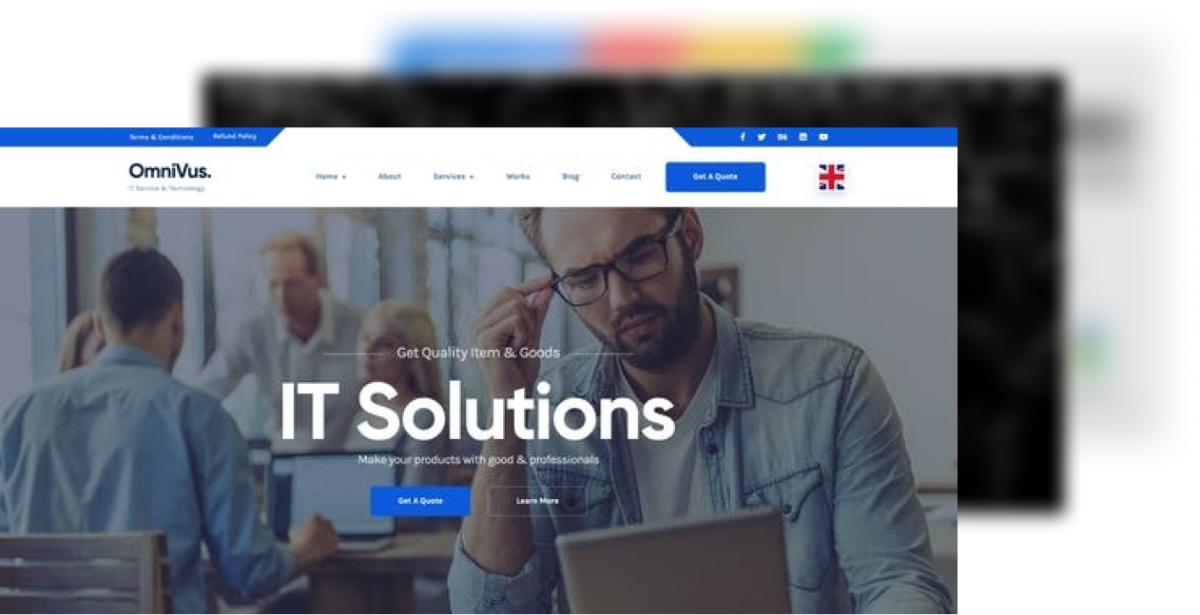
Keep your customers informed. Share new features or fixes. Use email or social media. Tell them about theme updates. Make sure they know how to update. This builds trust. Happy customers come back.
Credit: themeforest.net
Frequently Asked Questions
How Do I Start Creating WordPress Themes?
To start creating WordPress themes, first learn HTML, CSS, and PHP basics. Then, familiarize yourself with WordPress theme structure and templates. Use a local development environment like XAMPP for testing. Begin with a simple theme and gradually add complexity as you gain confidence and experience.
What Tools Are Essential For Theme Development?
Essential tools for theme development include a code editor like Visual Studio Code, a local server environment like XAMPP or WAMP, and a version control system like Git. Additionally, familiarize yourself with WordPress development resources, such as the WordPress Codex and developer blogs, to stay updated on best practices.
How Can I Ensure My Theme Is Responsive?
To ensure your theme is responsive, use flexible layouts with CSS Grid or Flexbox. Implement media queries to adapt your design to different screen sizes. Test your theme on multiple devices and browsers to ensure consistent performance. Utilize tools like BrowserStack for comprehensive testing across platforms.
What Are The Best Practices For Theme Development?
Best practices for theme development include using clean, well-commented code and following WordPress coding standards. Ensure compatibility with popular plugins and optimize for performance. Prioritize security by escaping data and validating input. Regularly update your theme to incorporate new features and address vulnerabilities.
Conclusion
Creating WordPress themes to sell is a rewarding venture. It blends creativity with business potential. Start by understanding user needs. Design with simplicity and functionality in mind. Quality coding is essential. Test your themes thoroughly. Make them unique yet versatile.
Pricing should reflect value, not just market trends. Market your themes effectively. Use social media and theme marketplaces. Listen to feedback, improve your designs. Stay updated with WordPress changes. This ensures compatibility. Keep learning and innovating. Your themes can grow in popularity.
They can become a steady income source. Embrace the journey. Success is within reach.


