
Imagine having complete control over your website’s performance, security, and scalability. Setting up a Virtual Private Server (VPS) for web hosting can make this a reality.
Whether you’re launching a personal blog or managing a business site, a VPS provides the flexibility and power you need to succeed online. You might think configuring a VPS is complicated, but it’s simpler than you expect. In this guide, you’ll discover straightforward steps to set up your VPS efficiently.
You’ll gain valuable insights on maximizing its potential and avoiding common pitfalls. Ready to take control of your online presence? Keep reading, and empower your website with a VPS tailored to your needs.
Choosing The Right Vps Provider
Picking the right VPS provider is important. First, check the cost. Make sure it fits your budget. Also, look at features. Do they meet your needs? Next, think about customer support. Can you reach them anytime? Security matters too. Is your data safe with them? Finally, check their reputation. What do others say about them? These factors help find a good VPS provider.
| Provider | Features |
|---|---|
| DigitalOcean | Easy setup, great support |
| Linode | Affordable, reliable performance |
| Vultr | Fast deployment, global presence |
Selecting The Operating System
Choosing between Linux and Windows can be tricky. Linux is free and open-source. It is popular for web hosting. Windows offers a user-friendly interface. It is ideal for applications needing Microsoft technologies.
Linux is known for its stability and speed. Windows supports a wide range of software. Check your website’s needs first. Does it need special software? Linux works well with Apache and PHP. Windows supports .NET and MSSQL. Both systems have pros and cons.
| Feature | Linux | Windows |
|---|---|---|
| Cost | Free | Paid |
| Support | Community | Paid Support |
| Flexibility | High | Medium |
Configuring The Vps
Setting up a VPS for web hosting involves selecting an operating system, installing necessary software, and configuring security settings. Ensure optimal performance by adjusting server resources and managing databases efficiently. Regularly update software to maintain security and reliability.
Accessing The Server
First, connect to your VPS. Use a tool like SSH. This tool helps you log in. You will need your server’s IP address. Also, keep your username and password ready. Open the terminal and type the command. It will look like ssh username@ip_address. Press enter. Then enter your password. Now, you can see the server’s command line. You have accessed your VPS!
Initial Setup And Security
Start by updating your VPS. Use the command sudo apt update. This will refresh the system. Next, run sudo apt upgrade. This installs new updates. Don’t forget to set a strong password. It keeps your server safe. Use firewalls to block unwanted traffic. Install software like UFW. Enable it with sudo ufw enable. Check its status with sudo ufw status. Your server is now more secure.
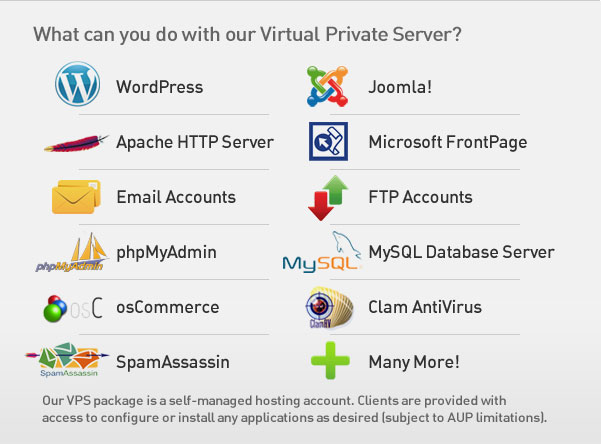
Credit: www.serverpronto.com
Installing Web Server Software
Apache and Nginx are popular web servers. Apache is easy to use. It is great for beginners. Nginx is fast. It handles many users at once. Choose the one that fits your needs. Both have good support. Community help is available online.
Virtual hosts help in managing multiple websites. Each website has its own space. This prevents errors. It keeps sites organized. Virtual hosts are easy to set up. They use simple code. Follow the steps in the guide. Make sure each site works. Test them one by one.
Database Setup
Setting up a VPS for web hosting involves installing a control panel and configuring server settings. Optimize security and performance by updating software regularly. Ensure database connections are properly established for smooth website operations.
Installing Mysql Or Mariadb
First, login to your VPS. Use your SSH client. Then update your package list. Type sudo apt update in your terminal. To install MySQL, type sudo apt install mysql-server. For MariaDB, type sudo apt install mariadb-server. Wait for the installation to complete. Check the status of the database. Type sudo systemctl status mysql or mariadb. Ensure it says active.
Database Configuration
Next, secure your database server. Run sudo mysql_secure_installation. Set a strong password. Remove anonymous users. Disallow remote root login. Remove test databases. Reload the privilege tables. This ensures changes take effect. Now, log in to MySQL or MariaDB. Use mysql -u root -p. Create a new database. Type CREATE DATABASE mydatabase; You can now use this database for your website.

Credit: www.youtube.com
Php And Other Language Support
Setting up PHP is important for many websites. Begin with installing the PHP package on your VPS. Use commands like apt-get install php for easy setup. After installation, check its version using php -v. Ensure PHP works with your web server. Connect it with Apache or Nginx. Test PHP by creating a file named info.php. Add php phpinfo(); ? to it. Open the file in a browser to see if PHP runs. This confirms your setup. Easy, right?
Hosting websites may need multiple languages. Some might use Python or Ruby. Start by installing the required packages for each. Use apt-get install python for Python. For Ruby, try apt-get install ruby. Each language needs setup for web server integration. Test each language like PHP. Write small test scripts. Run them in the browser. Confirm they work. Adjust configurations if needed. Simple steps ensure everything runs smoothly.
Securing The Vps
A firewall is like a guard for your server. It keeps out bad traffic. You need to set rules. These rules decide what traffic is allowed. Block unwanted ports. Open only the necessary ports. This helps keep your server safe. Use tools like UFW or iptables. These tools are easy to use.
An SSL certificate makes your website secure. It encrypts data. This means hackers can’t read it. You need to get an SSL certificate. Some are free, like Let’s Encrypt. After getting it, install on your server. This will protect your website visitors. Their data stays safe.

Credit: webidextrous.com
Managing And Monitoring
Control panels make VPS management easy. They help control settings. Popular options include cPanel and Plesk. These tools offer user-friendly interfaces. You can manage domains, emails, and databases. It saves time and reduces errors. Control panels often have built-in security features. They help protect your server from threats. Choose a control panel that fits your needs.
Monitoring tools keep an eye on server health. They send alerts for issues. Look for options like Nagios or Zabbix. These tools track server performance. They alert you to problems. You can set up custom alerts. This helps spot issues early. Regular monitoring ensures smooth operations. Alerts help fix problems fast. Keeping your site online is important. Make sure monitoring tools work well.
Backup And Recovery Strategies
A good backup system saves time. It helps keep data safe. You need automated backups. They run without help. Daily backups are best. Weekly backups are good too. Choose a backup tool. It must be easy to use. It must work well. It should store data securely. A remote server is a good choice. It keeps data safe if one server fails.
Disaster recovery is very important. Plan for problems. Servers can fail. Data can be lost. Prepare a recovery plan. Start with a checklist. Include steps to restore data. Keep it simple. Make sure everyone knows the plan. Test the plan often. It must work well in an emergency. Practice makes perfect. Regular tests ensure readiness.
Performance Optimization
Setting up a VPS for web hosting boosts website speed and reliability. Begin by selecting a reliable hosting provider. Then, install a user-friendly control panel to manage your server easily.
Caching Techniques
Caching helps make your site faster. It stores data for easy access. This reduces server load. Pages load quickly. Users stay happy. Use tools like Varnish or Redis. They are simple to use. These tools save content. Your server works less. This means your site is faster. Speed keeps visitors on your site. They will come back again.
Load Balancing
Load balancing shares work between servers. This keeps your site strong. Even with many users, your site does not slow down. Use software like HAProxy. It is easy to set up. Requests go to the best server. This keeps each server from getting too busy. Your site stays fast. Users have a good experience. They will like your website.
Frequently Asked Questions
How To Setup Vps For Web Hosting?
Start by choosing a reliable VPS provider. Install a Linux OS and secure it with firewall settings. Set up LAMP or LEMP stack for server functionality. Configure DNS settings to point your domain to the server. Regularly update server software for security and performance.
Can You Host A Website With A Vps?
Yes, you can host a website with a VPS. It offers control, flexibility, and dedicated resources. Customize server settings, manage security, and install necessary software. Ideal for growing websites needing more than shared hosting. Ensure you have technical knowledge or seek professional help for setup and management.
How Much Does It Cost To Run A Vps?
The cost to run a VPS varies from $5 to $100 monthly, depending on resources like CPU, RAM, and storage. Hosting providers offer different plans to suit various needs and budgets. Consider factors like bandwidth, support, and scalability when choosing a plan.
Is Vps Better Than Vpn?
VPS and VPN serve different purposes. VPS hosts websites or applications, offering control and customization. VPN secures internet connections, enhancing privacy and bypassing geo-restrictions. Neither is inherently better; each excels in its own domain. Choose VPS for hosting needs, VPN for secure browsing.
Conclusion
Setting up a VPS for web hosting is straightforward. Start with choosing a reliable provider. Next, configure your server settings carefully. Remember to secure your VPS with strong passwords. Regular updates keep your server safe. Monitor your server performance often.
Backup your data frequently to avoid loss. With practice, managing a VPS becomes easier. You’ll gain confidence as you explore more features. Web hosting with VPS offers flexibility and control. Embrace the learning process and stay curious. Your website can thrive with a properly managed VPS.
Keep experimenting and improving your skills.


