
Imagine you’re about to launch your very own website. You’ve chosen the perfect domain name, crafted engaging content, and designed visuals that capture your brand’s essence.
But there’s one critical piece of the puzzle that can make or break your online presence: your web hosting configuration. You might be wondering, how do web hosts configure the servers to ensure your site runs smoothly? Understanding this process is essential, as the right setup can enhance your site’s performance, security, and reliability.
We’ll demystify the web hosting configuration process, shedding light on how it impacts your website’s success. By the end, you’ll know exactly what goes on behind the scenes and how you can leverage this information to optimize your site. Ready to uncover the secrets of web host configuration and ensure your site thrives? Let’s dive in!
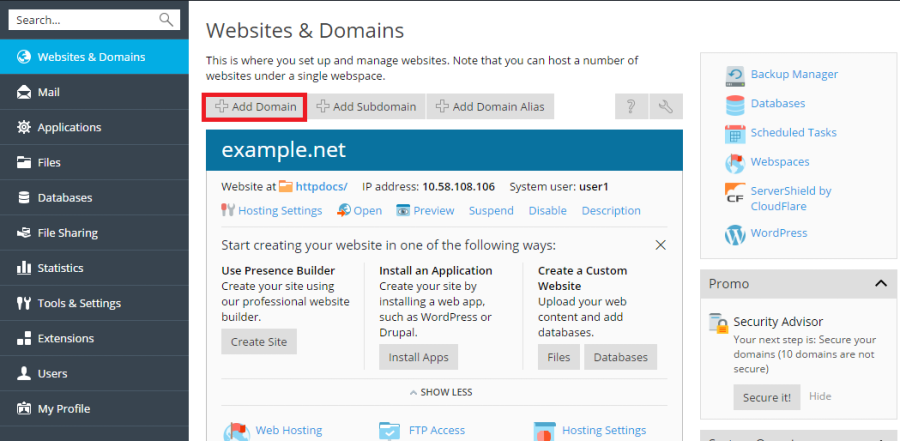
Credit: docs.plesk.com
Types Of Web Hosting
Shared hosting is like a big house. Many websites live in one server. This makes it cheap and easy to use. But, if one site gets busy, others can slow down. It’s a good choice for small websites. People new to hosting often start here. It’s simple and cost-effective.
VPS stands for Virtual Private Server. It’s like having your own room. You get more control and privacy. Websites run faster than shared hosting. It’s a good step up from shared hosting. More resources mean better performance. Ideal for growing websites.
Dedicated hosting is like owning a house. You get a whole server to yourself. This means high performance and security. It is best for big websites. Also for sites with a lot of traffic. It’s the most expensive option. But, you get full control.
Cloud hosting is like living in many places at once. Your site is on multiple servers. This makes it very reliable. If one server fails, others keep working. It’s good for sites with changing traffic. You only pay for what you use. Flexible and scalable.
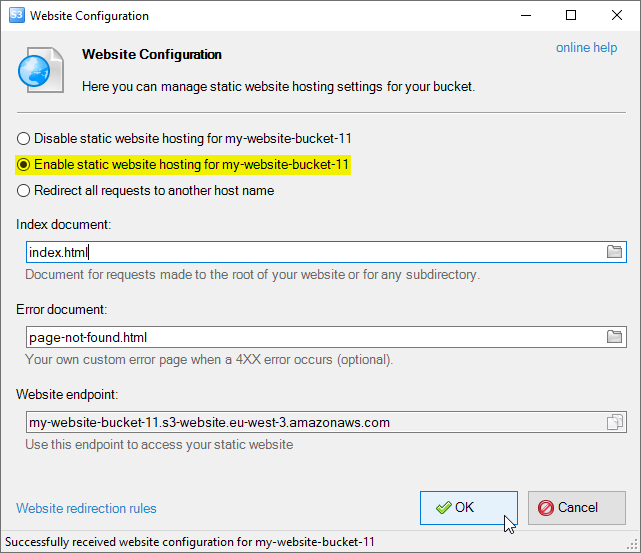
Credit: s3browser.com
Key Components Of Web Hosting
Servers are the heart of web hosting. They store all website data. This includes files, images, and videos. A server’s power affects website speed. Faster servers make websites load quickly. Slow servers might cause delays. Hosting companies use powerful servers. These servers ensure websites run smoothly. They also help manage traffic.
The Operating System is the software that runs the server. Common choices are Linux and Windows. Linux is popular for web hosting. It is open-source and flexible. Windows is user-friendly. It supports specific applications better. The choice affects website management. Different systems offer different features.
Control panels make managing websites easy. They provide a user interface. This helps users manage settings. Common control panels are cPanel and Plesk. cPanel is popular for its ease of use. Plesk offers advanced features. Both panels simplify tasks. They allow users to install applications. They also help monitor website traffic.
Domain Name System (dns) Setup
First, choose a name for your website. It should be simple and easy to remember. Use a domain registrar to check if the name is available. If it is, you can buy it. The registration process is quick. Keep the domain details safe. You will need them later. Always use a trusted registrar to avoid issues.
DNS records help direct users to your website. They link your domain to your web host. Common records include A records and CNAME records. A records point to an IP address. CNAME records link domains to other domains. Set up these records through your registrar’s dashboard. Changes may take some time to update. Always double-check the settings to ensure they are correct.

Credit: www.geeksforgeeks.org
Server Configuration
Web hosts use strong computers called servers. These servers have lots of RAM and fast processors. They also need big and fast hard drives. This helps them store lots of data. A good server has many CPUs. This makes it work faster and handle more tasks.
Servers run special software to help websites. They need an operating system like Linux or Windows. This helps them run smoothly. They also install web server software like Apache or Nginx. This software helps in sending web pages to users. They need databases like MySQL for storing information.
Web hosts keep servers safe with firewalls. Firewalls block bad traffic. They use SSL certificates to keep data safe. This helps to protect passwords and credit cards. Servers need regular updates. Updates fix bugs and improve security. Good web hosts have strong backups. Backups help recover data if lost.
Bandwidth And Storage Management
Web hosts control how data moves. They decide how much data you can use. This data is called bandwidth. Your site needs enough bandwidth. This lets many people visit your site. If your site gets busy, you need more bandwidth.
Limited bandwidth can make your site slow. It might stop working. Hosts offer plans with different bandwidth. Choose a plan that fits your site. Think about how busy your site will be. Pick the right bandwidth for your needs.
Storage keeps your site’s files. Hosts offer different storage types. Some use SSD storage. It is fast and reliable. Others use HDD storage. It holds more data but is slower. Your site size affects storage need. Large sites need more storage.
Hosts give different storage plans. Pick a plan that fits your site size. Think about how much data you will store. Choose wisely to keep your site running well. Good storage keeps your site fast and safe.
Security Protocols
SSL Certificates keep data safe. They use strong encryption. This helps protect private information. Customers feel safe and secure. Websites with SSL show a lock icon. This means it is a safe website. Hackers can’t easily steal data.
Firewalls block bad traffic. They protect against hackers. Only good traffic gets through. This keeps the website safe. Firewalls are like guards for your site. They stop threats before they cause harm. Malware and viruses can’t pass through easily.
Regular backups save copies of data. This is important if data is lost. Backups help restore everything. They happen often. This keeps data current and safe. If something goes wrong, data is not lost forever. It’s like having a safety net for your website.
Performance Optimization
Web hosts use load balancing to spread traffic across servers. This helps in handling lots of visitors. Servers share the work equally. So, none of them get too busy. If one server fails, others take over. This keeps websites up and running. Load balancing makes sites faster and more reliable.
Caching stores copies of web pages. This makes loading faster. Users get pages quickly without waiting. Web hosts use caching to improve speed. It reduces the load on servers. With caching, websites perform better. It saves time and resources. Users enjoy a smooth experience.
Monitoring tools check server health. They watch for issues and fix them fast. These tools track server performance. Alerts warn about potential problems. Web hosts act quickly to solve them. Good monitoring keeps websites running well. It helps in maintaining great performance.
Technical Support And Customer Service
24/7 Support is very important. Web hosts know this. They offer help all day. Every day. Problems can happen at any time. Quick help is needed. Experts are ready to assist. This makes users happy.
Troubleshooting Services are available too. Issues can be complex. Tech teams solve them fast. They check server issues. Also, they fix software problems. Users get back online quickly. This saves time and stress.
Clear Customer Communication is key. Web hosts use simple words. They explain problems well. They also give clear steps. Users understand what to do. This builds trust. Good communication leads to happy customers.
Custom Configuration Options
Web hosts offer scalability features for growing websites. As traffic increases, hosts provide more resources. This ensures the site runs smoothly. Servers can handle more visitors without slowing down. This is important for business growth. It keeps users happy and engaged. Scalability is a key feature for any web host. It allows sites to grow without issues. Hosts use advanced technology to support this. It ensures sites are always fast and reliable.
Many web hosts provide custom software solutions. These solutions fit specific needs. They help sites perform better. Web hosts may offer unique tools. These tools improve site management. Some hosts use special software for added security. This keeps websites safe from threats. Custom solutions can also boost site speed. Faster sites keep users happy. Custom software is tailored to fit each site’s needs. This makes web hosting more efficient.
Frequently Asked Questions
How To Configure A Web Server?
Install the web server software on your machine. Configure server settings in the configuration file. Set up permissions and security protocols. Test the server with sample files to ensure functionality. Monitor and maintain the server regularly for optimal performance.
How Does A Web Host Work?
A web host stores website files on servers, making them accessible online. It provides bandwidth, security, and technical support. Users access your site through their browsers, using a domain name. Web hosts ensure your site remains online and functions correctly.
What Is A Hosting Configuration?
A hosting configuration refers to the setup of server resources and settings for optimal website performance. It includes server type, storage, bandwidth, security settings, and software installations. Proper configuration ensures speed, security, and reliability for your website, enhancing user experience and search engine rankings.
How Do I Set Up A Web Hosting?
Choose a reliable hosting provider and select a plan. Register a domain name. Configure DNS settings. Upload website files using an FTP client. Test your website to ensure it works correctly.
Conclusion
Understanding web host configurations is crucial for website success. They impact speed, security, and reliability. Choosing the right configuration can enhance user experience. It’s important to know your needs. This ensures you select the best hosting service. Stay informed about different options.
Evaluate your hosting provider regularly. Technology evolves, so should your hosting plans. Keep your site updated and secure. A well-configured host supports growth and performance. Make informed choices for your website’s future.


